We remain fully operational. Our teams are working around the clock to ensure your deliveries continue safely.

DOWNLOAD THE APP


Customer Services
Copyright © 2025 Desertcart Holdings Limited
DOWNLOAD THE APP
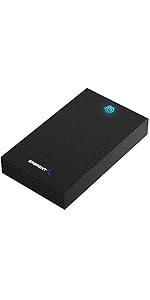
![SABRENT USB 3.0 to SATA External Hard Drive Lay-Flat Docking Station for 2.5 or 3.5in HDD, SSD [Support UASP] (EC-DFLT)](https://m.media-amazon.com/images/I/81Y8qIYM2eL.jpg)
💼 Elevate your data game with the ultimate SATA dock—speed, capacity, and pro-level ease!
The SABRENT USB 3.0 to SATA Lay-Flat Docking Station supports both 2.5" and 3.5" SATA HDDs and SSDs with up to 20TB capacity. Featuring USB 3.0 SuperSpeed connectivity at 5Gbps and UASP protocol for enhanced transfer efficiency, it delivers fast, reliable data access. Compatible with Windows and Mac systems, it includes free Acronis True Image software for easy drive cloning, making it an essential tool for professionals managing large storage needs.



| ASIN | B00LS5NFQ2 |
| Best Sellers Rank | #1 in Hard Drive Docking Stations |
| Compatible Devices | Desktops, Laptops |
| Connectivity Technology | usb |
| Customer Reviews | 4.4 4.4 out of 5 stars (36,166) |
| Data Transfer Rate | 5 Gigabits Per Second |
| Date First Available | July 14, 2014 |
| Global Trade Identification Number | 00819921011572 |
| Hard Disk Form Factor | 3.5 Inches |
| Is Discontinued By Manufacturer | No |
| Item Weight | 7.5 ounces |
| Item model number | EC-DFLT |
| Language | French |
| Manufacturer | SABRENT |
| Material | Single Bay |
| Max Number of Supported Devices | 1 |
| Memory Storage Capacity | 20 TB |
| Product Dimensions | 7.09 x 1.6 x 4.8 inches |
| UPC | 780746852766 819921011572 737989665660 650135421227 |
K**N
Perfect USB3 to SATA HDD dock
Perfect USB3 to SATA HDD dock. Easy to use and works out of the box!
R**E
2.5 years later, I upgrade my rating from 2 stars to 5 stars!
I bought the Sabrent ED-DFLT enclosure so that I could format various hard drives on my iMac. It's a rather long story, which I'll shorten to this: I confirmed that the Sabrent enclosure worked when I received it by using an old 2TB drive. I then tossed the box and waited for my 6TB Western Digital Caviar Green drive to arrive from Amazon a couple of weeks later. When plopped into the Sabrent, the new drive showed up on my Mac's desktop. I then set about creating a large encrypted disk image on the drive. It chugged away for 4 full days, seemingly working for the first 3. But after day 4, the formatting was clearly hung, and it had taken my Mac down with it. Upon rebooting, the drive no longer showed up at all. Disk Utility could not even see it. After a lot of detective work, too long to describe here, I confirmed that the 6TB drive was still working fine, but the Sabrent logic board had died, obviously a case of infant mortality. The good news: it can handle large capacity hard drives. The bad news: not for very long... And of course, since I tossed the boxing, there is no returning the Sabrent. I therefore spent $23 on a brick, although it won't break me. This case of infant mortality is probably just a fluke, but an annoying one when it happens to you. I should have kept the box a while longer. My bad. UPDATE 1/2118: To Sabrent's great credit, and this is going back about 2.5 years ago, they stepped in and replaced the enclosure, no charge. I tested it but ran into issues trying to do the above formatting again, and threw it on my junk pile. With hindsight, I'm now realizing that the issue was most likely the hard drive I was using, which I got by ripping open a Western Digital external hard drive and removing it. There's something odd about the firmware in these drives. They're just "not right" when taken out of their manufacturer's shell and fully exposed like this. I think my issue was the hard drive, and NOT Sabrent. Coupled with their excellent customer service, I've now increased the rating to five stars. Because ... I just bought some 8TB Hitachi hard drives and it was time to format them, again with encryption. These are new, bare hard drives from Amazon, not something I ripped out of an external HD box! Fortunately, I still had the Sabrent enclosure, so I pulled one off the pile, attached the 12V/1.5A power adapter to it, put the 8TB drive in, connected to my Mac Mini, and just like that, the hard drive mounted on the desktop. I formatted it in HFS+, then created a new encrypted disk image, and let it run. This time, all went well. I discovered that if you open Sierra's Activity Monitor and click on Disk Activity, you get a readout of how fast the data is moving across the interface. I was seeing it move between 110 - 160 MB/sec, averaging about 130 MB/sec. That's not bad at all on my 2012 iMac with a 4-core i7 processor running Sierra (12.6). It's not the fastest i7 there is, so you have to remember that there are calculations that first have to be made before the data can be spit out of the USB3 ports for writing. That takes time to execute, which has to slow transfers down somewhat. USB of any speed never hits its theoretical maximum anyway (4.8Gbps for USB3, or about 600 MB/sec). Considering I was getting only 25 MB/sec with USB2 on this same machine (theoretical maximum speed = 60 MB/sec), actual speeds are less than theoretical speeds by about the same factor for each version of USB. The full 8TB of writing took 17 hours, which averages out to 130 MB/sec, consistent with what I see in Activity Monitor. I would say that's pretty good. I'm happy. Side note: I got to wondering about Sabrent's advice to run a firmware update. I'm a Mac guy, but I have an old PC running XP. I thought I would take a stab at the upgrade. I downloaded it to the PC, but the update would not run at all. You tell it to RUN the update and nothing happens. My neighbor has a PC running Windows 10, so I took the dock, power supply, and a USB cable to his place. He downloaded the update to his PC, followed the .pdf instructions exactly, the interface presented is NOT what the .pdf shows, but tried running it anyway. Same issue: hit the RUN button and nothing happens. It doesn't freeze or anything like that. It simply does nothing. So much for that! The key point I'm making is that this same dock that I bought 2.5 years ago (August 2015) easily sees my 8TB drives, runs flawlessly, and runs quite fast, all with no firmware update whatsoever. I don't understand Sabrent's statement that older docks (2.5 years old?) without an update are limited to 4TB. Not mine! I do not understand why other commenters can't get it to work right. It works perfectly for me. Considering Sabrent's great customer support, excellent USB3 performance, full support for an 8TB drive, and it's very low price, I gotta give it 5 stars! UPDATE 1/30/2018: Plugging into two different iMacs running Snow Leopard (10.6.8), neither can see any drive plugged into it. Odd, since at one time it could/did. I don't know what the difference is, but if you're running Snow Leopard, you might consider passing on the Sabrent. UPDATE 2/12/2018: Okay, so the Sabrent isn't happy with Snow Leopard. Separately, I plugged the Sabrent into my 2012 Mac Mini w/i7 processor and running Sierra (12.6). I plugged a second, different external USB3 drive enclosure to another port, loaded a pair of 8TB X300 Toshiba hard drives in each, and proceeded to move data from one drive to the other. Measured speed is about 130 MB/sec, which is about max transfer rates that these hard drives can deliver. No complaints!
R**R
Great product
Works exactly as described. Easy to use.
K**R
Does its job
Works well, wires are long enough, and the case is nice. Wish there was an option to turn off the LED light though
D**T
Good docking bay for external hard drives.
It works as advertised. I like the hood and keeps dust out if you are using it consistently. Fast delivery.
M**E
It Works
I like this machine because it works well. No need to open up your computer to install a hard drive. Simply connect this device to a USB port and power outlet. Then, turn on your computer and slide in a hard drive. Great for using extra storage to free up your internal drives. Voilà you're in business!
N**.
I really wish it worked as intended
If you are looking into a device like this, you already know that data is extremely important and sensitive. It isn’t the kind of thing you want to take chances on. You’re probably either looking into this to save data from an old hard drive, using this to transfer files into a backup drive, or copying files to replace a drive. Either way, any of these use cases don’t have much room for error, and this dock SHOULD be the perfect solution for those use cases. I am sorry, but I do not think this is the dock you are looking for. I bought this dock because I needed to copy over my files from my external drives to new backup drives of the same data. This was a mix of data like decades of photos, videos, movies, music, games and programs. These things are important enough to want to backup twice. When I first got the device, I was really impressed with the build quality but that’s about where my praise ended. It was a hassle to get the brand new drives recognized and formatted, the drives would keep disconnecting. Now, I thought this was a matter of new drives not being initialized or formatted so I didn’t blame the dock. After I finally got the drives formatted and ready for use, it would still randomly disconnect the drives. After reformatting them again, I got a solid connection and thought it was all behind me. I started to transfer my files over in chunks of about 20GB at a time to keep track of any errors. After a few days, my files were all transferred over and I left the dock and new drives (in protective cases) alone in storage. Now, a little over a month later, I needed to access these drives and I am having the same original issues with the dock and disconnecting the drives! I have tried powering on the PC with the dock on/ off, different USB ports, cover open or closed, changed USB power options, updated firmware, all of it. In a sign of desperation, I even wiped and reformatted the drive using both disk management and CMD. My computer keeps making the device connected sound, then the device disconnected sound over and over again. The blue light is blinking and the drives are spinning but then it loses connection. Sometimes file explorer will open and sometimes it won’t sometimes disk management will recognize the device and sometimes it won’t or even if it does, it can say it’s not initialized or unallocated. It typically just opens and closes a window saying “location is not available” and that the drive letter is not accessible. Look, if this was a USB Bluetooth dongle, or some keyboard, this would still be serious inconvenience, but my children’s photos would not be at risk or being lost forever. I tried this device out because it was a competitive price, and the company seemed legit. If you dig around in the reviews, you’ll find similar ones to mine. I am not sure what is different about my use case, I’ve read through the manual and am using the device as intended. For now, it looks like I might need to go back to the drawing board with a solution to connecting drives because, as of now, I do not have confidence in this device or my current backups. I would really appreciate if Sabrent would reach out to me in regards to this experience. Maybe I got a dud, or maybe this model is outdated. All I know, is that I can’t access my drives using this device that is designed to literally do just that. At the moment, I cannot recommend this product at all.
M**H
The docking station worked seamlessly with both my computer and the old drive I was externally connecting. It was very straightforward to install the hard drive in the dock, and I was easily able to fully back up 2 TB of data. The enclosure is sturdy, and I like the transparent cover as it allows me to easily see the drive that's inserted. Overall I am very pleased with this product as it performs as advertised and at a reasonable price point.
S**0
システムのバックアップには最適です。排熱も問題ないと思いますが、最近は気温が高いのでそのへんは各自調整していくのが良いでしょう。なにより、引っ越しソフトウェアがダウンロード可能なのが良好。使いながらレビュー追加していきます。
H**E
Excellent drive bay
D**A
Ho acquistato questa docking station Sabrent per recuperare alcuni dati da vecchi hard disk che avevo nel cassetto e devo dire che fa esattamente quello che promette, senza complicazioni. Prestazioni e Facilità d'uso: La cosa migliore è la semplicità: è un dispositivo Plug & Play a tutti gli effetti. Basta inserire il disco (che sia un SSD da 2.5" o un HDD meccanico da 3.5"), collegare il cavo USB 3.2 e il PC lo riconosce all'istante. Supportando il protocollo UASP, le velocità di trasferimento sono ottime e stabili, ideali per spostare grandi quantità di GB senza attese infinite. Design e Qualità Costruttiva: A differenza di altre docking station "aperte", questa ha un design orizzontale molto stabile. La scocca è in plastica robusta e il meccanismo di inserimento è fluido. Apprezzo molto il LED di stato che indica l'attività del disco, così evito di scollegarlo mentre sta ancora lavorando. Perché sceglierla: È lo strumento ideale per chi fa manutenzione ai PC o semplicemente vuole trasformare un vecchio hard disk interno in un'unità esterna in pochi secondi. Non scalda eccessivamente e non richiede driver particolari. Pro: Compatibile con dischi da 2.5 e 3.5 pollici. Velocità USB 3.2 (supporta UASP). Stabile sulla scrivania e semplicissima da usare. Contro: Il cavo USB in dotazione è buono, ma avrei preferito fosse leggermente più lungo per una gestione dei cavi più pulita. In sintesi: Un accessorio indispensabile da avere nel kit di ogni smanettone. Rapporto qualità-prezzo eccellente, come spesso accade con i prodotti Sabrent.
A**K
Très bon produit
Trustpilot
5 days ago
4 days ago