We remain fully operational. Our teams are working around the clock to ensure your deliveries continue safely.

DOWNLOAD THE APP


Customer Services
Copyright © 2025 Desertcart Holdings Limited
DOWNLOAD THE APP
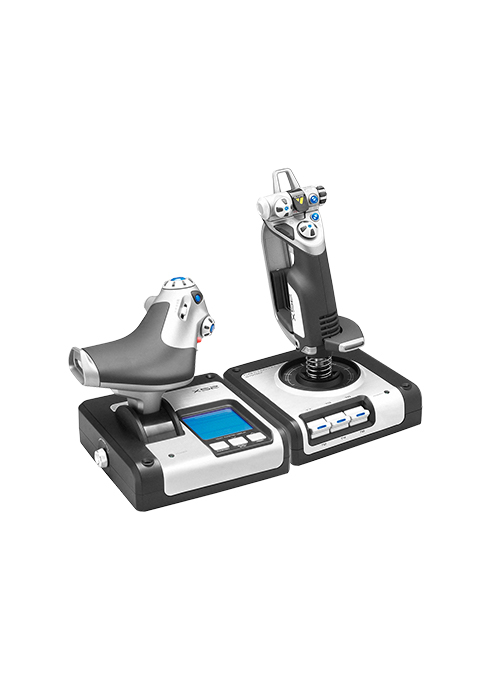
![Logitech G X56 H.O.T.A.S. RGB Throttle and Stick Simulation Controller for VR Gaming 141[並行輸入]](https://m.media-amazon.com/images/I/51NWV0+mjZL.jpg)


✈️ Elevate your VR flight game with precision and style!
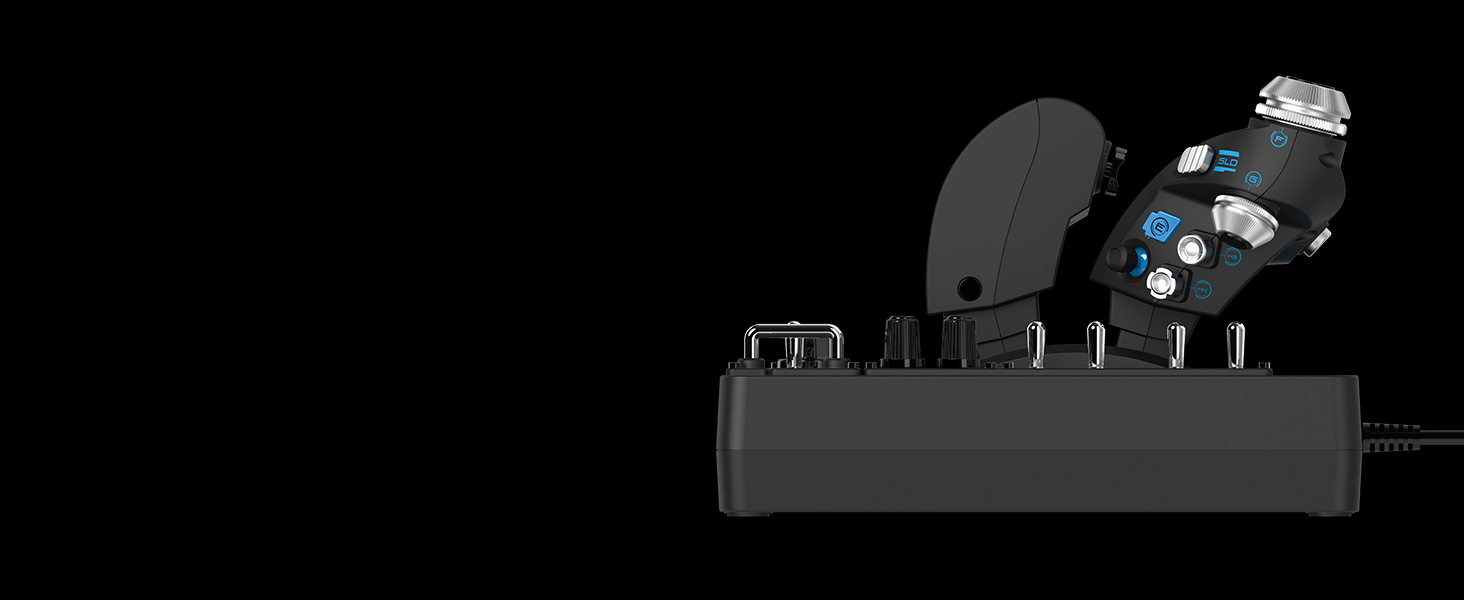
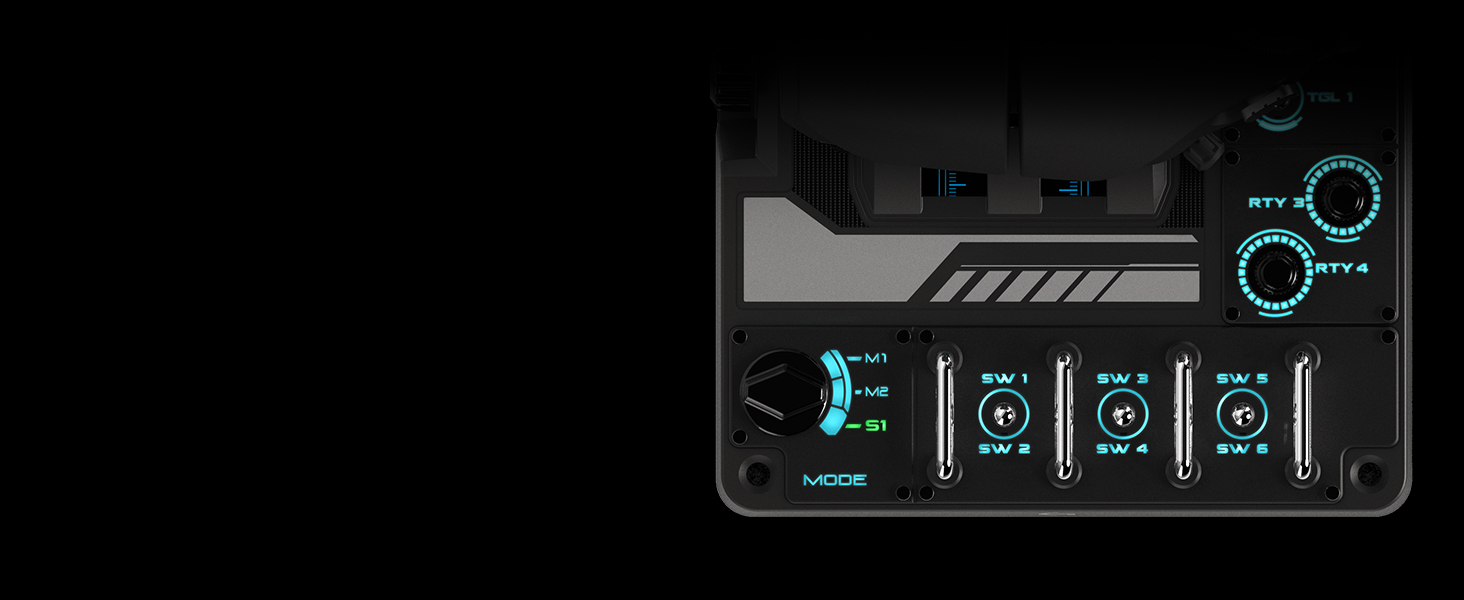
The Logitech G X56 H.O.T.A.S. RGB is a high-performance throttle and stick controller designed for VR flight simulation. Featuring an ergonomic design, over 100 programmable buttons, and customizable RGB lighting, it offers versatile control for both combat and civilian aircraft. Compatible with popular simulators like MSFS2020/2024, it includes a rechargeable lithium-ion battery and is highly rated by users for durability and precision.





| ASIN | B079P6SSHP |
| Batteries | 1 Lithium Ion batteries required. (included) |
| Customer Reviews | 4.1 4.1 out of 5 stars (2,728) |
| Is Discontinued By Manufacturer | No |
| Item model number | 945-000058 |
| Language | English |
| Product Dimensions | 18.5 x 22.5 x 9 cm; 1.12 kg |
ロ**ス
MSFS2020/2024用に購入。 フライトシュミレーターの操作系は機体に特化した物も多く価格もピンキリで物凄く迷ったのですが戦闘機から旅客機まで使えトータルバランスが良くボタンの数、質感、YouTubeのレビュー等総合的に考えこちらに至りました。 質感で言えばThrustmaster スラストマスター HOTAS Warthogもかなり良かったのですが発売から10年以上経って(それで現役も凄いが)いるのでさすがに古さを感じたのとハードは良くてもソフトウェアの更新があまりされていないとの情報だったので… まだまだ操作や知識は初心者レベルなのですがそれでも着陸は見違える様に上手く?出来る様になりました。 やはりフライトシュミレーターするなら何らかの専用ジョイスティックは必須ですね。
深**零
3年前から使用しておりましたが、突然スティックが反応しなくなり、この度買い替えました。最近は他社製も良い物が多く有り、色々考えましたが「使い慣れた物」…が勝りました。
じ**ん
このフライトスティックだけはお勧めできません。とても6万円とは思えない品質で、全体的に精度が悪いです。 6万ぐらいあれば、VKBやWINWING等のメーカーでもっといいフライトスティックが買えます。そちらで購入しましょう。
O**D
Ürünün malzeme kalitesi inanılmaz ucuz hissettiriyor. Çok çok basit bir plastik. Bundan kaynaklı ürünün ağırlığı da çok hafif. Kesinlikle ben buna mı para verdim dedirten bi yapıya sahip. Fonksiyonel olarak işini yerine getiriyor o konuda fazlasıyla iyi. Fakat joystick üzerinde çok küçük de olsa bir deadzone mevcut. Bu fiyatta bir ürün için olmaması gerekirdi. Bütçenizi biraz daha yukarı çekip rakip ürünlerini değerlendirmenizi öneririm.
س**ن
Very good quality and fast shipping
C**S
The H.O.T.A.S. RGB Throttle and Stick Controller X56 is a game-changer for flight simulation. The build quality is top-notch, and the controls feel incredibly responsive. The RGB lighting adds a cool touch, but it’s the customizable buttons and precise throttle control that really stand out. It’s perfect for serious simmers who want realistic, immersive controls. Setup was easy, and it works flawlessly with most flight sims. Definitely worth the investment for anyone serious about their flying experience!
L**A
Muy buena compra, tengo un par de meses con él y es muy preciso además que la cantidad de botones lo hace mejor y altamente configurable
C**R
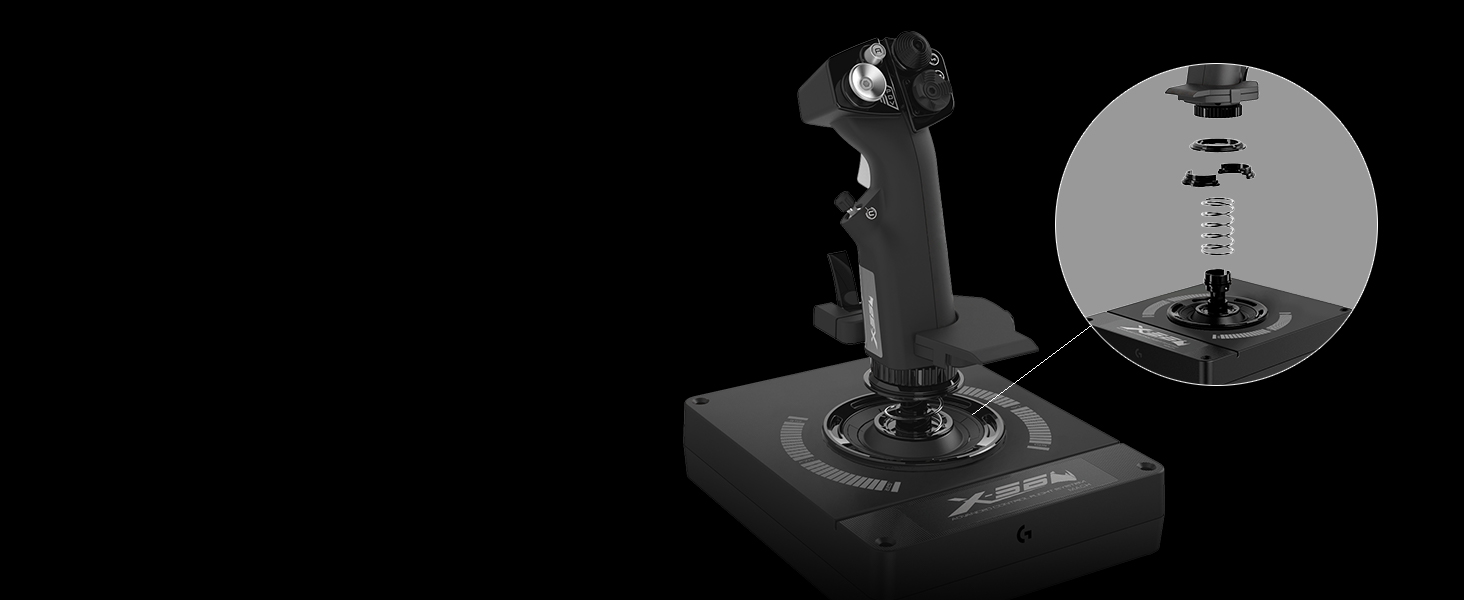
This stick and throttle combo is perfect for the MSFS 2020... Lots of programmable buttons and mini-joysticks. The X56 itself is recognized by MSFS 2020 and both joystick and throttle along with many of the buttons and one mini-joystick are already pre-mapped automatically. It comes with two spare tension springs which you can use to replace the default one on the joystick. I decided to replace the default with the shorter spring so there is less tension needed to move the stick around. You can search youtube to get a better idea how to do this as it is not really clear on the supplied manual. In addition to the FOV button, the thumb mini-joystick on the joystick are already pre-programmed to allow you to smoothly scroll your view 360 degrees around the cockpit and windows. I also mapped other functions to the available buttons, such as one button on the throttle to act as the thrust reverse toggle so I can use the throttle as a thrust reverser during landing when togged to this mode. I also remapped some of the keys and this is easily done inside MSFS 2020 itself. The software it comes with is also very useful. For example, I used it to adjust the curves to make the rudder more responsive when I twist it since I find it slightly hard to twist. Now I need to twist it less to get better response. I have had no issues such as ghost button presses, etc., that I have read people complaining online about. I have the throttle plugged directly to a USB 3.0 port on the back of my PC and the stick plugged to the powered USB 3.0 hub on my main monitor. Overall, this is a great complement to MSFS 2020.
Trustpilot
1 month ago
3 days ago