
🚀 Power your pro setup with the ultimate Intel Ultra motherboard!
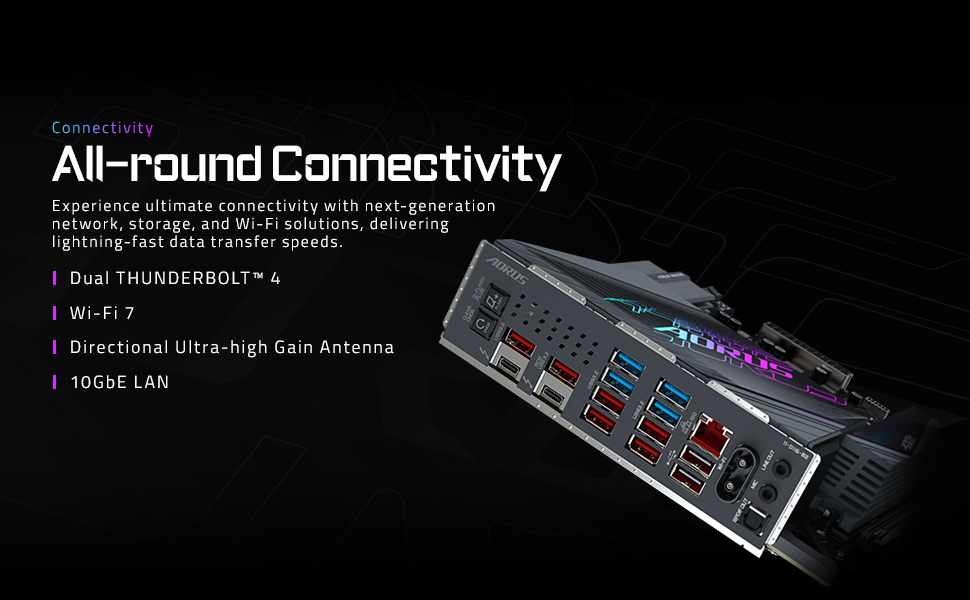
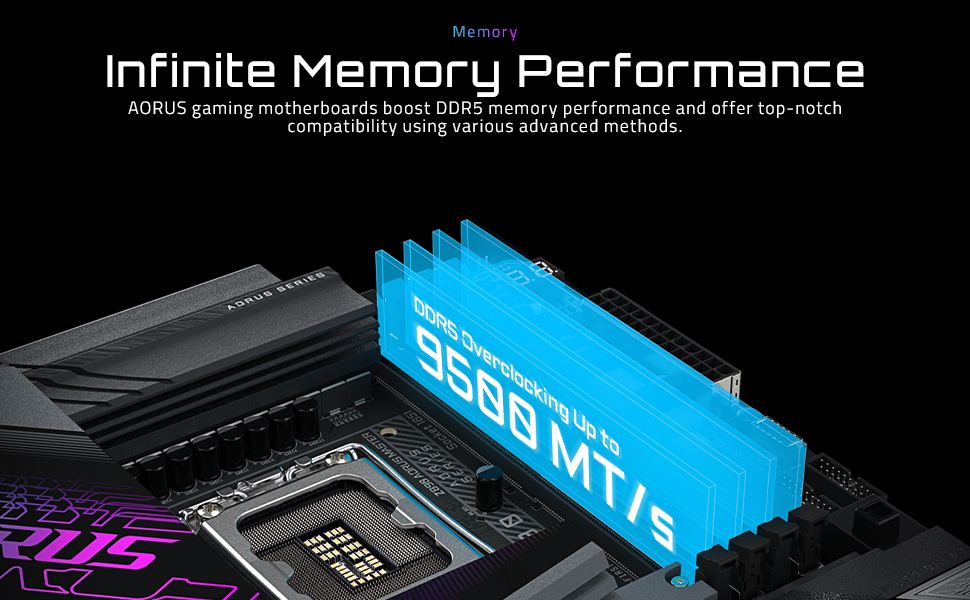
The GIGABYTE Z890 AORUS MASTER is a high-end ATX motherboard designed for Intel Core Ultra (Series 2) processors, featuring DDR5 memory support, advanced 18+1+2 power stages with 110A Smart Power, and comprehensive cooling solutions. It offers future-ready connectivity with PCIe 5.0, 5 M.2 slots, dual Thunderbolt 4 ports, WIFI7, and 10GbE LAN, all wrapped in a DIY-friendly design with EZ-Latch mechanisms. Ideal for professionals and enthusiasts seeking top-tier performance and reliability.


| ASIN | B0DJP9LCYC |
| Batteries Included | No |
| Batteries Required | No |
| Best Sellers Rank | #1,403,532 in Electronics ( See Top 100 in Electronics ) #2,108 in Motherboards |
| Brand | GIGABYTE |
| Chipset Type | Intel Z890 |
| Compatible Devices | Personal Computer |
| Compatible Processor Types | Intel Core Ultra 200 Processors |
| Country of Origin | China |
| Customer Reviews | 4.2 4.2 out of 5 stars (30) |
| Date First Available | 10 October 2024 |
| Graphics Card Interface | PCI Express |
| Item Dimensions LxWxH | 34.1 x 27.6 x 7.6 Centimeters |
| Item Weight | 2 kg 540 g |
| Item model number | Z890 AORUS MASTER |
| Manufacturer | GIGABYTE |
| Memory Slots Available | 4 |
| Model | Z890 AORUS MASTER |
| Model Name | Z890 AORUS MASTER |
| Number of Ports | 16 |
| Number of items | 1 |
| Processor Socket | LGA1851 |
| Processor Type | Intel Core Ultra 5 |
| Product Dimensions | 34.11 x 27.61 x 7.62 cm; 2.54 kg |
| RAM memory maximum size | 256 GB |
| Ram Memory Technology | DDR5 |
| Total USB ports | 14 |
A**R
Pins damaged or missing in 2 places
R**D
Very bad build quality. Poor performance. Crashing, blue screen error.
C**C
This board is just Super all around. I am a gigabyte fan and it is the only brand Mobo I will buy and have bought for the past 20 years. I have never had any trouble with them once setup. At any given point, I have between 2-3 computers running - My primary and my backup/media server. I normally go with the Gaming Series because they typically offer better performance/price ratio, but needed some additional features and the Aorus Master was on sale at about the same price. And WOW, taking it out I immediately knew this was a well built motherboard, the heat sinks and re-enforced or UD slots for the GPU and nvmes is amazing. It is probably the most beautiful looking board I have ever seen. I typically dont care about that since I am into performance over anything, but It is a looker for sure and just super quality. Things that are standouts on this Master model are 5 Nvme slots with 2 being Gen 5. Two built in Thunderbolt 4 ports which can also be used as a network connection offering 20Gb network connection. 2 USB gen whatever headers on board (the blue ones), typically there is only one, more ARGB and fan connectors, included extra temp sensors and even a Ram cooling fan. Assembly is normal, its just always a pain swapping boards out of an existing case. It came with version 9 of the BIOS and I had to update twice, once with the control center and once manually. I also had to manually download the network driver because I was having weird dropouts initially. I think because of my OS and using the RT network drivers before and this is a new driver for aquiscent or (whatever itis) that can go up to 10Gb if you have the correct hub and network in place. Performance is great. Now about the shared PCI lanes. I have a 5070ti installed and a couple Gen 5 Nvme in the primary slot. You can see the 40k GPU benchmark under those conditions. The primary gen5 slot does not share lanes with the GPU, The PCI lanes are shared with the second Gen5 slot. Then the GPU runs at Gen5x8 instead of x 16, The 39k bench is with the second gen 5 nvme installed. You can see the slight performance decrease across the benchmarks. So its up to you if you use the second Gen5 slot, but if you dont you have full speed and pci lanes on the primary NVME and GPU. This board is a premium board, with great performance and so many features and possible upgrade/usage paths. Highly recommended for Gaming or actual graphics/3D/AI work. BTW, I also have mine running in Level 2 Ultra mode in BIOS which is super quick to get into and easy to tweak with full access to all timing/voltage settings. I use XMP, enabled low latency and forced Gear 2 for my Ram settings
L**D
Solid motherboard, cant go wrong with this one. No external HDMI port. (But one port on the MB for a in case display)
P**N
The mainborad was not in a seal bag and it has been used, the cpu socket pins some of them are bent as you can seen on the picture.
Trustpilot
3 days ago
3 weeks ago



