We remain fully operational. Our teams are working around the clock to ensure your deliveries continue safely.

DOWNLOAD THE APP


Customer Services
Copyright © 2025 Desertcart Holdings Limited
DOWNLOAD THE APP

🎧 Elevate your voice, own every conversation.
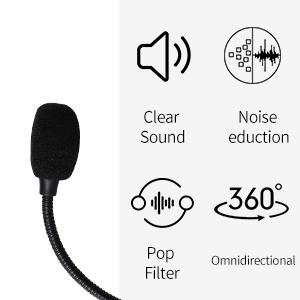
The JOUNIVO USB Computer Microphone combines a 360-degree adjustable gooseneck with intelligent noise-canceling condenser technology, delivering crystal-clear audio for gaming, streaming, and professional calls. Featuring a convenient one-touch mute button with LED indicator and plug-and-play USB compatibility, it’s built with premium metal and ABS materials for long-lasting durability. Perfect for PC, Mac, and PS4 users seeking reliable, high-quality sound without complicated setup.





| ASIN | B0CWG8L77N |
| Best Sellers Rank | #2 in Computer Microphones |
| Customer Reviews | 4.3 4.3 out of 5 stars (15,912) |
| Date First Available | February 26, 2024 |
| Hardware Platform | Laptop, PC |
| Item Dimensions LxWxH | 3 x 3 x 7 inches |
| Item Weight | 9.1 ounces |
| Item dimensions L x W x H | 3 x 3 x 7 inches |
| Item model number | 601Pro |
| Manufacturer | JOUNIVO |
| Material | Metal, Plastic |
| Microphone Form Factor | Gooseneck |
| Number of Channels | 1 |
| Power Source | Corded Electric |
| Product Dimensions | 3 x 3 x 7 inches |
S**L
Reliable, high-quality sound capture at a very reasonable price
Reliable, convenient, high sound quality, and great price. My mic is very reliable: works consistently without needing drivers or setup; and no failures of any kind in the 5 years I've been using it on a daily basis. The sound quality is a significant improvement over the built-in mic on my company issued laptop. My voice is noticeably clearer on calls, and it does a surprisingly good job of isolating background noise. The ergonomics is good too. The gooseneck is easy to position and flexible, and the mute button is convenient for long meetings. My next mic would probably still be from this Jounivo brand, worth every of my hard-earned dollars.
G**R
Great Quality Microphone
Looks great and works great as well. Great value for the money.
T**E
It's been great so far
Good sound and quality.
Y**N
Very reliable
It was very nice. Capturing your voice is no problem, and because it is wired, there is no connection issue like with a wireless one.
I**A
inexpensive and very convenientю Easy installation
An inexpensive and very convenient microphone model. No special installation or drivers are required. The microphone connects automatically when connected to a computer via USB. Installation is also automatic. No additional settings are required. The manufacturer provides an extended 2-year warranty upon registration on their website. The microphone supports many different languages. Speech recognition is excellent, with virtually no errors. The microphone has a convenient mute button. The device has a modern design. The flexible tube allows you to position the microphone wherever you like. I'm very happy with the purchase.
A**R
Price and worked grate and easy to connect
Price and worked grate and easy to connect
A**R
Hard of hearing, not worth the headache
When I first got this plug and play USB microphone it wouldn't work. I tried troubleshooting I tried unplugging it and plugging it back in I tried plugging it in a different USB port. Windows detected it and saw that it was there it just wasn't hearing any sound. So I tried it on another PC and eventually got it to work and then eventually I got it to work on my laptop. My analog plug-in microphone and my headset microphone and the microphone built into my laptop all work fine and then this j o u n i v o jv603p will suddenly go back to not hearing anything and I'll have to start over and troubleshoot and unplug it and plug it back in and get it to work again. as soon as it's working again I just assume it's going to be working when I actually go to use it and then when I go to use it I usually end up having to spend a half an hour trying to get it to work again. the amount of sound this microphone picks up is underwhelming compared to my wired microphones and the onboard microphone built into my laptop even with the microphone level at 100%. If I can figure out and recreate a root cause for when it stops working again I will update my review. That being said, I have encountered exactly one plug and play USB device in my lifetime that didn't work when I plugged it in and that would be this device. I was frustrated the day I got this product and it continues to frustrate me on a regular basis. Ways Windows describes this hardware include audio endpoint generic audio end point generic USB audio. under driver details Windows reports no driver files are required or have been loaded for this device. The manufacturers website has no information about drivers or a troubleshooting or support for this product. 02032021 UPDATE: was working fine for the last day and this morning and Cortana responded to WIN + C just fine. This afternoon I tried and it wasn't working so I checked and it was not the default device because I had plugged in a USB sound card, so I made it the default device again. I noticed in the sound control panel that one green bar at the bottom was illustrated but there was no fluctuation or detection of sound. regardless the HD web camera microphone and the analog wired microphone and the onboard microphone on the laptop were all detecting sound and working properly. in this particular instance I was able to resolve the issue by getting up going over behind the laptop fiddling with wires unplugging the USB microphone waiting 10 seconds and then plugging the USB microphone back in like it's a modem from 2003. Regardless of default devices or unplugging or plugging in other audio devices with microphone capabilities the HD web camera, onboard microphone, and wired microphone all continue to operate indefinitely with no issues; however this USB microphone continues to simply stop working randomly forcing me to apparently unplug it and power cycle it and plug it back in which worked this time but may not work every time. 02052021 UPDATE: so I could talk to Cortana yesterday and this morning just fine. No hardware or configuration changes. Went to do a voice command this afternoon and it didn't work and Cortana reported that the microphone was disabled. Not only was the microphone enabled and set as default but I could see sound input and hear sound input via voice meeter, even though sound control panel and windows showed no sound input.in this instance I was able to get Cortana to hear me afain by disabling the microphone and then re-enabling it. 02062021 UPDATE: so I went to use Cortana again and she couldn't hear me. funny thing is sound was being detected in sound settings and in the sound control panel but Cortana was reporting that the microphone was disabled even though the microphone was enabled. Of course at this point I was ready to grab the box and ship this gift I received back to the place it came from but as it turns out the return window ended three days ago. in this particular instance I disabled and re-enabled the j o u n i v o jv603p several times and also unplugged it and plugged it into a different USB port and restarted my PC. While sound detection would seemingly randomly disappear and return in sound control panel and sound settings I still have yet to get Cortana to hear me today. Every time I click on the microphone or hit Windows cortana responds by saying that microphone disabled enable your input device in Windows sound settings.
N**E
Amazing for the price
I needed this mic for zoom on my iMac as the build in mic wasn’t working and neither was my headset mic. I didn’t want to spend too much so after checking the reviews I settled on this one. The sound quality is amazing and it’s a great value for the money!
C**S
A good mic for teams meetings
C**R
This is an amazing budget mic. I use it mostly for gaming but also for video creation. My friends immediately noticed the difference in sound quality compared to my old headset mic. The mic feels pretty solid but light. The cheapest feeling part is the mute button. Some people were complaining about a loud sound when muting/unmuting, but either they were exaggerating or the problem was fixed, because I think the sound is pretty much standard volume for when you mute on a mic. Volume control is done through windows settings, which definitely works, but it’s not the most convenient. If volume control is important to you, I think the same company is offering a model of the same mic with a volume dial for only $5 CAD more. This mic is a STEAL for its amazing price, and it completely surpassed my expectations. The sound is crisp and consistent. My only issue would be that it does pick up a lot of background noise, even my quiet mouse movements and keyboard buttons. This problem can easily be fixed by changing the mic volume though. Highly recommend this mic for anyone looking for a cheap but good microphone. It can be used for anything like gaming, videos, or online classes.
A**W
Mainly for using voice dictation.
P**K
Great service and product works well.
B**N
I use this for Teams / Zoom calls daily and it is dramatically better than either my laptop's built-in mic or the mic in my C920 webcam. It is also better than the mic in my Jabra headset, so very happy all round. Sound quality confirmed by various people I've been calling - everyone thinks this is an improvement.
Trustpilot
2 days ago
1 month ago