We remain fully operational. Our teams are working around the clock to ensure your deliveries continue safely.

DOWNLOAD THE APP


Customer Services
Copyright © 2025 Desertcart Holdings Limited
DOWNLOAD THE APP


📺 Elevate your entertainment—where innovation meets style!
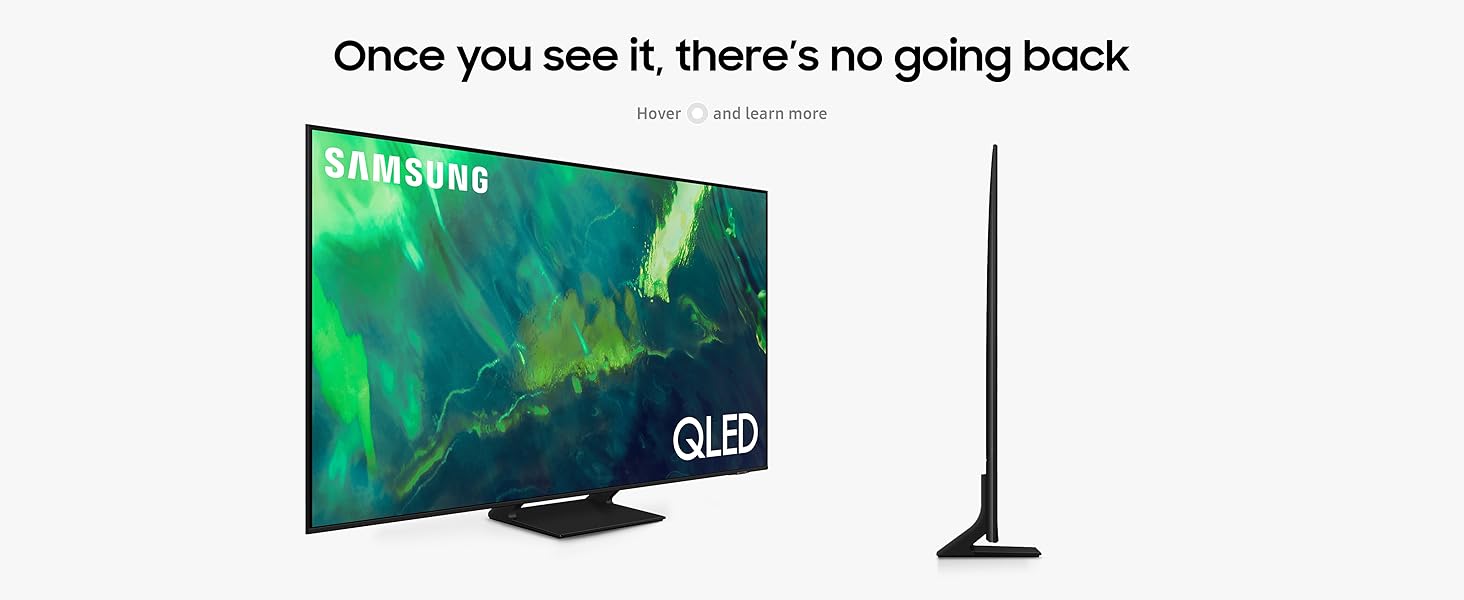
The SAMSUNG 65-Inch QLED Q70A Series Smart TV delivers a premium 4K UHD viewing experience with Quantum HDR technology and built-in Alexa voice control. Its expansive 65-inch screen offers immersive visuals, while the sleek design fits seamlessly into modern homes. Backed by a 1-year seller warranty, this international version model balances cutting-edge features with reliable support.




| ASIN | B08WFQFK3M |
| Best Sellers Rank | #51,334 in Electronics ( See Top 100 in Electronics ) #668 in Smart TVs |
| Item model number | QN65Q70AAFXZA |
| Manufacturer | Samsung |
| Product Dimensions | 28.96 x 145.29 x 89.66 cm; 21.82 kg |
M**I
من ناحية الوضوح جدا ممتاز لاكن صوت السماعات شوي مب واضح يعني لازم تاخذ لك سماعات مثل ساوند بار بيكون اوضح للافلام و الاغاني
T**N
White dots followed by a line!
Got white dots months after my purchase, now waiting for repairs for weeks to fix that, not recommended Update: repair didn’t fix it and returned in the same way, amazon denied anyway of support, now I am trying my luck with Samsung, Amazon warranty isn’t reliable for expensive purchases. An update. Moved the TV to bedroom and rarely used it, few months later I got a full black line across the TV
J**Y
Stand is VERY unstable
We opted for the non installation option - However the stand is extremely unstable and we are nervous the TV might fall. It even leans to one side. Could you send someone to still come Do the wall mounting urgently??
J**D
Defected item
TV was defected.. it had a software issue and the remote was not working as well.. had to initiate the return
A**E
I liked the resolution and the quality of speech recognition
I liked the resolution and the quality of speech recognition
M**E
I did my research and read up tv reviews before I decided on this sammy instead of sony. Overall I am satisfied with my purchase. The TV arrived nicely packaged. Upon cutting open the box, I noticed the protecting film was missing from the screen, but did not find any visible defects. Turned it on and went through the set up process (is it just me? why the heck do I have to set up an online account in order to use my TV??!!) other than account thing, the set up was relatively smooth. It picked up my xfinity tv box and lg sound bar, and my non-brand android tv box too after some tweaking. I did not like the picture out of the box, had to adjust the color to my taste. Everything looks good except the viewing angle. I read the review saying that it is not that good(7 out of 10) but it is REALLY not good. Color is so washed out from like 40 degree angle. I would only give it maybe 5 or 6 because my older vizio tv has better viewing angle than this thing. The remote works surprisingly well. After some digging, I am able to use it to control the tv, sound bar and the android tv box, works better than my Logitech remote.
D**N
So far i had the tv about 3 weeks or so, and it works amazing, set up issue happened to be a bad comcast box and not the tv, thankfully.. So far have watched sports, movies and tv shows, everything looks amazing. I have a 32 inch samsung in my bedroom that i have had a couple years and 0 issues, so i went with samsung again. Picture is crystal clear, sound is solid, was considering a soundbar, still am for sports but really not needed at all. Overall, i'm happy with my purchase, no scratches or dings on the tv. Delivery was professional, if you're looking for a very good 65 inch tv for the price, i would highly recommend this one. Most importantly from some of the reviews, no dead pixels or weird lines, just a fantastic tv.
E**G
I purchased this to replace an excellent Toshiba 50" LED. I now have a Roku useable on my main screen so I wanted to go with a nice TV because I have started to watch more. Unboxing and setup took an hour or so. Be sure you use internet connectivity and get that whole process out of the way. One note; Amazon's specs say this screen weighs 36 pounds; product literature says 42. It is the bigger number. Two people will make things easier as you put the TV in place. After completing all of this I decided I would not wait to watch. That night I put in a movie for 90 minutes. I was suitably impressed. Picture needs more fine-tuning, but I did 2 things out of the box; set the picture mode to Movie, as even Standard seemed too bright. Then, set your color temp to Warm 2. Before I bought this, I consulted with my brother, who has 3 of these Q70 series TV's, including the 75" I watched. I wanted to understand what I was buying before I just jumped in, and 2.5 hours of experiencing his screen sold me. My space is smaller than his, so the 65" I bought is plenty large. We will see how things go as time goes on. I did purchase a 4-year protection plan. I also had a little time to adjust to Samsung's minimalist remote; it's not terrible. But I am a Logitech Harmony user, so I took the model info and had it all set before the TV arrived. It works flawlessly. I did note that the TV is smart enough that as soon as I power it on, it defaults to HDMI 1 where my Roku is connected, and powers it on. Cool. I also have a Polk soundbar. It isn't top of the line, but it is damn impressive for $100. I chose to connect via digital optical cable and am pleased. Right here on Amazon as well. The TV speakers are not bad, all things considered. But I was looking for more range and depth to my sound, and this delivers. I looked hard at a Yamaha too, who also make good stuff. Time will tell, and tonight I will run another movie. Lastly, I think Ambient mode is neat. It's like a screensaver for the TV, which I like to use as a safeguard against burn-in. Be away for 20 minutes or half hour, and the screen does power off. No problem with that.
D**D
Ok Please be sure you read 2022 or later reviews to be fair. Samsung fixed several issues sense their fumbled firmware at it's 2021 release. THE GREAT The picture running @ 4k 60htz is outstanding. (Please read feather several buts) and running on a source @ 4k. Super light, thin and simple to hang. THE MEH. The black screen is so bad that you see white clouds of gray, spotted all over the screen. Any show with dark scenes are super hard to see. Unless you turn up the picture settings all the way up. 1. It doesn't look right. 2. You will be burning hot, meaning the tv would work harder and will last less years. No matter what you have to connect the tv to internet and create a Samsung account. Yes people you will not be allowed to watch anything even just cable channels without doing this. Samsung even went as far as putting a transparent greyed cover window over the whole screen with a very large splash window saying you must login to Samsung and agree to the usage terns before use. Even if you just wanted to watch cable or an hdmi input with NO INTERNET. YOU CAN'T use the tv. The stand is super UNSTABLE. If you live without children. You should be fine. But if anyone bumps it like backing in to it while vacuuming. You will most likely be buying a new one, because fall or tip overs are not covered with their warranty. HOLY HECK*****THE REMOTE First I will say that 5 stars for trying to take a stand on the overwhelming battery waste we all have. Having said that. I can sum it all up with one statement. How many of you stash your remote in an armrest or a chair pocket of some kind? A solar remote needs to be exposed to light of some kind. Yes you can cord charge it, But who wants a lanyard on a remote. Even just setting it down you have to lay is upside down every time. Food for thought. Remote functionality is ok, but you need a strong knowledge of how audio/video equipment work to catch on. Not mad fore a mom and dad or even grandparents. Samsung App that allows to use and navigate the tv is horrendous, terrible and down right clumsy. First the Samsung Ads (not commercials). The ads that cover any screen you are on is way to frequent. Its loaded with sponsored streaming apps. So if you download the app you do want to use. Its all the way to the right, because the sponsored streaming apps are first. There is almost 20 of them to Passover to get to the one you want to watch. You CAN NOT DELETE THEM. Even though when you first start your tv the memory ie RAM is over 3/4 full. I got two apps downloaded "Plex and Paramount+" and the browser and the Samsung app navigator are working slow as heck. Last but not least. The so called 120hz refresh rate @4k....... I know the human eye can not see over 60hz. But a higher refresh rate helps with gaming. Ghosting, screen blur and so on. There is only 1 HDMI input that has all the special features. The rest are standard hdmi inputs. So connecting a 4k 144hz capable computer, PS5 also 4k 120hz and a blue ray player. you will not be able to get thee best quality on the other inputs. Unless you buy a 4k 144hz hdmi switch box (like an A B switch" to only have 1 hdmi input. Finely connection speed! WTH it's 2022 not 2000. I have a Gigabyte connection. I could not get the streaming apps in 4k. So I did the research and found out it has a 10/100MB internet card and not a 10/1000GB. With all these thing listed. I truly wish I had known about. I would have stuck with Sony or TCL. DO NOT BUY THIS TV OF ANY SIZE. THE FIRMWARE IS SO TERRIBLE.
J**S
We got this one (Q70A) on sale for just under $1k. It was an upgrade from an older Vizio, so the picture is stunning by comparison. However, when the screen needs to display a fully dark scene, it's not black, or even grey, there's a weird cloudy visage all over the screen. I actually thought it was damaged until doing some research. The native sound is also pretty terrible. I don't expect great sound from TVs nowadays, so that's not a huge deal to me. The cloudy black screen and bad sound would still make this a 4/5 star TV for the price we paid, but the absolutely horrendous Samsung software and/or firmware has my at the limits of my patience. The built-in advertisements on what is meant to be a premium product are the epitome of scummy. The apps and updates will also not work unless you agree to the BS terms and conditions for their privacy policy. Even after begrudgingly accepting all the notices, Samsung refused to connect to its own servers. I work in IT and I still troubleshoot this for hours. I ended up having to setup a custom DNS for the TV to use. What average user would know how to do that??? To circumvent the subpar speakers, we picked up a sound bar, and it sounds great. It was working nicely for a couple of weeks, but now the TV refuses to recognize the connection. Every time we turn it on, we have to go into the sound settings and turn HDMI eARC of and then on again in order to get sound. Huge PITA. It's pretty terrible at auto-detecting sources in general so it probably shouldn't have been a surprise. All in all, in terms of picture performance, it looks pretty great. I mainly regret the thousand tiny paper cuts of inconvenience. The cons are not so terrible that I would go through the hassle of a return, but I don't know if I would have gotten this TV if I knew what I was in for up front.
Trustpilot
2 weeks ago
1 week ago