![Aairhut Thermal Pad 13W/mK [0.5~3mm], 85 x 45 x 1mm Silicone Cooling Pad Non Conductive Heat Resistance Extreme Odyssey Cover with Dual Self-Adhesive Films for PC Laptop PS4/PS5/CPU/GPU/Computer](https://m.media-amazon.com/images/I/61FwhPALChL.jpg)


❄️ Stay Cool, Stay Ahead: The Thermal Pad Your High-Performance Gear Deserves
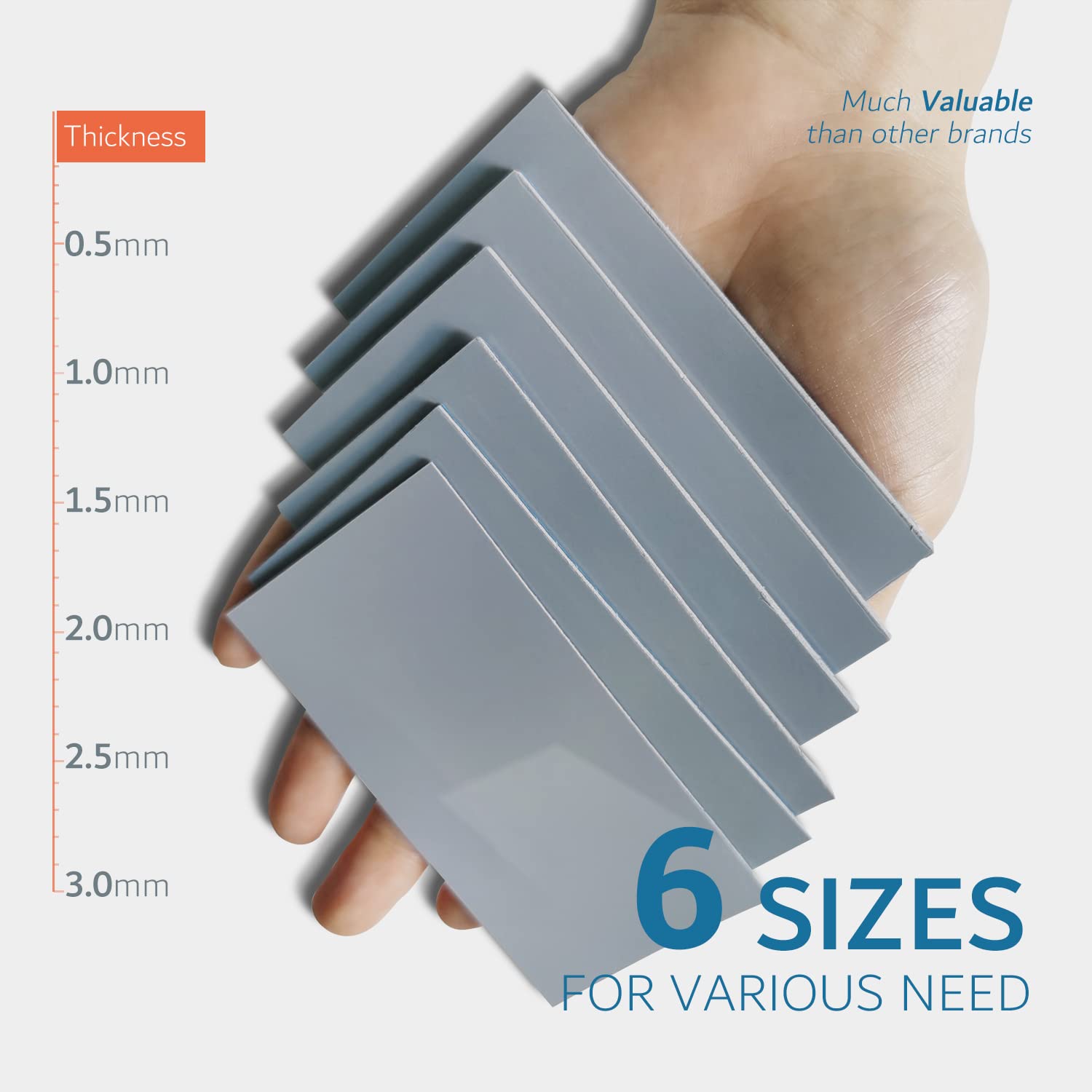
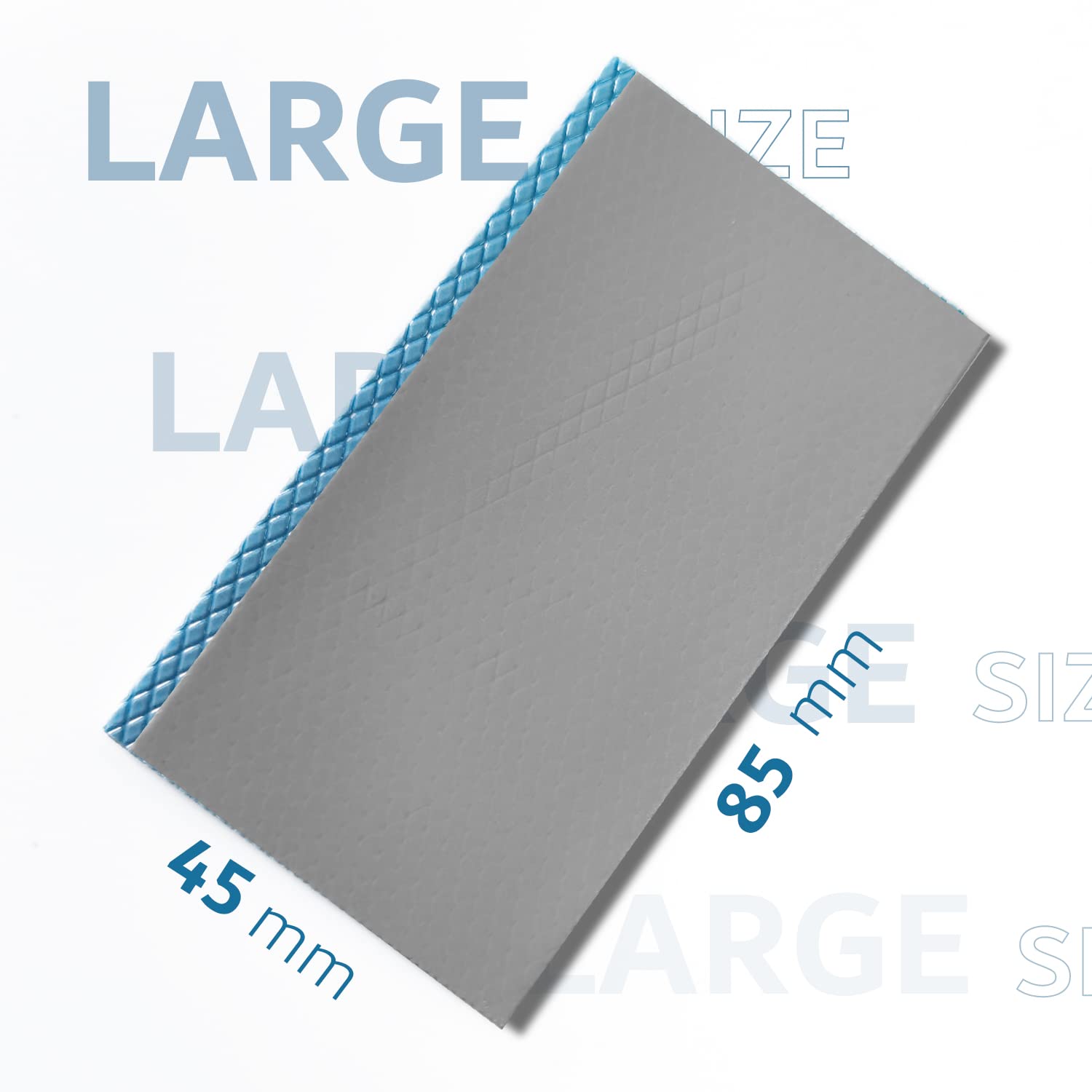
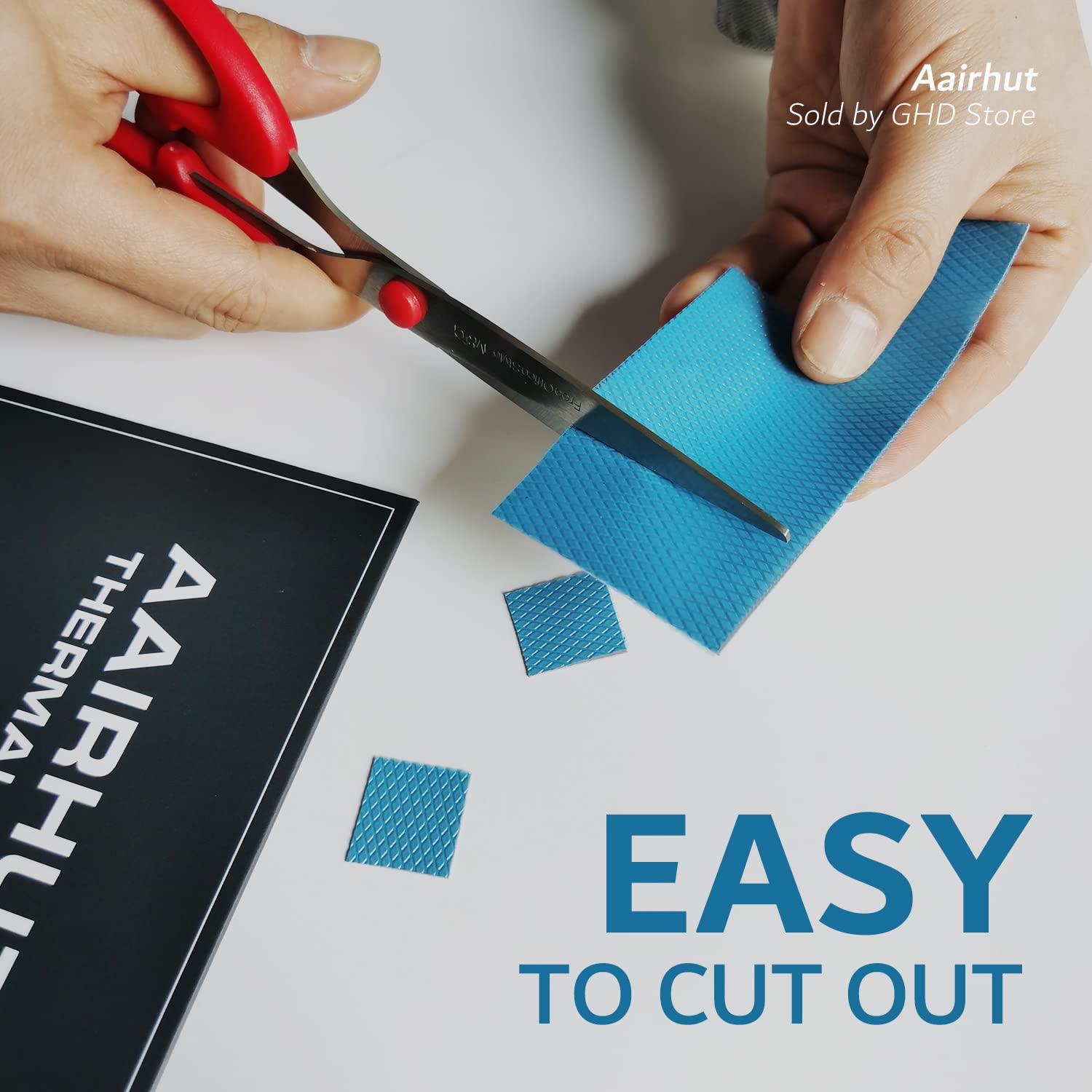
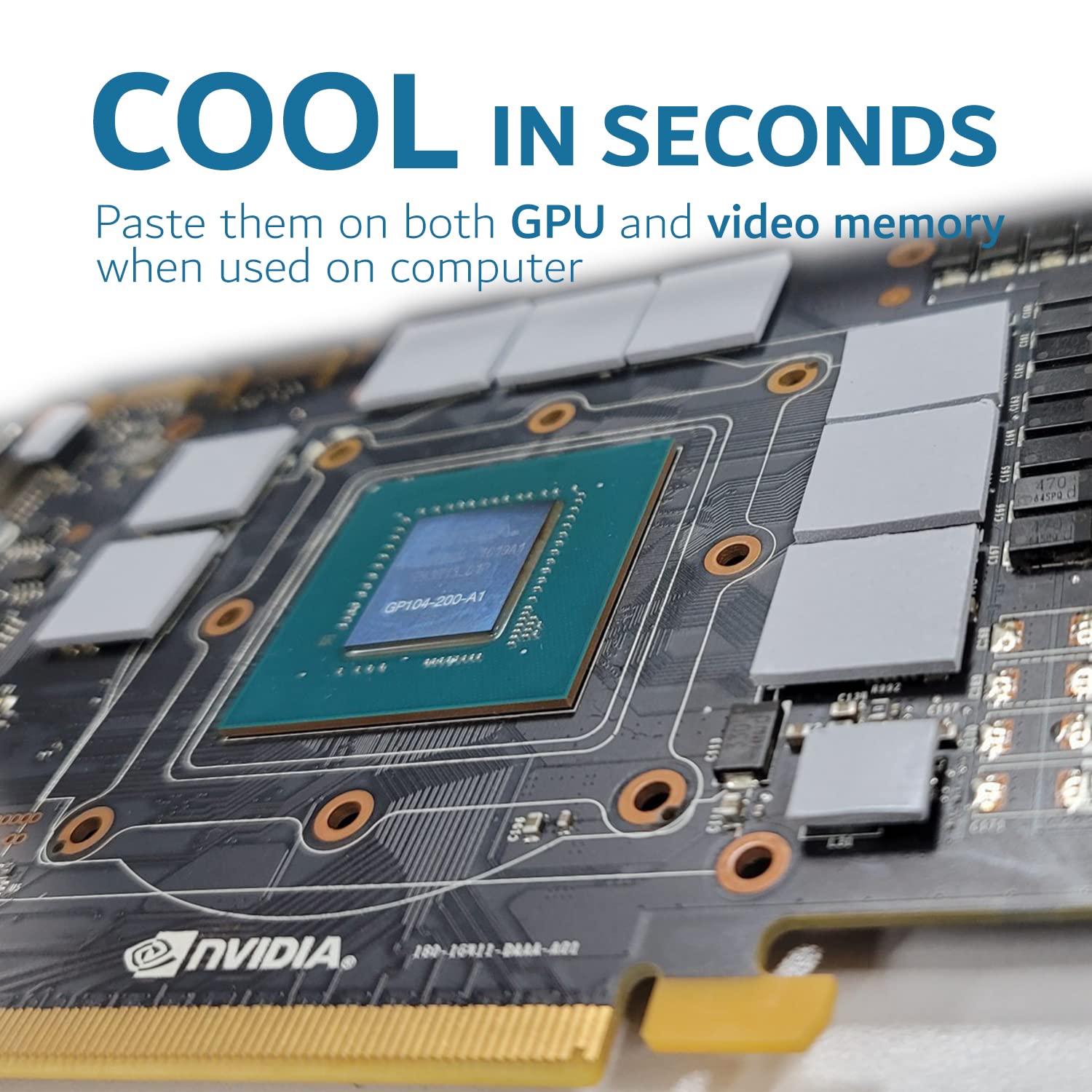
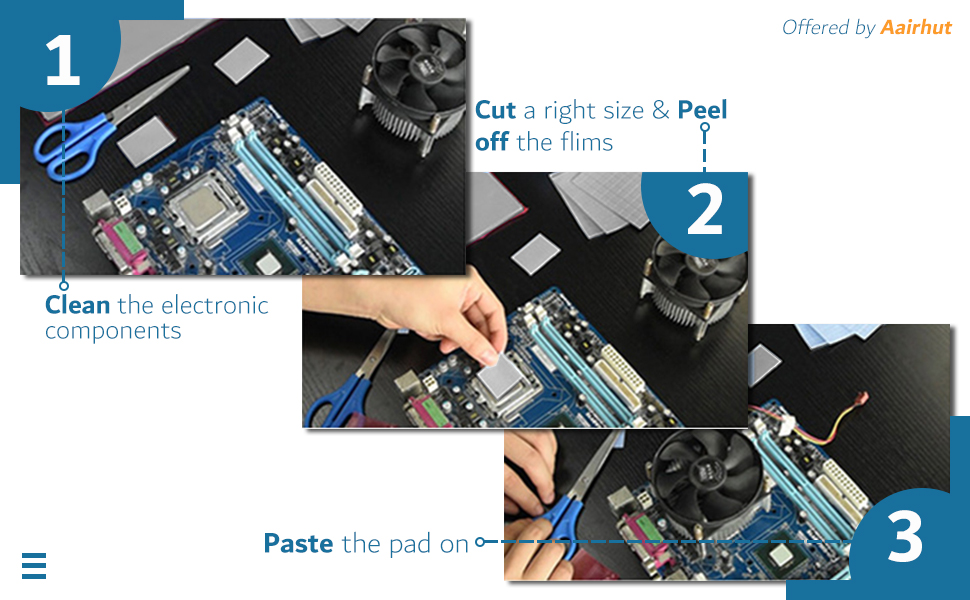
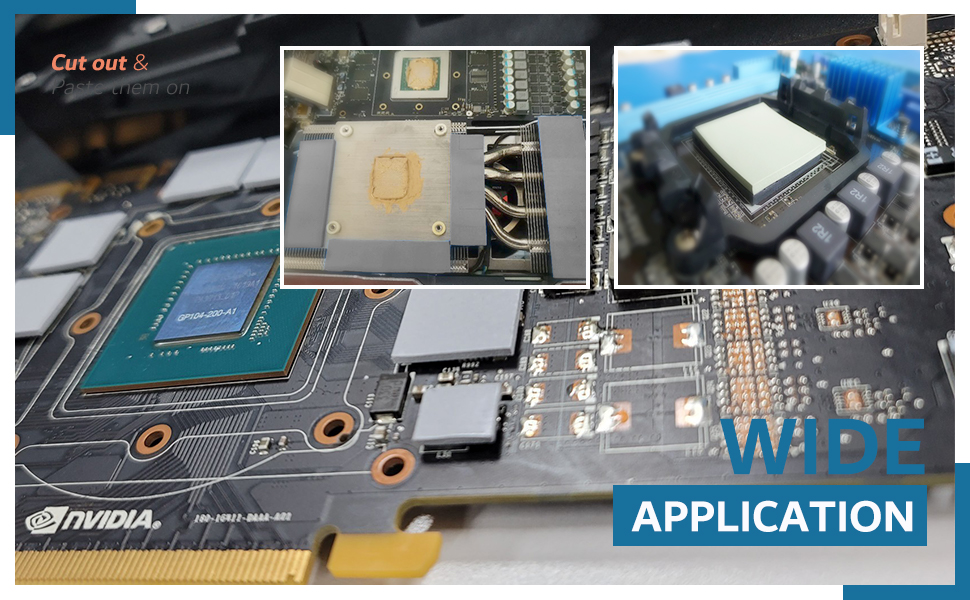
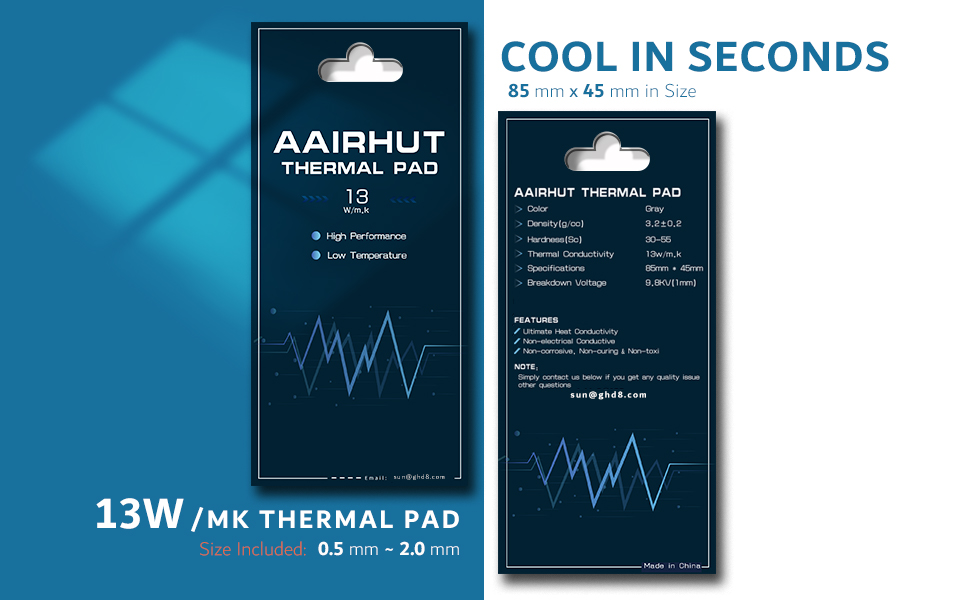
The Aairhut Thermal Pad delivers industry-leading 13W/mK thermal conductivity in a versatile 85x45x1mm silicone pad. Designed for high-performance cooling of CPUs, GPUs (including RTX 4090/5090 and RX 7900 XTX), PS5, and more, it offers easy peel-and-stick installation with trimmable sizing and extreme durability from -40°C to 200°C. Non-conductive, flame-retardant, and shock-absorbing, it replaces messy thermal paste with a safer, long-lasting solution trusted by electronics professionals.




| ASIN | B09XJVBPQ1 |
| Best Sellers Rank | #16 in Thermal Pads |
| Brand | Aairhut |
| Cooler Heatsink Compatibility | Universal |
| Cooler Heatsink Material | Silicone |
| Customer Reviews | 4.5 4.5 out of 5 stars (987) |
| Date First Available | April 9, 2022 |
| Global Trade Identification Number | 05059116373558 |
| Item Weight | 0.705 ounces |
| Manufacturer | Aairhut |
| Mounting Type | Chassis Mount |
| Product Dimensions | 3.35"L x 1.77"W x 0.04"H |
C**S
Perfect
Works great. Used to replace the pads on my rtx 3070ti and they worked flawlessly. It was easy to apply and the size was perfect. The temps dropped from the old original pads and have been applied over a year now with no issues.
R**H
High quality thermal pad for Xbox Series X/S
First time using Aairhut thermal pads, compared to Arctic cooling’s TP-3 model thermal pad in the same 1.5mm sizing the Aairhut pads seem slighter heavier and more dense they don’t squish down as easily which I think is a good thing. Used these Aairhut thermal pads to replace junk stock thermal putty on an Xbox series S’s ram chips, heat sink and SSD. Have done this job on multiple Xbox series x’s which 1.5mm thermal pad is the proper size and so is for the series s for anyone wondering. The Aairhut thermal pads are easy to cut, I used a small square and new razor blade and didn’t have any issues at all. Thermal pad installs onto chips and contact areas nicely and adhere moderately well. Can absolutely tell a huge difference in heat transfer to heatsink now, no more frame stutters or “laggy” like game play even at 120fps for hours on end. Would highly recommend the Aairhut thermal pad for whatever your cooling needs may be!
C**O
Very well
Premium, excelent results to a 3080ti vram
C**N
3080Ti Founders Edition
For anyone repadding a 3080Ti FE, I would recommend these pads. These pads are exactly the same to Gelid extremes except you get 5mm more and they seem of higher quality. I used 1.5mm for the die and VRAM side and 2mm for the back plate. One large 2mm pack is enough for the back plate and one small 1.5mm pack is enough for the back plate. I tried 2mm on the die and VRAM but it prevented proper contact and temperatures were high. My GPU was manufactured on 05-02-2021, so its important to check when yours was made so you get the correct sizes. Overall, 1.5mm and 2.0mm should be it!
J**S
good for graphics cards
worked great on my nvidia 3060 temps lowered about 20 degrees idle and 10 degrees under load
D**D
Using w/ SAMSUNG 990 EVO PLUS 4TB & Fanless Speedy 40Gbps M.2 NVMe SSD Enclosure
I used these for updating firmware on a 2280 NVMe M.2 SSD drive using a PCIe M.2 key. I had to remove the ThunderboltEX4 to use the slot. Make sure you have clean, dry hands before handling as these should remain very clean. I also used one for installing the M.2 into the Thunderbolt enclosure. These can be cut (preferably using a box knife), but make sure you get the correct thickness for your situation. If you're not sure which thermal pads to buy just ask the AI — mention the make/model of your M.2, how it's installed and what you're using it for.
****
Cold as my ex heart
Temperatures in my Grafic card are awsome. I ussualy buy grafic cards on marketplace Facebook and mostly EVGA, EVGA are known by having issues with their OEM thermalpads so I replace them with this and I get the best performance from the grafic card. Thanks
W**F
What a difference!
I have (4) of Gigabyte X670 chipset motherboards. HDWiNFO was beginning to show chipset temps on one board at idle of 75°C and up to 105°C+ under load. Spec says up to 95°C on the chipset. Purchased this pad and removed the heatsink from the chipset and replaced the factory pads with this. PITA to remove the heat sink. Motherboard must come out of the case - the attachment screws are on the back of the board. Original pads weren't making good contact with the heat sink. Were ~1.5mm thick. Replaced with a 2mm pad. Idle temps are now 49°C at idle and 55°C under load. Now running 10-12°C cooler than the other 3 boards. Lots of complaints on Reddit about ASUS boards running hot as well. Used the remainder on an Orico 20Gb/s external NVMe enclosure. No throttling while transferring 30-60GB backup image files. MoBo mfrs. recently seem to value aesthetics over function. Still was much less painful than returning the motherboard under warranty. Ordered a second pad to replace on the other 3 boards even though they're not running hot... yet. UPS back to Gigabyte would have been more than the cost the pad and would have taken at least 2 weeks turnaround time.
M**0
Questo è un pad termico per immettere sopra il SSD (quelle nuove) per raffreddare lui e non passare della temperatura di throtling, cioè, quella temperatura alta dove il SSD soffre una riduzione della velocità di trasferimento dei dati. Questa è di 13W/mK. Migliore di questa per SSD solo quella di 20W/mk. Sto dicendo le SSD per notebook, quelle senza dissipatore. In mio Samsung 9100 sta lavorando bene, e non lo fa arrivare a 70 gradi celsius, rimanendo in 65 gradi come temperatura massima in scansioni pesanti come del Antivirus Malwarebytes.
U**A
These Aairhut Thermal Pads are absolutely fantastic! I needed a solution for cooling various components in my PC build, and these pads did not disappoint. With a thermal conductivity of 13W/mK, they work incredibly well in transferring heat from my GPU and CPU. The cooling performance is outstanding, and I noticed a significant drop in temperatures after applying these pads. The pads are easy to use—just peel off the protective films, and they stick perfectly to the surfaces I needed to cool. The fact that they are slightly sticky on both sides makes them incredibly convenient, and I love how I can easily cut them to size for different applications. What’s also great is their reliability. They can withstand a wide range of temperatures (-40℃ to 200℃), so I’m confident they’ll last in any electronic setup. They are non-toxic, anti-static, and flame-retardant, adding an extra layer of safety when handling sensitive components. Overall, these thermal pads are a perfect substitute for traditional thermal paste, and I highly recommend them to anyone looking for efficient, easy-to-use cooling solutions for their electronics.
K**4
4年近く使用しているZOTAC RTX3070Ti Trinity OCに使用しました。 型番関係なくZOTACは2mmを使用しているとのことで、こちらを購入。 ゲームをするとGPUのファンが全開で回転し、温度も高くグリスを塗り替えても症状が変わらなかった為、こちらのサーマルパッドに交換した所、効果絶大で温度低下とファンが全開で回転することはなくなりました。 ゲーム時ファン回転数が約2600rpm~3000rpmから1600rp~1800rpmに、温度も82℃~89℃から64℃~74℃まで下がりました。 新しいGPUに買い替えるまでは頑張ってもらおうと思います。
M**H
Top
R**S
Changed thermal paste and thermal pads on PS4 Slim. PS4 is used daily, and no problems thus far. Highly recommend.
Trustpilot
1 week ago
2 months ago



