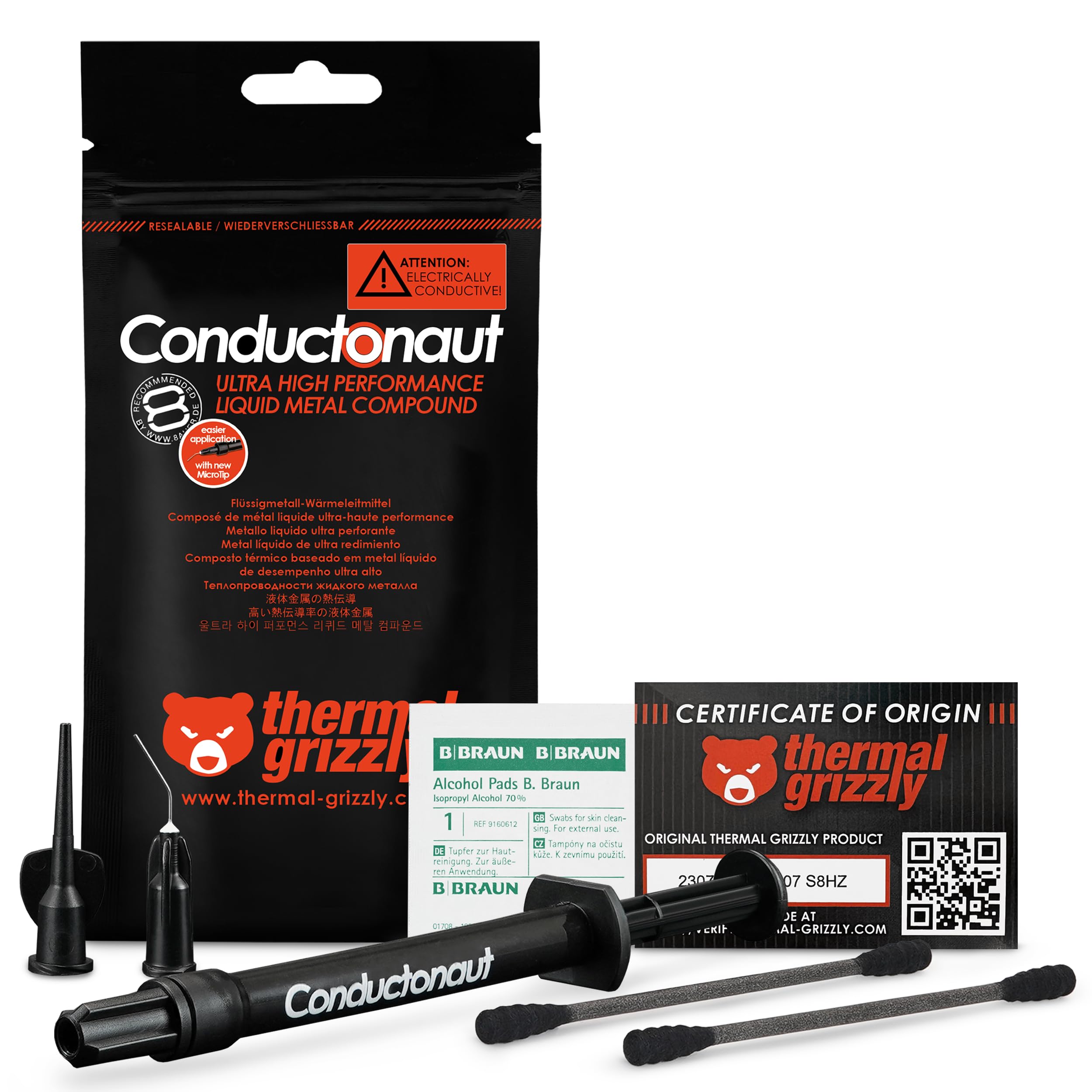
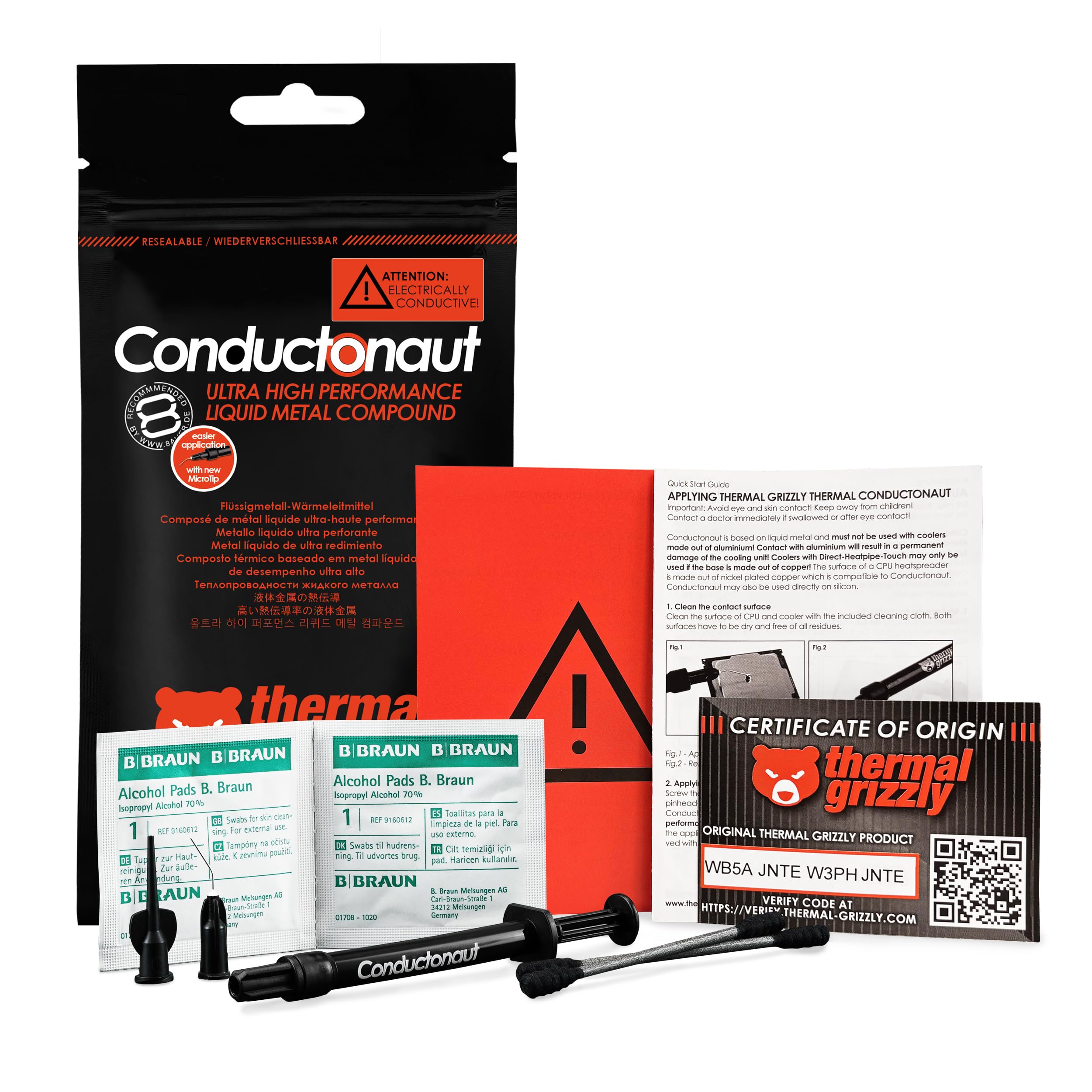
🔥 Cool smarter, not harder — liquid metal mastery for pros!
Thermal Grizzly Conductonaut is a premium 5-gram liquid metal thermal paste engineered in Germany, boasting an exceptional 82 W/mK thermal conductivity. Designed for professional-grade CPU, GPU, and console cooling, it comes with a precision syringe for easy application and is compatible with copper and silicon surfaces. Widely favored by PC manufacturers and gamers alike, it delivers significant temperature drops and long-lasting performance, making it the ultimate choice for enthusiasts demanding elite thermal management.


| ASIN | B01EO2V332 |
| Best Sellers Rank | #43 in Silicon Grease |
| Customer Reviews | 4.7 4.7 out of 5 stars (6,745) |
| Date First Available | April 24, 2016 |
| Is Discontinued By Manufacturer | No |
| Item Weight | 0.176 ounces |
| Item model number | TG-C-005-R-2 |
| Manufacturer | Thermal Grizzly |
| Product Dimensions | 3.94 x 3.94 x 3.94 inches |
M**G
Being careful and having patience can really pay off
TL;DR: AMD Threadripper 2950x paired with Corsair H115i Platinum RGB water cooler, 'balanced' fan mode speed (~1100 rpm) on radiator. Corsair OEM, pre-applied thermal paste - idle 104F, load 157F. Conductonaut applied - idle 98F, load 149F; both tests 10-15 minutes of Prime95. MAIN REVIEW: I have the AMD Threadripper 2950x 16c/32t paired with the Corsair H115i Platinum RGB cooler. The 2 Corsair fans on the radiator are spinning at ~1100rpm each. My typical workload consists of running 2 Windows VMs simultaneously on a Windows 10 host. I initially used the pre-set thermal paste from Corsair pre-applied to the copper-block and idle averaged ~104F. Disassembled, cleaned, and added the Conductonaut and now seeing idle temps average 98F, with temps dipping as low as 89F. Room ambient temperature is 72F. Threw up some Prime95 testing and prior with the stock thermal paste, I hit 157F after 10 minutes. After 10 minutes with the Conductonaut, maxed out at 149F. Both radiator fans were spinning at 1260rpm, pump at 2420rpm; the fans were set at a 'performance' level of 'Balanced' within the iCUE software. I set the performance-mode for the fans at 'Extreme', they both started spinning at ~2150 rpms. After 5 minute the temp bounced between 141 and 143F. For the last 3 minutes, temp hit and sat at 149F. The CPU of all cores was bouncing between 3650 and 3700 MHz. iCUE reported the water temp at 30.8C. For another 5 minutes I let Prime95 continue running. Temps did not change. For anyone who has ever messed with Gallium in its liquid form will know what to expect from messing with Conductonaut. Try to pinch Gallium (or Conductonaut) in your hand and it'll just pop out the side...the same thing will happen when you assemble your heatsink base to the CPU block; which there is a reason the instructions say "apply a pin-drop" and [try] to spread it out. Put too much on and it'll spit out the sides! Don't put your heatsink on slowly and it can actually splatter out the sides as well. Take your time and be patient while trying to spread the liquid metal around - it will naturally glob-up and stick to the supplied Q-tip at times. Try your best. For a little pin-hole application, the results can be quite impressive! For my system, I do not plan to de-lid anything (no point for the CPU since AMD uses Indium solder between dies and heatsink). What I get out of this are some degrees cooler temps running and also longevity, not having to re-apply thermal solutions every few years due to the thermal solution drying up and/or losing its thermal conductivity efficiency over time. THINGS TO CONSIDER: Use the supplied Q-tip to spread the liquid metal around the heatsink as it's quite compacted unlike regular Q-tips that give off some fibers. A teeny-tiny application goes a long way! Also, make use of the additional supplied adapter-tip to suck up any excess application. Keep the plunger open-end and pointed up until it is over where you will be applying it. The liquid metal can fall out and splatter all over, even a little droplet! The liquid metal is very reflective and shiny. Try to examine afterwards with a flashlight after the heatsink is applied if any of the application plopped out the sides - I was able to see a shiny reflection just under the heatsink that I sucked up and cleaned (before plugging and turning system on). Be careful when moving your computer chassis. Any excess that is not spotted and cleaned up could fall and bounce around in your chassis during transportation. Wear latex/nitrile gloves if you mind your hands staining; if you get some liquid metal on your hands they'll be gray for a little bit.
B**T
Works for PS5!
I bought this for my PS5 and it is running better than ever at cooler temps. I had more than plenty to apply and the kit comes with everything you need. Will definitely buy again in the future!
L**Z
100 % guaranteed!
Excellent product, it came in perfect condition, and it is an original product, I used the thermal grizzly line for my laptop and it worked perfectly! Thank you very much! Easy to use ! Small package!
J**R
Only use this stuff if you actually know what you are doing
Got it for a good price here on amazon. Was my first time using liqued metal and this stuff came highly recomended by a number of people. I’m currently using this on the dyes of two GTX 1080’s in SLI (with nickle plated copper water blocks) and on the IHS of an i7-6900k. The thermals on the GPU’s are absolutely amazing. I have not seen the gpu temps go above 35c while OC testing with unigine heaven (delta is 22c). The 1080’s are running @ 2100Mhz core, 5400mhz memory, using 1/2”ID PETG (the GPU’s are in series), 1xD5 pump @4800rpm, 1x560mm + 1x280mm rads in push/pull (fan speed 1200rpm). The CPU thermals are not as great, but still adequate. The 6900k reaches 68c in Prime95 26.6 running 1344 FFT size for an hour (delta is 22c). The 6900k is soldered, so delidding was not needed. The cpu is OC’d to 4.4Ghz @ 1.290v. The loop consists of a nickle plated copper block, 1/2” ID PETG, 1xD5 pump @4800rpm, 1x480mm rad in push/pull (fan speed 1600rpm). I’ll admit this stuff is more difficult to work with. It does not like to spread at first, and you just have to keep at it until the surface will behin to “wet”. You have to use it on both surfaces that will be in contacting as well, because it does not “flow” like normsl paste. You also need to pay special attention to not get it on anything except the dye, IHS, or block surface sine it is a conductive material. I used thick electrical tape to cover the small diodes next to the dye on the CPU’s. I origionally was going to use kapton tape, but felt the heavy electrical tape would hold up better over time. Also note that this stuff should never come in contact with aluminum (it contains gallium, which destroys aluminum). Cleanup is a bit more tedious, but not bad. Wipe up what you can with an absorbent cloth (toilet paper works), then procede to lean the surface like you would for any other paste. In general, you should not go near this stuff unless you know what you’re doing, because it’s too easy to destroy your hardware otherwise. A $1000+ cpu and $1300+ in GPU’s, plus a $600+ Mobo can be destroyed in the blink of an eye due to one drop of this stuff being where it shouldn’t be. Everything said, I’m content with the results. The CPU would likely run cooler if it was delided. I think Intel did a crappy job with their IHS soldering. If you are using an unsoldered cpu, definately delid, the results should be great. I don’t recommend delidding a soldered IHS, because it’s EXTREMELY time and labor intensive to do properly, and has a much higher risk of damaging your cpu.
M**L
Perfecto para el mantenimiento de Ps5. Se ha resuelto el problema de apagones y el exceso de ruido.
M**A
Juste be carefull when apply, with copper just put some back on it After one month After the first coat because the copper will dry out the metal
Z**N
Noticed a 10c+ difference under load in a gaming laptop.
M**8
Good product
E**Z
Quality liquid metal, helps reduce temps considerably from 10c on just the IHS to cooler, or upto 20c with CPU delid, CPU die sanded, and IHS to cooler. Don't leave 1 star feedback after destroying your system because you were too amatuer to use this stuff, it requires a lot of care and some skill. If you are using this for a CPU delid, be sure to insulate any conducting areas that will sit under the IHS (integrated heat spreader, the big flat metal piece that is the top of your CPU where the cooler usually sits/makes contact with) or even outside it, this stuff is very runny and it may happen over time long after you have put the IHS back on. I used clear nail polish on exposed contacts, resistors or transistors etc... I avoided using any glittery types of nail polish as i'm not sure if they're conductive. Apply two layers to be safe (2nd layer after 1st layer has dried obviously). If the IHS is soldered to the CPU die (most modern CPU's have solder) be sure to use a delidding tool and carefully remove the IHS. There will be solder left on the CPU die, you will have to carefully remove it with either a blade (scraping blade is handy) or there are products you can buy that dissolve the solder safely, something like Flitz Polish can do this. If you use a blade, be sure to lightly sand down the remaining solder and use a super fine sand paper to get that mirror polished finish on the CPU die. I have sanded down 9900k CPU die's that are known to come excessively thick which also helps with reducing temperatures, but you do have to be super careful not to sand too much or you will destroy the CPU. Most IHS's and cooler contacts come copper based but if for some reason you have an aluminium based one, don't use liquid metal or it will corrode it and may fuse to the aluminium, which then you will most likely have to sand down to clean it off. Just buy a cheap copper IHS off amazon for the CPU you have, they're not expensive. Be sure to apply a very thin layer to both the CPU die and the inside of the IHS. You will need to have a rough idea where the shape of the CPU die will make contact with the inside of the IHS to avoid excess amounts dripping off the IHS to the surrounding areas of your CPU die, this is one of the reasons it is best to insulate the conductive parts of the CPU, if you don't know what parts are conductive, then just insulate everything that stands out as it can't hurt, but obviously not the back of the CPU where the contacts are for connecting to the motherboard! One method of knowing where to apply on the inside of the IHS is to apply on the die, place the IHS on the CPU and the die should touch the inside of the IHS and leave you a rough liquid metal outline to apply within. This is also good to see if the CPU die makes contact with the IHS if you sanded the die down (if it doesn't, then simply sand down the base of the IHS little by little until the die makes contact with the IHS. Finally, apply little dabs of glue on the IHS and place it in position, I usually install it into the motherboard while the glue is wet so the IHS is clamped down to the CPU by the motherboard socket, and you may want to use paste on the top of your IHS but if you do want to use liquid metal then either carefully apply it while it is installed in the motherboard or be patient and wait for the glue to dry, then take it out of the socket. You will need to apply liquid metal to the cooler too and will need a good idea where the IHS will make contact with the cooler, use the same method as before to see where it will make contact (apply to IHS, place cooler in position then take cooler out and look at where the liquid metal touched the cooler from the IHS). A little advice on applying liquid metal, it can be quite annoying trying to spread it at first as the blob of liquid tends to just follow the q-tip or seem like it gets completely absorbed by it. Keep trying to spread it with the q-tip even if nothing seems to be happening and apply some pressure so you're effectively squashing the liquid metal out of the q-tip and move the q-tip back and forth quite fast in a small area, eventually it will start spreading nicely and you will get the hang of it. I have delidded a 4790K, 2x 9700K, 9900K, 2x 9900KF, 10900K all successfully with this liquid metal and they are all running good to this day. I haven't attempted a delid with any AMD cpu's yet and wasn't bothered to do it to my 5950x as i use it for server purposes and general use, but the intel's were for gaming and overclocking so it was worth it. Watch many youtube videos to learn as much as you can before attempting this as CPU's are not cheap, but don't be scared as it is not rocket science, you just need to be clean and careful!
Trustpilot
1 month ago
2 weeks ago