
DOWNLOAD THE APP


Customer Services
Copyright © 2025 Desertcart Holdings Limited
DOWNLOAD THE APP
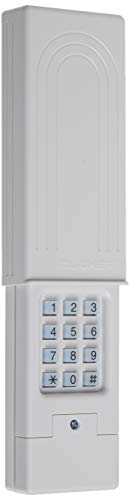

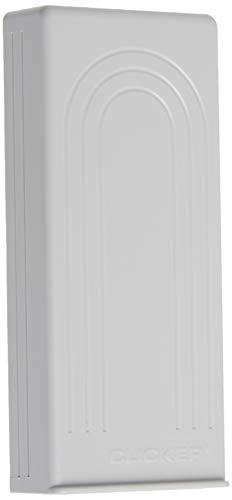
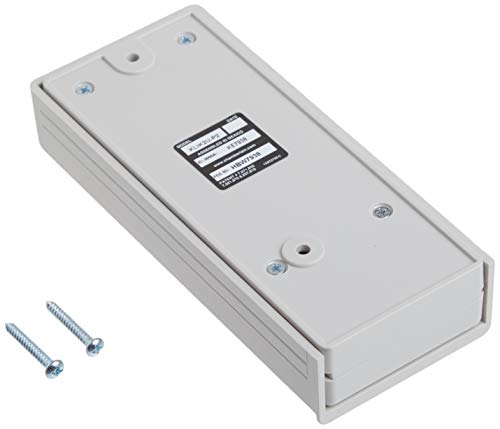

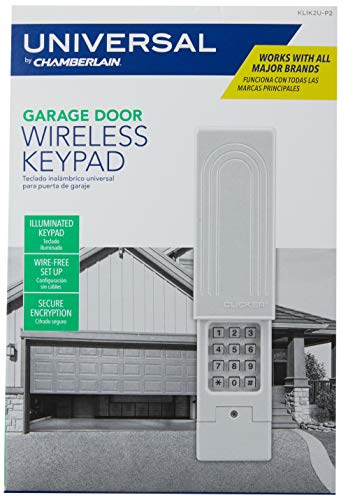
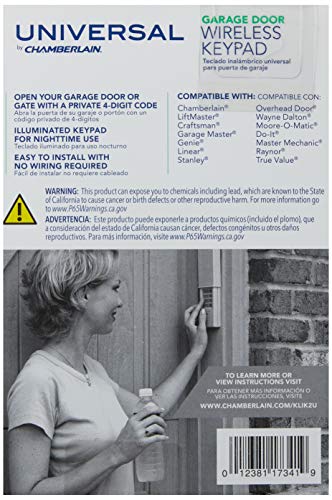


🔑 Unlock effortless security and style—because your garage deserves the best.
The Chamberlain Clicker KLIK2U-P2 is a universally compatible, wireless garage door keypad supporting over 90% of North American openers. Featuring quick wireless programming, secure encryption, and a weatherproof sliding cover, it offers reliable, keyless access with a backlit keypad and includes a 9V battery for immediate use.


| ASIN | B0014XOS64 |
| Alert Type | Motion |
| Assembly Instructions Description | Included, straightforward, part of the user manual |
| Batteries | 1 AA batteries required. (included) |
| Batteries Included? | Yes |
| Batteries Required? | Yes |
| Battery Cell Composition | Alkaline |
| Best Sellers Rank | #286 in Home Security Systems |
| Brand | CHAMBERLAIN |
| Certification | not_applicable |
| Color | White |
| Compatible Devices | Smartphone |
| Connectivity Technology | Wireless |
| Control Method | App |
| Customer Reviews | 4.4 4.4 out of 5 stars (11,041) |
| Date First Available | January 16, 2007 |
| Description Pile | Lithium |
| Included Components | 9V Battery, Manual |
| Installation Type | Self-Adhesive |
| Is Discontinued By Manufacturer | No |
| Item Package Quantity | 1 |
| Item Weight | 8 ounces |
| Item dimensions L x W x H | 1.2 x 2.5 x 5.9 inches |
| Item model number | KLIK2U-P2 |
| Manufacturer | Chamberlain |
| Maximum Range | 11 Inches |
| Part Number | KLIK2U |
| Power Source | Battery Powered |
| Product Dimensions | 1.2 x 2.5 x 5.9 inches |
| Size | accessory |
| Style | KLIK2U-P2 Garage Door Keypad |
| UPC | 012381173419 |
| Unit Count | 1.0 Count |
| Video Capture Resolution | 480p |
| Voltage | 9 Volts |
| Warranty Description | 1 Year |
L**O
Works well with Craftsman Opener
It works well and was easy to install on my Craftsman Opener
T**S
Reliable replacement at a reduced price.
I had to replace a 12 year old Chamberlin Clicker. Found the exact same model on amazon, but only as “used”. Never bought used before, but thought I’d take a chance. Apparently a previous buyer couldn’t get it to connect to their garage door operator and returned it. As promised, it was in the manufacturer’s original packaging. The mounting screws were still in an unopened plastic bag and the instruction sheet was pristine. Followed the instructions, and had it linked to the operator, tested and mounted right where the old was in about 20 minutes. $25. less than retail at local big box store. Excellent, reliable unit I was familiar with at a reduced price. Great transaction.
M**R
Easy Install - this universal relotes really does work!
I just installed this unit today - so this review is based on installation and compatibility, not long term performance. I am definitely NOT the tool person in this house, but my partner's honey-do list is too long. So I gave it a try. This keypad is a replacement for my Craftsman, bought in 1998. We have a second garage door with a Genie unit I bought last year. I will get to installation in a minute, but I have to say, this key[pad dependably opens the door every time (well, at least the first 10 times or so!), unlike my Genie, which is very hit or miss. I am pleased and surprised that this seems to work so reliably. I was nervous, having red the reviews, about installing the unit. I decided to program the remote before mounting, partly because we had bought another brand's universal remote and it worked fine. Also, it is a two person job if you mount the unit before pairing. The first thing I did was find my opener's "learn" button - not so easy, as it was hiding behind the lightbulb. That was the hardest part. I have a red button. I followed the instructions carefully. I did not add an "0" before pressing 2, to indicate I have the red learn button. I followed each step promptly, but not rushing. I would estimate I held buttons down for a full second, maybe 2 seconds for the learn button, and immediately proceeded to the next step. And guess what? It worked on the first try! The programming took 5 minutes at most. EASY PEASY. Some people have had difficulty with the cover - me too. I had to force it open with a screwdriver, having hand issues. So I took one reviewer's advice and modified the cover slightly. Here's how: Slide the cover off. Inside you will see two lines of plastic on each side that stick out. The short line of plastic is on the upper end. Look at the long line. Take a very sharp knife (like a box cutter or utility knife) and shave some off to taper the top of the long line of plastic (the end nearest to the short piece). Do this on both sides and the cover easily slides up. Don't be intimidated by the programming, follow the simple directions closely - you can do this. We were considering replacing the entire garage door opener. We had bought a Genie universal replacement keypad first, and that didn't sync up with this opener, so we thought we were up a creek. I am very happy that we decided to make this purchase.
Y**C
Sturdy and well Designed
Moved to a new place and needed a new "Yellow Button" standard remote, and found this. Our garage opener unit is a Liftmaster. Here are some impressions and opinions: Likes: -- Out of the box, the unit appears very sturdily built. The case, battery hatch, as well as the weatherproof sliding cover are all made of a very thick and cleanly molded ABS plastic. It sure looks much more expensive than we expected, as the price range is typical for basic keypad remotes of lesser built quality. -- The design is simple and straightforward, with recessed rubber numeric keys and no other confusing buttons. The rubber keypad is pretty thick with strong tactile feedback, with good spacing to prevent errors. The sliding cover really does provide very secure protection for the main electronic unit itself, covering all the opening seams. Personally I like the clean, durable and functional design. -- It comes with a 9V dry cell already installed. The description says 2AA alkaline, but it really is a 9V battery. While testing indoors we found that it has a pretty good range, as we could operate the garage door opener 100ft+ away from the garage and through a few walls. This could be a benefit from the higher voltage setup than typical AA's. -- Simple to setup: While it's probably something common to yellow-button standard remotes, ours was pretty easy to setup. It took merely 30 seconds to have the thing paired and ready to go. The instructions can be a bit confusing though (see caveats). Caveats: -- The instruction that came with it is pretty confusing. It has a lot of opener type instructions that really aren’t relevant to this opener. Three out of four types described is of the DIP switch types, and only type 4 is the one that has the yellow button remote. It’d be helpful to skip to type 4 instructions to save yourself some confusion. The instructions are mostly for initial setup, and not a lot of operating instructions, other than entering the pin and opening the garage door. It’s sufficient but not very detailed. -- Since it only has numeric keys and */# (typical 12 key keypad), the opening button was omitted so you would have to press "0" to enter the PIN. After it is recognized, the entire keypad becomes the garage opener key, so that you can press any key to open and close with around 10-12 seconds with the keypad lit constantly. Pressing * and # while entering keys results in flashing LEDs, whose functions I haven’t quite figured out. I imagine there should be a way to clear/reset if you entered the wrong PIN, and one of those keys could have been the clear key. None of these were described in the instructions except entering “0” after entering the PIN. -- The sliding cover is a bit stiff, which might get better over time. The issue is that if you pull up using the bottom lip facing the front, you may end up lifting the cover off completely and have it flung off to the floor. I’d recommend holding the side of the cover and sliding up, thus pressing down on the side latch preventing the cover from detaching completely. -- It requires and uses a 9V square shaped battery, which may be less common in most homes. It comes with a zinc carbon battery, or the “dry” cell, and not alkaline, for a good reason: it won’t leak. I would recommend using dry zinc carbon batteries for these openers as it is exposed to the temperature fluctuations and even possibly the sun’s heat. Alkaline cells may leak fluids if not used for a while and/or exposed to heat, resulting in circuit damage. Alkalines do last longer if you use it very often, however. Overall we are pleased with this opener. It looks good (to us), looks and feels sturdy, very simple to operate and set up, with a very functional design. We just wished the instructions were a bit better written, but it doesn’t take away from the product’s qualities at all. We’d recommend it, if your garage opener unit is compatible.
D**.
The product arrived in very good time, but I have had no joy at trying to make it compatible with my Chamberlains garage door
G**8
The unit uses a thicker plastic than the original Chamberlain remote. It feels tougher overall. Installation was VERY easy. The instructions were so straight-forward and i had it setup in a couple of minutes. Works flawlessly with my 2009 Chamberlain Whisper Belt Drive which has Security+ 1.0 Pros: - Very easy to setup - Batteries are included! - Thick sturdy plastic compared with original chamberlain Cons: - Like other have stated, the keypad cover can easily come off - so take care with lifting it - doesn't have a separate "enter" button like on the chamberlain - meaning you have numbers 1 thru 9 for your passcode because "0" is used like an enter button Things to note: - After entering your passcode - while the keypad is still lit, pressing any button acts like clicking the button on a remote which i found kind of odd.
U**R
Exelente, muy práctico y fácil de instalar.
A**R
Amazing can’t believe this exists! Had garage door for 10 years and always wanted a keypad but thought I’d have to replace garage door opener itself. This took 1 minute to setup. So easy so fast and works great! Chamberlain Whisper Drive is what I have from 2009. Purple learn button.
T**S
Fácil de instalar
Trustpilot
2 weeks ago
1 month ago