

💡 Light up your life, not your energy bill!
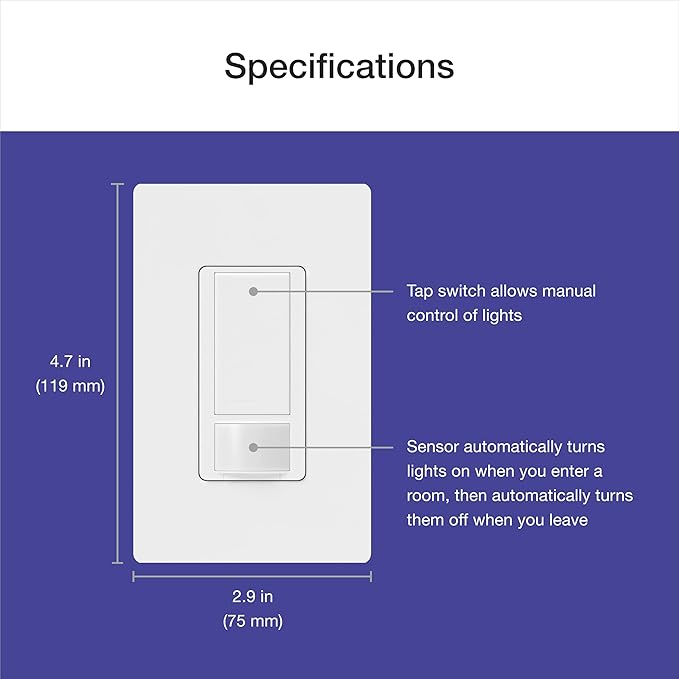
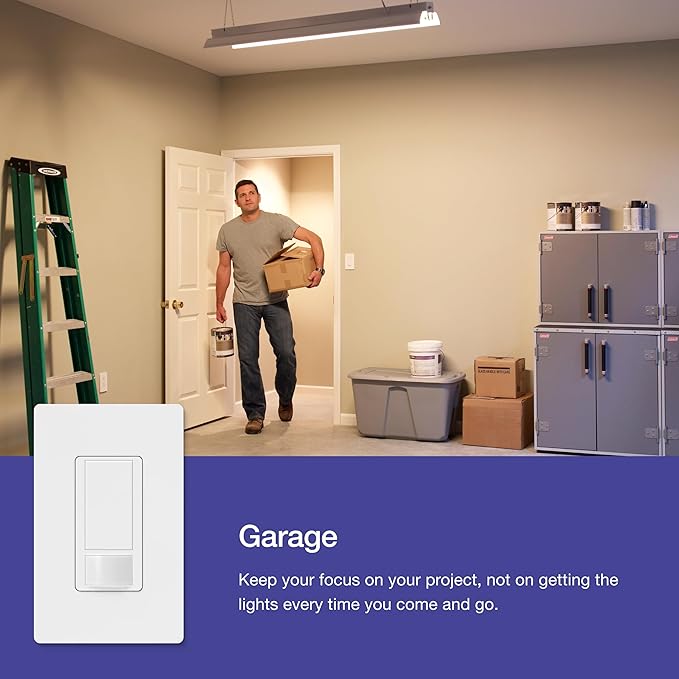
The Lutron Maestro Motion Sensor Light Switch is a versatile, single-pole switch designed for hands-free lighting control in bathrooms, garages, closets, and laundry rooms. Compatible with all bulb types and requiring no neutral wire, it features occupancy and vacancy modes with programmable auto-off delays, smart daylight sensing, and quick installation—all aimed at maximizing convenience and energy savings.

| Manufacturer | Lutron Electronics Company, Inc. |
| Part number | MS-OPS2H-2-WH |
| Item Weight | 159 g |
| Product Dimensions | 4.06 x 4.45 x 10.8 cm; 158.76 g |
| Item model number | MS-OPS2H-2-WH |
| Size | 2 Pack |
| Color | White |
| Style | 2-Amp Single Pole Switch |
| Material | Plastic Metal |
| Pattern | Switch |
| Wattage | 240 watts |
| Item Package Quantity | 1 |
| Switch Type | 1-way |
| Plug Profile | Wall Mount |
| Switch Style | Push Button |
| Specification met | UL, IEC 60669-2-1:2002, IP00 |
| Included components | Includes (2) Maestro 2A motion sensors, instructions, and wire connectors |
| Batteries Included? | No |
| Batteries Required? | No |
G**A
Muy fácil de instalar
N**I
Easy to install. Work great. Lights go on instantly with no noticeable delay after walking into view of the sensor. For one switch I put a small piece of black tape over one edge of the sensor so the switch does not activate when I pass by the edge of its view. This works well so it is possible to customize the sensor's view. I am also pleased that I can set the switch to not activate when there is enough light already (i.e. sunlight), and I can train switch to set the light threshold at which the switch turns on. I set the switches so that they don't turn on when there is enough sunlight. I also set one switch so that it turns off within 5 minutes of it sensing no motion, but another so it stays on for half an hour after sensing no motion because it is a location where I sometimes move out of the sensor view. These feel like they are mostly plastic and a bit flimsy but once installed they feel fairly similar to low cost decora switches. Now that the switches are programmed and trained I don't tap them very often (less than once a week) so I have no concern about durability. I mounted one upside down (semi-circular sensor on the top) to look over furniture and it works fine. Note that these switches require connection to live, neutral and ground. They will not work with old 2-wire wiring that does not include ground.
R**G
This review is for: Lutron Maestro Motion Sensor Switch | 2 Amp, Single Pole | MS-OPS2H-2-WH | White (2-Pack) The purchase price at the time I made it was $35 with tax, in June 2023. It is normally over $50, so I would recommend waiting for a holiday sale if possible. I installed this in two locations, my laundry room (for obvious reasons) and a small walled room that just has a toilet alone, situated within a master bathroom. These switches were installed in a newly built home where the builders, for whatever reason, went "balls to the wall" on those cheap toggle switches in every corner under the sun. I suppose it's understandable, and didn't complete the removal and install process overmuch, other than I would recommend having a thin, long metal pin or those foldout pocket screwdrivers with multi-heads, which can be used to push the pin into the back of the toggle switches to remove wiring from them. Tools recommended: + AC/DC voltage tester + flathead screwdriver + metal pin or multi-head pocket screwdriver with a long, thin head (for existing toggle switches) + wire pliers for straightening wires -- not needed, can also use your fingers with a t-shirt or a cloth as a layer of protection to straighten out curled wires + wing-nut wire connectors for wire-nutting wires in box (should be included) Installation steps (which were performed): + Turn off power at the circuit breaker. Recommend having lights on and one person stand in the room with switch, so that they can yell down at you when the lights go off, and you know which switch at the CB is associated with the install location. + Remove wall plate with flat-head screw driver. Remove top/bottom screws of target replacement switch and gently pull it out. Take out Voltage Tester and confirm that current is off -- both black/red wires should not result in a *beep* sound from the VT. If no sound, all is good. + Use metal pin or a thin-head screwdriver and insert in hole in back. Once they go all the way inside, wire should be easy to remove. For the wires curled around screws instead, use screwdriver to loosen those screws, and "uncurl" those wires with a wire plier or like I did, use a t-shirt to wrap your fingers and then straighten them that way. + Make a note of where the red and black wires are coming from -- there should be a wire bundle with tons of similar wires wing-nutted together. Remove the wing nut from each bundle and try to add either of the switch's black wires to it. Cinch them together with existing wing-nut wire connector. If too many wires, as in my case, then disregard that approach. Cap off existing wire bundle. Use included orange wing-nut connectors to tie the existing switch's black/red wire with either of the new Lutron switch's black wire. Twist and cap them off. Use gentle force to shove them into an empty, unoccupied space near the back of the box. + For newer homes, your box should have neutral wires. Disregard black/red wire bundle. Disregard the bare copper wire bundle (wires with no sleeves) -- these are ground wires. The only remaining wire bundle is your neutral wires. These should normally have white sleeves. Remove the existing wing-nut connector, remove the green sleeve from the new Lutron switch, and tie in the white switch wire along with the existing white wires in the bundle. Cap them off. Again, if too many wires, use the included wing-nut connector instead. + Find bare copper (exposed) wire from the existing switch, and group that with the new Lutron switch's bare metal (exposed) wire, which should be at the top. Cap that off, and stick the new bundle at the back of the box. + Now use flathead screwdriver to tighten top/bottom screws into the new Lutron switch -- can use existing switch's screws if preferred. Might need to "force" the switch to fit into the box, but not too much -- remember, this is why positioning the wire bundles into the empty spaces in the back of the box is so helpful. That way, less force is used, and less chance of wires getting crossed and tripping the CB when main power is turned on. + Turn on power at CB. If all is well, circuit won't get shorted out. Try to push the power button on switch. If install was successful, light should turn on. + Finally, turn off power at CB to be safe, and screw the wall plate back onto the wall. If your Lutron switch was replacing a toggle switch -- as mine was -- you will need to invest in a rocker switch wall plate, or a 1-rocker 1-toggle wall plate if you have a 2-gang wall plate as I did. + Turn back power on the CB. + To setup Custom settings, Lutron recommends to leave wall plate removed. In my case, I just needed to update the default timeout from 5 minutes to 1 minute, to save on electricity costs. Thus, it was fine for me to have the wall plate on. In my case, I pressed and held the big button on the new Lutron switch, until it blinked twice, then I released it. I turned it on and off three times fast, then stepped out of the room for about 5 minutes. Once I stepped back inside, the light turned off with a click, and turned off after 1 minute of no motion detected. Seems all is in order! As mentioned, I got the 2-pack and installed the motion switches in two locations. The first location is my laundry room, where the switch is facing in same direction as person entering, so obviously 180 degrees of motion detection is preferable. In practice, I get ~150 degrees of detection, which is good enough as the light turns on with a *click* as soon as I walk into the laundry room. This is helpful if I or someone else is holding a laundry bag or hamper full of clothes, as I don't need to free a hand to fiddle with the light switch -- it just gracefully turns on as soon as I enter, and turns off just as gracefully as soon as I exit the room. This works out perfect for me, and all involved. The second install location is a small cubicle-style room with only a toilet. This room is always dark no matter the time of day as there are no windows in this small enclosure. Further, it is located inside a master bathroom. The switch is facing again in the same direction as the person entering the room, and is a 2-gang with a switch for the bathroom fan. I got a 3-pack of 2-gang wall plates (1 rocker and 1 toggle openings) and installed one of them here. The wall plate looks really good, and in practice the motion switch functions really well. It turns on as soon as someone enters (no need to waste time fiddling with the light) and gracefully turns off after 1 minute of them exiting or no motion being detected, whichever is first. This is excellent and works for my use case, and I fully expect it to translate it into a slightly lower monthly power bill. Huzzah. All in all, highly satisfied with the 2-pack of Lutron motion sensing light switches, and I have installed them in two single-pole light switch locations. I have had them for a few months now, and there are absolutely no problems. I am extremely satisfied with their performance and they have saved time and money most definitely, because even if someone "forgets" to turn off the lights, they are never on overnight, which is excellent in my books. In short, I highly recommend the Lutron brand of light switches for motion detection and automation purposes, especially in a use case such as mine. Installation is relatively straightforward, and you don't need to be a licensed electrician to install one -- though knowledge of electrical wiring certainly helps. Check it out, I guarantee that you won't be disappointed!
A**R
I love these things and they work great! The manual has great detail about how to install and use these things. If you are handy you might consider installing these yourself. The shape fits a standard rectangular switch-plate cover, OR you could buy the Lutron one that looks super cool in my opinion. Anyway, the one caveat to these is that I think you can NOT install this one in circuits that have multiple switches. We put it in our bathroom because 1. the kids would leave the light on and 2. the short kids couldn't reach to turn the light off or on. Super happy and I will likely look for more places to install these. 6/5 stars if I could. Oh yes, and to the people who comment on the click sound: well it is quieter than an actual switch, and the nice click sound to me just seems to sound like a quality switch that is actually moving a mechanical aspect to switch the electricity on or off. Finally, we use LED bulbs, and turning them on/off more often seems to reduce their life quite a bit. The only bulbs we've ever replaced were all ones that are on one of these bad boys. Good luck.
R**Z
Solo hay que tener cuidadao, es importante la conexión, sin ningún problema funciona y la configuración, funciona excelente
Trustpilot
1 week ago
1 month ago



