
🚀 Cut the cord, speed up your life with NETGEAR CM1000!
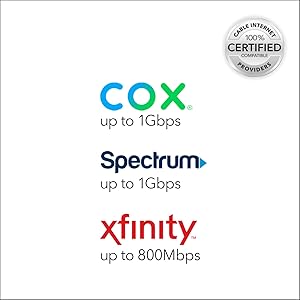
The NETGEAR CM1000 DOCSIS 3.1 Gigabit Cable Modem delivers ultra-fast internet speeds up to 1Gbps, compatible with major US cable providers like Xfinity, Spectrum, and Cox. Featuring a single Gigabit Ethernet port, it offers reliable wired connectivity and eliminates costly monthly rental fees, saving users up to $168 per year. Easy to install and future-ready, this modem is designed for professionals seeking high-speed, hassle-free internet.




| ASIN | B01I5TJGSE |
| Are Batteries Included | No |
| Brand | NETGEAR |
| Color | Black |
| Customer Reviews | 4.3 4.3 out of 5 stars (16,360) |
| Date First Available | 14 December 2016 |
| Item Weight | 381 g |
| Item model number | CM1000-100NAS |
| Lithium Battery Energy Content | 4 Watt Hours |
| Lithium Battery Packaging | Batteries contained in equipment |
| Lithium Battery Weight | 0.8 Grams |
| Manufacturer | Netgear |
| Number Of Lithium Ion Cells | 2 |
| Number of Ethernet Ports | 1 |
| Product Dimensions | 13.72 x 14.99 x 22.35 cm; 381.02 g |
| Series | NETGEAR |
| Voltage | 100240 Volts |
A**U
The netgear is not working
P**R
Why did I buy it? I needed a router to avoid Comcast rental's fee. Does it work? The installation by the Comcast guy was super easy and it took less then 10 minutes. I then changed the network id an password in 2 minutes following the instructions on the router itself. I have used the router for more than 1 month now and I never had an issue: it never throttled my speed and I can reach almost the speed I have when using an ethernet cable. I live in a studio and the router has enough range to cover all of it. Pros: - Easy installation - Good range (at least for a small/medium apartment) - It allows you to avoid rental's fees Cons: - A bit expensive Bottom line: The modem/router has been working perfectly and I can't complain about anything, except the fact that it's a bit expensive but, if you consider that Comcast charges you around 10 bucks per month to rent their router to you, you will break even after 10 months.
S**N
Review of Netgear CM1000v2. I got a notice from my internet company, xFinity, that I should upgrade my old DOCSIS 3.0 modem to a newer 3.1 version. Even though my internet package only gets me up to 59Mbps, nowhere near the gigabyte speed offered by the new modems, I decided to replace my old modem anyway, since I was starting to get more internet outages over the past few weeks. I figured the older technology maybe wasn't being supported as well on the network, and I had to keep resetting my modem and waiting for connectivity to come back again. Installation was pretty easy. 1. First, unplug old modem from power, cable and ethernet. 2. Plug all of those into the new modem and wait for all the lights to stay on, which can take up to 10 full minutes. 3. Go into the xFinity app on your phone, log into your account, then tap Account, Activate xFi Gateway or Modem, Your Own Modem, Start Activation, then follow prompts from there. You will need to enter the MAC address, which is printed on the bottom of the modem. It may take another 10 minutes after activation for you to have internet access. All worked well for me and there were no problems. Modem has been working flawlessly for the past few days since I set it up. As I said, my plan only gives me up to 59Mbps, and that has not increased with this modem. It will only increase if I change my plan to a higher speed plan. But, I have a newer technology modem now that is at least ready for future speed increases should I choose to pay for that, and this DOCS 3.1 modem may have better security and more compatibility with the xFinity network. Things I like about it: 1. It has an on/off button on the back. VERY handy for resetting the modem. Much more convenient than having to pull the power plug then struggle to get it plugged back in while in a tight, dark space behind the modem. Many modems do not have an on/off button. 2. The lights are easy to see, but not too bright. On my previous Arris modem, the lights were overwhelmingly bright and flashing, so much that you could hardly read what their function was. These lights are much better. 3. The form factor is good; thin and tall, with a sturdy base. Other note: Some reviewers have said this modem gets HOT. I don't find that to be the case. It is warm, but not really any warmer than any other modem or streaming device I've had, especially one that is on 24 hours a day. Bottom line, this modem is a highly compatible modem for xFinity and all other cable systems, has an on/off button, good form factor, perfectly readable and not-too-bright lights, and is easy to set up.
K**T
worked as intended
J**G
This is an incredible modem when paired arithmetic the NETGEAR Nighthawk X-10 AD7200 router. Basic set up is very simple, a call to one of the supported cable companies and your good to go. Modem gets warm, especially when you got several devices drawing from it. I always mount a small fan on side of my modems to help with heat issues. Been a NETGEAR fan for many years now and this is the first cable modem I have ever owned made by them. Many Motorola modems over the years and this one seems to be much better than any of those I have purchased. I always buy my own equipment as the modems supplied by TWC/ Spectrum are not real great. Took one back after having it a week once and got another in exchange. The thing was already making a rattling sound before I left the TWC store. Took it back and have purchased my own equipment ever since. No monthly rental fees and no cheaply made junk that needs to be constantly exchanged. Only cons I have with this modem compared to others I’ve owned is it gets warm , dosent really show bonding like Motorola models (the arrows turn blue) and it’s built very well, but bottom seems a little unsteady. Has on/off switch which is a great feature for when you need to reboot equipment. Overall, very pleased with this modem. Did buy the protection plan for it as well. Updated June 15th, 2020 My NETGEAR modem is still working like a champ and it’s not having any issues keeping up with the number of additional items we have added to our home network. -We have two iPad Pro 10.5 inch devices running most all day. -We replaced our HVAC unit and have a Wi-Fi Thermostat running around the clock. -We have two iPhones connected to our home network. -Our receiver for the Surround Sound is connected to the NETGEAR S8000 assignable switch. -The Oppo - BDP 105 player is attached to the switch. -The Roku Ultra 4K player , which stays on nonstop now, is also connected to the switch. -I have a Oppo-UDP 205 that I play CDs through if I’m not watching the TV hooked to the switch. -I also have a HTPC that goes back to the Nighthawk router that decodes my MQA CDs -Our home automation system by Homeseer is continuously running off the modem. -We also have an Apple TV device that’s hooked up to the switch, but never use it. -I have a Astell&Kern Hi Res portable player that I also listen to Tidal on. -Our security system is also connected by Wi-Fi and with cellphone as well. -We have a NAS system hooked directly to the router with movies and music on it. -Lastly we have a Samsung Tablet and a Amazon Kindle also on our home network. The 2 iPads are on all day and the receiver as well as either the Roku or the HTPC are also on , so are the Wi-Fi thermostat and the two phones along with the Home automation system. We’ve had several other things running as well at the same time and the modem has never overheated or have we had issues with buffering or other issues. It’s mostly a lot of rack mounted items in a closet in my dedicated music room where my vinyl collection and my High end stereo system is located. The closet has a huge rack system that stays locked up and the modem and the router are also in this unit on a shelf. There is a NETGEAR switch in the 42 space rack, the NAS system. A computer that rarely gets any use now and it’s where the one Oppo-205 is located as well as the Roku and the Surround Sound receiver. It’s decluttered our living room and most all of our BluRay and DVDs are burnt to the NAS devices. We have the shelves built to hold the physical disk and CDs. Everything in our den that we use is controlled by an IR repeater. Even our cable box is in the rack. We have some other things as well like a Drawer mounted KVM smith with a screen, but it rarely gets much use since Windows Home Server was discontinued and the two identical servers I built are just not used anymore. We have Spectrum internet and it use to be the fastest one available, but since they took over Time Warner, they’ve added a newer speed. It’s not a need for us yet! But with everything becoming Wi-Fi or Bluetooth, we might have to upgrade to the faster speed. If we do, I’m definitely going to buy the NETGEAR CM1200 if I need to. I’ve noticed a lot of people who are having issues with thier modems. It’s more than likely your ISP as we had a lot of issues with ours and they have finally got the bugs out. We went through three different Motorola modems , all we’re having issues with overheating and Time Warner would not be able to ping them and get to our modem. I finally got tired of dealing with them and just about the time I was going to drop them, they were bought out by Spectrum. Since Spectrum has taken over, even though we still have Time Warner on our Bill, the service is more stable and we rarely ever loose our internet. We don’t have a house phone, but we are still paying a lot for cable and for streaming services. But the most important thing is that our equipment is not getting fried from the ISP now. It’s also important to remember that no matter if you have cable or satellite service, it all is coming from a satellite signal of some kind from some location. We’re now getting our cable from Austin and it’s much better than it use to be. We had issues with the cable box pixelating all the time. We have a six tuner DVR plus the HTPC has a Cable card device in it that records and through software plays back the recording in 1080p. We are going to get a 4K TV and receiver when this pandemic is over as well as a new 7.2 DTS speaker system. We have a 7.2 speaker system now, but it’s getting outdated. It just depends on what happens to our Country and what person becomes president! If the economy collapses then we’re not getting anything. But if the get the Administration free from corruption, then we will be buying a 4K system. I like the fact that NETGEAR has apps to control the router and I e never had any issues with getting tech support from them, even after my initial free trial ran out. I can reboot my router from my iPad and see what is connected with their apps. It’s just quality made equipment. Some may get a bad egg, but there are so many counterfeit items on the market these days, you may make sure you are buying the authentic item! We only buy our Apple devices from the Apple store or from Apple.com.
Trustpilot
1 month ago
3 weeks ago



