
DOWNLOAD THE APP


Customer Services
Copyright © 2025 Desertcart Holdings Limited
DOWNLOAD THE APP

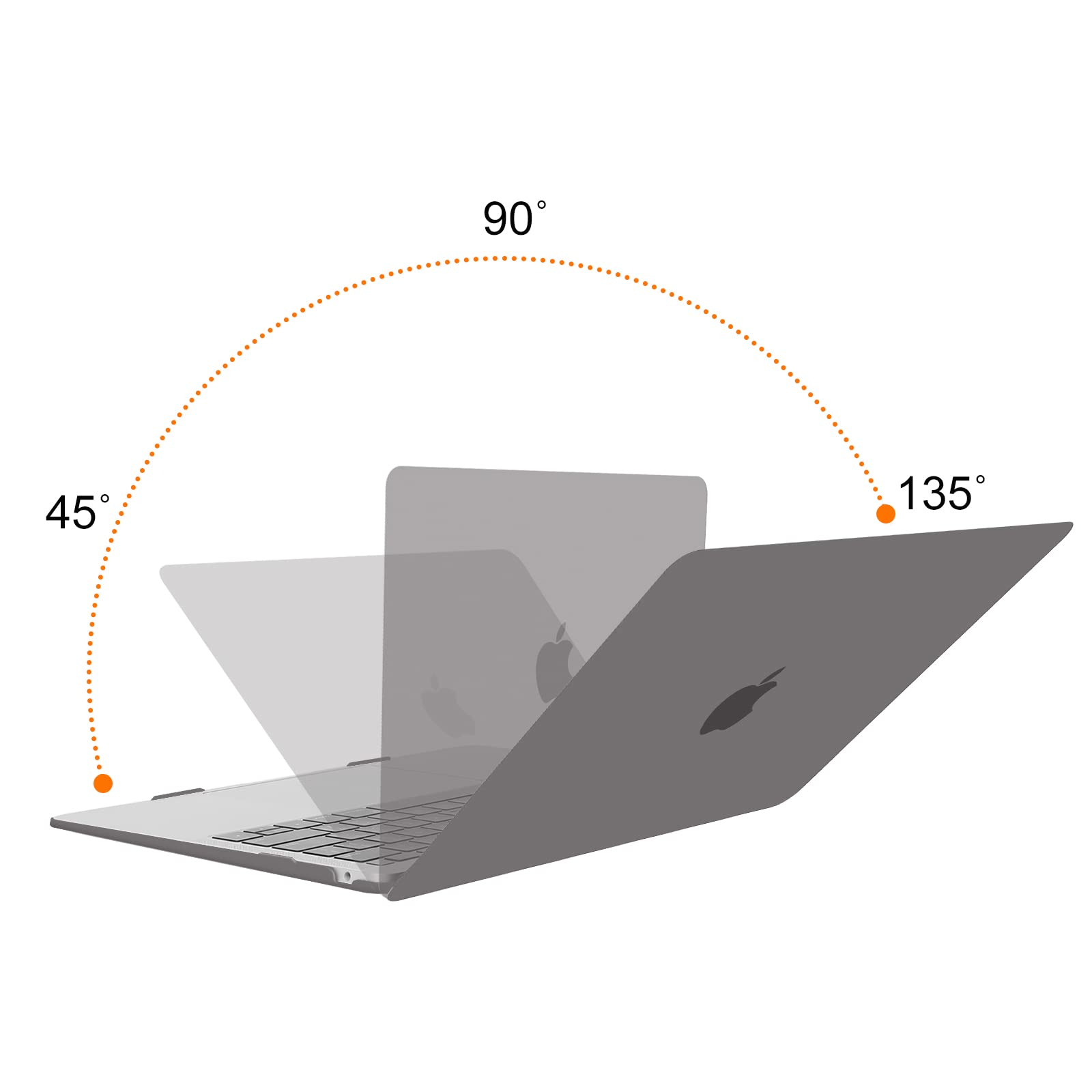

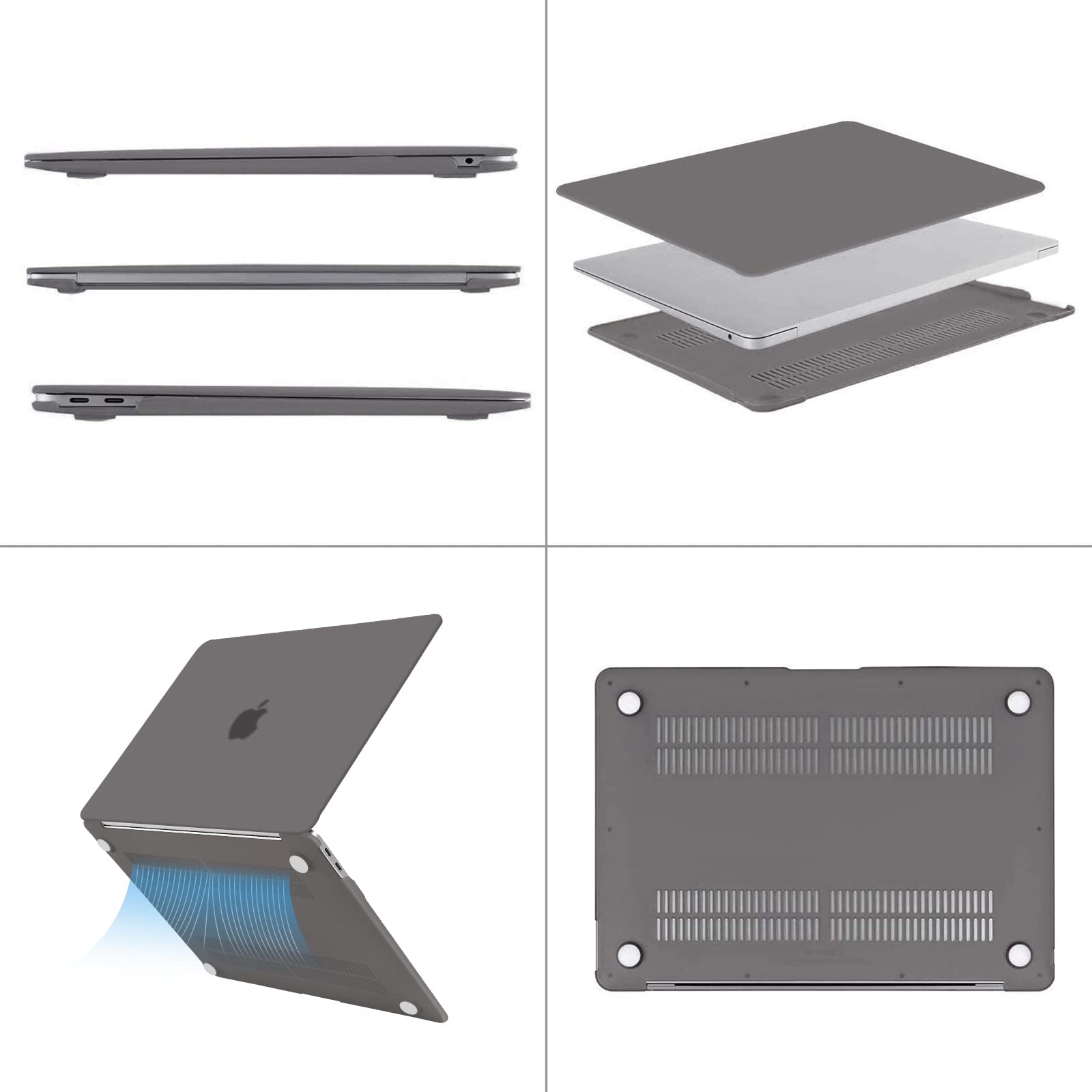

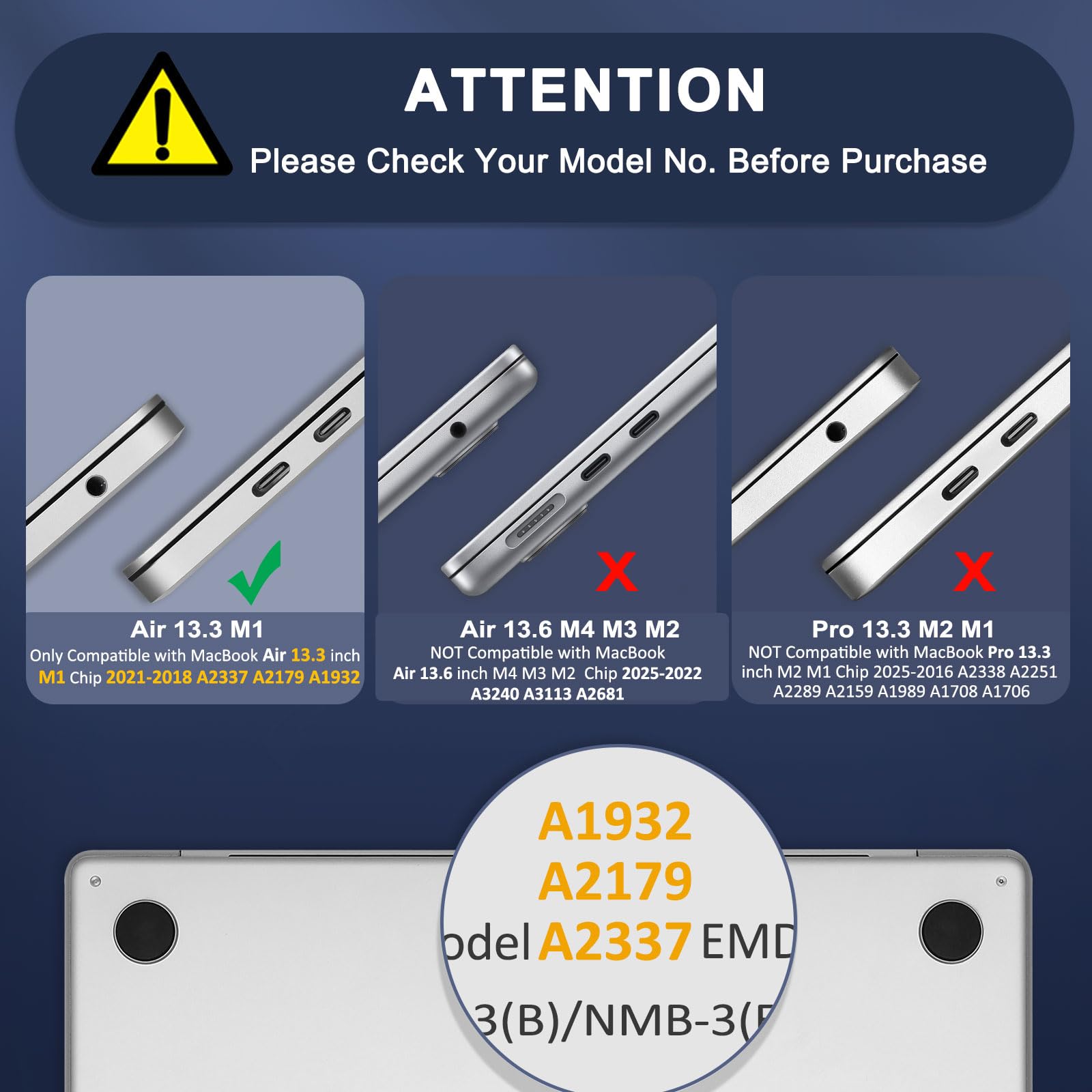
🖥️ Elevate your MacBook Air’s style and safety—because your work deserves the best!
The MOSISO MacBook Air 13-inch case is a precision-engineered polycarbonate hard shell designed exclusively for 2018-2021 MacBook Air models with Retina Display and Touch ID. This comprehensive protection kit includes two keyboard covers, a screen protector, and a storage bag, offering full defense against scratches, spills, and heat with a fully vented, fingerprint-resistant matte finish. Lightweight and easy to install, it ensures perfect fit and access to all ports, making it the ultimate accessory for professionals who demand style and durability.


| ASIN | B07M6YB5T4 |
| Additional Features | Universal |
| Best Sellers Rank | #5 in Laptop Hard Shell Cases |
| Brand | MOSISO |
| Color | Gray |
| Compatible Device Size Maximum | 13 Inches |
| Compatible Devices | Laptops |
| Customer Reviews | 4.3 out of 5 stars 55,980 Reviews |
| Enclosure Material | Polycarbonate |
| Form Factor | Case |
| Item Dimensions | 12.01 x 8.5 x 0.63 inches |
| Manufacturer | Mosiso |
| Material | Polycarbonate |
| Pattern | Nature |
| Shell Type | Hard |
| Unit Count | 1 Count |
D**N
A good product. Worth the buy.
Last closed to three years. The only problem was that the edges were starting to break off, but it still protected my laptop really well. No scratches or anything. It was worth it.
R**C
Simple, Solid Protection for a Good Price
I didn’t expect much for the price, but this MOSISO case actually feels pretty solid. The plastic is lightweight but still protects against scratches and small bumps. It snaps on easily and fits perfectly without covering any ports or vents. The matte finish looks nice and doesn’t get fingerprints too easily. Once it’s on, it stays in place, no sliding around when opening or closing the laptop. Overall, it does exactly what it’s supposed to do, and for a cheap case, it’s honestly worth it.
W**P
Decent case if you aren't using a USB C Adapter.
This is a decent case for the price, but it doesn't get 5 stars for 3 reasons. First, the case must be removed if you need to use a USB C Adapter, because the USB C Adapter won't fully connect with the case in the way. That leads to the second problem which is anytime you take the case off, it's prone to breaking as the plastic is hardy and good for a case, but not pliable for consistent removal and replacement. Last problem is the case makes it a bit tricky to open the laptop as the plastic from the case makes the lip shallow.
K**I
Minimalistic Perfection
I purchased the clear case for my MacBook Air 2018 as a reasonable choice for an expensive computer that I travel often with. I didn't want many frills but needed the basics. I purchased this for ~$13 and it included the 3 products with extras as advertised. After setting up the kit, I was impressed because the case provided no distractions; it's almost as if it wasn't there and preserves the minimalist soul of my MacBook Air. This clear case was a perfect fit for both the body and the aesthetic and I highly recommend this affordable product. One important downside to this case that may not affect everyone is that it will make attached USB C hubs incompatible. These hubs are not the popular dongles. The affected hubs use both USB C ports and need to fit perfectly against them. The case provides a recess for the USB C ports but the added thickness to the sides mean these USB C hubs can't fit. I'll drill down into the products in this kit for more details. - Clear Plastic Hard Shell : The outer shell was clear as advertised and the finish of the plastic is very glossy. This works well with the gold color of my MacBook to add to the feeling of a shiny gold toy. One of the main reasons why I bought a MacBook Air 2018 was because I wanted a computer that's fun to use. Outside of the drudgery of work and school, it's important to me that such an expensive product can be seen as something I would want to use not just have to use. I was picky with the cases because I didn't want to lose the cool factor but after installing it, the glossy gold makes it seem even more cool. The installation was simple and it snaps in place fairly intuitively without the need to read the instructions. A downside to the case is the weight it adds. The weight of the plastic speaks to the quality but for people looking for the convenience of the light laptop experience that the MacBook Air offers, this case might add an uncomfortable amount of weight. It's not an issue personally but keep this in mind. As mentioned earlier, this case also adds thickness to the laptop which may make some USB C hubs incompatible but it doesn't affect the dongles that extend with a wire. - Screen Protector For those familiar with plastic phone screen covers, this is the same concept. It's going to be difficult if you're not good with applying plastic screen covers or have never done something like it before. It's more difficult than a phone screen because it's more than 4 times the size. With the right preparation and practice, it turned out well with some bubbles here and there that are noticeable only under a certain light. I might be better at applying these things than the average person so please ask a family member or friend if you're not confident. I started out by first wiping the screen with electronic wipes which were not included. Please note that water or regular Windex will destroy the screen so research the proper way to clean the screen. Afterwards, I thoroughly wiped the screen with the microfiber cloth that was included. I recommend putting the screen laying up towards you on a table in direct light so you can see any imperfections. Once any dust or other particles were gone, I pulled half of the adhesive cover down and applied the screen protector from the top down using the included squeegee to push out air bubbles. I would remove the rest of the adhesive cover as I went down. While there were air bubbles, most of them get smaller or go away once the adhesive settles. The MacBook Air has a Retina display so I was a little concerned by how it would affect things but there's no perceivable difference from before and after. Overall, the screen protector does its job and anything more would be extra. It's not more glossy or more matte than without the screen protector. - Keyboard Cover The keyboard cover is translucent and matte. Just as the hard shell, it's simple to install without the need for instructions. The plastic is flexible and stretchy such that it might be able to survive hundreds of thousands of key strokes. The cover cuts out the Touch ID key so you can still use it. They added more tactile features to the F and J keys to make typing easier. I prefer it because I use many different keyboards so it helps me calibrate my typing easier. As with the rest of the products included, it provides everything you need and nothing you don't. - Extras The extras included the microfiber cloth that I used to apply the screen protector, a small storage bag tied by string, and some extra surface nubs outside from the ones included.
J**S
Super durable and fits perfectly
Came exactly as pictured! I love the color and the durability is great. I’ve had it in my laptop for about 3-4 years now and it’s held up great! It fits perfect! It also comes with 2 keyboard pads which I love.
A**2
It's ok
The thing is fine, but I've had two of these, and they both have cracked on the top in the exact same place. The good thing is that the case is thin, and the keyboard cover does not interfere with closing the screen or typing. The problem with it being thin is that, obviously, it cracks easily. Other than cracking and being a bit difficult to put on, the case is good. Some of my keys have been sticking, but I can't really blame the keyboard cover for that; maybe I just need to be more careful. I love how this case feels; the design is simple, and the size was correct for my 2020 Air M1. If they could just strengthen the edges on the top cover, then it would be a 5/5, but as it stands, I have to replace the case far more often than necessary due to the cracks on the edges. Can't say how durable it is since I've never dropped my laptop, lest it break into a million pieces due to being an Apple product, but given how fragile it is just putting it on my laptop, I would not suggest dropping it or being overly rough with your MacBook because this will not prevent damage.
B**N
good!
durable and cute. the light color shows accidental pen marks easily though. the bumpers on the bottom came off after a few months but i don’t mind. a little difficult to put on at first but has remained in place for months with no signs of damage.
K**P
I like it but needs better instructions
I ordered the transparent cover for my gold MacBook Air Model A1932. It arrived on time, well-packaged. Package contained top cover, bottom cover, two keyboard covers, screen protector, screen protector bubble smoother, six little white stickers, cleaning cloth, and cloth bag. Overall, this is fine bundle and it's dirt cheap. Four stars instead of five because the instructions were inadequate. I don't think it's a generational thing even though I'm older than dirt. Been using Macs and accessories since 1985-1987 so know the products and accessories well. – LAP TOP COVER: Attaching the bottom cover was intuitive but the top cover was frustrating . Seemed not to fit, no matter how I positioned it, and instructions were not clear. Took several minutes to get the top cover on. (Yes, I know. "Several minutes" isn't much time.) Both the top and bottom covers fit perfectly are stable (not loose), and the result is attractive. Regarding all the complaints that the cover isn't strong enough to protect if the computer is dropped... well, DUH. It's a cover...a shell...NOT a protective case. Don't expect an inexpensive product to do hard labor. – KEYBOARD COVERS: Will keep the crumbs, dust, and spilled beverages off the keys. Doesn't feel as nice as the softer silicone keyboard covers, but this whole package cost the same as one silicone cover! My past experience with this kind of plastic is it soften somewhat with use, and conforms more to the shape of the keyboard. It's not completely clear so the black keys looks lighter than true back. No problem with backlighting, which makes sense because it's clear. Both keyboard covers are the same shape, with a cut-out at the top right corner for the touch key. The one and only difference is in the bottom right corner. The up and down keys have a slight horizontal indentation on the MacBook Air, and the larger left and right arrow keys do not have a separation. On both Mosiso keyboard covers, the up and down keys are separated by a slight indentation. On one of the keyboard covers, the left and right arrow keys also have a slight indentation running horizontally through that spot in the keyboard cover. It does not affect the appearance...that's how slight the indentation is...or performance. – SCREEN PROTECTOR: I never used one and had no idea how to put it on. There were no instructions for this. Not one word. I put it on the best I could, which means it had tons of bubbles. I used the included card to try to get rid of the bubbles but was unsuccessful. I didn't know what the included card was for until I started reading reviews here. I ended up pulling the screen protector off and throwing it away. – STICKERS: No idea what these are for. Nothing about them in the instructions. They don't seem to match any of the openings on my computer. – CLEANING CLOTH: Same as or similar to the ones we see all the time. – LITTLE BAG: Not sure what this is for. Too small to store the second keyboard cover; too big for the cleaning cloth.
Trustpilot
1 week ago
3 weeks ago