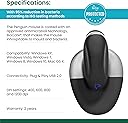
🖱️ Elevate your workflow—comfort and control in one sleek, ambidextrous package!
The Posturite Penguin Ambidextrous Wired Ergonomic Mouse features a vertical design that significantly reduces repetitive strain injuries and carpal tunnel syndrome. Its ambidextrous layout allows easy switching between hands to minimize muscle fatigue. With adjustable DPI settings (400-1200), it delivers precise cursor control on various surfaces. The easy-glide symmetrical base supports natural arm movements, enhancing comfort during extended use. Compatible with both PC and Mac via USB, this large-sized mouse is a professional-grade tool designed to boost productivity while protecting your health.
| ASIN | B007GFYMCE |
| Batteries | A batteries required. |
| Best Sellers Rank | #1,016 in Computer Mice |
| Customer Reviews | 4.0 4.0 out of 5 stars (960) |
| Date First Available | September 19, 2011 |
| Is Discontinued By Manufacturer | No |
| Item Weight | 9.1 ounces |
| Item model number | 9820101 |
| Manufacturer | Posturite |
| Product Dimensions | 8.5 x 5.5 x 5 inches |
C**N
Pretty good warranty, got a free replacement
EDIT After contacting with Posturite UK. Well, after being contacted directly via email by a Posturite UK representative, he arranged a replacement sent to where I live today, and I didn't have to send the faulty one to them!, this was a very pleasant surprise given the cost of sending the faulty one to the UK or the USA would be greater than the value of the mouse itself. The replacement mouse arrived in a week, and it works like a charm. The representative said that he'd send one of the "latest batch", and it seems that some issues have been fixed. The scroll wheel is working now and I haven't had any random movements of the cursor until now. Because of this warranty and the nice treatment from the representative, I'm changing my rate to 5 stars now, this is the way a company makes and keeps new clients. ************************************** First, as an ergonomic mouse it's great, the wrist rests fully while the whole arm has to move, the way it's meant to be. The pain has reduced dramatically. But... the opticals don't work on my work desktop. It's a completely white desk, and sometimes the cursor moves, sometimes it doesn't. I have to lift the whole mouse to a place where there's a (now permanent) coffee stain so the optics pick up something. I didn't have this problem with my previous mouse, a Microsoft 5000. This has lead to some frustration while working, and to BIG frustration while gaming. I've tried with some other surfaces, white paper, printed paper, cardboard, printed glossy paper, with mixed results. I don't want to get a mouse pad since the base of the mouse is so large, the pad would have to be quite large too, but i'll try on a few and edit. EDIT. This mouse sucks. The optics randomly work on any surface I've tried it on, now the pointer moves, now it doesn't. It's been very frustrating, even my coworkers make fun of me because of such an expensive mouse that doesn't work. I'm gonna get a refund. EDIT EDIT. Well, the mouse didn't suck as much, found the problem, I bought a USB 3.0 hub alongside the mouse, and made a last test before returning it, I disconnected the Hub and connected the mouse directly, and it worked like a charm. Made the test on another computer and it was definitively the USB Hub. Tried different hubs with mixed results, but ultimately had to return the hub. So, the mouse works, but not on every USB hub, and has a conflict with the Sabrent 4 Port USB 3.0 Hub with 4A Power Adapter support Fast charging Function [VIA VL812 Chipset] (HB-J3U4) . So, don't buy together, I got a $3 usb 2.0 hub an works like a charm. EDIT EDIT EDIT Having had this mouse for a few months now I can say that it's not a good mouse, it stops working randomly and often and I have to turn it off and on again to work, and sometimes I even have to disconnect it from the usb port for it to work. Also randomly the pointer moves either all the way to the top of the screen or some space to the right, not very often, but it happens. And the scroll wheel, from some time on it started not to work alright, while using it, the pages don't scroll as expected, but move up an down quickly not going anywhere. It's a shame that such an expensive mouse has such low quality in its electronics. It was a gift from my wife so I use it all day at the office, where I've become accustomed to its nuances, but when I get home and use my old standard mouse I can feel the difference.
J**P
This is more like it!
This is one instance where seeing is believing. I started out with the Evoluent Vertical Mouse 4 (same idea/principle for carpal tunnel symptoms). In my opinion, this mouse is a step up in almost every way, at least for me. Let me explain what's better: 1) Click free gripping- the whole handle is blessedly click free. No worries about accidental click pollution- although it does have fully useful button capability (takes a little getting used to, but not too hard to adjust). I say useful because I don't need more than 4 buttons on a mouse. I just want to move a cursor around and click, not operate a PS3 game. 2) Place to rest your hand- The biggest problem I had with the Evoluent mouse was, where to lay down my hand when NOT clicking. That is, if you don't want to levitate it in the air for 9 hours. Unfortunately with Evoluent, your hand being on its side, you're forced to rest the corner of your wrist-bone on the desk, if you want to stay attached to your mouse "at the ready". Maybe you can get used to this; but after a day of Evoluent I had new wrist pains I never had before. That was enough. The Penguin Mouse has a big, wide comfortable base to put your hand, and you can also rest on the click-free top. 3) No 'Christmas ornament' material- Grippy material instead of that slippery metal stuff. 4) (And this is probably the biggest plus-) Left and Right hand switchable- If you have ever had carpal tunnel, you know switching hands is your first line of defense when your joints get tired. Impossible with the Evoluent, but here, a flip in the front reverses the buttons, and it can be used with either hand. Don't get me wrong, I'm not condemning Evoluent- it was a good design and looked like decent quality when I tried it. But this just worked better for me personally. Simpler and more comfortable. As far as quality, this one looks as well made as the other though I've only been using it a day or so. However I promise to update with a scathing review if it falls apart anytime in the reasonable future ;). PS- a note for carpal users with these vertical mice: There is a tendency when using a regular mouse to drop your elbow lower than the desk. This may be OK with the hand turned flat, but is a no-no with this mouse! Keep your elbow UP level with the desk, wrist straight. Otherwise you are craning your wrist sideways, much worse than forwards and you will regret that in time. ----- UPDATE 4-10-13 I have to add that since switching to this mouse from a standard the discomfort and dull aches in my finger joints have all but vanished. This coming from someone who actually had to take a day off work because I needed rest from mousing (and got docked a day's pay but considered my fingers more important). I'm also fairly impressed how easy it was to make the switch-- a day or so getting used to it and I seem to use this mouse as easy as a normal one without hardly thinking about it. So there it is, just my own experience as is. I am recommending this to anyone I know who uses a computer for a living.
N**S
The Posturite mouse is excellent for me. I tried with two different sloping mice; these helped with the angle of my wrist, but acted as a wedge to force my thumb into an uncomfortable position which produced strain in my hand which I didn't have before. This is the only mouse I have found which has eased strains in my hand and wrist. Two smaller issues: 1) I went for a mouse slightly smaller than recommended, and it's fine for me. 2) I am using a slower "Push DPI" speed than I had done before (a button the bottom of the mouse controls this), to enable me to have better control over the mouse pointer for clicking on small buttons and crosses on the screen. At a slower speed, I am able to control the mouse well. I did notice issues with controlling the mouse at faster speeds initially, and I also found that if I put my little finger on the desk beside the mouse base, that gave me more control (and it would be easier if the base were a little smaller); at the slower speed, I don't need to do that. It's more expensive than other mice, but the relief it brings is well worth the price.
S**E
Despite following size measurements, this is too big for my hand (18cm from wrist to middle finger tip). I can't use it comfortably as it's too tall and long, making it harder to reach my fingers around the front, and causing strain on my wrist as I can't rest it at the right height. I'm not giving this one star, as possibly the small mouse wouldn't have these problems, but I'm not sure I'll try it, as this really feels like a lot more effort to move around than a regular mouse, plus it's clunky and bumps into my desk (I use a pull-out keyboard/mouse tray under my desk, and hadn't anticipated that a mouse could be so tall!)
A**L
Excellent. Je ne mets pas 5 étoiles a cause du prix
M**I
It does help a lot with my tendinitis. I switch hands all the time and now I'm ambidextrous even on video games. I would never go back to a horizontal mouse. Good product also, durable and comfortable if your table and chair are at the right heights as well! If not you will have to drag your arm on the desk a bit.
E**A
Habe die Maus seit ca 3 Monaten im Einsatz nach einem Tennisarm rechts. Zum einen entlastet diese Maus spürbar den Arm und Handgelenk, zum anderen finde ich es sehr angenehm, im quasi fliegenden Wechsel von linker nach rechter Hand ohne Umschalten arbeiten zu können. Der Sensor ist allerdings manchmal etwas widerspenstig, ich habe mir ein Gaming-Maus-Pad angeschafft womit die Maus meistens gut klarkommt. Negativ außerdem, man muss die Maus aufladen vie USB was einige Stunden dauert und sie ist währenddessen nicht einsatzfähig. Positiv außerdem: Nachdem die 1. Maus unter Win 7 nicht störungsfrei (und unter Linux gar nicht) funktionierte, habe ich sie eingeschickt und bekam sie dann ausgetauscht, seither funktionieren Win 7 und Linux Mint (die 1. Maus funktionierte nur unter Win 8.1 und Mac (gemäß eines Tests) störungsfrei). Der Kundendienst der Firma bekommt von mir außerdem Note ausgezeichnet. Ich vergebe trotz der kleinen Macken 5 Sterne, weil die Vorteile für meine Bedürfnisse klar überwiegen und praktisch konkurrenzlos sind.
Trustpilot
3 weeks ago
1 month ago