![H&R Block Tax Software Premium 2025 Win/Mac [PC/Mac Online Code]](https://m.media-amazon.com/images/I/51dMIAMHkkL._AC_SL3840_.jpg)


Desertcart purchases this item on your behalf and handles shipping, customs, and support to Peru.
🧾 Master your taxes like a pro—because your financial peace of mind can’t wait!
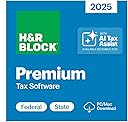
H&R Block Tax Software Premium 2025 is a robust, AI-enhanced tax preparation tool designed for complex individual returns. It supports seamless import from TurboTax and Quicken, offers expert guidance on advanced schedules (C, E, A), and includes five free federal e-files with unlimited preparation. Notably, it maintains compatibility with Windows 10 and Mac, providing a reliable alternative for professionals seeking thorough, user-friendly tax filing without forced OS upgrades.


J**H
Everything that you need to replace arrogant Turbo Tax.
Why would I say what I said in the title? I used Turbo Tax for 29 years (and was also a multi-year Quickbooks user in my distribution company before retiring). I purchased it again for tax year 2025. Then I discovered that I could not install it on a Windows 10 Pro, Cor I7 computer. The excuse given by Turbo Tax was, "this is for security reasons". I have FOUR windows 10 Pro Cor I7 computers. All were just outside of the window where upgrading to W11 was allowed. But, as I approached the end of W10 support in October of 2025, ALL FOUR were granted the ability to obtain Microsoft updates through October 13, 2026. You would think that, if security was the MAIN concern at Turbo Tax, they would have updated their program to allow install on W10 computers who continue to receive updates through most of 2026. Did they? NO! To further illustrate the idiocy here, corporate users can still install most business versions of Turbo Tax for 2025 on their W10 computers. I therefore assume that these people have their noses stuck in Microsoft's tail. I decided to take my nose out of Turbo Tax's tail. This is where H&R Block's software enters the picture. I researched the issue and discovered a boatload of online frustration over the above mentioned issue. It was there that I discovered references to H&R Block and their decision to still support Windows 10 with their software. Before continuing, let me say this. I called Turbo Tax support BEFORE a final decision. I wanted to make sure that there was no way around this issue. Their computer prompt asked me if I was calling about this issue. To make a long story shorter, once that was confirmed, the system REFUSED to allow me to speak to a live person (representative) and disconnected the call. They wouldn't even talk to me! I purchased the H&R Block software yesterday afternoon, March 12th (writing this on the 13th). It installed flawlessly. I opened it immediately and it also flawlessly imported my info from Turbo Tax files on my hard drive. That's a big deal as it saves a ton of time that imputing details would otherwise require. I started our tax return within minutes. Our return is not so simple. We have income from seven LLC's and Sub-S corporations and for that reason I purchased the premium version of the software. We have significant interest income and several brokerage accounts. I finished the Federal and State returns before dinner and eFiled each of them. Each were accepted by the appropriate agencies before I went to bed. Truthfully, I would have rated the H&R software a 4 out of 5 for a three reasons. One, I wish that the interface opened to a full-screen view. If that was possible, I could not figure out how to do it. Two, instead of basically making me fill out details when deciding what to pay quarterly for next year's estimated taxes, I would prefer that this is automatic based on last year's return. In other words, in order to avoid penalties for the next tax year, you must pay either 90% of taxes owed through withholding or estimated payments or 100% of what was owed the prior year (110% for some like me). Rather than answer all of the questions about what I expected to make next year in all income categories, I just went to the form dates and told the system what I intended to pay and printed the .pdf forms as reminders (I pay the estimated taxes via online portal rather than mailing a check with SS numbers on it). Three, Block needs to expand the list of financial institutions where you can auto-download data. I also had annual problems with Turbo Tax handling of Code V under line 20 when entering LLC info (either line 16 or 17 on Sub-S info). Block's software handled this without any issue whatsoever. The bottom line is this. I wish to say a GIANT "Thank You" to the folks at H&R Block for supporting Windows 10 through this tax season. I know that will probably not be the case next year, but I am thrilled that you decided to not join the cabal this year. I have no intention to go back to Turbo Tax. I will reward you forward for what you did this year. Your software did the job seamlessly. It was very thorough and it did not create any problems for me despite our complicated return issues. And I say this to anyone frustrated with their prior vendor's decision to stubbornly refuse to make what should have been an easy, customer friendly decision........I did not find a single functional weakness in the H&R Block software. It did the job exactly as I expected the job to be done.
J**Y
H&R Block tax software - the easy way
This is an exceedingly low fuss way to purchase my annual tax software. I did have to download it twice because the first download corrupted - but that might have been my system.
D**E
H&R Block Tax Software Premium 2025 Win - major issues
This is for a return with some complications like a K-1 and some self-employment. The "premier" version should be able to handle it, but it seems unable to handle it *correctly*. Lots of minor grips like: When it imported from last year's (turbotax) return file it didn't import the account numbers. Some of its audit/verify prompts point to the first field in the form (my name) instead of the field the refer to in their message. And some of the issues they point out seem bogus -- I expect some of that from any tax pgm, but it seems like more than I had from turbotax in recent years) They tell me I have something that they don't fully support so I might need to have a tax professional do my taxes. I've never heard of what they say I have, and I didn't enter it directly -- they filled it in on one of their worksheets and don't say where it came from. There are no new kinds of things in this year's return, and I never any such issue before, so I think they just pulled it out of their you-know-where. They also tell me I may have to have a professional do my taxes because of how my state handles self-employment. That's not what I want to hear after I've paid for the program and spent hours filling out forms. Now for the biggie that makes me think I have to toss my almost-complete return into the trash and start over with a different program. When I started my state return, it said I had a large amount of tax exempt interest and asked how much was also state tax-free. The amount they stated was far more than my TOTAL interest income, and I had not entered ANY tax-exempt interest. I double checked everywhere. Then they did pretty much the same thing with tax-exempt dividends, except that I did have some of those but the amount they stated was about 10x too high. I only switched to H&R Block because Turbotax now required windows 11 and I hate 11 and wanted to keep my machine on Windows 10. Now it seems like I'll have to buy Turbotax to put on some different machine and start all over. Edit 03/22/2026: Turbotax worked and calculated a lower Federal tax than HRB did. I gave TT 4 stars.
A**R
Gets the Job Done, even coming over from Turbo
I too was among those coming over from TT after decades of use (mid 90s). Caught in the Win10/11 maze I was thinking of hiring someone rather than be pushed into a new computer by the vendor. Most important it directly imported my prior TT filing and once started the interview process (to fill forms) very similar. While not perfect (import function from financial institution to complete 8849 didn't work at a major firm - though it was listed) I still finished in a few hours for both Fed & State (Premium edition) and by the next AM both had been accepted via e-file. Between ease of use and a priced competitively its my default position going into next year.
B**A
SO MUCH better than TurboTax !!
We've been dyed in the wool users of TurboTax for about 12 years. Never did really LIKE it, but got comfortable with it, warts and all. Finally, this year, in part due to TT no longer available for Windows 10, we decided to give H&R a try. WOW! - initial impressions were full of delight! Smooth download, simple, FAST setup and updates. Silk smooth import of 2024 TurboTax data. When I went back to run TT 2024 to get a fresh print, of COURSE it forced an Update, then hung and had to force stop it with Task Manager. Their attempt to apologize for the slow startup ["OK, so we know it's taking more than a few minutes"] got old real fast. Now, I'm about halfway through doing our 2025 return on H&R - other than just the learning curve of a new User Interface, things are going smoothly. Any new user is going to feel some frustration, learning to work with it - I place the blame squarely on Congress for our convoluted, overly complex tax code and I feel like H&R has done really well with this Premium edition helping the User work efficiently through the maze. Just a note here - I leaned on ChatGPT for coaching on meshing tax code with this software and it was extremely helpful. Give it a try, you'll really appreciate the hand holding!
C**.
H&R Block Software Works Fine
This review compares H&R Block Premium Desktop to Turbo Tax Premium Online, and a few general comments about the differences to Turbo Tax Desktop. 03-30-2026 As of the 2025 tax year, TT Desktop requires Win11, which I do not have or want. In contrast, HRB Desktop is compatible with both Win 10 and Win11. Being a Turbo Tax Desktop user since 1995, I first tried TT Premium Online ($129), but after two hours of fiddling with it, I gave up and downloaded HRB Premium from Amazon for $70. Unlike TT, HRB charges a $20 fee to file a paperless State return. Note: My tax situation is relatively simple, if it were not for a 16-page Fidelity 1099, but I can only estimate certain amounts, which the IRS does not like. Plan A: TT Online is free to use - the fee is due later. After importing last year’s tax report and my 16-page 1099, TT only reveals a handful of key values such as: AGI, Taxable Income, Senior Deduction, IRA withdrawals, Final Tax, Interest, Dividends, but does not segregate the ST and LT Cap Gain values. Unfortunately, TT does not reveal how it arrived at these values, or which IRS Forms they apply to, and none the amounts agreed with my homebrew Excel spreadsheet. Maybe TT conceals the details until after paying, to prevent taking a screenshot and filling out free forms available from the IRS, a painful method to save $129. Or, maybe TT does not run the numbers through all their algorithms until paying. I suspect TT knows how to calculate taxes, but I decided not to pay the $129 to reveal what is going on behind the curtain. I also prefer to keep my data out of the cloud. Plan B: I paid $70 (Amazon) to download HRB Premium Desktop, then install the app. This took less time than creating an online account with TT. After 20 minutes of getting acclimated (never used HRB before), I imported my 1099 (directly from Fidelity) and HRB processed all the data in mere seconds. The HRB values were all within a few dollars of my Excel spreadsheet. HRB properly digested a rather obscure REIT gain that is taxed at a fixed 20% (IRS Form 8995), and ST/LT gains that made sense (Schedule D and Form 8949, including a wash sale). It also recognized U.S. Treasury Bonds taxable by the Fed’s, but tax free in my State for some reason. Good job HRB. The next step is manually transferring HRB’s professionally calculated values to replace my spreadsheet’s estimated values. All calculated results agreed to the exact dollar. Breathing easier, I explored HRB’s interview process to check for any missed opportunities, using last year’s TT return as a reference template. Nothing new came up, other than what HRB had already discovered in the Fidelity 1099. Then I entered my 2025 quarterly estimated payments, and once again, my spreadsheet and HRB matched to the exact dollar. Then HRB offered to calculate my 2026 quarterly estimates, and whether to apply my refund to next year’s taxes. All standard stuff. My general observation is that TT (desktop) attempts to be “idiot proof,” thus requires an elaborate, time-consuming interview that I always found annoying. In contrast, HRB’s interview is less work, but adequate and easier to navigate, just not as pretty. I was able to find whatever I needed after becoming familiar the HRB’s navigation tactics. If there are any tax situations HRB does not address during the interview, simply hit the AI HELP button to get some clues. Regardless of the differences in interview effectiveness, both products perform a final error check that flag incomplete or questionable items, and I had 26 of them, mostly IRS formatting issues. In general, HRB is somewhat more awkward than TT for auxiliary interface tasks, but this evaporates once acclimatized. For example, after clicking on the downloaded executable file that installs HRB, a pop-up appears as a reminder to update the software, but this pop-up would not update my State’s software, just the Fed. Later I discovered an option in the upper tool bar that updates both. In contrast, TT (desktop) forces software updates upon every boot, consuming 75 exhales I will never get back. This idiot proofing probably saves TT as much trouble as the user. Updates are a hint software bugs exist; the world is imperfect. One key task is importing last year’s tax report. HRB’s import pick box defaults to a .TXF file, indicating it requires a .TXF format. What’s that? This time I queried the Onboard Help where it explains a .TXF is a universal format for taxes, as well as what I was looking for, how to import my 2024 TT file in its native format: myfile.tax2024. How difficult would it be to prompt for all popular tax formats when clicking on the import button, especially those of major competitors. Unlike TT, HRB does not automatically import Fidelity’s Brokerage ID and addressing information, or my Credit Union’s. A minor nuisance that helped save $40+. The only “bad” HRB feature I encountered is printing. The Official Report to the IRS looks great, but when including the supporting worksheets for archiving, the page formatting is terrible. And HRB does not combine the Fed and State together as a single file. Bottom Line. I found HRB easier to use than TT (desktop). Whatever uncommon tax situations TT claims HRB does not address, HRB Premium has more features than I need, and probably adequate for most taxpayers as well. If in doubt, search HELP. Or, a unique option is visiting the local HRB office for a professional review, then use the episode to accomplish everything at home next year. TT also offers custom help for an additional fee, but only online.
C**R
Software may have more issues this year than normal Federal OK my State not so much.
To H&R Block direct I submitted a review at 2 stars mainly because of the frustration, but that may have been a bit harsh, as for the most part, I had no problems with the download, the verification and using the Federal portion of the product. My issue came with how they implemented the State Taxes. Now I know each state has a lot of different little details and here I got bitten by one of them. I think that Block should have looked into this a little bit closer to prevent the glitch. Here's the Issue maybe only for my state of Indiana but could be other states too. When I entered the information filling out the state form the review prompted me to go and enter last year's tax paid and AGI values. The reason was I underpaid last year and this year as well as I didn't send quarterly estimated payments of state taxes. The program made an estimated tax penalty for 2025, and flagged the return as amended which is supposed to mean it had been previously filed. That was not true, but the software had no way I could find to fit that. When I tried to send both electronically and pay, the software forces me to submit the State taxes by printing for mailout since it couldn't electronically send an "amended" return. So, I now had to go through hours of trying to figure out how to get the State Taxes submitted. Indiana has a pay portal, and I didn't want to send a check in the mail, but I needed to have the payment linked to the forms. There was some sort of form to link with, but I couldn't find it on the site. I called and waited though a long queue as it was a busy day. I made my concerns to the representative and she led me though the pay process. I paid and it was confirmed, but I now wondered how to tie the forms to the payment. I mentioned this was checked as an amended return and was told it would not be scanned so I should white out that "X". I didn't have any white out so overnighted some whiteout pens from Amazon and after clearing the "X", I copied the sheet with the whited-out part. I scrambled to chase the mailman and sent the package with two first class stamps out in today's mail. Hopefully it will scan correctly. I didn't see anything but that checkbox to indicate it was amended. It was technically not as the original must be filed first to accept an amended version. This whole process was time consuming and stressful, and I hope I didn't miss anything else. I was lucky I called and lucky still that she mentioned to remove the amended mark or I'd be in for more of a bureaucratic hassle. I won't know I'm out of the woods for a few more days till they get and scan the tax forms. The lady said it was a Block problem and I should contact them, but I figured it would be a nightmare to get a software fix, so I fixed it myself with whiteout. Hopefully, there's no other problems. This is the worse experience I've had with Tax software ever, and I've used it for several years with much more complicated taxes involving two states, high medical expenses and other things to file properly. I notice a lot of one-star reviews mostly with download or verification complaints. The prices go up every year for the software, so I would expect them to keep a seasoned team of developers and tax experts to help include the new rules and requirements. I don't know what the issue is but maybe it has to do with PC's being replaced by cell phones and I can't imagine doing taxes on one of those. Block does get credit although I didn't use it this year of adapting to still use Windows 10. I've changed computers so mine is now using Windows 11, it worked well as far as functionality. One other issue maybe not their fault. My IRA has 8 accounts it proportionally draws funds from, and I set a withholding percentage. They don't have a way to combine the forms, but I thought it lucky I was able to import the data. The imported data has 24 items I needed to fix all were not having my address information. I had to change each one manually. Plus, I belong to PROFED a federal CU, and it's still not on their list. I don't know if that's an oversite or a problem getting IRA data from a Federal CU? For now, I'll recommend the Federal Software only. I may as well have done the State manually.
D**Y
Installed Easily to Mac Mini Running OS Sequoia 15.7
Each year I purchase H&R Block Tax Software Premium edition to do my taxes. This year the BF deal was too good to pass up so I purchased it and immediately went to my downloads on Amazon to download it to my 2024 Mac Mini (M4) running the Sequoia 15.7 operating system. Downloading and installing it was seamless, and now it's on my Mini and ready for tax season. I was able to upload last year's filing (a file on my Mini) without errors. Updates to the software for the Federal return are due in January, and I expect they'll do so as scheduled. I have had previous versions of this software get stuck updating, but that just requires going to the H&R website to download the update and then installing it manually. It can be frustrating, but it's not hard to do and their Help section usually has directions to do so. I have previously purchased a copy of this software that was delivered to my door with the activation code. Doing it this way was easier and the activation code worked without a hitch. I took screenshots of the code just in case I needed it for later, but it's also available to you in your downloads on Amazon. (FYI... go into your account and look for digital downloads to access this purchase. Nothing will be mailed to you.) I will update this review if things change, but for me, this worked well. I recommend it.
Trustpilot
3 weeks ago
1 week ago