


Desertcart purchases this item on your behalf and handles shipping, customs, and support to Peru.
🖤 Level up your Xbox Elite 2 with style and precision – don’t just play, dominate in sleek clarity!
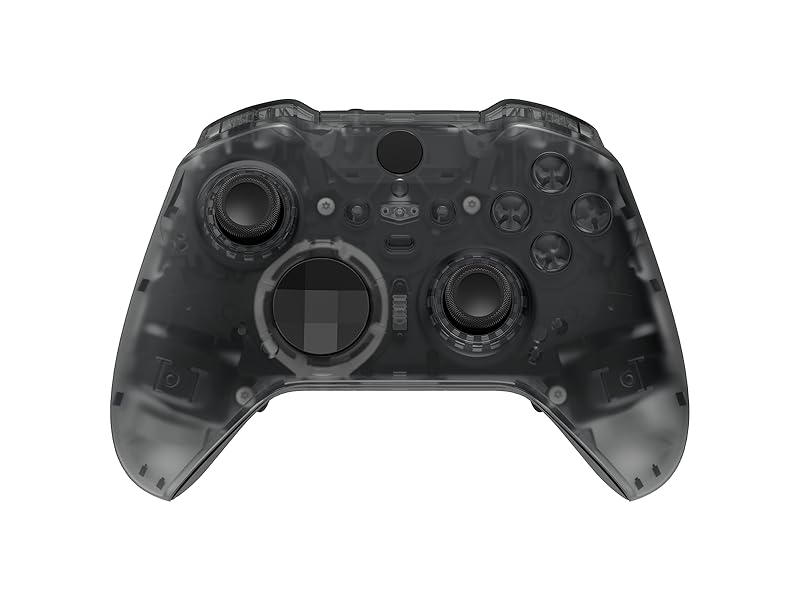
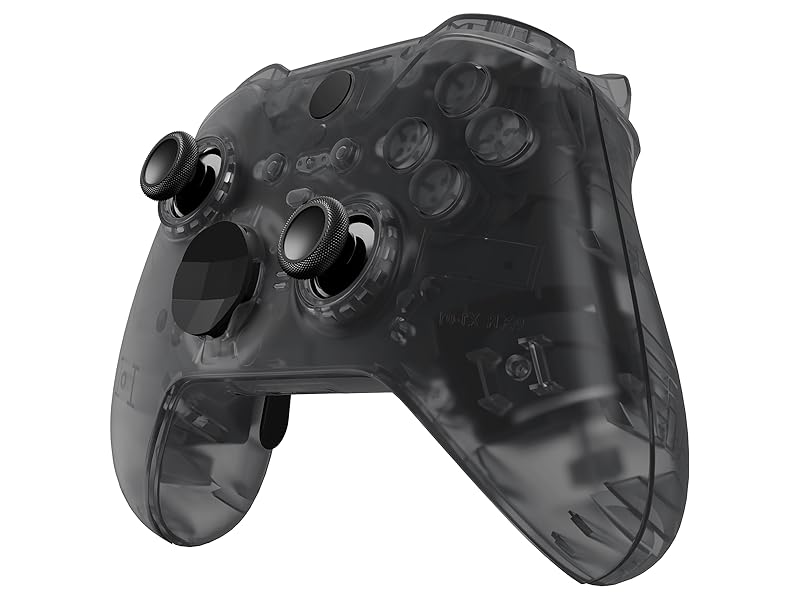
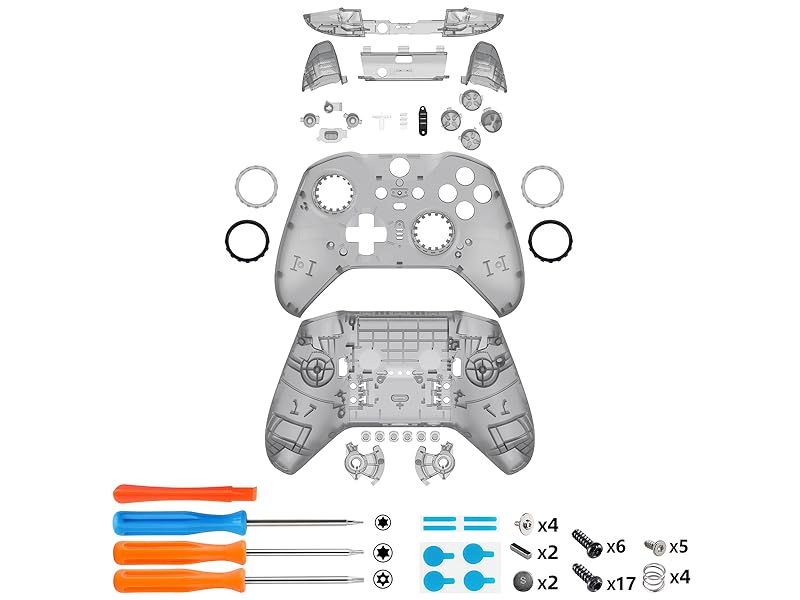
The eXtremeRate Full Set Shell Buttons kit offers a perfect, glossy clear black replacement for Xbox Elite Series 2 Model 1797 controllers. It includes all essential plates, rails, buttons, and tools for a full DIY upgrade, ensuring a flawless fit and premium aesthetic. Highly rated and designed exclusively for Elite Series 2, this kit transforms your controller into a standout gaming accessory.

| ASIN | B0F5QJ7M8N |
| Best Sellers Rank | #1,004 in Video Games ( See Top 100 in Video Games ) #4 in Xbox One Faceplates, Protectors & Skins |
| Brand | eXtremeRate |
| Color | Clear Black |
| Customer Reviews | 4.5 out of 5 stars 563 Reviews |
| Enclosure Material | Plastic |
| Finish | Glossy |
| Finish Type | Glossy |
| Hardware Platform | xbox_one |
| Item Weight | 10 g |
| Manufacturer | Extremerate |
| Material | Plastic |
| Mfr Part Number | QFJE2M004 |
| Model Number | QFJE2M004 |
| Number of Items | 1 |
E**C
Sturdy and good looking Series 2 shell
Great quality case that has all the screws and tools you need. I've bought cheap cases twice for my Series 2 and decided to try something more premium. Both of my old cases cracked. Quality and fit of thsi shell are on point. Make sure you use the included screws as not only will the color look better, but I think the screws are a different size for the case. They kept getting loose on the triggers so I had to swap out the screws to the new ones. Instructions online are good but I watched a video guide.
M**E
Perfect fit and easy to follow installation!
This is a great kit! My intention for buying this product was to replace the shell due to worn off rubber pads on my original Elite Series 2 controller. However, this new shell is also a total appearance upgrade as compared to the original. The parts and clips all fit perfectly and the material is high quality and durable. The best part is the instructions for installation - the videos on YouTube are easy to follow. The transparency and color are just like the pictures. I suggest viewing pictures in the reviews for customization ideas or color selection. I do like the clear transparent shell, however I wish I went with the purple for some flare! It’s up to you if you want to use the replacement buttons or the original. You can mix and match parts easily. Note: be careful with wires once the controller is disassembled. I had to solder back one wire that came loose due to my carelessness! Soldering not necessary if you’re gentle!
F**K
Controller lives again!
I need it a new shell after I dropped my controller and the video tutorial was easy to follow, I decided to keep the original buttons on since the purple buttons didn't have the letters and I think it looks great, overall I'm happy with it
A**R
Amazing color.
Love the way this shell looks on my controller. Easy to install. High quality, fits just like the OEM. Color looks amazing and the smooth feel is great.
C**3
Best, and most affordable option for a good looking, properly functioning shell replacement.
For $24.99, you just will not find a better option for a new XBOX Elite Series II shell, and that's the long and short if it... What may make this kit even better for some looking to purchase one for themselves, is the fact that this one in particular, includes EVERYTHING that you would need to perform a COMPLETE update of your controller! Which I am not sure, even if you were willing to shell out more money, you could even find to start with. I have already replaced mine once before (I know right... I am hell on a controller), and at that time, this kit did not exist, so I had to purchase the top and bottom shell, the triggers and bumper set, and the ABXY set, all completely separate of one and other, and it ended up costing A LOT!! Because of that though, I already had a set of Extremerate Chameleon (Blue/Purple bumpers, and ABXY kit, which I left in place, as I prefer the look with them, as opposed to everything being the same clear black (or grey, arguably) color. So I just needed a top and bottom shell replacement, and when it arrived, I opened up my controller, and cleaned everything up really well, and then put it back together using the new shell, and just held onto the other stuff, so I will have spares in the future, should I ever need them. As far as ease of use goes... Well, that is debatable, but I will give Extremerate their due, in so far as, they do have a very detailed YouTube instruction video, which absolutely makes all the difference in the world when it comes to tackling this project one's self. However... These controllers are very intricate little devices at the end of the day, and anytime you are attempting to repair anything that uses a combination of little tiny springs and screws.... Well, let's just say, don't do it around anyone who would feel disrespected if they were to hear quite an untold number of curse words let fly from your mouth! I personally, have a tendency to get very irritated, very quickly with projects like this one, and this controller repair - even in spite of my experience with doing a complete over-haul previously - was no exception. It's a pain in the a** no matter what, so just be prepared to concentrate very closely on this task as you are doing it, and also, it helps to place something underneath the area, that is white, or light colored in general (preferably a solid single color), so that when you drop one of the super tiny components - and you WILL drop one... likely more than one - you don't have to take the remainder of your day to find it, in order to continue moving forward with the project. Lastly, one more helpful hint, for anyone who actually bothers to take heed to this advice (and you should... but if you don't... when you drop something, or everything that you just put into place before getting it all secured into place... just imagine a guys voice saying "Hate to say I told you so")... When it comes time to put the magnets into place, the round ones go SOUTH side DOWN, meaning, the side with the "S" printed on it, gets placed downward, so that you do not see the "S" facing up toward you. And the bar shaped magnets, they are placed in such a manner as you should see the markings on them, facing UP toward you. And the sticky thingies they include to help the magnets stay in place, are not only an entire pain in the a** all their own, but really don't work very well to begin with, so... Remembering them as being such a pain the last time I took this task on, I also purchased some gel type Gorilla super glue, which I placed only a very very small dab of, in the place where each of the four magnets in total, get placed, and this little self addition to the process, made such a big difference! I was extremely pleased with myself for purchasing the super glue, and it takes no time flat for it to dry enough that the magnets will be in place even if you accidentally turn the entire bottom half of the shell upside down, which just makes life a whole lot simpler, in the process of trying to complete a project as inherently tedious as this one most certainly is for certain. Other than that, everything went really well. The only gripe I have, is that the very center, bottom-most "clip-mechanism", that helps along with the many others around the entire area of the top and bottom halves, to connect each of the halves together as a whole (which is the very last step of the project, after which, you can get back to gaming), just will NOT engage, and snap together with the top half, no matter how hard I squeeze that area of the controller, and try to get them to engage, or otherwise snap together. But, in the end, this is barely noticeable (meaning, no one else would ever notice it at all. I just notice, because I am the one who paid for it, and invested the time and effort to sit down and repair the controller... So yes, of course I notice!... However, this does not impede the functionality of the controller in any way whatsoever. Even the audio jack - which is located in this exact position of the controller - works just fine. Plus, I have a volume/EQ adjusting device that plugs into this spot as well, and with it plugged in to the controller, you definitely cannot see, or otherwise notice this minor frustrating detail at all, whatsoever, so, it's all good, right! Because even if Extremerate were willing to replace this kit with another one - which I have every belief that they would, if I made a fuss about it - I have absolutely ZERO interest in breaking this controller down AGAIN, ands then putting it all back together AGAIN!! So, it's staying like it is, and it looks pretty great, and feels solid enough, so I am over all, very pleased with the end result. If you are considering purchasing this kit, and one of your thoughts in consideration, is trying to avoid shelling out an arm and a leg, just to be able to continue gaming with your existing Elite Series II controller, I would say this is a "no-brainer"... Stop looking around for better options, because there is not one, and just place your order for which ever one of these colors you prefer, and get your controller fixed up, so you can get back to gaming again. And if you are thinking about just purchasing a new controller all together, then look me up so we can connect, and I'll take the one you are planning on trashing! No seriously though... Don't let the idea of taking apart your controller freak you out and cause you to spend unnecessary money. This is not any crazy difficult task, and if I can do it with my raging ADHD symptoms constantly nagging at me, then you definitely can get it done, no problem. It really just takes a little commitment, $24.99 plus tax of course, and a willingness to subject yourself to a few minor irritations along the way, and before you know it, you will be all finished, and if you happen to be like me, and replacing the shell of an Elite Series II Core controller, then you will absolutely be stoked when its all finished up, because you won't have to look at that lame white controller anymore, because it will be "customized", and much much sweeter looking once you've gotten through the process!
G**E
Amazing replacement elite series 2 shell
I am very impressed and pleased with the product. It seemed daunting at first, but the in depth easy to follow guide helped. They truly care about quality AND support when putting it together. It took me about an hour and they provide EVERYTHING needed. I also intermixed the face she'll from them. I bought the clear shell with buttons and a seperate face shell that glows in the dark. The seemlessness of their backs and shells is smooth. I love that it opens up even more customization between their products.
G**E
Better than expected!
My Elite Series 2 Controller had some damage after falling of my couch a few times during the last couple of years, and the rubber handles were already lifting up, so it was in dire need of a new shell. NGL the replacement was way harder than expected, SPECIALLY removing the right stick... but the end result is beautiful. It looks and feels like an atomic purple N64 controller, and I couldn't ask for more. Time will tell how it does durability wise.
L**G
Great quality
Very good for the pric3, came with everything needed to disassemble and reassemble, would highly recommend. Only downfall is its a bit slick so if youre a sweaty gamer watch out for that. I have a white and purple themed pc setup so I kept some white on it to match
P**T
Past slecht
Case sluit niet goed aan, refund aangevraagd maar nog geen reactie.
R**D
easy to install and groovy looking
This is a great product, easy to install and nice and comfortable to hold. The transparent design gives it an industrial, even cyberpunk look. I kept the original controller buttons and I love the idea that I can have that option so I can customize it. Thank you/ hiy hiy I will be recommending this to my gamer friends.
R**O
Genial
Parfait avec un montage facile.
A**N
Good experience overall.
It is not hard to do yourself. There is dedicated website with videos how to do it yourself and all tools and materials are provided in the box. The new shell itself is nice to the touch and good looking. Would recommend.
C**N
MAGNIFICO!
Devo ammettere che avevo molti dubbi dato che ho letto diverse recensioni negative su qualità e problemi nel montaggio. Ci tengo subito a precisare, e dovrebbe essere ovvio, che serve un po di manualità in queste cose. Chi ha fatto danni dovrebbe essere consapevole che il motivo è proprio quello di non aver manualità. È la prima volta in assoluto che faccio un operazione del genere ma ho esperienza con lo smontaggio di altri dispositivi simili.. quindi l'operazione di smontaggio è stata abbastanza semplice, con la dovuta calma però. Nel video si vede che lo aprono con estrema facilità ma non dicono che quel pad è stato aperto numerose volte! Per aprirlo ho usato una paletta in plastica simile a quella fornita, ma più robusta, e piano piano sono riuscito a sganciare la cover originale senza rovinarla. (Su una delle viti interne, trovete un adesivo bianco che mettono per verificare che non sia stato manomesso, ma se fuori garanzia potete procedere con la rimozione. Inoltre, una volta sganciata la cover, sembra che non venga via, ma solo perché ci sono 2 pezzetti di biadesivo sui lati del controller) Volevo cambiare solo la scocca fronte e retro perché la gomma iniziava ad essere un po appiccicosa nonostante la mia cura maniacale, lasciando quindi tutti i tasti originali. Di conseguenza non c'è bisogno di seguire il video alla lettura. Ho saltato tutta la parte centrale del video dove inizia a smontare i tasti superiori e tutta la scheda. Lascio questa recensione perché il prodotto è veramente eccellente e tutto funziona senza alcun problema (alcuni hanno difficoltà ad inserire i 2 grilletti di plastica sul fondo, ma guardando il video con attenzione, vi assicuro che si capisce). Ci tengo a fare alcune precisazioni sulle viti e i magneti forniti nel Kit. Non ho utilizzato le viti fornite, ma quelle originali. La lunghezza e lo spessore di quelle originali vanno benissimo anche in questa nuova scocca, a patto che siano rimesse esattamente nella stessa posizione perché cambia lo spessore e la lunghezza del filetto. Per quanto riguarda il montaggio dei magneti, nel video non viene specificato che quello tondo di SINISTRA si deve incollare (con gli adesivi forniti in confezione) con la S che guarda il retro del controller. Mentre quello tondo a DESTRA, si deve incollare con la S visibile verso la scocca anteriore (vedi foto). In fine ci sono i 2 magneti rettangolari per i grilletti posteriori. Nel video li incolla entrambi con la linea colorata verso l'alto, ma è assolutamente errato. Allego una foto dove si vede chiaramente la posizione dei magneti originali. Bisogna metterli allo stesso modo. Quello di sinistra con la linea colorata verso la parte alta, quello di DESTRA con la linea colorata verso la parte bassa. Entrambe però devono essere rivolte verso il fronte della scocca. (Vedi foto) Il montaggio nella posizione corretta è importante perché hanno una polarità, e dev'essere rispettata per permettere la carica del controller e il corretto montaggio dei grilletti posteriori. Se si staccano i grilletti posteriori, vuol dire che non li avete messi nella posizione corretta. In mezz'oretta ho fatto tutto ma in risultato è eccezionale. Sono veramente contento! Lascio le foto del risultato finale. P.s. (Questo vale sia per Pc che Xbox) prima di agganciare la scocca frontale, consiglio di installare l'app "accessori Xbox" e serve per testare il corretto funzionamento di tutti i tasti (ed anche per fare l'aggiornamento firmware del controller) GG! 🎮
Trustpilot
2 months ago
5 days ago