


Desertcart purchases this item on your behalf and handles shipping, customs, and support to Peru.
🖥️ Elevate your dual-screen game with glare-free, smudge-proof clarity!
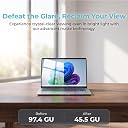
KEANBOLL’s 4-pack anti-glare matte screen protectors are custom-designed for the 2024-2025 ASUS Zenbook Duo UX8406 dual 14" OLED laptops. Featuring a 5H hardness rating, these protectors reduce glare and fingerprints while safeguarding both primary and secondary screens from scratches and daily wear. Each pack includes two sets for full coverage, ensuring your premium device stays pristine and productive in any lighting condition.






| ASIN | B0DXQ2TMQH |
| Best Sellers Rank | #27,791 in Computers & Accessories ( See Top 100 in Computers & Accessories ) #564 in Laptop Screen Protectors |
| Brand | KEANBOLL |
| Brand Name | KEANBOLL |
| Clarity | 10 |
| Color | Matte |
| Compatible Devices | Laptop |
| Compatible Phone Models | ASUS Zenbook Duo 2-in-1 14" |
| Customer Package Type | FFP (Flat Free Package) |
| Customer Reviews | 3.6 out of 5 stars 55 Reviews |
| Finish Type | Matte |
| Included Components | screen protector for X3, Cleaning cloth X3, Dust-absorber stickerX3, Bubble scratch card X1 |
| Item Dimensions L x W | 13.74"L x 9.06"W |
| Item Hardness | 5H |
| Manufacturer | KEANBOLL |
| Material | Polyethylene Terephthalate |
| Model Name | (UX8406) |
| Model Number | ASUS Zenbook Duo 2-in-1 Laptop |
| Number of Items | 3 |
| Part Number | (UX8406M) |
| Product Dimensions | 13.74"L x 9.06"W |
| Screen Size | 14 inches |
| Screen Surface Description | Anti Glare Matte |
| Special Features | Anti Glare, Anti-Fingerprint, Full Coverage, Scratch Resistant |
| Unit Count | 4 Count |
| Warranty Description | 180 |
| Water Resistance Level | Water Resistant |
V**.
Great anti-glare
Love the anti-glare strength, I can use my laptop outside and not get distracted by things behind me. The "grit" of the screen does help when I'm using the pen. Installation was ok, more difficult then putting on a phone screen protector but not too bad. Had to peel up the protector during installation to get rid of some dust on the screen section. I ended up with dust bubbles at the edge of the screen and I couldn't get the seal around the camera and other sensors at the top to go away completely but at least its not on the screen. Those circles at the bottom of my second screen are from a coffee spill, not bubbling.
S**C
Tolerance is too tight so there are peripheral bubbles
I used this product for my Asus Duo (2025). I’m not really satisfied with this product. I would have given it 2 stars, but because I’m leaving the first review I didn’t want to torpedo the product. I’m hoping the manufacturer can address these concerns in a future iteration. The main problem with the product is that the protector fits so perfectly on the screen there is little margin for error when applying. I would guess the margin of error is, maybe, a couple of tenths of a mm. Probably people who are more technically proficient could accurately fit the protector despite this tight tolerance this, but I’m not one of them. The result of this extremely tight tolerance is that the protector lies somewhat on the bezel unless it is PERFECTLY placed and therefore there is a permanent air bubble at the periphery. This is somewhat mitigated when the screen is on, but not entirely so. I have attached photos showing these conditions. Second, the QR code links to abbreviated instructions (like 30 second video), but there is, I think, a better video on the Amazon product page. It runs about a minute. Hopefully this protector will actually protect these touchscreens going forward. If the bubbles become too distracting I may just scrap the protectors entirely.
A**E
Big bubbles and lots of trouble
This set of screen protectors is difficult to install - mainly in the sense that it will have bubbles everywhere. Some of the edges don’t line up right no matter what you do - it won’t fit. The installation video is not helpful. How do you use a touchscreen with bubbles everywhere- you don’t. The function is ruined by…yep- the bubbles. The quality isn’t great due to BUBBLES! At least it mostly sticks?
M**E
Recommended :3
Great texture, not footprints, and easy to apply :D
O**R
Installation instructions make this look so easy
Didn't install all too great, even after multiple tries and watching the instruction video. Air bubbles still present and will not smooth out. Seems that you also need to be in a clean room free of any dust as dust will cling to the protector right as its being installed, no matter how much the screen has been prepped.
A**S
Proteger el monitor de rayaduras y daños
Muy buen protector de pantalla. Fácil de instalar
T**X
Great quality plastic screen protectors!
Got these because my less than a year old Zenbook Duo was showing keyboard marks on it already and I've wanted to try matte screen protectors on my OLED devices for a while now. Installation was pretty typical, though remember that it is a plastic screen protector, so it can be a little frustrating to apply. It was a bit difficult for me and I've been applying mine and my friends for years and years. Once you line it up, it fits pretty darn well, which is a blessing and a curse because if you misalign it, you might have to start over. Luckily, if you mess it up too bad, they do include a spare! I went slow, lining it up along a long edge and only peeling it partway off, using the provided squeegee to push out the bubbles and using the still covered part of the protector to peel it back up if a bubble gets too bad. It sticks down pretty well, so following this method didn't take too long and helped me get all of the bubbles out. Overall, the glare reduction and quality of the protector is fantastic, it also has the added side bonus of keeping the keyboard on the bottom screen from moving as much. It does lower the quality a bit, by diffusing the light more than normal, but overall it's not much of a trade off and with as bright and clear as these displays are, it's more than worth the trade! The only reason I took a star off is because it doesn't include any type of screen cleaner really, just one of those fabric softener feeling dirt removing dry wipes. You really need a microfiber cloth of some type to get the screen clean enough. Overall, I would buy again, but keep in mind you're buying a plastic screen protector, which is a bit harder to prep and apply than a glass one, but if you do it right, it looks fantastic and fits like a glove.
A**K
This kit is a great value.
I already have a screen protector on my Zenbook Duo (UX8406MA-PS99T), but this is the first screen protector set for the Duo that I've seen on Amazon. I wanted to review it because I was curious if they got all the cutouts in the right place. First of all, the kit comes with 2 full sets of custom-cut screen protector material, making it a great value at the current price point... that's 4 screen protectors that are each about 8" X 10" for $14 total. Anyway, I set each screen protector against it's matching screen (the top one is different from the bottom one) and lined them up with the edges of the screen. These screen protectors are a VERY precise fit, with all of the cutouts lining up perfectly with the microphone, camera, and other sensor locations in the top glass. I have no doubt that these will function perfectly when I finally install them. Each screen protector comes with a protectove film on BOTH sides, which is something a lot of manufacturers have seemed to get away from, but it's makes a difference in the quality of the product, in my opinion. The kit also contains two installation kits for cleaning and prepping the screen before installation. I can't comment on the glare reduction or touch sensitivity just yet, as I haven't removed my old ones to install these ones, butwhen I do, I'll update the review.
F**Z
Genial. Cumplió mis expectativas
El producto es perfecto, buenas medidas y buen material, suficiente el material de instalación. El único aspecto técnico que no esperaba es que si se pierde una resolución notable por el efecto mate, sobre todo en fondos blancos, pero esto no es propio del producto si no de cualquier protector mate, solo que se nota más que en un celular o tablet por el tamaño de pantalla. Respecto a los malos comentarios de lo difícil de pegar o de lo feo que queda, mi recomendación es que después de la primera limpieza de la pantalla las burbujas que queden, se retiren directamente una a una, no toma más de 5 min en vez de pasar horas despegando y limpiando. Para retirarlas usen los stickers de guía use solo uno para ambas pantallas, colocan el sticker sobre la mica o sobre la pantalla ligeramente para que se adhieran a él las peluzas o polvo, como es un pegamento ligero no deja residuo, y se mantiene adherido a él aunque se siga usando para el resto de las partículas, no hay necesidad de usar más de uno. Con eso queda perfecto si a caso el borde de la cama tiene un muy ligero mal contacto por el borde curvo. Consideren que cualquier superficie mate se mancha mucho de grasa pero basta con una limpieza recurrente para que se mantenga en buen aspecto.
A**A
Excellent Quality but Installation needs to be precise
N**I
Fits a bit too well
These screen protectors match the laptop screens EXACTLY, which is good until you realize how much precision the user needs to have to not have the edges hitting the laptop bevels (resulting in ugly bubbles.) The protector itself is nice, it's a matte film that is less abrasive than the paper-like screen protectors you can find on tablets. Oh also only one of the bottom screen protectors in my package actually had adhesive on it, which was weird. (pro tip, run a hot shower and install the protector in the steamy room, high humidity means low dust)
N**E
Too big for what it says
It fits perfectly but is too long horizontally at the edges.
L**Z
No es para mi!
No se si fue mi técnica, pero no me gusto para nada...
Trustpilot
2 months ago
1 month ago