


🚀 Elevate your mobile productivity with the ultra-light Surface Go — work smarter, anywhere!
The Microsoft Surface Go (Intel Pentium Gold, 8GB RAM, 128GB SSD) is a sleek, ultra-portable 10-inch 2-in-1 device featuring a high-resolution PixelSense touchscreen, up to 9 hours of battery life, and versatile USB-C connectivity. Designed for professionals who demand full Windows 10 functionality in a lightweight form factor, it supports seamless multitasking and secure performance in Windows 10 S Mode, making it an ideal companion for dynamic work environments.

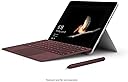


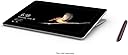


| ASIN | B07FDKZQTY |
| Age Range Description | Adult |
| Aspect Ratio | 16:9 |
| Battery Average Life | 9 hours |
| Battery Cell Type | Lithium Ion |
| Best Sellers Rank | #107,406 in Computers & Accessories ( See Top 100 in Computers & Accessories ) #1,704 in 2 in 1 Laptop Computers |
| Biometric Security Feature | Face Recognition |
| Brand | Microsoft |
| CPU Model Number | Pentium |
| Camera Description | Front, Rear |
| Cellular Technology | 4G |
| Color | Gold |
| Compatible Devices | Wi-Fi and Bluetooth devices, Surface Dial, Surface Type Cover, and microSDXC cards |
| Compatible Flash Memory Type | microSDXC |
| Configuration | Surface Go |
| Connectivity Technology | Wi-Fi |
| Customer Reviews | 4.4 out of 5 stars 1,363 Reviews |
| Display Resolution Maximum | 1800 x 1200 pixels |
| Display Type | LCD |
| Front Photo Sensor Resolution | 5 mp |
| Generation | 2nd Generation |
| Global Trade Identification Number | 00889842309706 |
| Graphics Coprocessor | Intel HD Graphics 615 |
| Graphics Description | Integrated |
| Hardware Interface | Headphone, USB Type C |
| Human-Interface Input | Touchscreen |
| Included Components | AC Adapter |
| Item Dimensions L x W x Thickness | 9.7"L x 6.9"W x 0.3"Th |
| Item Weight | 1.2 pounds |
| Lithium-Battery Energy Content | 46.5 watt-hours |
| Manufacturer | Microsoft |
| Memory Slots Available | 1 |
| Memory Storage Capacity | 128 GB |
| Mfr Part Number | MCZ-00001 |
| Model Name | Surface Go |
| Model Number | MCZ-00001 |
| Model Year | 2018 |
| Native Resolution | 1800x1200 |
| Operating System | Windows 10 Home |
| Operating System Family | Windows |
| Other Special Features of the Product | Fast Charging |
| Photo Sensor Resolution | 8 mp |
| Processor Brand | Intel |
| Processor Description | Intel Pentium Gold |
| Processor Speed | 1.6 GHz |
| RAM Memory Installed | 8 GB |
| RAM Size | 8 GB |
| Screen Size | 10 inches |
| Size | 8GB / 128GB |
| Speaker Description | 2W stereo speakers with Dolby Audio Premium |
| Specific Uses For Product | Business |
| Style Name | Device Only |
| Total Usb Ports | 1 |
| UPC | 889842309706 |
| Unit Count | 1 Count |
| Video Capture Resolution | 1800 x 1200 |
| Video Processor | Allwinner |
| Warranty Description | 1 year |
| Warranty Type | Limited |
| Wireless Compability | 802.11abg |
| Wireless Technology | Wi-Fi |
A**X
Brilliant but not quite perfect!
There is a lot to love about this but it falls just short of perfect. Let me be upfront - I am a dyed in the wool Apple man and have been ever since Microsoft brought out widows 8 which I hated with a passion. At that point I already had an iPhone and iPad so going the whole hog with a MacBook seemed a no brainier. I still think it is the best integrated system there is but recently, the fact that iPad iOS is so limited has begun to annoy me. I still have to use a pc for work. This meant I was carrying around a notebook and pen (my iPad didn’t support the pencil) an iPad to be able to use all my productivity apps that my workplace wouldn’t allow me install or more likely didn’t exist on pc. I was about to update my iPad with a new one that used the pencil but I still needed a mobile platform for a full version of excel, not the iOS cut down version. So I looked at the Go. What’s to like? Well windows 10 is a breath of fresh air and is what Windows 8 should have been. I love the fact that on such a tiny gadget, I get full versions of office 365 which is perfect as I move from location to location and spend a hell of a lot of time on trains. To my utter amazement, when I set up my one drive, it recognised I had a work OneDrive account and gave me access without any todo which I fully expected from my super security conscious employer. I have chosen to break the mould and keep it in S mode. I find it largely fine. There are a few things I would love to put on it but I have realised I don’t actually need them. One is my cycling fitness training app the Sufferfest. (It’s on my old iPad) I would have to come out of S mode to be able to Download that because it’s not on the windows store. Also the kindle app isn’t on the Microsoft store!! What?!! That is a real shame actually and was nearly a deal breaker. I read a lot of technical books which I like to note in OneNote. I’ve got over it by having to use my kindle device which is far from ideal as still annoying. The reason for keeping it in s mode is I still don’t trust windows. Apples ecosystm just works. Windows does too but in my experience you need to know how too change the oil and spark plugs when you lift the bonnet. Not so with Apple. Windows S provides a nice safe environment which doesnt allow apps to mess with your settings and I love that. My old home PC take about 5 minutes to boot up because of all the garbage in my start up. I haven’t worked out how to get rid of it but then I use my MacBook all the time now. As a result, the fact this comes with an old and supposedly slow processor, I dont find it noticeably sluggish at all. I am sure 8gb and 120gb of solid state memory really helps but I also don’t do anything that hammers the processor like photo of film editing.I will use my Mac for that. I also don’t play games (life’s too short and there is a whole world to play in outside). I do use spreadsheets a lot. I say that but as a senior manager, I have many minions who do the heavy lifting but I do need to review their stuff. Some of the financial models we use can be fairly large and they seem to work just fine on the surface go. Similarly PowerPoint t and word seem fine and I have yet to find any presentations that are sluggish but then I haven’t had any yet with more than about 30 slides. I mainly use it for OneNote anyway, especially in meetings. With the pen it’s brilliant. I don’t need my notebook and pen anymore. The only bummer and I don’t know if it is the processor or not (I guess it probably is) I find the hand writing recognition software is slow, probably too slow for my needs. But, the accuracy of the recognition is seriously impressive. Another thing to like is the USBc port. I bought a little Lenovo adaptor that gives me a VGA type adaptor as well as HDMI and a USB port. To the usb port I have an old usb expansion port plugged in which means I can run it on a big screen as well as use external keyboard and mouse. Mind you, I don’t bother doing that much as the track pad and keyboard are fine, as is the screen (bar the gripes below). So what’s not to like. Well a few things bug me a little. Firstly, as an (ahem!) older gentleman, I like things big so I do t need my reading glasses all the time. Annoyingly, Microsoft have shrunk the icons to match the screen size. I am sure there is a setting that would enable them to be bigger and therefore probably fewer of them but I haven’t found it yet. Apple iOS icons are a decent size. When you’ve filled the desktop, they give you another page to swipe through. Don’t think this puppy does that. Shame. The second thing that is really annoying is that there doesn’t appear to be any anti glare. This is really annoying when i’m Commuting. Finally battery life sucks. The quoted 7 hours is laughable. I dont seem to get much more than 4 maybe 5 hours which is appalling. The good thing is i’m not often that far from a power plug so it’s not been a problem yet. Also, you can carve it with a USBc cable but it takes forever and doesn’t seem to work with the IPad uk usb charger unit. The charger that comes with it isn’t too bulky and the US one is nice and small. I don’t rate the Edge browser nor Bing as a search engine. I can’t seem to set another search engine such as DuckDuckGo or god forbid google as my default browser. However saving one as a favourite works but it’s an extra step to get onto the web. I have had a few problems with accessing one of my web enabled IOS productivity apps - Toodledo which I have using for years. It seems the version of java or whatever gizmo needed to get the full benefit isn’t up to date enough and working out how to do updates in S mode was a complete pain, thankfully sorted for me by the flagship Microsoft store on Oxford Street, London. As it happens, I discovered Microsoft ToDO which does what I want really well. Finally the Microsoft store is pants really! There’s not a busting amount on it given the huge quantity of software available for download from vendor sites. Ok, you can always come out of S mode but for someone with no interest in knowing how to tinker under the bonnet, I want a device which just works. Windows has never been that OS. I think windows 10 S has the potential but I am probably the only review that likes the idea and reality of S mode (to a point). Overall, I am really happy with this and it does what I need. I’d still prefer to use an iPad at the end of the day but that is probs it because I am used to them. But until they introduce a Mac OS like windows 10 that can work on their iPads and therefore do all I need with MS office, I will stick happily to my surface go. I think Microsoft are onto a winner and maybe if they clear some of my minor niggles for the Go version 2, it really will become a fantastic go to tablet that is an iPad killer. Just no cigar yet Microsoft!
E**Y
Awesome device! Love it
I've been a Surface fan for several years. I have the Surface Pro 3, and tried the Surface Laptop. At this point in time, one of the more power intense devices isn't necessary for me. I actually returned the Surface Laptop because I didn't feel I used it enough. The Go hits the sweet spot for me because the size is perfect. I primarily use the device from the couch, so the smaller size is a lot nicer. It's very comfortable to hold and so lightweight! If you don't need this to function as a workhorse computer then it is perfectly adequate. I have a business laptop, so never do work from my personal computers. So for me, this is really all the computer I need. I'm not a gamer or editor, so I basically just browse web forums, watch youtube or Netflix, and other basic tasks. I have Word, Excel, etc installed too which is super nice. I think for people in my use case, the Go has plenty of power. The Go's speed is pretty good. At times it seems really fast, and at other times I do notice it is a little slower than more powerful devices. I mostly notice the slower speed when opening new apps or screens. I played a simple game from the Microsoft Store (one of those cooking themed games) and was surprised at how speedy the Go functioned. It really didn't lag at all while I played it. Videos also look crisp and clean on the Go. The only time I noticed the Go acting buggy was with the touch pad keyboard. There were occasions when the keyboard would not open when it was supposed to. The on screen keyboard is sufficient for web browsing, but I would much prefer an actual keyboard for doing a lot of typing. In this regard, I do think you should pick up a secondary keyboard for the Go. I would honestly just recommend the Microsoft keyboard made for the Go, since it was made for this device. It will connect to it perfectly and makes it really easy to travel with. However, if you are only going to use the Go from a desk and not travel with it much, you could probably just choose a cheaper keyboard. It is a shame Microsoft doesn't just include the keyboard with the purchase. Overall I'm really happy with the Go. For me it was a better fit than the Surface Laptop (also a good device but more power than I needed, and the size was preferable on the Go). The main cons are the keyboard not being included in the price tag and the general price of the Go (I bought the 8gb version). If the keyboard was just included in the package it would make the overall price easier to swallow. For basic tasks or as a secondary unit this is a great computer. It has the great build quality of a Surface device but in a more compact device.
T**S
A genuinely nice device to have :)
EDIT, 8/18/18 - So it's been almost a week since I've had my Surface Go. I still love it, but I'm beginning to see the limitations of this device. The limitations are due to Windows 10, not the hardware itself. And I feel that these limitations are very slight--slight enough for me to keep the rating at 5 stars. I feel that these tiny issues are ones that can be adjusted or fixed with software updates, and that's fine with me. The device is still great as-is, but Windows 10 needs little tweaks to make the device better--that's all I'm saying. Personally, I think the issue here is that Windows 10 isn't built for mobile devices. It's still for devices that are meant to sit on a desk or table and aren't nearly as portable--like PCs. The Surface Go is great because it's so portable, but it can be better. For that to happen, Microsoft needs to tailor Windows 10 to make mobile devices like the Surface Go function like a mobile device should. For instance, as it stands right now, I can't listen to music or podcasts with the screen off. I can do that with my iPhone or iPad. But I have to babysit the Surface Go, just like I have to babysit my PC at home. I have to be sitting around, making sure the Surface Go remains awake. Sure, I could mess with power management settings, but why should I have to do that? The competition doesn't require me to do that. Microsoft needs to match that. Many mobile devices have widgets or other controls that can be accessed without unlocking the device. I feel that Microsoft has to match this, too, with Windows 10. It also needs widgets that can be accessed without having to unlock the device. Just very basic controls--turn wifi on or off (for real, not this garbage with Apple disconnecting from wifi for a day), and basic audio controls. Finally: Windows apps should be optimized so that a user can get away with using programs without a stylus or keyboard of some kind. Along with the Surface Go, I have an Ockel Sirius A that I got through an Indiegogo campaign earlier this year--that device has a screen that's about the same size as your average phablet, and it runs on Windows 10. A stylus, mouse or trackpad is definitely needed if you want to get work done on it, even if you plug a lager monitor into the Sirius A. I understand that--Windows 10 just isn't built for a screen that small. But I don't think there's any excuse for a device like the Surface Go that has a screen that's, what...about 10.5"? Like an iPad? And on an iPad, users are expected to be able to use apps on that tablet without needing a stylus or trackpad of some kind. But I can't say the same for the Surface Go. Some of those icons--like taskbar icons, or some of the buttons or drop-down menus I've seen in iTunes, as two examples--are still too small to select them with just a finger. You'd still need a stylus/mouse/trackpad to use the Surface Go as-is. And, sure...of course you can mess around with the display settings on the Surface Go to fix this. But again--why should I have to do that when the competition doesn't require me to do that, and the apps on the competition's devices work just fine without extra hardware of some kind? Overall: Microsoft is getting there when it comes to mobile devices, but it also still has a ways to go to keep up with the competition. ORIGINAL REVIEW: I just got my Surface Go yesterday, and I have to say—it’s a genuinely nice device to have. I like it a lot. I plan on using the Surface Go as a “workhorse” device. I do a lot of writing and I work with spreadsheets, so that’s mostly what I’ll be doing on the Surface Go. I also have iTunes on it—I’m in the middle of downloading some albums to it right now—and I’m downloading some Netflix shows to watch later. The Surface Go can handle all of this very well—and I plan on keeping it in S mode, just to see how far I can go with this device being this way. Word and Excel docs, along with iTunes and Netflix, is pretty much all that I need a device like the Surface Go to handle. I’ve seen at least one tech reviewer (iJustine?) play Fortnite on her Surface Go review unit, so it’s not impossible to do it. It’s just—playing games is not a priority of mine for a device like this one. I want this device to be the one that I’ll do some actual work on. If I want to do fun stuff, I’ll use my smartphone. Overall: I think the Surface Go is a nice device to have if you want a backup computer—something to do the bare minimum of what you expect your average computer to do. Also, just remember who this device is supposed to be for: students and enterprise. If you’re in a school or business environment, then this’ll be a great device to have.
J**L
Great Study Tool and Casual Activities Aid!
Have you ever been in class and gone to take your notes/book or anything necessary for that class and been flabbergasted at the amount of room these materials take up? Then this is a great product for you. The Microsoft surface Go is small and compact enough that it will slide straight into your carrying bag hardly taking up any room. This will free up the need for carrying multiple notebooks for various differing classes. Note: For optimal use of this product, The Microsoft Surface Pen and access to Microsoft Access is a must. Being able to sync all your notes from your home desktop to this device using One-Note will allow a smooth flow of note keeping for all your classes. You’ll never be more organized when it comes to staying on top of your classes than ever been before. On top of being able to take typed notes within One-Note using this device, if you obtain the pen, you'll also be able to draw any diagrams that appear within your classes as well. You’ll be able to organize and take detailed notes for your various classes, breaking them down further into topic sections. This product is also great for use after class, when you just want to kick back, relax and watch your favorite shows on Netflix or any other viewing apps. Speaking of apps there are a multitude of drawing apps you can investigate and find if you fancy yourself someone who wishes to delve into your drawing skills. This product is well made, and you’ll be able to experience long use times between charging; allowing for longer periods of enjoyment and note taking. Even when you go to charge the Microsoft Surface Go, you'll notice that this device charges extremely fast with the charger it comes with. If you had to witness a weakness of this product, then it would be durability. While this device can be written and drawn upon; be careful of its screen as it can be knocked off tables or dropped. You never want to watch the device you use have its screen broken. Being a Microsoft device, you'll be able to back up all your data through the cloud, being able to easily retrieve your lost data that should also be easily synced with your Microsoft account. Microsoft also offers insurance on this device to allow for cheaper replacement cost, as well as offering a flat, but higher cost to replace without insurance. Overall: Great product with good use for school and casual activities after. You’ll not be disappointed buying this product!
J**L
Near perfect mobile device
Why I love this thing, it's because it does way more for me than what tablets promised to do. If you are looking at chromebook type devices, this is a much more versatile device imo. It's a full windows OS so I never need to think "will it run this program that I normally use". It will. I wouldn't recommend it for use over 3+ continuous hours because this is a 10" screen afterall and it will strain your eyes especially if you like smaller fonts. The GO works perfectly for me because from time to time I need to log into work to do work and I don't feel like carrying my laptop with me everywhere in case I need it. GO is much lighter and is perfect for those cases where I need to spend 45 minutes logging into the office to restart a server/service etc. But being a regular laptop it works offline. While you won't be able to do much with mobile apps since windows mobile app is pathetic. But for content consumption like watching movies, you are better off with windows than ios or android because you have access to full VLC, windows media player and all the other wonderful tools that doesn't required a walled off garden and the permission of a giant corporation to be allowed to install it. I don't care if MS likes it if I install something or not because they can't control it. So I no longer have to carry a laptop and a tablet when I travel. This is sufficient. From a practical stand point, think of what you can do with a i3 processor and thats what the surface GO can handle easily. Adobe Premiere seems perfectly fine. I wouldn't try hard core gaming. It's not designed for that kind of stress. Anything else, it will run fine. It won't get hot, no throttling. Don't like that it only have 1 USB C and no USB A. Don't like the idea of dongles on a mobile device. Defeats the purpose. The alcantara keyboard is very responsive but I find that I do make more typing mistakes because of the size. But it's still comfortable enough to write a document without making me Rage. First thing I did was get rid of Windows S (stands for stupid) and go right to Windows 10 Pro. I already have a surface book so I didn't need to buy a pen. For those complaining that this doesn't come with a pen. I personally would have hated a pen to be included because nothing is free and they would have jacked up the price of the base model with a pen. Since I already have a pen why would I buy another one? One nice thing you can do is that win 10 now supports casting from your android and ios devices (latter is more temperamental because well ... Apple). So I can navigate through youTube or kindle on my phone and cast it directly to my Surface GO and get a bigger playback screen. It's basically remote desktop for mobile devices but with view only. Doesn't take a genius to realize that MS is eventually going to make interaction possible ala remote desktop. So for 1-2 hours workload or not knowing when you need to work so you need to carry a laptop with you always, I'm thrilled with this device. I got it during the holidays and deals. Paid $403 for the device with 8gigs ram/ 128gig ssd. $105 for the alcantara keyboard. Another $30 for a 128gig microSD. Biggest gripe is that I wish the bezels were smaller and the screen closer to 11". If they just improve palm rejection there wouldn't be a need for thick bezel. 2nd gripe is the lack of USB A. A minor gripe would be the power supply is not the same as my surface book which has a usb A on it for charging devices. They could have just used the same charger.
M**R
5 Star Tablet with frustrating lack of apps
I have been using the Surface Go with 8GB of RAM for a couple months now and have become a big fan of what Microsoft has created. The tablet ships with a light version of Windows. I would have been content with keeping that version if the Microsoft App Store wasn't a ghost town. I opted to complete the one time upgrade to Windows Home, which I recommend as you will have access to a far greater selection of applications. One note of caution is that the Surface Go is a smaller form factor so utilizing certain legacy applications may be frustrating as menus and controls are small and hard to control with touch. I also purchased the optional type cover as I intended on utilizing the tablet for productivity apps and it works great with the tablet. It is a great accessory that makes the tablet far more useful. I have used Samsung and Apple tablets along with a Pixelbook as I needed small form factors for traveling with that also could be great media consumption devices. For productivity purposes the Samsung and Apple tablets were frustrating compared to the Surface Go especially in comparing the attachable keyboards and how well OneDrive and Office 365 work. For media consumption the Apple and Samsung tablets were better only because they have a native Amazon Prime Video app. For some reason Microsoft has not prioritized getting Amazon to produce a native app for their tablets yet. If they do this will make the Surface Go as good as the Apple and Samsung devices for offline Streaming services. The Windows OS is better than iOS and Samsung's corrupted Android due to its versatility especially with file management and being largely application agnostic. Apple does not want to make it easy unless you use Apple services while Samsung can't streamline their file management. The Pixelbook's Chrome OS there really is clunky compared to what can be done with the Surface. The Pixelbook is elegant and has the best keyboard I've used, yet the Chrome OS is challenging and hasn't figured out how to make Android apps work seamlessly on the platform. With the switch to the Surface I also ditched the Google line of productivity apps that suffered inefficient interfaces and seemed half-baked with limited features. Although Office 365 does cost money and Google's does not, you get what you pay for. If you do not want to be tied to a single ecosystem that is stifling and expensive (Apple) and want a more refined experience than what Google has achieved with Android or Chrome then the Surface Go is a great option. This is the first table I've actually come to be a fan for. I gave the tablet 5 stars for the quality of the device and OS. I wanted to give this product less of a glowing review due to the ghost town of the app store, but that should not be solely Microsoft's fault as developers are free to do what they want. That being said Microsoft makes up for a lot of missing functionality due to its legacy desktop apps that can be accessed if the OS is upgraded to Windows Home. Now Microsoft needs to really spend money to get developers on board to make this OS more useful in tablet mode.
H**O
Garbage - several usability default + stopped working after 6 times
I picked this product because i wanted a hybrid easier to carry while traveling instead of my heavier laptop. It’s definitely cute but i could never get used to its format. Too big for an actual tablet, too small for even the most basic office tasks. The narrow keyboard is very uncomfortable for fingers after 1h and the screen isnt very reactive to fingers. The facial recognition doesnt recognize me 3 times out of 4. I kept it anyway, just in case of. I used it maybe 6 times in total in 2 years. But last time i tried to use it, it just didnt work at all (shut down right when i open my session).i had to use my now 7 years old mac book pro that has 2 missing keys and was barely maintained the whole time. I dont recommend this product at all. Its really a fragile gadget that is between 2 needs (mobility/office tool) without satisfying any. I am not use i can use microsofts garantee anymore. I feel like i just wasted all the money. I will probably go back to apple. Much more expensive but at least reliable for years.
R**N
Awesome Windows Tablet - iPad Killer
I received my product yesterday and was able to review the contents upon opening. I have owned the larger Surface Tablets before, and this one is just as fast as the ones I have owned, yet more sleek and portable. Don't let the size fool you, nor reviews, the performance is outstanding for the size and what it has to offer. The Surface Go has a very nice box display, and even better opening the package. The package has an iPad feel to it when opening, making you oddly feel better about the product and its representation. I added the type cover to the surface with an easy click and bend up. It worked seamlessly right away. To start, the Surface Go was booted up, went through all the set up very easily, and now is incorporated at my desk attached to a USB C 5 in 1, and hooked up to my HDMI 32" Screen. Positives: Fast for the most part Size Portability Quick Interface Windows transition to Windows 10 Home Windows 10 S for security Touch screen Windows at the size of an iPad Negatives: Can be somewhat slow when opening multiple programs Not a slew of apps like the Apple Store has Not to be used as a workhorse Overall this product will be very useful to me now, and in the future. I highly recommend this product based on what it has to offer, especially if you love the feel of an iPad. This will get more done than an iPad. Very useful for school, for mobile work, for at home computers, and portability uses. I will check back in a few months for an update after consistent use.
A**M
A perfect tablet replacement
Before deciding to purchase this, I watched and read many reviews online. The Surface Go has received so much hate and I just don't understand why. This isn't meant to be used as the main computer. However, it is perfect as a browsing and media machine. The build quality on Surface products is nothing short of incredible. The body is all metal and is incredibly sturdy and exudes quality. The hinged stand which is a staple of Surface devices is nothing short of amazing. You can set it at any angle and it just works. It is incredibly secure and never slips. The only issues I have with the Go is the bezels (I wish they were a bit smaller), and only having one USB-C port. It would have been amazing to be able to charge the Go through one USB-C connection while I use the other for attaching devices. Yes, I know you can use the included charger which attaches to the expansion slot, but I find it so much easier to just charge though USB-C even if it is slightly slower. Not needing to bring a separate charger just for this computer and instead charge it with the same cable I would for my phone is so much more convenient. As a computer, this works for browsing. I have personally taken it out of S-mode so I can install any Windows application on it I want. With 8GB of RAM and the 128GB SSD, the performance isn't bad at all. It isn't the most responsive when using Chrome on large web pages, but that is to be expected. Chrome is fairly resource intensive. On the other hand, using Edge it easily handles any page you can throw at it. Windows productivity software like Excel, Word, and Power Point work exactly as you would expect them to. Communication software works perfectly as well. One of the things I really like about the surface line is the face unlock. It does use an IR light so you won't have any issues unlocking it even in the dark. Doing so is incredibly fast and it pains me having to type in a password manually on my desktop computer. One thing I am unable to review is the Surface keyboard. If I need a keyboard I will just connect to one wirelessly through Bluetooth. The stylus is great though. It does fall short of something like a Wacom tablet but is usable for drawing and perfect for a mouse substitute. For a media tablet this checks every box as well. I installed K-Lite Codec Pack on it and it has no issues playing anything I can throw at it. Even 50GB+ 4k movies with DTS audio streamed over the network from my server are no problem at all for this. Same with 4k YouTube videos. The speakers are quite surprising. They are loud, clear, provide a decent amount of bass, and are actually stereo. The screen is excellent quality with a great contrast ratio and vivid colors. The battery life when viewing media is also more than enough for a cross-country flight. Now, the heart of the matter is value. The Surface Go isn't a cheap device. Yes, it is primarily a tablet. But it is also so much more. The build quality is on par with the new iPad Pro's. But the iPad is almost twice the price, has half the storage, and is running a mobile OS. You can do everything on this you can with a tablet, while still having the flexibility of a full computer. To me, this is a win-win situation. The intended customer for this isn't someone looking for a $250 Android tablet. The customer who should be getting this will mostly be using it as a tablet, while still wanting the option to use it as a full computer when they are on the go. For that, the Surface Go is perfect.
D**L
Muy buen dispositivo
Trabaja muy rápido en todo lo que necesito, muy buena resolución, supongo que las fotos al mostrar el producto son engañosas, ya que en ellas aparece el teclado y la pluma, hasta que recibí mi producto me di cuenta que en el título dice que "Solamente es el dispositivo", creo que las fotos no deberían incluir esos artículos o incluir una leyenda que diga que "No incluye Teclado, ni pluma". Por lo demás es muy buen producto.
A**E
Prozessor und Graohik
Ich arbeite oft mit Schreibpads, und wenn ich einen Vortrag gebe, brauche ich ein Tablet, was keine Probleme hat, meine handschriftlichen Notizen sofort über Beamer oder Smart-Board umzusetzen. Das Surface Go packt es sehr gut! Ich hatte vor ein paar Monaten ein günstigere Marke gekauft und leider war das Tablet von der günstigeren Marke nicht so gut.
ح**ا
لم يصلني
لم يصلني ????
A**Z
Excelente relación calidad precio
Excelente relación calidad precio. Es el producto perfecto para quien busca movilidad y versatilidad en un solo producto. El rendimiento es aceptable para navegación por internet y actividades de ofimática. Pero evitalo si lo quieres para jugar o editar foto o vídeo. Sus capacidades no son las adecuadas. La calidad de construcción es excelente. La batería dura alrededor de 6 hrs en el modo ahorrador.
Trustpilot
3 weeks ago
2 months ago