


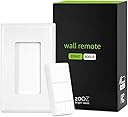
NOTE: This is an advanced Z-Wave device. Check hub compatibility before purchasing this product. SPECIFICATIONS: Model Number: ZEN37 800LR Z-Wave Region: US/CA/MX Power: 1 x LIR2032 rechargeable battery Operating Temperature: 32-104° F (0-40° C) Installation and Use: Indoor only Will it work with my smart speaker? Smart speakers are not Z-Wave controllers so you will need a compatible Z-Wave hub to program this Wall Remote.
| Additional Features | Remote Access |
| Asin | B0CV8RXT5W |
| Battery Type | Lithium-Ion |
| Best Sellers Rank | #192,793 in Tools & Home Improvement (See Top 100 in Tools & Home Improvement) #312 in Home Automation Hubs & Controllers |
| Brand | ZOOZ |
| Built In Media | Magnetic Base, Screwless Wallplate, Wall Remote |
| Button Quantity | 4 |
| Color | White |
| Compatible Devices | Home Assistant, HomeSeer, Hubitat, SmartThings, Z-Box Hub |
| Connectivity Technology | Z-Wave |
| Controller Type | Touch Control |
| Customer Reviews | 4.3 4.3 out of 5 stars (72) 4.3 out of 5 stars |
| Eu Spare Part Availability Duration | 5 Years |
| Manufacturer | Zooz |
| Maximum Number Of Supported Devices | 1 |
| Maximum Range | 396.2 Meters |
| Model Name | ZEN37 |
| Model Number | ZEN37 |
| Number Of Batteries | 1 C batteries required. (included) |
| Number Of Items | 1 |
| Number Of Packs | 1 |
| Unit Count | 1 Count |
| Upc | 853478006377 |
User
worth every penny.
I have 6 or 7 of these now. Was tired of the unresponsiveness of some other remote switches i have and decided to try these. I'm using the Hubitat platform. easy to pair, easy to configure, the magnetic wall plate is awesome for popping it in a switch box but i just sticky peeled mine to the wall. I find that the keys can be a little sticky but its never caused it to mis a click. Absolutely love that it has a rechargeable battery through a USBC - been using for months now but haven't had to charge it. You can't go wrong with Zooz. i paired a couple of these to some bedroom lamps ( with a zooz smart plug) and its so nice not to have to get out of bed to turn the lamps off!
User
perfect for smartthings
easy instructions
User
Connects rock solidly to Homae Assistant
This has stayed connected and working in Home Assistant now for a couple of months with no problems.
User
Good functionality with Home Assistant.
Happy with this purchase as the product works perfect connected to my Z-Wave network using a ZOOZ Stick connected to a Raspberry pi 5 with Home Assistant.I literally found no issues other that the plastic used for making the product (I would prefer the plastic offered by Shelly, Aeotec, Phillips or Sonoff) Loocks cheap. But I can't use this as a negative review as this is only my opinion and I'm a bit perfectionist. Other members of my family likes it.Easy of use, good compatibility, good battery life - rechargeable, overall this product offers plenty of goodies.Not sure if the value for money is a good one - as for the cheap plastic used, however, I'm overall happy with my purchase and I'm still a happy user of this product.
User
Easily connects to HomeSeer 3, and battery lasts a long while
I’m using this as a wireless light scene controller that also can be removed for portable use. That is, the switch is magnetic, and they give you a mounting bracket so it’ll clip onto the wall as if it were hardwired like a regular paddle light switch. You can then detach it and attach it as desired.I was a bit nervous because my home automation system is an older HomeSeer 3 setup, with an older Z-NET Z-Wave interface.My concerns were unfounded. It was easily included into my network, and events can be set up so when you press or hold press a button a command is sent to a device (or multiple devices, like the old MiniMotes).Reports battery life remaining 1-2 times a day, even if you don’t use the switch. I’ve attached a picture of the battery life graph that I track with the “Device History” 3rd party HomeSeer plug-in. Looks like the battery will last a reasonably long time on a charge (USB-C port — so standard), too.Great flexibility, too, in that there are Z-Wave parameters to control the control of the light. I’m planning to see if I can set it up so that when the battery is reported at, say, less than 20%, the light turns red when you use the device so you know you need to plug it in soon.The light works as follows. First, until you include it in the network, it doesn’t really work (tho my memory may be fuzzy on this point). Once included, pressing it causes the light to illuminate when it sends an event to the controller.Better yet, when you hold it down, the light doesn’t illuminate until a “long press” event has been sent. You know, in other words, that once you see the light, you can let go. This is an improvement over my old MiniMote Z-Wave remotes (the form factor of which I still prefer, but after 10 years the battery’s shot)l which would blink regardless of whether it sent a command.They also have a simple on/off variety that works off battery as an FYI.Pleased as punch that I found these!
Trustpilot
3 days ago
2 weeks ago