Desertcart purchases this item on your behalf and handles shipping, customs, and support to Peru.
❄️ Freeze the heat, not your style.
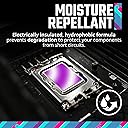
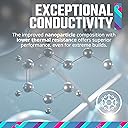
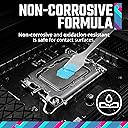
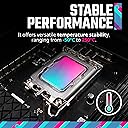
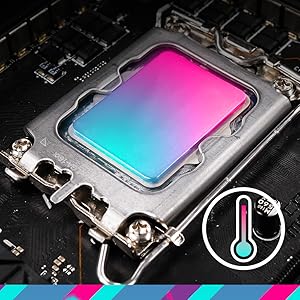
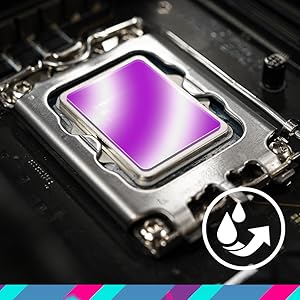
Cooler Master CryoFuze 5 is a premium thermal paste featuring a nanoparticle-based formula that delivers exceptional thermal conductivity and low thermal impedance. Available in 6 colors, it offers moisture-repellent, electrically insulated protection with a non-corrosive, oxidation-resistant composition. Designed for easy application and long-lasting stability from -50°C to 240°C, it’s ideal for CPUs, GPUs, consoles, and laptops seeking superior cooling performance.


| ASIN | B0DB6LS65K |
| Best Sellers Rank | #83 in Silicon Grease |
| Brand | Cooler Master |
| Color | Blue |
| Customer Reviews | 4.6 4.6 out of 5 stars (1,367) |
| Date First Available | July 30, 2024 |
| Item Weight | 0.317 ounces |
| Item model number | MGY-ADSB-N03G-R1 |
| Manufacturer | Cooler Master |
| Package Dimensions | 6.02 x 1.57 x 0.75 inches |
T**J
Thick, dry, effective
I would sum it up like this: The paste is excellent in performance, but would be very difficult for someone applying the first time to successfully apply. This isn't your MX4 or MX5 -- Cryofuze Ultra is very thick and dry. If you used IC Diamond back in the day think a bit more dry than that. Spreading is nearly impossible without heating the tube a bit with a hair dryer. This gives it just enough pliability to be workable. The plus side is that due to the paste being so dry, it shouldn't have any issues with oil separation. Once it's on the temperatures are great, easily rivaling what I've seen from Kryonaut. The line method seems to be the easiest if you have a high clamping force heatsink. Otherwise spreading it is next to impossible without heating the tube up. Time will tell how long it holds up and keeps good temps. I have it running on a 4790 in a HP Z1 G2 as a test. Those tend to be a little toasty, but it's done a great job bringing the temps down from the MX4 I had on there. I'm seeing 3 - 4*c temp reductions and a much quieter fan profile. The cores now idle only slightly above room temp (19.5*c room, 24*c idle)
F**N
Fantastic temps on a 12700kf I7
This grease was a bit tough to apply evenly, I wiped off twice due to frustration but the third try (and the last of the tube) worked out. My method was a pea in the middle, then spread out in one direction, then the other. and repeat this method. I error to have less on the sides of the chip and more of a thick middle as it squeezes out to the sides and pushes the air bubbles out with it. I managed completely even temps across all cores and along with a cooler master 280mm AIO my I7 12700kf doesn't break 48c after 4hrs of pubg set to ultra. Ultimately performance is top notch, and this 2 gram tube is cheap enough you can give it a couple goes if need to, but I could probably use it again on the first try knowing what I know now. Biggest tip from me is to clean the new CPU with alcohol before attempting application, I believe this is what allowed it to stick better and get a good adhesion. I did not clean the new cpu face and had problems with adhesion/spreading until I did that. I will be using this in all of my new builds for sure. Way cheaper than thermal grizzly, longer lasting and better preforming (on paper as I have not run them side by side due to the cost difference)
C**B
Legit cooling
This product is hard to apply, but has EXCELLENT results. I will not take any stars off for that as it does the job. The tip about heating it with hot air gun helps and makes it flow . I pasted in Rtx 3090 to begin with and it dropped the temperatures by 10 to 15° over noctua nh1.my ram got a little bit hotter but that might be new thermal pads or heat sink receiving more heat. Impressed with the results, I used it on 3080 and rx 5700 with same results. I will probably keep repasting till I run out of it. Ordering one more. Can’t comment on stability yet as it has been only a few days. The spreader is useless if you don’t heat. What has worked for me is drop a blob and gently squish it with a metal prong to get some spread. Just dropping it might work too but I did a little extra.
E**E
Really good thermal paste
This is very good, high-end thermal paste for a surprisingly low price. I used this stuff for over a year inside my main PC, and it kept my overclocked Ryzen 5 5600x under 80C under full load. For further clarification, that CPU in that configuration can consume around 110-120 watts under a stress test, and I have a Corsair H150i AIO cooler (360mm.)
G**A
Thick but effective
If your technique is to apply a dot or a grain of rice size application, this product is for you! Cheap and I saw dramatic and amazing temperature reductions as advertised! However, if you prefer to spread the product on a CPU with a spatula tool, that is very difficult; Due to the product's thickness, it is very difficult to move (without a mess and possible air pockets) once applied and you won't be satisfied. Once it's laid down out of the applicator, it's down for good OR you need to restart. For this reason, I give it 4 stars, not 5. However, I would definitely buy this again for the fantastic results! My 2012 Intel Mobile-i7 has new life!
F**O
Slightly strange texture, not very easy to spread with the included applicator, but good thermals.
It was slightly strange applying this thermal paste as it seemed quite a bit thicker and more viscous than paste I've used in the past. I ended up using an x pattern because I wasn't sure about how this paste would spread. Despite this, my thermal performance has been quite good. At the end of the day the thermal paste you use doesn't make a big difference in performance but this has been running my Ryzen 5 5600 with a Hyper 212 black a little bit cooler than it did before I had changed the paste. At idle I get roughly 38 degrees C. Great price, slightly cheaper than most other well-known alternatives so that was a plus.
R**.
Good Cooling Values for my Lenovo P53 (I7-9750H)
Purchased to re-paste my Lenovo P53 (I7-9750H) with Nvidia Quadro T2000 GPU. Before re-paste my CPU was running about 76-80C and the GPU about 65-70C. I in no way did any calculated or documented stress testing, just general testing, but results seemed to be a bit warm. After re-paste and stress testing (OCCT & ThrottleStop) for 45-minutes, I am now getting a CPU avg of 58C and GPU avg of 68C. I was going to re-paste anyway, because I recently purchased the P53 and was unsure if thermal paste was any good or needed changing etc. Old paste was slightly pliable, but dry and crumbly. Not an expert with thermal paste so maybe it should be like that after repeated use, but I don't think so.?.?.? Anyway the results IMO, are very good compared to the prior 2 days of stress testing and checking with the old thermal paste. Another good thing the Fan is not constantly running at full power all the time anymore. I can only say one thing, in my situation this product appears to be working great. I have a considerable temp drop so far, and hope I can keep close to these temps, if not get better temps, going forward. I will use again on my wife's and grandsons laptops.
T**R
Great thermal paste
Great thermal paste with top of the line conductivity, I do wish it came with more thermal paste though
V**L
Best
Cooling is good with aio otherwise. Cpu 72c max
J**S
Good
Its good but its make hard quickly, need to properly stored
M**Y
سيء
صراحتاً اول ما جاني كان نااااشف و حطيته في المعالج و صار آداءه اخس من اول وعلى ذي القطعة اخذت تقريباً اسبوعين بعدين جاني
A**T
Good Quality product
This Thermal paste is very good and it will surely decrease the temperature ..Just make sure to apply it in X shape as it will not be easy to spread it over the CPU
E**K
Excelente
La mejor pasta térmica que he utilizado hasta el momento.
Trustpilot
2 weeks ago
3 weeks ago