Desertcart purchases this item on your behalf and handles shipping, customs, and support to Peru.
📚 Elevate your reading game—color, comfort, and waterproof freedom in one sleek device!
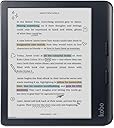
The Kobo Libra Colour is a 7-inch full-color E Ink eReader featuring a high-resolution 1680x1264 display, IPX8 waterproof rating for up to 2 meters and 60 minutes, and a long-lasting 2-week battery. It supports customizable reading settings, Kobo Stylus 2 for colorful annotations, and is crafted with recycled materials for eco-friendly durability.


| Asin | B0CZXX465Z |
| Battery Average Life | 2 weeks |
| Battery Description | Lithium-Ion |
| Best Sellers Rank | 2,364 in Electronics & Photo (See Top 100 in Electronics & Photo) 18 in eBook Readers |
| Bluetooth Support | No |
| Box Contents | Charging Cable, User Manual |
| Brand Name | Kobo |
| Colour | Black |
| Compatible Devices | [VARIOUS: Windows, macOS, iOS, Android] |
| Customer Reviews | 4.6 4.6 out of 5 stars (2,474) 4.6 out of 5 stars |
| Display Technology | Electronic Ink |
| File Format | EPUB, MOBI |
| Human Interface Types | Buttons |
| Item Weight | 7.05 Ounces |
| Manufacturer | Rakuten Kobo |
| Manufacturer Part Number | N428-KU-BK-K-CK |
| Memory Storage Capacity | 32 GB |
| Model Name | Kobo Libra Colour |
| Model Number | N428-KU-BK-K-CK |
| Native Resolution | 1680x1264 |
| Network Connectivity Technology | Wi-Fi |
| Night Vision | No |
| Number Of Items | 1 |
| Other Special Features Of The Product | Color display and Kobo Stylus 2 compatibility |
| Product Warranty | Manufacturer Warranty |
| Ram Memory Installed | 32 GB |
| Screen Size | 7 Inches |
| Unit Count | 1.0 count |
| Upc | 681495009473 |
User
From Kindle to Kobo - it beats the Coloursoft
I last tried the Kobo Libra Colour about ten months ago. It was a rebound purchase when my Scribe packed in after a year, and Amazon was singularly unhelpful, refusing to repair or replace a £400 bit of kit. In a fit of pique, I decided to come away from Amazon and try the Kobo. But I wasn't in the right headspace. Although I desperately wanted a colour device (the Colorsoft hadn't launched then), I was comparing the Kobo against the Scribe and the Oasis. I was also still very immersed in the Amazon ecosystem - I've had Kindles since the first iteration. I was really looking for a unicorn - a large colour reading device plus notebook. I wasn't impressed with the Kobo notebook - the screen was small, and the pen didn't feel like writing on paper, as the Scribe does. I sent the Kobo back.So now, months on, I recently tried the Boox Note Air 4C (it was a birthday gift). But the battery life was woeful. Yes it had a colour screen, and yes the notebook functionality is way better than the Scribe. But I didn't feel it was good enough to replace the Scribe. So I decided to give the Kobo another try and re-calibrate my approach. Not viewing it as a notebook device to replace Scribe but as a 7 inch colour e-reader to replace the Kindle Colorsoft (but the Kobo happens to have a notebook as an added bonus). Plus, we are now at the point where Amazon's approach to licencing means many people have moved away from the ecosystem in favour of Kobo. If they can do it, I can too, I thought.This time, I'm viewing the Kobo through new eyes. I thought it felt cheap and plasticky originally. But I hadn't realised it's made from ocean-bound plastic. In fact, it's a very environmentally friendly product, designed to be fixed if it goes wrong, rather than discarded. And it's super light too. Suddenly I got what all the reviewers have been raving about. It IS a device for readers. Small and thoughtful features enhance the reading experience no end. Let's compare it to the Kindle Coloursoft, as I think that's the fairest and closest e-reader to this. The display on the Kobo Libra Clour is way better. I know there's a lot of talk about colour devices being darker and, yes, both are compared to non colour e-ink devices. However, you can get the Kobo to a B&W e-reader background lightness without feeling like the front-light is cranked up too high. At just 8% it begins to feel akin to regular e-readers and it just gets better from there. And, unlike the Boox, using the front-light doesn't eat up battery. By comparison, the Kindle Coloursoft has a very murky screen. Also, the colour screen is much more vibrant on the Kobo. Side by side, I'd say it knocks the Coloursoft out of the water. I've added photos but the difference is far more obvious in reality.Initially, I did have a niggle with the Kobo's fonts - none seemed as bold as those offered on Kindles. However, this time, I learned you can adjust the 'weight' of the font in the settings to make them bolder. You can also download fonts for free online then save them to the font folder on the Kobo (it's super easy to do - just connect the Kobo to your computer or other device). Doing this, I was able to download Bookerly, which is the font I normally opt for.The next plus is how easy it is to adjust the front-light. No having to tap on the screen a couple of times to bring up the brightness menu and adjust. On the Kobo, you can choose to run your finger up and down the left side of the screen and, hey presto, it adjusts your light. This is such a reader-friendly option. And on the subject of making things quick and easy, you can also slide down from the top to easily get back to the last few things you viewed - whether a novel or a notebook. In both the Coloursoft and Scribe, you need to click back to the home screen. It was always an irritant on the Scribe not being able to easily toggle back to the book I was reading from within the notebook, and vice versa.The reading experience itself is enhanced by the addition of the stylus, if you choose to get it. But even just being able to highlight in different colours is helpful (something you can also do on the Coloursoft). However, to also be able to write directly on the book page, and in various colours, is game changing for keen annotators. Scribe has made it a little more intuitive to write on the page, but still doesn't offer the full-on option of having what you write appear directly on the page - instead, it shoves it into an expandable side-margin or a text-box that takes up space on the page.Another really helpful tool on the Kobo is being able to highlight a word (which brings up a drop-down menu) and click 'search'. Most people who use e-readers probably try to search when reading a book to find where names or other things have appeared previously. This is a direct route to doing that. On Kindles, though, you have to click the magnifying glass icon, then type in the word or name you're searching for. This function on the Kobo makes it so much quicker and more seamless to perform this function.You can also customise both footers and headers in the Kobo, to give you different info e.g. percentage read/ page number/time left in book/ in chapter etc. So this is totally customisable. Finally, the Kobo has PAGE TURN BUTTONS! This is something many hardcore Kindle fans have missed immensely in later iterations. Better still, the Kobo does a full auto rotate (which can be disabled). Something which, for some unknown reason, was a function Amazon removed from the Coloursoft. The full auto-rotate means you can move the device from left to right hand (the page-turn buttons automatically recalibrate) AND you can read it in landscape mode too.Now to the ecosystem ... I realised shifting would require a change in outlook. I've spent around 15 years downloading samples and curating my Amazon collections. I realised I'd NEVER move device if I remained wedded to that. I just had to take the plunge. Realistically, when you go into physical bookshops, you don't see exactly the same books in each one. You browse what's on offer and make your choice from there. So, personally, it was a bit of a mental letting go for me. I don't use Kindle Unlimited so that wasn't an issue. I believe the Kobo equivalent isn't quite as good (although it is cheaper) - but it's anticipated that as more authors move over to Kobo, their catalogue of free novels will increase. There's also a reward scheme where you pay £6 a year and can earn points for every book you buy, which you can then redeem for a free book. So Kobo are rewarding loyal readers. The device itself is much more reader-friendly - showing you the books/previews on your device and encouraging you to read what's on there - rather than trying to sell you more books, like Amazon does. There is also access to Overdrive to borrow library books; although it doesn't seem like it's available for most libraries in the UK who use a different borrowing system to Libby (which is linked to Overdrive). But really, once I put the Amazon catalogue I have on my Kindle out of my mind, I've found there's more than enough choice and deals on Kobo. Generally, if a novel goes on offer on Amazon, it'll have the same offer on Kobo.Overall, even though I've only had the Kobo a few days, I'm loving it so far. It ticks so many boxes: colour/waterproof/notebook as a bonus/very intuitive/makes reading easy. A note on the stylus - I got the Kobo one but you can get cheaper compatible versions, but from what I've gleaned, the highlighter and eraser functions are always reversed; so if you get an eraser at the end, that'll highlight and the button on the pen will erase. Apparently the Metapen M1 at £29 is manageable because the eraser and highlighter functions are both buttons on the pen body, so it's not too important which button does what. And it's almost half the price of the Kobo stylus.Finally, cases ... if the case is just as important as the device for you (which it is for me, as it's part of the reading experience), suitable cases are thin on the ground. Largely because there is no streamlined case that has a pen holder. There are chunkier cases which have a pen loop at the side. But nothing that encases the stylus within the case. Apart from Kobo's own Notebook case. Generally, I like a kickstand and pen holder. However, I decided having a place to safely stow the pen was more important, so I opted for the Kobo Notebook case in blue. It is a beautiful case (definitely not the cheapest option though at around £34). Also, I've found that when turned sideways, there's a flap on the front of the case that can be used to prop the Kobo up - not sure if that's intended, but it works well.All told, when stacked up against the Colorsoft, the Kobo wins hands-down. It's a lovely looking device, a little wider where the Coloursoft is longer - but with the same size reading area on both. It's just a lovely, intuitive device that's had a lot of thought put into it by a design team who has clearly researched what readers want.
User
Game Changer
I am very pleased with this, and I'm pleased that I chose it as my first colour, e-ink reader - something I have been looking at for some time, It’s much better than any of the Kindle readers I have owned. One standout feature is the **Google Drive integration**, which makes adding your ownbooks incredibly easy and convenient.The eReader is lightweight, making it perfect for on-the-go reading. Another fantastic aspect is that it is fully repairable by the user – you can even replace the battery yourself! This is a huge plus for those who value sustainability and longevity in their devices.The display offers vibrant color saturation, which can be further enhanced by switching to "developer mode." This is a simple process, and there are plenty of YouTube videos available to guide you through it. The display is also glare-free, making reading comfortable even in bright sunlight¹.Additionally, the Kobo Libra Colour supports a wide range of file formats, including EPUB, PDF, and MOBI, giving you the flexibility to read almost any book you want. The device also features something kobo calls **ComfortLight PRO**, which reduces blue light exposure, making it easier on the eyes during nighttime reading.Overall, I highly recommend the Kobo Libra Colour for anyone looking to enhance their reading experience with a versatile, user-friendly, and sustainable Reader! It's also, for a colour reader especially, very cheap. Now, if only they would bring down the price of the stylus that goes with it.
User
Light, stylish and more flexible than a Kindle
I bought this because I lost my Kindle Paperwhite on a bus. I have been very happy with it.The text is easy to read, and I don't really experience the issues with the dark screen or the 'lower' resolution claimed by some. It seems as good as my old Kindle (but I've not done a side by side comparison).I really like the flexibility - such as linking it to a google drive folder, and then just dropping books into that folder on my laptop - they just appear on the Kobo!It also works brilliantly with Calibre for library management. (make sure you install the various Kobo related plugins on calibre).I also like the 3rd party software support, and the openness of the OS. Being able to install an alternative reader such as koreader means that if you find the inbuilt reader not to your taste, you have alternatives.The colour is OK for my purposes (occasional cookbooks etc), but note that they are quite muted. Definitely not vibrant (if you need colour like that you probably need to use a tablet).I've also bought a stylus (Metapen M1) which works perfectly with the Kobo, and I've started doing crosswords on it now - works really well. I'm sure you could do Sudoku etc if that is your thing.Very glad I didn't stay with Kindle. I feel I have more control over this - Amazon can't delete books from my device now!
User
Ideal for travel reading & notebook/journal on the go
I've had a Kindle Scribe for approx a year. I use that mainly for notes/journals and now that I've a metal tip on my pen, I'm very happy with it. But, I find the Scribe format too large for travel. The Kobo Libra Colour fits nicely into that niche. I've now had it around 2 months. It's lovely as a reader and the colour aspect just makes it a little nicer. It's possible to highlight etc in colour, but that glitches the display a bit & not something I use regularly. Just reading with it is easy & comfortable. Then, for note-taking: well, not as fluid, or comfortable for writing as the Scribe. But, for travel, it's the right format and familiar interface. Writing isn't as smooth as the Scribe, but bearable. So, primarily a reader with note-taking ability if it's what you've got with you is how I'd describe it. I still use my Scribe for notes at home, but prefer reading on the Kobo wherever I am. The additional notebook case works well with the official stylus, keeping it securely out the way while reading, but always available. The cost of the stylus a bit naff - if you have a MS surface pen or equivalent you might get by with that, but I did find the stylus better in the end. I'm very pleased with the Kobo Libra Colour, but maybe due to the niche use I was looking to fill.
User
Kobo Libra vs Paperwhite
I've been a long standing user of the Amazon Paperwhite and historically, I've been very happy with it. However, since Amazon started removing various features -- particularly features that make it easy to access their own content, I decided I'd give Kobo a shot. My wife uses the earlier black and white equivalent to this and she's always been very happy with hers. And I've used mine for over a year now and I'm glad I made the switch.Strengths: the page turning buttons are so much better than Amazon's swipe arrangement.Weaknesses: battery doesn't last as long as it does on the Paperwhite.Also: not sure what I was expecting from colour e-paper, but it's not really worth the effort. If I could have bought a black and white one for less money, I'd definitely go for that in the future.All in all though, I'm very satisfied. Nothing would persuade me to go back to Amazon.
User
First ereader. Very happy with my decision.
I opted to go with a Kobo product as I didn't want to pay extra to remove ads on Kindle. I ended up deciding on the Libra Colour for it's grip over the smaller model. I've owned this for over a year now and it's been great. Battery life lasts quite long and I read quite often at times. I do find the screen a bit dark without any backlight so I usually have it on at 25-30%. It's nice and light and fits into my pocket if need be.I think the contrast on the screen is better on the older non-colour model but in the end I wanted the upgraded specs. As my first ereader this hasn't bothered me. If you're not bothered and find a deal on the older model, I'd say that'd be pretty good too.
User
Brilliant reader
I love this. It is nice and easy to use and the form factor makes it perfect for one handed reading (with the other hand under the covers, or to rest my head on. It's nice and light, so no hand strain from holding it up even after an hour or so. The colour is nice but a little useless, I mean the colours are good, but the screen is just a bit small for reading comics on and the only part of books that are in colour are the covers. If you want a primary comic reader, get something a bit bigger. The surface tablet is ideal for me, but maybe I just have bad eyesight!?! The backlight is nice and bright and can be scaled right back so it's a soft glow depending on need. Perfect reader that has me reading way more than I did before buying it.
User
Perfect
It’s lovely to use, screen size is perfect. Very light yet has a quality feel. The backlight is great for reading in low light, which adjusts when the lighting changes. Battery life is good. Well worth the money
User
I love everything about this!
I'm a long-time Kindle user, and my last three Kindles have been high-end: the Voyage, Oasis, and Scribe. The bungled release and poor handling of the Colorsoft made me look into Kobo after I decided the Scribe was a little big for casual reading (I still love it, though). I was a little concerned that after years of metal and glass Kindles, I'd be disappointed in something "less," but this was not the case once I got the Libra Colour in my hands for the first time.The build quality is excellent and I like the form factor. I love the page-turn buttons; I found I missed them after I got rid of my Oasis. Buttons aside, the form factor and curved-up edge where the buttons reside make this a joy to hold in any orientation, including landscape. While I prefer the flush screen of my Kindles to the slightly recessed screen of the Libra, it's a minor complaint, and one the page-turn buttons mitigate. The plastic feels sturdy, the device is lightweight without feeling cheap, and I like the location of the power button and USB port. The Kindle Scribe made terrible choices for power and USB, in my opinion. The fact that Kobo made this device intentionally repairable is a huge plus for me, though it feels durable enough I doubt I'll ever need to, barring major accidents.Coming from Kindle, figuring out the user interface wasn't a challenge. It's not identical, but most of the conventions are close enough that in 10 minutes of poking around I had everything set up as I wanted. I think the UI is better than Kindle, overall. Once I got my Kobo account set up, purchasing books from the device was simple. The lighting temperature (from cool to warm) has a broad range, as does the overall brightness. The color presentation is excellent. No, it's not super saturated and vivid like an OLED or LCD screen, but it's not supposed to be. I vastly prefer the color presentation on the Libra to my wife's Kindle Colorsoft. So does my wife. Text is clear and easy to read, if not quite as sharp as black-and-white eInk screens. I knew this going in; it's just how color eInk panels are currently. Again, I think the Libra's text looks better than the Colorsoft's. It does feel slightly slower than the Colorsoft, which I admit feels extremely snappy. But in practice, I don't really notice it unless I'm comparing it side-by-side.The Kobo Store experience falls behind Amazon's shopping experience, but I expected this. You won't find any books that are part of Kindle Unlimited on the Kobo store, as Amazon requires KU books to be exclusive. Otherwise, there's a vast selection, and certainly, the bestsellers and popular books are there. I find it a little harder to find what I'm looking for on the Kobo store, but part of that is my familiarity with shopping on Amazon and my newness to Kobo. Honestly, this was my biggest concern when switching devices and platforms, but overall, it was pretty painless.All in all, I love this device.
User
eReader puro a colori, massima flessibilità di formati, software ben fatto
È il mio primo eReader.Perché ho preso proprio questo?Perché:- Volevo uno schermo a colori (occasionalmente mi piace anche leggere qualche fumetto).- Volevo il supporto penna (occasionalmente al lavoro prendo appunti su carta, spero di portarmi dietro questo risparmiandomi il blocco note fisico).- Volevo un oggetto piccolo, leggero, di cui quasi non mi accorgessi di portarmi dietro.- Volevo farmi coccolare dal software, che in questo Kobo è abbastanza ben fatto, veloce, reattivo, con integrazioni interessanti (Dropbox e Google Drive) per inserire file senza dover collegare cavi e cavetti ai PC per passarmi i file: ha il Wi-Fi, si mette il PDF nella cartella di Google Drive e lui vede il file e può scaricarlo ed aprirlo senza alcun problema.- Volevo una gestione intelligente dell'illuminazione del pannello (regolazione automatica della tonalità dello schermo e altre chicche che non vi distruggono le retine), per massimizzare il tempo di lettura.Ha dei difetti?Sì, non è perfetto.- Lo schermo, essendo a colori, è un filo "scuro"; a meno che non sia colpito direttamente da una luce forte avrete sempre la tentazione di accendere l'illuminazione frontale.- La batteria non è eclatante: con Wi-Fi e Bluetooth spenti, la prima carica mi è durata una quindicina di giorni nei quali ho letto circa un migliaio di pagine (un romanzo da 700 e un altro libro da circa 250 pagine). Questo è a causa della retroilluminazione che, per l'appunto, avrete sempre la tentazione di tenere accesa, riducendo di conseguenza la durata della batteria.- A colori dimezza la risoluzione; è un "non problema" in quanto la risoluzione è comunque sufficiente a leggere le linee di dialogo dei fumetti, ma ad alcuni, magari con una vista non proprio perfetta, potrebbe dare fastidio.- Non chiedetegli di fare altro che non sia leggere libri, PDF o prendere appunti: il software è ben fatto ma minimale, il dispositivo non ha un browser (ha un browser ma è sperimentale e non supporta quasi nessuno standard moderno per la visualizzazione delle pagine).Per quello che deve fare sono super soddisfatto.
User
Meilleure liseuse !
Très contente de mon achat, la barre sur le coté permet une bonne prise en main, l’utilisation est assez instinctive, l’écran ne fatigue pas les yeux surtout le soir. Je recommande je ne regrette vraiment pas mon achat
User
Fast processing speed and easier loading of books
Got my new e-book reader - the Rakuten Kobo Libra Colour. A massive leap from my old Amazon Kindle. Faster, smoother, brighter, and far more practical. The dedicated page-turn buttons feel so much better while reading, and loading books is effortless now with options like Google Drive, Dropbox, or simple plug-and-copy transfers. Truly excited to dive into reading again.
User
My favourite thing I own
Amazing product. I was already an avid reader, but this e-reader lets me read anything I want at any time. I never feel tired while reading it. No eye strain. There are so many features that just make reading so easy. I also use the kobo pen which is definitely worth it!
Trustpilot
3 days ago
2 months ago