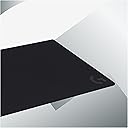
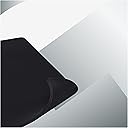
🎮 Elevate your desk game with precision and comfort that never quits!
The Partyreal ABAA128 (Logitech G740) is a large, 5mm thick gaming mouse pad designed for PC users seeking enhanced control and comfort. Its medium resistance surface optimizes low DPI gaming by providing precise mouse tracking, while the consistent texture ensures maximum sensor accuracy. The non-slip rubber base keeps the pad firmly in place during fast movements, and the soft material cushions the wrist for extended use.
| ASIN | B07W4DHRYJ |
| Additional Features | Non-slip |
| Antenna Location | Gaming |
| Best Sellers Rank | #145,896 in Office Products ( See Top 100 in Office Products ) #2,861 in Mouse Pads & Wrist Rests |
| Brand | Logitech G |
| Color | Black/White |
| Customer Reviews | 4.6 4.6 out of 5 stars (3,979) |
| Enclosure Material | Rubber |
| Global Trade Identification Number | 05099206104365 |
| Item Dimensions L x W | 23.62"L x 18.11"W |
| Item Thickness | 5 Millimeters |
| Item Type Name | gaming mousepad |
| Item Weight | 0.63 Kilograms |
| Manufacturer | Logitech |
| Mfr Part Number | 943-000805 |
| Model Number | 943-000805 |
| Shape | Rectangular |
| Size | Medium |
| Theme | Plain |
D**H
This product works flawless, and is probably not what you think it is.
I ordered this months ago, when the 903 was released. I was becoming more and more frustrated by the time it took to deliver on the product, but they did eventually deliver. So here goes after a weekend of using this coupled with a 903. have this setup, and coupled with a G910 Keyboard. The profiles are set up accordingly and I have more than 2 dozen games to try this out on. My first recommendation is do not allow the game to dictate the color profile. Really. There is a bug in firmware/software where games that "Flash" the keyboard lights during certain events cause the mouse(G903) stutter. This can cause you to lose the match or even worse, have to restart the computer. This is rectified by unplugging and plugging the mousepad back in. Just avoid the game controlled lighting effects and customize your own. As for the actual mouse pad. It does come with a soft and hard pad. These attach to the charging pad itself. They simply lift off, and can be replaced. The soft pad is the same quality and texture of 90% of gaming mouse pads. It feels no different, has no drag, and is really nice to use. Typical high quality soft gaming pad. The hard pad is the same. Its smooth, and is the quality you expect. The actual wireless charging system is really nice. Playing many different games, it was able to (extremely slowly) charge the mouse to 100%. I purposefully left the mouse at 20% when I hooked up this system. I then plugged it directly into a port (so the pad would shut down when the computer was turned off). Surely enough, it extremely slowly charged the mouse. It never went negative (lost battery). There is no dragging due to the wireless charging. I did use the mouse with the weight until the Powerplay System arrived just to get used to it. All in all, this is a solution that allows you to remove the wires for gaming, without giving up any performance. At 1000hz it out paces some wired mice. With a wireless charging pad the battery is a non issue. The pad itself is the same quality you get from just about any good gaming mouse pad. You can put any mouse pad you want (I tried it with two others including the Steel Series with no issues, they just happen to be smaller). I would highly recommend this setup, and couldn't be happier with it. The mouse itself should be separate review if gone in to great detail.
T**S
A Must-Have for the right mouse owners!
I've been using the Logitech G Powerplay Wireless Charging System for a few months now, and I'm absolutely loving it. The Powerplay is a wireless charging mousepad that uses a proprietary technology called Powercore. The Powercore module attaches magnetically to the bottom of your mouse, and it provides continuous wireless charging. This means that you never have to worry about your mouse running out of battery. As long as your mouse is sitting on the Powerplay mousepad, it will be charging. I love the convenience of the Powerplay. I don't have to worry about plugging in my mouse or changing batteries. I just put it on the Powerplay mousepad, and it's good to go. The Powerplay is also very well-made. The mousepad is made of high-quality cloth, and the Powercore module is made of durable plastic. I've been using the Powerplay for a few months now, and it's still going strong. I highly recommend it to anyone who owns a supported mouse. Pros: Continuous wireless charging Convenient and easy to use Well-made and durable Cons: Can be expensive
V**E
The Perfect Balance of Power and Play
I've been on Logitech's Powerplay system for three years now, and it's a subtle but serious upgrade for anyone seeking to refine their wireless mouse experience, whether for gaming or general usage. While I wouldn't necessarily say I was battling with wire drag in my previous setup, my experience post-Powerplay has made me hypersensitive to the cable tugs and pulls inherent with a wired mouse. Having tasted the freedom of a wireless experience, I find it hard to even consider returning to the tethered confines of wires. This system eliminates the all-too-familiar struggle of battery anxiety. No more frantic searches for a charging cable when the dreaded red blinking light of a dying mouse battery appears mid-session. Whether you're about to hunker down for a gaming session or preparing for a productivity marathon, the Powerplay system ensures your mouse is always charged and ready. It's a liberating sensation that's hard to overstate. However, if you're considering the Powerplay system, be aware of an important caveat: it doesn't work with metal desks. I discovered this compatibility issue when I switched to the SecretLab Magnus Pro, which rendered the wireless charging feature ineffective (which is fine, because now I'll get to use the system at work). So heads up if your setup involves a metal desk. The included G240 cloth mat, while designed with gaming in mind, also excels in general use scenarios. It offers a blend of speed and control that can cater to a variety of tasks. Nonetheless, it's worth mentioning that its size might be a bit restrictive for those using lower DPI settings, especially in FPS gaming. For most other genres and general usage, the mat's size is serviceable. One issue is that mat durability could be improved. I found myself needing to replace the cloth mat roughly every six months due to wear and tear - a somewhat frustrating requirement given the system's premium price tag. You can probably tell in the pictures that I'm on the verge of needing to replace my current mat. The Logitech Powerplay system is a robust solution for those looking for a fully wireless mouse experience, without the worry of battery life, whether for gaming or general use. Although it could use a few enhancements in terms of cloth mat durability and overall size, its superb performance and the sheer convenience it offers largely justify the price.
L**O
Excelente producto, muy útil y me encanto
ع**ه
I had the mouse only and bought this powerplay pad to get the wireless charging feature. All the parts were there and it worked with my mouse without any issues. Great Product.
J**.
Great mouse-pad, ingenious idea to charge a mouse from the pad
A**R
If you use a Logitech Lightning wireless mouse as much as I do this pad makes you're life easy. Keeps the battery in the mouse constantly charged. I've used this for over 4 years now and still work perfectly. Edges on the fabric are still in good shape, if you slide your hand over the edges then the adhesive will start to lift as one corner has started for me. Logitech mice can be set up for wireless transmission using the pad so you don't need to plug in an addition USB receiver. Initial price of $299 is a bit steep but worth it for comfort.
D**L
Pues si tienes algun mouse compatible funciona muy bien. Lo malo es que al actualizar firmware pierde la conectividad con lo demas que sea lightspeed. Tenia conectado mi 905 tkl. Pero pidió una actualizacion de firmware y dejo de conectarlo. Tuve que volver a sacar el dongle de lightspeed del teclado para conectarlo de nuevo. Medio un fastidio pero pues funciona muy bien con el mouse.
Trustpilot
2 months ago
2 weeks ago