Buy anything from 5,000+ international stores. One checkout price. No surprise fees. Join 2M+ shoppers on Desertcart.
Desertcart purchases this item on your behalf and handles shipping, customs, and support to Peru.
⌨️ Elevate your desk game with the ultimate compact RGB powerhouse!
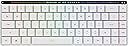
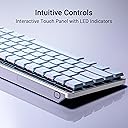
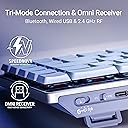
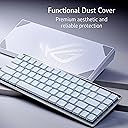
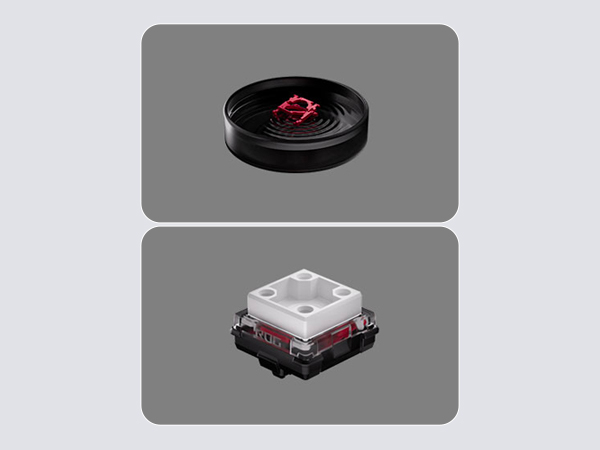
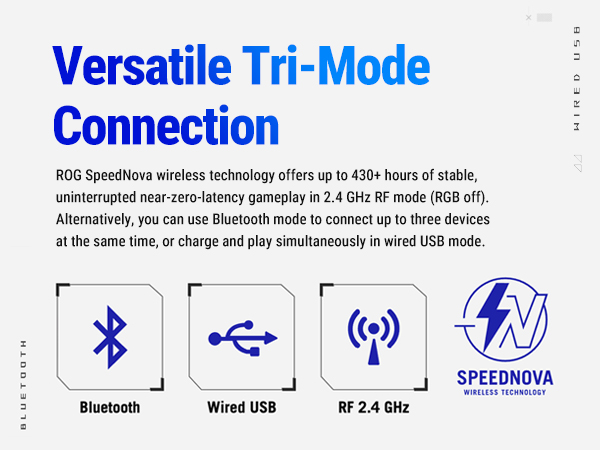
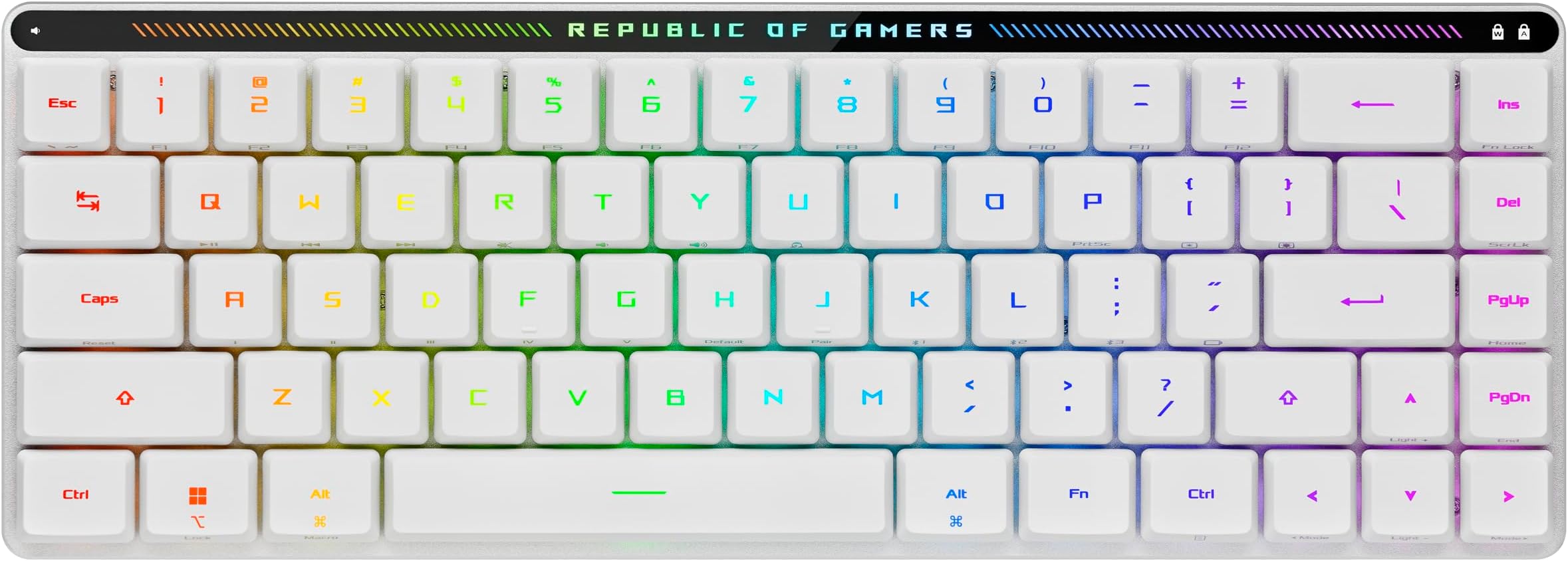
The ASUS ROG Falchion RX Low Profile is a premium 65% wireless gaming keyboard featuring tri-mode connectivity, pre-lubed low-profile optical switches, and customizable RGB lighting. Designed for professionals and gamers alike, it offers a compact footprint with enhanced ergonomics, whisper-quiet typing thanks to integrated silicone dampening, and seamless multi-device support. Its protective cover doubles as a tray mount, making it perfect for both desktop and mobile setups, while full Mac and PC compatibility ensures versatile use across platforms.


| ASIN | B0CS9CHZX3 |
| Additional Features | Backlit, Integrated silicone dampening foam, Protective cover, Tri-mode connection, interactive touch panel |
| Antenna Location | Gaming |
| Best Sellers Rank | #2,512 in Video Games ( See Top 100 in Video Games ) #224 in PC Gaming Keyboards |
| Brand | ASUS |
| Built-In Media | Keyboard cover, M603 FALCHION RX LP/RLRD gaming keyboard, USB Cable, USB Dongle, USB Extender |
| Button Quantity | 68 |
| Color | White |
| Compatible Amazon Tablet Models | Amazon Fire HD 10 11th Generation, Amazon Fire HD 10 13th Generation, Amazon Fire HD 10 Kids 13th Generation, Amazon Fire HD 10 Kids Pro 11th Generation, Amazon Fire HD 10 Kids Pro 13th Generation, Amazon Fire HD 8 11th Generation, Amazon Fire HD 8 12th Generation, Amazon Fire HD 8 Kids Pro 12th Generation, Amazon Fire HD 8 Plus 11th Generation, Amazon Fire HD 8 Plus 12th Generation |
| Compatible Devices | Laptop, PC |
| Compatible Operating System Family | MacOS, Windows |
| Compatible Tablet Computer Models | Amazon Fire HD 10 11th Generation, Amazon Fire HD 10 13th Generation, Amazon Fire HD 10 Kids 13th Generation, Amazon Fire HD 10 Kids Pro 11th Generation, Amazon Fire HD 10 Kids Pro 13th Generation, Amazon Fire HD 8 11th Generation, Amazon Fire HD 8 12th Generation, Amazon Fire HD 8 Kids Pro 12th Generation, Amazon Fire HD 8 Plus 11th Generation, Amazon Fire HD 8 Plus 12th Generation |
| Connectivity Technology | Bluetooth, Wired USB |
| Customer Reviews | 4.6 out of 5 stars 254 Reviews |
| Enclosure Material | Silicone |
| Hand Orientation | Ambidextrous |
| Keyboard Backlighting Color Support | RGB |
| Keyboard Description | Gaming |
| Keyboard Layout | QWERTY |
| Manufacturer | ASUS |
| Mfr Part Number | M603 FALCHION RX LP/RLRD |
| Minimum Required Operating System Version | Windows 10 |
| Model Name | M603 FALCHION RX LP/RLRD |
| Model Number | M603 FALCHION RX LP/RLRD |
| Number of Keys | 68 |
| Number of Sections | 1 |
| Power Source | Battery Powered |
| Recommended Uses For Product | Gaming |
| Special Feature | Backlit, Integrated silicone dampening foam, Protective cover, Tri-mode connection, interactive touch panel Special Feature Backlit, Integrated silicone dampening foam, Protective cover, Tri-mode connection, interactive touch panel See more |
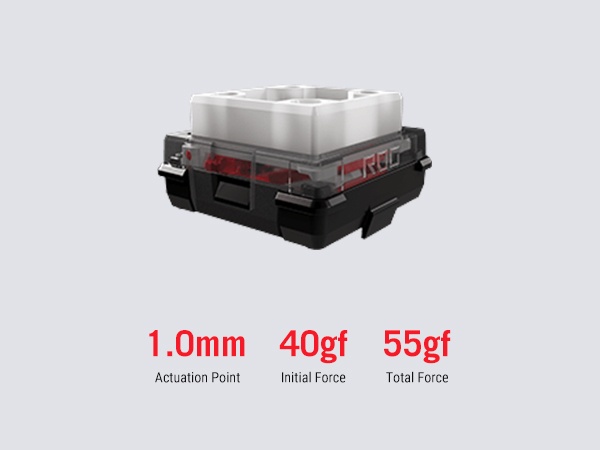
| Style Name | Low Profile Red Switch |
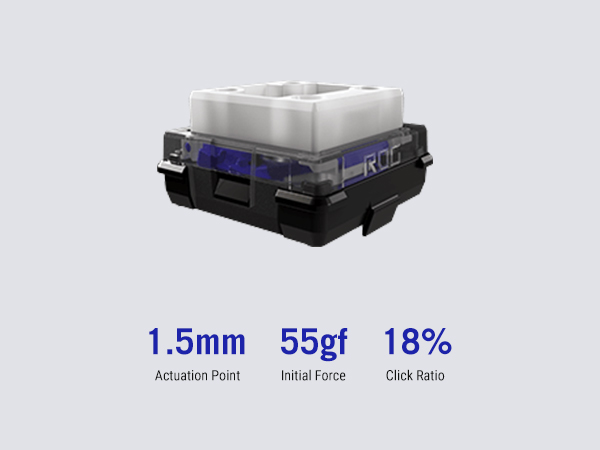
| Switch Type | Tactile |
| Theme | Gaming |
| Total USB 2.0 Ports | 1 |
| UPC | 197105334205 |
| Unit Count | 1.0 Count |
| Warranty Description | 1 year |
| Water Resistance Level | Not Water Resistant |
G**Y
Blue switch version is AMAZING, red version gives me heartache
The Falchion RX Low Profile 65% keyboard is one of the most pleasant of the compact, low-profile, mechanical keyboards I've ever typed upon. I purchased both the blue switch version and red switch version, and I'm seriously glad I tried both. Short version: the blue switch version is now my favorite keyboard ever, and the red switch version makes me type so horribly I had to return it right away. For comparison, I've also tried the Logitech G915 TKL Clicky low-profile mechanical keyboard, and several regular profile mechanical keyboards from Logitech, SteelSeries, Razer, and Arbiter Studio. The build quality is phenomenal. It's as solid as a tank. It's compact. It's beautiful. It has great fit and finish. Its weight is balanced perfectly. The keys don't rattle at all, even when shaking the keyboard. The four-point support for each key stem eliminates any key wobble at all, delivering a super solid typing experience. Pressing the keycaps makes my fingertips smile with each keypress. The sound of typing on them is like tap dancing in the rain. The aesthetics of the RGB lighting, key caps, and Asus branding are gorgeous. The shine-through keycaps are clear and bright, and even the secondary key functions on the front-side of each key are illuminated. The dust cover meets the sanitary goals of my dreams. The functionality of the FN key combinations, even without ASUS software, is productive and capable. In short, I love typing on this keyboard whenever I have the opportunity to do so. It makes me feel like I'm typing on a truly premium product. On the blue switch version, I can type at the same speed and accuracy that I can reach on several other keyboards, albeit with less consistency than some of the other keyboards that are more forgiving because those keyboards have more "slop". The compact size of the Falchion also makes me more prone to accidentally triggering modifier keys (Alt, Control, Shift, etc.). On the blue switches, this doesn't happen often enough to be problematic. On the red switches, it happens ALL the time, and was destructive enough for me to return the keyboard after I accidentally lost some important document changes by unintentionally triggering the "close document" keypress followed by the "confirm prompt" keypress in rapid succession, before I even knew what was going on. For context, I normally type between 110 and 120 wpm with 100% accuracy, which means that I take several 30-second typing tests one after another, and only note my typing speed for tests in which I hit 100% accuracy. I use the monkey type website with random English words as the test. On my Logitech G915 Clicky, I can reach 100% accuracy for approximately five tests out of ten. On my Arteck slim Bluetooth keyboard, I can reach 100% accuracy for approximately seven tests out of ten. On the Asus Falchion red switch version, I can reach 100% accuracy for approximately one test out of fifteen (yes, it's that bad for me.) On the Asus Falchion blue switch version, I can reach 100% accuracy for approximately six tests out of ten, once I re-adjust my typing to the more compact key placement. While the Falchion is a low-profile, slim keyboard, it's worth noting that even without the legs being propped up at all, the height of the key tops is just as high as my Logitech G915 Clicky with its small legs propped up. Considering the Falchion is a low-profile keyboard, I'm surprised it doesn't go lower. As such, I keep the legs folded at all time. On the red switch version, it's much, much easier for me to accidentally hit the Control Alt keys than any other keyboard I've ever used. For example, when typing the word "many", stretching my right index finger to press the "y" key results in me unintentionally pressing the right-side Control key just enough to trigger Control-Y instead of "y". This causes the wrong key to be registered, and wreaks havoc non-stop on whatever computer activity I'm trying to achieve. Fortunately, this behavior doesn't happen for me on the blue version, which requires slightly more pressure before each keypress is registered. Even though I liked many aspects of the Logitech G915 TKL Clicky, the keypress typing experience on that keyboard was very sloppy, and didn't feel nearly as premium as the Falchion RX blue, which is now my daily driver.
G**I
A gorgeous keyboard that offers superb typing experience.
I just bought a second set of this keyboard for my SO so she can finally stop "borrowing" my original all the time. This keyboard is a combination of my previous two favorite keyboards, the premium sleek looks and feels of the Logitech G915 and the superb optical switch characteristics of the Asus ROG Claymore II, all in a space-saving (but not so much weight-saving) chassis. The ability to toggle between three paired Bluetooth devices is much appreciated, but having to switch-toggle between Bluetooth and OMNI Receiver wireless does make me miss the bottom-toggle of the G915 a little (of course, those buttons sure take up a lot of space). The 65% keyboard layout in a 60% keyboard body does not feel like a compact keyboard. The dampening foam layers in this keyboard work perfectly. It is easily the quietest keyboard I have ever type on (red switches on mine). The low profile keys do not wobble like those on the G915. The metal frame also has more than enough heft to stay perfectly stationary even during the most furious typing storm. Personally, I don't find the smaller right shift key to be an issue. The cover tray is very useful for using the keyboard over laptop keyboard decks. The four giant rubble feet on the cover tray sit perfectly over the raised islands around my SO's MacBook keyboard deck (and my ROG Zephyrus G14 for that matter). Sure, the MacBook and the Zephyrus G14 have excellent laptop keyboards, but they aren't in the same league as the ROG Falchion RX Low Profile. I did run into a chicken-and-egg problem with the initial firmware update from Armoury Crate way back. The full version of Armoury Crate can't detect the OMNI Receiver without a firmware update to the keyboard, and it won't initiate a firmware update for the keyboard without detecting both the keyboard and the receiver. This was resolved by installing Armoury Crate Gear (the cut-down barebone version of Armoury Crate for individual products) for the ROG Falchion RX Low Profile, updating the keyboard firmware on the Armoury Crate Gear, then uninstalling the Armoury Crate Gear, leaving the full version of Armoury Crate. Firmware updates after that work just fine. Note that this keyboard supports the new Windows Dynamic Lighting nonsense feature in Windows 11, which comes with its own set of hoops to jump through. In order to enable Aura Sync, you have to turn on dynamic lighting from the Lighting Sync Control tab on the ROG Falchion RX Low Profile tab of Armoury Crate, then go to Settings > Personalization > Dynamic Lighting > ROG Falchion RX Low Profile > Background Light Control and drag "Aura Sync" to the top of the list in order to give Armoury Crate Aura Sync control over the RGB. The corner-supported optical keys make for the best RGB lighting money can buy. Overall, the ROG Falchion RX Low Profile is a space-saving main keyboard first and a portable keyboard second. It's equally at home sitting on your desktop as it is on your lap or on top of your laptop's keyboard deck. I just hope Asus expand the selection of OMNI compatible mice soon (and stick to the white-and-light-gray color scheme to match the keyboard, instead of all the atrocious white-and-light-blue monstrosities of their latest offerings).
C**N
The Most Quality Low-Profile Gaming Keyboard For The Best Price
Coming from someone who owns and has used the Razer Deathstalker V2 Pro TKL, I'm writing this review in comparison of the two keyboards to put into view how good this ASUS keyboard is. This thing is one of the most premium, and if not, one of the nicest gaming keyboards. To put into perspective. I had to order a new PC about half a year ago, and I wanted to upgrade some peripherals to have a black/white setup, and was looking for a specific keyboard. I came across the Razer Deathstalker V2 Pro TKL, which was the only low-profile white keyboard you could find. But a slew of problems came with it. When you want to customize the RGB on it, you have to install the God Awful Snaypse software. From there, you will encounter a slew of problems such as lag and stuttering disconnections while using the keyboard wirelessly. The Snaypse software has a high impact on your PC performance while it's running in the backround. And worse, you literally have to have this shit running in the backround to keep your RGB settings active. I personally had to find out after doing research that you need need another program running on top of that called "Process Lasso" to constrain the Snaypse software to stop the disconnections so you can play without stuttering. Now, with the ASUS ROG Falchion RX Low Profile: This keyboard is by far much better in terms of it's software. (Armoury Crate). By the time I'm writing this, It doesn't seem to be disruptive to your PC performance. There is no sudden weird feelings of lag and disconnections when playing wirelessly. On the one hand, the ASUS ROG Falchion RX looks and feels premium. For a keyboard, it has a real sleek-gamer aesthetic in it's design with the heavy-metallic feel, which is veeery nice. On the other hand, the Razer is put to shame, because it feels like a plastic regular looking office keyboard in it's design. If you're a gamer who has a niche for these low-profile keyboards. Please do yourself and don't support Razer. Buy this one instead. It's cheaper, and looks and feels way better. It's the first GOOD low-profile keyboard a manufacturer has come out with.
S**E
This may be the highest quality keyboard I've ever held in my hands.
I have probably tried about a dozen keyboards from different brands in the $150-200 price range. To be honest, most of them feel like low-quality office junk. This keyboard stands out in every way, from the materials used in its construction to the assembly and battery capacity. I bought it for gaming, but I also wanted the typing experience to be at least average. Bottom Line: My first choice was red switches, which feel absolutely divine in terms of finger feedback and keystroke sound. They are very smooth and pleasant, but after a week, I still couldn't avoid making mistypes in about half the cases when touch typing. In games, everything also felt so sensitive that my fingers sometimes couldn't keep up with the already performed movements. I would compare this keyboard to a Formula 1 racing car—you either need to be highly skilled, with small hands and super muscle memory, or spend a lot of time developing new habits. I couldn't endure it and, after stumbling upon a review here, I ordered blue switches just for comparison. Conclusion: The blue switches turned out to be stiffer and less responsive, but they retained speed in gaming while drastically reducing my mistypes during typing—as if my fingers needed those extra milliseconds where the keystroke is slightly extended by the click action. This is the best typing experience I've ever had in my life! My only concern was the click sound, but ASUS did such a great job that it's manageable. I don't particularly like the click sound, but in this case, it’s barely noticeable; for example, Logitech keyboards sound louder even on linear switches. A 4.7 rating is well-deserved—this is an excellent product for the money. Just be careful when choosing the switch type; better yet, order both, spend a day with each, and pick what works best for you. Shot out to ASUS for the quality!
S**D
Best keyboard I have ever used, full stop.
I've cycled through a number of mechanical switched keyboards over my career, and at least for me I've struggled to find one with switches that "feel" right. Closest I got was another ROG keyboard that I used for several years with brown switches. My biggest issue with most mech keyboards is I've always liked the feel of typing on short-throw, low-profile boards (think Mac keyboards) and most good mech/gaming boards tend to be much higher profile. Not a HUGE deal, but definitely a personal preference downside. This board changes everything. Low profile, super short throw with (mostly) office-friendly "soft thwock" red switches. The build quality and feel of using this board is nothing short of premium, the aluminium case has surprising heft in all the right ways. Battery life is excellent - with no power limitations on the firmware and lighting, I'm pretty consistently getting 2+ days of full off-cable use. If you're someone that enjoys really customizeable RGB, this board does that excellently as well - but could be much if you prefer a bit less flash with your keyboard. It comes with a solid carrying case if you want to port it around with you, and while I'm 99.9% of the time deskbound with this I would have absolutely no issues carrying this around when necessary.
E**H
good looking keyboard
generally a good keyboard. keys are very sensitive though and can frequently cause undesired inputs when you happen to touch the key next to the one you’re pressing… other than that all is good
L**L
Excellent low-profile wireless keyboard
Highly responsive, quality keyboard with smaller size being ideal for use in media room. Took some time to adjust to key spacing which is different from full size keyboard. Would recommend for gaming from sofa.
C**N
I typed this whole review using the RX Falchion Low Profile keyboard (red switches).
TL;DR: I really enjoy using this keyboard and it sure was a pleasant surprise from the beginning. The pros are a higher count than the cons though I comment on both of these topics. First let me explain what I'm using this keyboard with: I have a Dell P3424WE 34 inch wide monitor w/built in KVM switch, a Macbook Air for work, a ROG Gladius III mouse, and a Samsung S21+ for Samsung Dex/personal use. Because of the built in KVM switch in the monitor, I plug the keyboard dongle and mouse dongle into the monitor and use a Thunderbolt 3 cable (came with the monitor) that I unplug/plug in to either the Macbook Air or S21+ depending on what device I want to use. Yes, this is not a 100% typical setup which is all the more reason why I'm impressed with the keyboard. Additionally: I'm actually not using this keyboard for gaming. Yes obviously this is a gaming keyboard so I should review it based off of that aspect, however I can''t use my work laptop for gaming and I use a bluetooth Xbox controller for gaming with the S21+ while using Samsung Dex. Therefore my review is based off of how it looks and other criteria. Pros: -The look of the keyboard is freaking awesome. This white and gray keyboard is perfect for my setup, where other than my monitor and phone case I'm going with a predominantly white/some gray theme. The body of the keyboard is gray (including the underside) but the key caps are white: because I look down at the keyboard from an angle, it gives the illusion that actually the keyboard is predominantly white with minimal gray. To add to this, the cover (more on that later) is white with gray "feet" so when I put the cover on the keyboard's key caps, it blends in sooooo nicely with the rest of my setup. -Heavier than I thought it would be so it doesn't slide. I actually like that heavier weight because I don't want the keyboard to slide around and actually when I put my hands on the sides and try to wiggle it, the keyboard doesn't move. That's also the same when the cover is under the keyboard: the cover+keyboard doesn't move. I placed the keyboard on my desk and not on a large mouse pad so maybe that makes a difference. -The typing feeling on the red keys is awesome. I used to have a Cooler Master Masterkeys Pro S with brown switches and those keys were super comfortable to type on but quite loud (I have my setup near our bedroom entrance so the typing can be heard from the bedroom). The red switches on the Falchion RX Low Profile keyboard are quiet (just the space key is "loud" but not by much) and the key caps are low profile of course; to me they look like about or more than half of the size of the Masterkeys Pro S keyboard's key caps. -Wireless functionality. I use the USB-A Omni receiver plugged in to my monitor and because my monitor has KVM built in, the wireless feature works flawlessly and I don't have to manually switch anything on the keyboard. Yes, that means I can actually use the Macbook Air with the keyboard's PC setting (this is the setting that the Samsung Dex uses) and it works without any issues; I don't have to switch between PC and Mac settings on the keyboard. Sadly I can't use the Gladius III mouse with the keyboard's Omni receiver so I didn't try pairing 2 peripherals with 1 receiver (this is not a bad mark for the keyboard). -The cover gets daily usage. As I mentioned earlier, the cover blends in sooooo nicely. That's because I actually don't travel with the keyboard but use it as a dust cover when I'm not using the keyboard. There's a few cons to this cover that I'll mention later on but because it's a predominantly white/minimal gray cover and I have a predominantly white/minimal gray setup, the cover on the keyboard actually looks incredible when viewing my whole setup. Furthermore, because this keyboard came with the cover that means I don't have to buy a separate dust cover and have something that fits exactly (somewhat weird shape because of the light bar/controls at the top), so that saves me some money and time to find a suitable cover. Cons: -The cover doesn't lock on to the top of the keyboard; it just sits on the key caps. I really wish this cover locked on to the keyboard because that makes the key caps more safe especially when traveling. It's a bummer because when the cover is placed under the keyboard, it actually does lock on using that middle lip to grab on to the top side of the keyboard. -Along with the above about the cover, there's also that the right and left sides of the cover don't fully enclose the key caps. The middle part is covering the middle of the keyboard of course, but on the left and right sides with the cover on I can see that a few of the key caps are exposed. This is by design because when the cover is under the keyboard, it gives room for accessing the button/controls on the left and the USB-A dongle, USB-C port, etc.. -Frequent miss-typings for select keys. For example while typing this review, if I hold shift/press i to make capital I then press the space bar immediately after, I guess the keyboard is registering that I pressed shift/space bar and changes the keyboard language (I use multiple keyboards due to being multi-lingual). I also noticed that I miss-type the r key and f and at least one other key, though not as often as shift and i though so as of right now I can't remember what that other key is. Observations (neither pro or con) -Download the Armoury Crate Gear software (this is what I downloaded and this software is specific to just the keyboard's functionality and it's available for Mac and Windows). DO NOT DOWNLOAD THE REGULAR ARMOURY CRATE SOFTWARE! The real pain is getting to the page to download this software but it's necessary for updating the keyboard's firmware and is a helpful tool for controlling the keyboard. How I located the Armoury Crate Gear software for Windows (I downloaded the software on to a Windows laptop that I don't intend on using with this keyboard) is: I went to rog dot asus dot com, hovered my mouse over Products, selected Keyboards in the drop down menu, selected the Compact graphic (with the black Falchion Ace and the white Falchion Ace keyboards), found and selected the Falchion RX Low Profile keyboard, clicked Support, clicked Driver & Utility, clicked Show All, and downloaded "Armoury Crate Gear - ROG Falchion RX Low Profile". I can't find any instructions anywhere regarding how to download this software but the person introducing the keyboard in the official release video on Asus's YouTube page mentioned this software so I had to figure this out on my own. -This is the smallest type of keyboard that I've owned, so using macros for some functions like even typing esc-fn for ` takes some getting used to. However the helpful thing is that the front of the keys shows the available options when the fn key is pressed so I don't have to remember this. Overall I'm very happy with this keyboard. It fits my lifestyle from a comfort perspective and aesthetic perspective and long form typing or short form typing (assuming you don't frequently miss-type like me) will hopefully be a nice experience for you, too.
A**M
Excelente
Es un teclado maravilloso, el material es de acero inoxidable, lo que es realmente resistente y frío demasiado frío/fresco que ayudará a mantener en buen estado, y sus luces ufffff madre mía que belleza!!! Brilla demasiado en la noche y la duración dicen que entre 15 y 25 horas y yo lo tenía en 50% y llevo 1 semana de usar lo y sin cargar lo, y apenas tiene 15%
J**N
Nice, small keyboard
The switches are quiet, and the omni receiver works well. Unfortunately, you need a windows pc to configure the omni receiver; it doesn't show in the macos version of armoury crate.
K**G
Best minimalistic keyboard
Can be used for Mac computers as the aesthetic is simplistic. The aluminium sides look great. Typing experience is nice and sounds good too with the prelubed switches. But the actuation point is so short that I mistype quite a bit at first so it does take some getting used to. Overall, this keyboard is all you need, especially for one as premium feeling.
M**O
desconexion a cada rato
comenzo a fallar despues de dos meses, se desconecta a cada rato de la computadora.
J**G
Solid Keyboard
Very nice keyboard and key switch. Giving lots of option to control your media, volume and many more. Easy to setup and key switch is very nice to press on it. Smooth keycaps. Definitely a good purchase for this Asus ROG Falchion RX Low Profile.
Trustpilot
2 months ago
2 days ago