Desertcart purchases this item on your behalf and handles shipping, customs, and support to Peru.
๐ Power up your storage game with smart speed and bulletproof data safety!
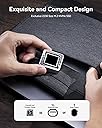
The DOCKCASE Pocket M.2 NVMe SSD Enclosure is a sleek, silver USB 3.2 Gen 2 Type-C device designed exclusively for 2230-sized NVMe PCIe SSDs up to 2TB. It features a unique HD display for real-time SSD health monitoring, supports M-Key and B+M Key drives, and offers advanced 3-second Power Loss Protection to prevent data loss during power failures. With read-only mode and hot swap capability, itโs engineered for professionals who demand speed, security, and smart storage management.


| ASIN | B0CB3JWN45 |
| Best Sellers Rank | #42,874 in Computers ( See Top 100 in Computers ) #186 in External Solid State Drives |
| Brand | DOCKCASE |
| Built-In Media | SSD enclosure*1, USB-C Data Cable *1 |
| Color | Shiny Silver |
| Colour | Shiny Silver |
| Compatible Devices | Desktop, Laptop, Personal Computer |
| Connectivity Technology | USB |
| Customer Reviews | 4.6 out of 5 stars 47 Reviews |
| Data Transfer Rate | 10000 Megabits Per Second |
| Enclosure Material | Aluminum Metal |
| Hard Disk Form Factor | 22 Millimeters |
| Hardware Interface | USB, USB 3.2 Gen 2 |
| Hardware Platform | Universal |
| Hardware interface | USB, USB 3.2 Gen 2 |
| Hardware platform | Universal |
| Item Weight | 0.11 Kilograms |
| Item weight | 0.11 Kilograms |
| Manufacturer | DockCase |
| Material | Aluminum Metal |
| Memory Storage Capacity | 2 TB |
| Mfr Part Number | DSWC1M |
| Model Number | DSWC1M-Silver |
| Number of Items | 1 |
| Supported Devices Quantity | 1 |
| Unit Count | 1.0 Count |
E**E
Outstanding!
I was very impressed by the overall quality, design and functionality of the DOCKCASE Pocket M.2 NVMe SSD enclosure โ itโs physically small for anyone looking to expand their portable storage options. As the pictures, it looks sleek, durable, and packed with smart features that set it apart from many other SSD enclosures. It feels premium and has a modern design encased in a solid aluminum alloy shell that is very impressive. One standout feature is its built-in display, which provides real-time information about the driveโs health, temperature, performance, etc. This is an ingenuous touch, that provides peace of mind about my SSDโs status โ it even offers protection against power failures, ensuring data integrity in case of unexpected interruptions, e.g., unplugging it improperly and power failure. Setting up the SSD was straightforward, using the included screwdriver and the screw inside the enclosure, there was an extra mounting screw provided โ that was a thoughtful addition! As the specs stated, this enclosure supports high-speed data transfer rates, unlocking the full potential of NVMe SSDs. I had one drawbackโฆ I originally tested with a WD_BLACK SN770M 2TB M.2 2230 NVMe SSD, the speeds were excellent without experiencing any glitches, but occasionally it showed [Idle] on transferring large files. With their tech support team member, I later discovered I overlooked a piece of important information. In one of the picture screens that has 4 tabs, DOCKCASE did include 2 tabs listing the compatibility and incompatibility of supported SSDs, including each brand name and model. I then discovered that the WD SN770M 2TB I originally installed, even though it was functioning fine, was among the incompatible SSDs. Not to take any chances, and because I loved their enclosure, I ended up buying the Corsair MP600 Pro Mini which I selected from among the compatible list. Cons: Like most brands of SSD enclosure, I encountered the usual issue with updating the firmware of the SSD not being detected, e.g., using WD Dashboard and Corsair iCUE software. While this isn't directly related to the DOCKCASE product, itโs worth noting. However, I was told there were ways around it. to be able to use these SSD software applications. In summary, this DOCKCASE Pocket enclosure is an exceptional product that blends style, functionality, and innovation. While thereโs always room for improvement in documentation, and the enclosure firmware updatesโฆ perhaps to include additional compatible SSDs. Please note***: Like almost all new SSDs and hard drives, make sure to partition and format (I chose NTFS) the SSD once itโs installed, otherwise, it wonโt be recognized/detected in your PC. Some folks might unnecessarily return the enclosure thinking that the enclosure and or the SSD is a defective products. ***The best and fastest way I did was to use Windows built-in Disk Management.
A**D
Compact, perfect for using with the Steam Deck
I recently purchased the DockCase Explorer Edition M.2 Enclosure, the larger model than this one as it fits 2280 M.2 SSDs and I had several that needed an enclosure as I use them often for work. I've been rather enamored with the enclosure as I've been able to identify several of my older drives as being 'bad' or on the way out before it became a problem and get data off of them. The basics: Pros - 1. Very small, and still just as solid as the larger units. Honestly it feels like it's more sturdy given its small side. 2. Easy to use and install new SSDs, comes with screwdriver and a sturdy 10gbit capable cable. 3. Is attachable to a lanyard or carrying strap, and is lightweight enough that I feel like I could trust doing that. Cons - 1. Slow charging PLP Capacitor, it's not a huge deal but it does charge roughly slower than the 10 second one in my other unit. Doesn't really affect functionality 2. Runs fairly warm, in comparison to the larger unit. Idle temps were 2-3c higher, but not performance effecting when drives are in use. I did mention in that review that the enclosure works great with my MacBook Pro and Steam Deck among other devices, but I found that it was a bit too big to use with my Steam Deck's case. This one fits the same size SSD as in the Steam Deck and is actually running the SSD that I took out of the Steam Deck before I upgraded it to a 1TB, and is the perfect companion for the Steam Deck as it fits right under the strapand if you package it with the USB cable it is fairly snug and doesn't seem to want to fall out! Speeds are as to be expected with the drives, it's definitely dependent on the drive that you use it with. EMMC and lower end drives don't perform very well but the Steam Deck's main drive that comes with the 512 performs very well when connected to my MacBook Pro and is still quite effective when used with the Steam Deck. As far as in-game performance with the Steam Deck, it is roughly equivalent to to the internal drive, and I definitely prefer this to the MicroSD card (it's really no contest for speeds honestly). It does seem to get a bit warmer than the larger unit, but I suppose there is less aluminum for it to be absorbed into and dissipated. The drives run at similar speeds and get to similar temps when interchanged between the two enclosures. The only real difference that I've noticed is that the smaller enclosure seems to charge its power loss prevention capacitor slower than the larger 10 second capacitor in the larger unit. That seems odd to me but is not a downside as if you're going to plug the drive in and use it in any appreciable capacity it will be charged by the time there is an issue, and given I plan on using this to expand my game storage and other things, I'm not too worried about files getting lost.
T**8
Buy with confidence
Update: Seller contacted us and worked with us till a solution was found. They even sent us a new firmware to use. Hence, we strongly suggest this device and this seller. Original: . I was able to upgrade the device to the latest firmware 20230906, That probably the only good thing about this toy, . My laptop has an USB C Thunderbolt 4 and an USB C 3.2 Gen 2. The device was recognized when connected to the first, but NOT to the latter. Speed is NO where near as advertised. 100 - 200 MB/s at best. And it is HOT. I would NOT leave it connected for long, to avoid damaging my laptop, BTW I'm testing the device with 1 TB Gen 4 (made by Fanxiang). Not recommend.
C**S
Great enclosure to bring your old steam deck SSD back in the game.
Sleek design, VERY compact, solid aluminum case, cheap for what it delivers, very easy to assembly - could be even a good project for a tech toddler, and super portable, you can throw this literally anywhere, just see the size compared to my palm. This is the deal you was looking for once you upgraded your steam deck and have that SSD collecting dust in the shelves.
M**N
Sexy piece of kit. Quiet as a mouse. Gets super hot.
I love this little guy to death. It gets SUPER hot (I'm running a wd 2t in it so that might be unavoidable.) I suppose that's the cost of no fan. The Decokees I have are really too loud to take out with me, which is a shame. It's fast and has an awful log of "ooh, neat!" among the 2230 usb cases I've got (about half a dozen. Sharge, Decokee and some no names.) I DO have trouble with some usb hubs and I think it might need a fair amount of power. But it runs wonderfully.
Trustpilot
2 months ago
3 weeks ago