Desertcart purchases this item on your behalf and handles shipping, customs, and support to Peru.
๐ฎ Elevate your game, command your world โ the BlackWidow V4 Pro clicks with power and style!
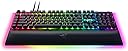
The Razer BlackWidow V4 Pro (Green Switch) is a premium mechanical gaming keyboard featuring ultra-responsive Razer Green switches with a 1.9mm actuation point and 50g actuation force. It boasts customizable per-key Razer Chroma RGB lighting with a striking 3-side underglow, a programmable Command Dial, 8 macro keys, and a magnetic plush leatherette wrist rest with matching RGB lighting for comfort and flair. Built for durability, it uses doubleshot ABS keycaps designed to withstand intense gaming sessions. Ideal for gamers and professionals seeking precision, control, and immersive aesthetics in a UK layout.
| ASIN | B0BSXRPJJC |
| Additional Features | Backlit, Hotkeys and Media Keys, Programmable Keys, SWITCH TYPE: Razer Green Mechanical Switches (Clicky, Wrist Rest |
| Antenna Location | Gaming, Multimedia |
| Best Sellers Rank | #90,750 in Computers ( See Top 100 in Computers ) #2,341 in Computer Keyboards |
| Brand | Razer |
| Built-In Media | Razer BlackWidow V4 Pro, USB Cable, Wrist Rest |
| Button Quantity | 104 |
| Color | Green Clicky Switch |
| Compatible Devices | Laptop, PC |
| Compatible Operating System Family | Windows |
| Compatible Tablet Computer Models | AAUB P30 |
| Compatible devices | Laptop, PC |
| Connectivity Technology | USB-A |
| Connectivity technology | USB-A |
| Customer Reviews | 4.1 out of 5 stars 119 Reviews |
| Enclosure Material | Aluminum |
| Generation | 4. generation |
| Global Trade Identification Number | 08887910072035 |
| Hand Orientation | Ambidextrous |
| Item Dimensions L x W x H | 46.4L x 15.2W x 2.5H centimeters |
| Keyboard Backlighting Color Support | RGB |
| Keyboard Description | Mechanical |
| Keyboard Layout | QWERTY |
| Keyboard description | Mechanical |
| Manufacturer | Razer |
| Mechanical Keyboard Switch Model | razer_green |
| Mfr Part Number | 8887910072035 |
| Model Name | BlackWidow V4 Pro |
| Model Number | RZ03-04680300-R3W1 |
| Number of Items | 1 |
| Number of Keys | 104 |
| Number of Packs | 1 |
| Number of Sections | 1 |
| Power Source | AC adapter |
| Recommended uses for product | Gaming, Multimedia |
| Special features | Backlit, Hotkeys and Media Keys, Programmable Keys, SWITCH TYPE: Razer Green Mechanical Switches (Clicky, Wrist Rest Special features Backlit, Hotkeys and Media Keys, Programmable Keys, SWITCH TYPE: Razer Green Mechanical Switches (Clicky, Wrist Rest See more |
| Style Name | BlackWidow V4 Pro |
| Switch Type | Mechanical Razerยฎ Green Switches (Clicking) |
| Theme | Video Game |
| Unit Count | 1.0 Count |
S**G
Loud proud and super wowed
Do you want a super cool customisable RGB keyboard? Do you want to wake up everyone within a 3 mile radius while you viscously type comments to inferior beings without one of these bad boys? Do you want the comfiest wrist rest known to man? Then look no further because this keyboard has it all. Everyone knows green switches are loud, and they are loud. If you don't have a noise cancelling microphone expect every key stroke to be heard. With the door closed the keys can still be heard from another room, but boy are they satisfying to use. The RGB is awesome, it's extremely customisable using the Razer Synapse app and if you have a Razer mouse you can pair the lighting techniques to show off even more! My favourite part of the RGB is the solid bar that runs all along the bottom of the keyboard, and wrist rest! That's what stands out most as other keyboard don't include the wrist rest in the lighting so this stands out a mile. Via the also customisable knob on the top left you can easily adjust the brightness to suite. The wrist rest is absolute perfection, I've had a few keyboards beforehand with them and none even come close to this. It's not bulky and in the way, it's at the perfect level, it's the right level of comfort and support. The keyboard itself is very customisable, there's 5 extra buttons on the left hand side you can macro to do whatever you want, along with the knob on the top left which can be used for multiple different purposes, keyboard brightness, application switching, track jogging etc. There's also a really handy media area on the top right of the keyboard with a scroller for volume control. Along with the scroller there's a button for play, rewind, skip and mute. These all work seamlessly with Spotify so if you have it open in the background you can control it without having to bring it up. Is it worth the money? Well it seems to be robust, been using it nearly daily for over 2 years without any faults and I like all the extra features but if I'm honest you'll only get your moneys worth if you were to actually utilise all the features, which I do, so for me it's definitely worth the money.
P**L
Insanely cool, and I can type words and stuff now.
Pretty lights, clicky keys, what's not to love? If you have your PC in a room occupied by other people while you game, they'll hate how loud the mechanical operation of the key switches are, but love and relationships can wait when there's random people on the internet you need to kill. Lots of cool extra controls for other PC functions, media etc. They can be a bit risky if you have SEN or neurodiverse kids who will saunter in and start twiddling with dials and rollers while you're just about to get a nuke against some crying n00bz and suddenly window out, or burst your eardrums from a jump to 100% volume next to something explodey. But they still feel cool to have and use.
C**.
5 star
First time buying a second hand keyboard, I was sceptical but saving 50% off the price for an opened but brand new keyboard has opened my eyes to the thought of buying second hand
S**R
Great if it works. Appalling customer service & warranty
So my original review was all positive. It was lovely keyboard, I even liked the clicky sounds, the wrist rest was great and it was used daily. Fast forward just over 13mths and it's started failing. The green clicky central column of the "green switch" collapsed under the F8 key. It's not even a key I use regularly, used very rarely if I'm honest. But, one evening, I noticed it seemed loose. Closer examination revealed the key cap was just "resting" on the switch base and I could lift it off with no need for a key tool. A teensy bit of green plastic fell away and under closer examination, I found that the central column of the green switch was no more. The outer section is fine. (see photo) So, I checked the warranty - covered for 2 years. Contacted Razer support (which took a bit of figuring out but eventually sussed it). Multiple emails over 3 days. Today's response is confusing. ".... Razer does not provide repairs for peripheral devices. We can arrange for Razer Laptops and Phones to be repaired but for other Razer products, we are unable to provide a cost-effective repair solution at this time". Wow! Guess Razer hasn't caught up with the idea of making electronic goods repairable. Particularly when this is a tiny element of a rather expensive keyboard that has broken. The Razer rep then continues to state that they ".... forwarded the case to our warranty team but failed to proceed with warranty claims as after careful inspection and investigation they deemed the damage as customer induced". Goodness me, so using a keyboard, in a normal manner for typing, is damaging to their keyboard? In summary, if the keyboard works, it's not bad. However, if you get a problem, the Warranty is worthless. Razer customer support is horrific and full of twee pacifying statements. (... it has always been a needle in our hearts ...) UGH! If you intend to use a keyboard - don't buy a Razer product. Use is not covered by warranty. Now I need a keyboard that WORKS and ideally has good customer support if the need should arise. I certainly will not ever by any Razer product in the future. What a waste of money it was.
A**E
Good hardware, poor software
5 stars for the hardware, 1 for the software. The keyboard is good. Solid, pleasant to use. The software is next to useless. Arcane and little visual feedback. Doesn't automatically change profiles when you run the application assigned to them. Lighting is not even attached to profiles. So you have to manually select keyboard and lighting. Loses settings. Three times I set up the macro keys, 3 times the macros were lost on the next start. YMMV. Wishing I'd bought a Corsair keyboard - at least it's software does what you'd expect at this price point.
Trustpilot
2 weeks ago
4 days ago