We remain fully operational. Our teams are working around the clock to ensure your deliveries continue safely.

DOWNLOAD THE APP


Customer Services
Copyright © 2025 Desertcart Holdings Limited
DOWNLOAD THE APP
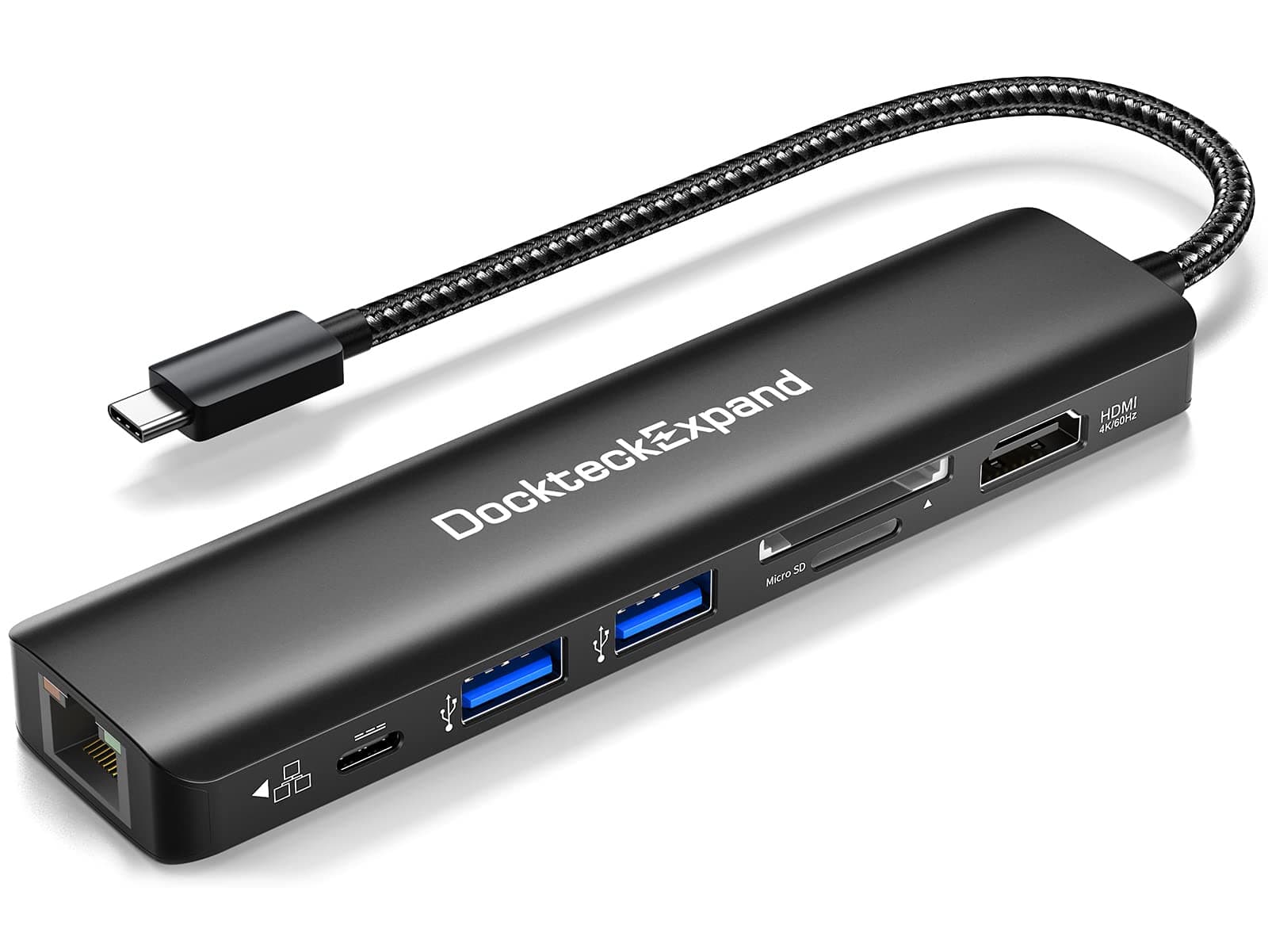
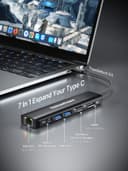

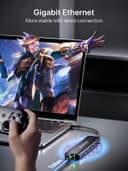
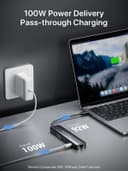
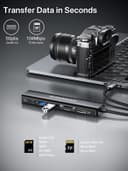
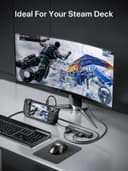
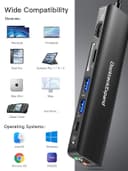
🚀 Elevate your workspace with the ultimate 7-in-1 USB-C hub — because multitasking deserves no compromises!
The DockteckExpand 7-in-1 USB-C Dongle is a versatile multiport adapter designed for professionals on the go. Featuring a 100W power delivery port, 4K 60Hz HDMI output, 1Gbps Ethernet, dual USB 3.0 ports, and SD/TF card readers, it seamlessly expands connectivity for MacBooks, iPads, and other USB-C devices. With plug-and-play compatibility across major operating systems and a compact, durable design, it’s engineered to boost productivity and keep you connected in style.


| ASIN | B0BNPBFGK3 |
| Additional Features | Pass Through Charge, Plug and Play |
| Best Sellers Rank | #68 in USB Hubs |
| Brand | DockteckExpand |
| Color | 7 IN 1 Black |
| Compatible Devices | Keyboards, Mouse,Projectors, Monitors, Card Readers, Televisions,Printers,Laptops,Tablets |
| Customer Reviews | 4.5 4.5 out of 5 stars (175) |
| Data Transfer Rate | 5 Gigabits Per Second |
| Enclosure Material | Polycarbonate |
| Hardware Interface | Ethernet, HDMI, MicroSD, USB 3.0, USB Type C |
| Item Dimensions L x W x H | 5.35"L x 1.34"W x 0.55"H |
| Item Type Name | usb c hub usb c adapter with 4k 60Hz hdmi sd tf card readers power delivery 100w pd pass through c to hdmi usb 3.0 data transfer 1Gbps RJ45 |
| Item Weight | 75.5 Grams |
| Manufacturer | DockteckExpand |
| Mfr Part Number | DE0006 |
| Model Number | DE0006 |
| Number of Ports | 7 |
| Operating System | Windows 10, 8, 7, Vista, XP, Mac OS X 10.6 or later, Linux 2.6.14 |
| Total Usb Ports | 2 |
| Warranty Description | 2 year warranty |
H**.
Ultimately supports most mobile devices.
While the features advertised by the seller offer general information and details to make an educated purchase; I failed to notice it does not support android devices. It does work with android phones which usb-c port supports video output. I'd recommend checking that up first. Other than that, it provides a seamless and reliable connection. It can help improve internet connectivity thanks to the Ethernet port.
C**U
Highly Effective
The build quality is top notch, easy to use and high speed. Suitable for my USB-C port and does not consume power.
S**Y
Options
Great options for a Laptop
R**K
Another convenient multiport that takes very little power
I warmed up this multiport adapter to try out some USB drives on my XPS 15 laptop. It worked well, with the Ethernet coming out the end and the driver automatically being detected, and I had two USB drives on it including an old low-grade 4GB keychain drive and a 1TB USB-to-NVMe adapter. It drew about 3-4 watts of power with Gigabit Ethernet and two drives (going from 61W of power to 65W including the PD charging of the laptop). I did not test the video yet, as both of my PD laptops have HDMI ports so it's usually not a requirement. But the USB ports and Ethernet worked without an issue, and the SD/TF slots are useful more often than I'd like to admit. And the carrying pouch is nice, although I have way too many pouches and rarely use them.
J**S
Useful
Useful
V**A
Great buy
I loved it
D**4
Dead in 6 months
Worked fine, up until it died 6 months later
I**E
Works
Works well
S**R
I received this product for free against a fair review. Please note that my reviews are always based on my actual experience and are not meant to please manufacturers. I absolutely do not mind leaving a critical comment or having to send back items. - Why I picked this item – I needed a USB-C hub for my work laptop. Having few USB ports, adding the ability to add a few of them was great. In addition, I wanted to have an ethernet port for I want/need to use a cabled internet connection. The HDMI port was a welcome bonus. - Overall review – This is a pretty slick product. I’ve tried several USB hubs and they usually feel very plasticky. This one is a bit different: it has a very slick finish to it and feels solid. The hub comes with a pouch for transport, which is a nice addition. - Performance review – I tested the speed of the ethernet port, and it is consistent with what my desktop gets from my router. Connection was stable and I did not encounter any driver error. I just plugged it in and Windows immediately identified the wired connection. I also tested the SD card reader and had stable speeds in read/write. No issue either in this case with having Window recognize the SD card. USB speeds were adequate, not much to say on this. I am not sure how it would behave with several USB devices being powered through the hub, but this is not a problem I am likely to encounter. Whereas HDMI, it was a hit and miss, but not due to the product. My personal laptop does not support HDMI through USB-C (I have a dedicated HDMI port). This means that I could not use the HDMI port on the hub with this computer. That being said, the HDMI port worked well with my work laptop. It really depends on whether your laptop supports HDMI through USB-C or not. One thing that is a great advantage to me is that this hub does not need to be plugged in to work. You can use it as is, as a simple plug and play device. This was especially useful when I tried to access a server via the ethernet port during a power outage (server’s on a battery). I tried charging both my laptop and my phone through the hub, and it works okay. As long as your device supports charging through USB-C, it should work. - Would I buy it ? – Short answer: very likely. It is a bit pricy, but the build quality is definitely a notch up compared to others. I might have bought a version with more USB-C ports on it, so I can plug more devices on it, but it really isn’t a big deal. It actually fits my needs as is.
S**L
Defective HDMI—stopped working within 3weeks of receiving product.
J**F
I bought this USB-C hub to allow me to quickly connect my laptop to a monitor, keyboard, and mouse. With 1 HDMI port, 2 USB-A ports (USB 3.0), 1 USB-C port (100W PD), an SD card slot, a MicroSD card slot, and a 1 Gbps Ethernet port, this packs a lot into a small form factor. While I didn't have a 4K monitor to test, I tested both mirroring and extending my desktop onto a 1080p monitor, and both worked fine. Windows 11 reported the refresh rate at 60 Hz, as indicated in the product description. I tested the wired Ethernet and it negotiated successfully at 1 Gbps, as shown in my photos. Overall, this will be fine for travel, but it certainly doesn't replace a more expensive docking station given the short length of the USB-C cable and the fact that it only has two USB-A ports. However, putting things into perspective, an "official" docking station made by my laptop's manufacturer is over $500. Although I still find this device a bit pricey for what you get, it suddenly doesn't seem so expensive when you think of it that way. What's in the Box □ USB-C hub □ Carrying case □ User manual Things I Like ✓ Plug-and-play. As soon as I plugged it in, I was able to use my connected USB peripherals, and the monitor and Ethernet connected just fine. ✓ Compact, meaning it will be handy to keep in my laptop bag for travelling ✓ I may not be in the majority, but as an IT professional, I prefer the speed and stability of wired Ethernet connections, so I appreciate that this device has an Ethernet port ✓ The box lists RoHS and FCC markings (but no FCC ID), while the product itself bears the CE and FCC markings (but no RoHS marking). It's hard to know if these are genuine, but I like to see them Areas for Improvement ✗The USB-C cable connecting the device to your laptop is really short. It would be nice to have a longer cable (or a detachable cable, so that I can use whatever length of USB-C cable I like) ✗I'd personally prefer more USB-A ports in lieu of the SD / MicroSD card slots. Two USB-A ports won't go far, particularly if you've got a wired keyboard and mouse ✗ The product photos on this listing show a braided cable. The product I received does not have a braided cable, which would be nice to have for extra protection against breakage ✗The carrying case is pointless and just adds waste
S**B
This is a fairly decent multifunctional USB-C dock that gets the job done along with a GigE port and 2x USB 3.0 ports. It's advertised as being capable of 100W; however, in reality it can only supply a theoretical max of 92W to the laptop similar (but a bit more than) most others do because certain amount of power is reserved for the functionalities of the dock itself. Indeed, the tests have shown that it's capable of at least 92W which is great (most others wouldn't be able to reach above 90W during tests). In addition, it also supports 4:4:4 R'G'B'/4:4:4 Y'CbCr/4:2:2 Y'CbCr, 12bit depth, HDCP 1.4/2.2, and HDR. ≡ Specs * 1x 100W PD (Input, 20V/5A) * 1x 92W PD (Output, built-in cable); max 92W during tests * 1x HDMI (4K@60Hz, requires DP 1.4 Alt mode, max 16.2 Gbps) * 1x GigE * 2x USB 3.0 @ 5 Gbps (5V/1.5A each, 2.1A total) * 1x SD/TF reader ≡ What I like ✔ Has Ethernet GigE port which some others don't have (amongst 5-8 ports) ✔ Fast data transfer via USB 3.0 port when connecting to an external USB 3.0 dock ✔ Nice and clean physical build and appears to be well made ✔ Compact and portable - can be carried around with ease ✔ Plug'n'Play - I was able to use it right away without issues ≡ What I don't like ✘ Incapable of support at least dual 4K display or higher refresh rate with a single 4K display ✘ A tad be pricey compares to some others with similar [or even better] spec (though, most of those can't provide 92W) ✘ Relatively short cable ✘ Runs a bit warmer than expected when in high load/charging (most of 'em do as well) ≡ Value It's a fairly decent multifunctional USB-C dock that works well without any issues and it's fairly compact and portable. However, it support only ONE display and it's a bit pricey at $52 in comparison with others with dual monitor support (more cost efficient but they DO cost more). You can save a few bucks if you care to shop around or spend a bit more for dual or even triple monitor support plus a few other ports.
N**.
I've been using this device for over a month and a half and I am very pleased with my order. My old Macbook had a built in CD Rom and way more ports, including for SD cards. My newer Macbook only has 2 USB-C ports that are incompatible with all my peripheral devices. I mainly use it for my various external storage devices, often times needing to access multiple drives at once. I was also pleased (and surprised, given its age) that it works with my (very) old Wacom tablet. I tested it with a wired keyboard and mouse and it worked just fine. Unfortunately it did not work with my external CD Rom. The message on the Macbook said that in order to run it needed a power supply. I normally use the CD Rom drive plugged directly into a Mac Mini. It would seem that devices that need a power supply may not operate using this device. That's too bad but not a deal breaker for me personally as I mainly wanted to be able to access my USB-3.0 drives/multiple drives at once. I need something dependable that will last so I didn't want to go too "cheap" but I also don't think one should have to "break the bank" and overspend. It seemed to be well made with quality materials and came with an attractive travel pouch. Overall I am very pleased with my order and would recommend.
Trustpilot
5 days ago
1 month ago