We remain fully operational. Our teams are working around the clock to ensure your deliveries continue safely.

DOWNLOAD THE APP


Customer Services
Copyright © 2025 Desertcart Holdings Limited
DOWNLOAD THE APP
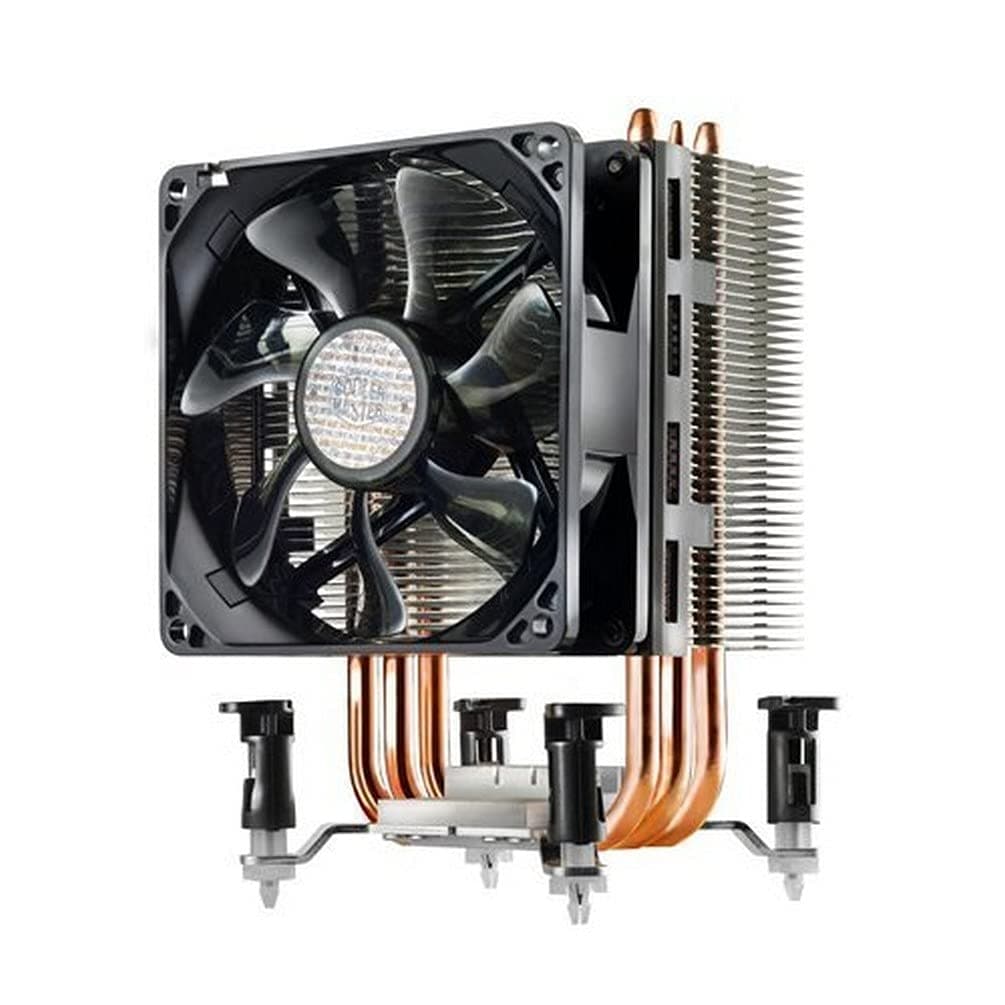
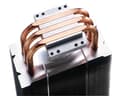
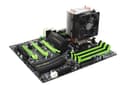
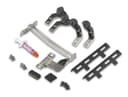
🌟 Keep Your Cool, Stay Ahead!
The Cooler Master Hyper TX3 EVO is a compact CPU cooling solution designed for efficient thermal management in tight spaces. Featuring three direct contact heat pipes and a 92mm PWM fan, it operates quietly while providing robust airflow. Compatible with a wide range of Intel and AMD sockets, this cooler is perfect for gamers and professionals seeking reliability and performance.






| ASIN | B005HIRDUA |
| Air Flow Capacity | 43.1 Cubic Feet Per Minute |
| Best Sellers Rank | 92,825 in Computers & Accessories ( See Top 100 in Computers & Accessories ) 1,305 in Fans & Cooling |
| Brand | Cooler Master |
| Compatible Devices | CPU Sockets: LGA1366, LGA1200, LGA1156, LGA1155, LGA1151, LGA1150, LGA775, AM4, AM3+, AM3, AM2+, AM2, FM2+, FM2, FM1 |
| Cooling Method | Air |
| Customer Reviews | 4.4 4.4 out of 5 stars (5,573) |
| Global Trade Identification Number | 00884102005053, 00884102013652, 00884102027505, 04719512033487 |
| Included Components | Fan |
| Item Dimensions L x W x H | 8.9L x 7.9W x 13.5H centimetres |
| Item Type Name | Cooler Master Hyper TX3 EVO CPU Cooling System - Compact and Efficient, 3 Direct Contact Heat Pipes, 92mm PWM Fan |
| Item Weight | 10.58 Ounces |
| Manufacturer | Cooler Master Europe B.V. |
| Material | Aluminium, Copper, Rubber |
| Max Rotational Speed | 2200 RPM |
| Noise Level | 17 Decibels |
| Power Connector Type | 3-Pin |
| Product Warranty | 2 Years |
| UPC | 884102027505 512538502258 102930701443 045556034734 191120102146 803982773388 115970715387 884102013652 884102005053 168141448126 112040012612 |
| Unit Count | 1.0 count |
| Voltage | 12 Volts |
| Wattage | 2.88 watts |
A**9
Excellent VFM - fan can be adjusted.
Ok so I gave this a 5 star rating and this mainly comes down to what you get for your money - I bought this to replace the standard Intel CPU cooler on my Skylake i5 which was horrendously loud. Given that my CPU was a non-overclockable one I plumped for a budget solution which is really all you will need. I just dont get the fascination with huge coolers and water cooling on non-overclocked chips. Anyway the cooler is nice and quiet and the fan that you see on the picture can be taken off and in my case I moved it up slightly so that it now fits nicely above my RAM slots - CPU temps are well within good levels although pretty much any cooler can keep non K chips cool so nothing groundbreaking there. The clips are slightly fiddly to get in compared to the nice and easy slotting Intel but with a bit of care and application you can get those satisfying clicks on all 4 corners as the hooks engage on the other side of the mobo. Would have lost half a star for this but due to the cheap price this is acceptable. You also get a bracket for another fan and a small tube of Cooler Master's own brand thermal paste which should be good for a few applications. Remember thermal paste lasts a long time (years and years) and as long as you don't contaminate it you should be fine with resetting the cooler as and when you need to (i.e. to change ram modules in my case). It's not complicated and again too many people make it more complicated than it needs to be - but hey that's the PC crowd for you. I bought this for under a tenner from Amazon warehouse, unused although box was a bit tatty. If you can find it for a tenner than I recommend this. Otherwise any decent cooler will do. Try the Arctic which is about £7. Remember CPUs are built to last and built to go up to around 95 degrees so unless you're overclocking you'll never reach those temps so ANY cooler will keep your cpu at a good temp. BUT the sound/quietness is a different matter and this is where you need to do some research.
L**S
Simply Brillllliant~!
Okay bad pun titles aside; and first TL;DR: This is a great CPU cooler, fits both AMD and Intel CPU sockets, can have two fans and comes with a thermal paste tube. My temperatures are not important due to several variable factors. ######### Delivery: Arrived promptly, annoyingly a box inside another (amazon) box with paper. But, to Amazon's credit it's for transferring purposes. All the bits and bobs were securely in bags (the clips and accompanied screws were also packaged into a cleverly designed box which secures the main box while hiding the other bits) or foam; so it's safe while in transit. ########################### Aesthetics & Functionality: First and foremost; this cooler is efficient. The stock CPU cooler (AM3) would only go to 30 deg(Celsius) if the bedroom window was wide open and ran at a noisy 100% along with all other case fans. The CMH TX3 cooler keeps my processor running cool at 25-35 idle, and up to 45 (50- when the central heating was on) when running under load- and the best part is the fan isn't noisy. Aesthetically; personally; it just looks like a cooler. I don't have a window on my case; which also sits UNDER my desk in a corner, so I'm after functionality over visual bragging rights. (please see note 1 below) ############# Installation: [EDITED: 11th JUN 13]AMD: After cleaning out my case a few days ago, I noticed there was some grooves between the heat-pipes for the AMD V bar to go into; thus; thankfully of great design, anyone with an AMD board can have this fan blowing in four directions. On the top part of the plate under the aluminum fins, there's a stretched + shape. The AMD V Bar will either go between the middle copper pipe and into the long indent (which for some reason helps it stop sliding up & down when installing it), or alternatively through the "front". The lever simply slides onto the end of the V Bar and a sticky rubber pad stops it falling off. Installing the heatsink onto the motherboard is a standard procedure for typical AMD CPU coolers- one side of the VBar clip goes onto the heatsink bracket clip, and the other fiddly side clips on the other; then pull the lever over and done~! INTEL: Supplied are 4 x pin connectors (twist to unlock, push to lock). You'll screw these onto the cooler with screws provided, and then quite simply "snap" the pins onto the motherboard. Due to the squared nature of the heat sink; you'll be able to rotate the heat sink in any four directions. SECOND FAN: You'll need a second !! 92 mm !! fan (and a spare fan header/Adapter/Molex connector) Screw the fan onto the plastic brackets, use the protective sticky pads over the screws, and snap it onto the heatsink. Done~ DIRECTION PROBLEMS: Depending on your motherboard having the heatsink aiming at the rear exhaust may make one of the fans cover a RAM slot. If you get a low profile (20mm should do) fan; you should be clear of problems! ###### NOTES: 1. DO NOT take temperatures from reviews 100% seriously (instead, take with a grain of salt) and expect the same results. There are several variables in terms of computer parts which will effect temperature; such as ambient temp, CPU clock speed, CPU load, other heat-generating components, lack of air-flow, and so forth. 2. The Cooler does NOT come with pre-applied thermal paste, but a thermal "paste" (more liquid-y) tube. 3. Before installing, Check which direction the fan is blowing! I've personally installed it so it blows air UP (↑) 4. This will NOT fit in SMALL (Midi, Micro-ATX) cases! If you have an ATX tower you've only got a small percentage of it not fitting. 5. Fan I purchased; http://www.amazon.co.uk/gp/product/B002QVLBPO/ After wiggling the heatsink on properly, I managed to make it not cover the RAM slot. ############### RECOMMENDATION: Buy It~! For £17 it really is a steal.
H**N
Habe diesen CPU Lüfter heute auf einen I5 2500K mit 1155 Sockel gebaut. Der boxed Lüfter wurde sehr laut und brachte nich mehr die erwünschte kühlung. Sehr positiv das alles dabei ist was man benötigt auch eine Wärmeleitpaste ebenso ist es möglich einen weiteren Lüfter zu installieren um die Abwärme besser aus dem Gehäuse zu führen. Der Kühler ist recht groß deswegen sollte man die Höhe im Auge behalten auch wenn man Ram Regel mit Pipes hat könnte es je nach Mainboard eng werden. Bei meinen Board und Ram war das alles problemlos. Der Kühler läuft sehr leise im Vergleich zum Intel Kühler und ist PWM gesteuert. Durch die Platzierung wird warme Abluft vom CPU Kühler an den Gehäuse Lüfter weitergegeben der diese dann aus dem Gehäuse zieht. Gute Konstruktion wirkt hochwertig (knapp 500 Gramm schwer) und gut verarbeitet. Auch im Gehäuse sieht das ganze sehr nett aus. Ich bin froh das der Zweitrechner nun leise ist. Klare Kaufempfehlung gutes Preis leistungsverhältnis
F**O
Dopo un anno di sopportazione del processore boxato intel sono finalmente passato ad un processore after market, non perché ne avessi realmente bisogno, ma si avvicinava l'annuale cambio della pasta termica ed ho quindi deciso di optare in una nuova soluzione. Nella confezione possiamo trovare il dissipatore con piedini e ventola già montati e pronti all'installazione,a meno che il vostro socket non vi obblighi a spostare i piedini stessi. Troviamo inoltre un foglietto della garanzia, kit di montaggio per ventola ausiliare (non inclusa), pasta termica e istruzioni di montaggio. Pasta termica a chicco di riso e si passa all'installazione del dissipatore: i piedini sono simili a quelli del dissipatore stock di intel e bisogna combatterci un po' ma niente di impossibile. Le temperature rispetto al dissipatore stock sono migliorate di 5-10°C, nulla di esagerato ma bisogna considerare che è estate e che alla fine il mio processore (i5 6600) non è che scaldi chissà quanto. In compenso ci ho riguadagnato moltissime volte in fatto di rumorosità, estetica e flusso d'aria. Che dire: consigliatissimo!!! Bello esteticamente, silenzioso ed efficiente ottima soluzione low budget se volete sostituire il dissipatore boxato. Il salto di qualità è garantito. Amazon eccezionale nelle spedizioni come sempre!
Q**N
En remplacement du ventilateur stock d'AMD, on y gagne en silence tout ça pour quelques euros. Bundle complet : notices explicative (dont je n'ai pas eu besoin l'installation est vraiment simple), la pâte thermique est fourni, la visserie est complète et surtout convient à plusieurs sockets idéal si vous prévoyez un upgrade de votre configuration. Comparé à son grand frère, le Hyper 212, la backplate n'est pas à démonté et pas besoin de visser sur socket AMD grâce au système de fixation AMD. Passe très bien sur une carte mère mATX (une GIGABYTE), ne dépasse pas sur les slots mémoires (pensez à vérifier, ceci semble dépendre des cartes mères). La fonction PWM (régulation automatique du ventilateur en fonction de la température du processeur) fait bien son travail, en utilisation bureautique/Internet on ne l'entend pas et à peine audible en utilisation jeu. Bien sur, je ne vous fait pas le topo sur les températures, votre processeur y gagne en fraîcheur et vous en silence !
D**5
- Update nach einem Jahr im Einsatz und Wechsel auf einen AMD-Prozessor s. unten - Ich habe für meinen in die Jahre gekommenen Sockel 775-CPU einen neuen Lüfter gesucht, da der alte Stock-Lüfter nur noch 50° im Idle und bis zu 70° unter Last geschaft hat. Der TX3 Evo ist relativ kompakt und passt in mein vergleichsweise kleines Gehäuse (Zalman T5). Die Montage mit den Push-Pins ist gewöhnungsbedürftig, wenn man bisher nur geschraubt hat, aber im Grunde simpel. Lange Rede, kurzer Sinn: der Lüfter ist leise und der Kühler bringt die CPU auf 35-40° im Idle und ca. 50° unter Last. Der Kauf hat sich gelohnt. Update: Nach knapp einem Jahr habe ich mein Intel-System (Q9450) aufgelöst und nutze seitdem ein System auf Basis eines AMD Phenom II X4 940. Den TX3 Evo wollte ich ursprünglich als Zwischenlösung verwenden, habe ihn aber nun dauerhaft im Einsatz. Trotz der erheblichen höheren abzuführenden Wärme (125W Phenom vs. 95W Q9450) tut der TX3 seinen Dienst. Was noch besser ist: Aufgrund der cleveren Konstruktion kann ich ihn auch auf dem AM2+-Board in alle vier 90°-Richtungen orientieren, was man aus dieser Generation eigentlich nur von Intel-Lüftern kennt. Insofern: Weiter in Betrieb, Empfehlung gilt weiterhin.
P**K
Bra kylare
Trustpilot
4 days ago
2 months ago