Buy anything from 5,000+ international stores. One checkout price. No surprise fees. Join 2M+ shoppers on Desertcart.
Desertcart purchases this item on your behalf and handles shipping, customs, and support to Peru.
โจ๏ธ Elevate your Surface gameโtype smarter, work faster, and stand out effortlessly.
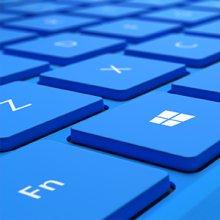
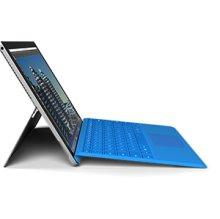
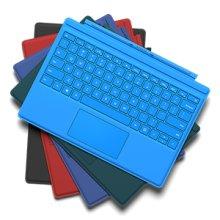
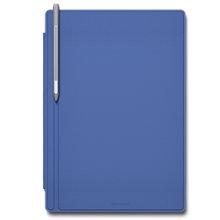
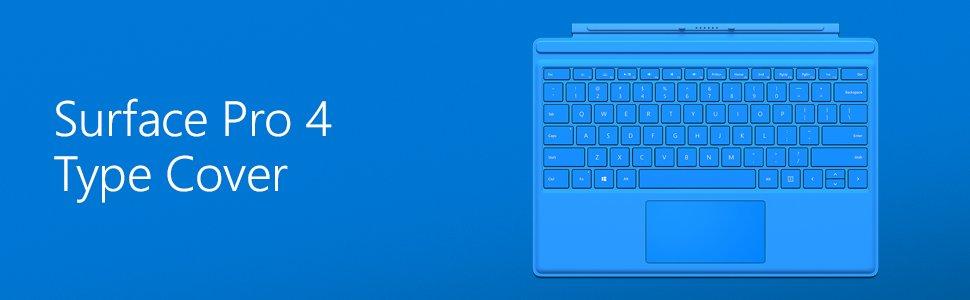
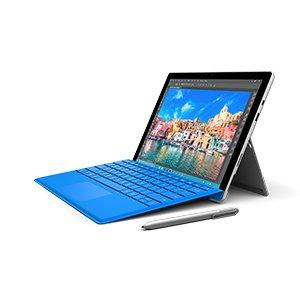
The Microsoft Surface Pro 4 Type Keyboard is a sleek, lightweight mechanical keyboard designed for Surface Pro tablets. Featuring improved magnetic stability for lap use, an enlarged glass trackpad for precise navigation, and smart key deactivation when flipped back, it transforms your tablet into a powerful laptop alternative. Available in multiple colors, it combines style with professional-grade functionality.


| ASIN | B018ERASJS |
| Antenna Location | Office |
| Best Sellers Rank | 27,147 in Computers & Accessories ( See Top 100 in Computers & Accessories ) 528 in Tablet Keyboards |
| Box Contents | Keyboard (Type Cover), Trackpad, Windows Hello Fingerprint ID |
| Brand | Microsoft |
| Brand Name | Microsoft |
| Button Quantity | 78 |
| Colour | Black |
| Compatible Devices | Tablet |
| Compatible devices | Tablet |
| Connectivity Technology | USB |
| Connectivity technology | USB |
| Country of Origin | China |
| Customer Reviews | 4.3 out of 5 stars 427 Reviews |
| Enclosure Material | Plastic |
| Generation | 4th Generation |
| Global Trade Identification Number | 00889842010176 |
| Hand Orientation | Ambidextrous |
| Keyboard Description | Mechanical |
| Keyboard Layout | QWERTY |
| Keyboard description | Mechanical |
| Language | English |
| Manufacturer | Microsoft |
| Model Name | Surface Pro 4 Type |
| Model Number | QC7-00010 |
| Number of Keys | 79 |
| Number of Sections | 1 |
| Power Source | Battery Powered |
| Processor Count | 1 |
| Product Features | Plug^Keyboard |
| Recommended uses for product | Office |
| Special feature | Plug^Keyboard |
| Style Name | Modern |
| Switch Type | Tactile |
| UPC | 889842010176 |
| Unit Count | 1.0 count |
A**R
Essential for every surface owner
I bought this very shortly after getiing my surface and I have to say it is absolutely essential for me. It really does transform your surface from a tablet into a fully fledged laptop, whilst only adding the same bulk as a traditional folding screen protector. The keyboard attaches via a magnetic strip down one side of the surface, as well a thin strip that runs down the side of the screen. The second attachment strip provides extra stability as well as giving the keyboard a slight tilt making it a little more comfortable to use. It also means the keyboard only touches whatever you have it sitting on along the edges, helping to stop it getting to dirty. I was a little worried it may interfere or be problematic having a glass screen protector on however it has not been an issue at all, the keyboard still attaches properly and even snapping it on quite forcefully it has not damaged the screen protector. The keys have a very nice feel, good resistance and nice spring back, pretty close to using a real keyboard. They are also nice and quiet which is great if you are trying to use your surface in bed without disturbing your partner. All the keys are backlit, and have a good level of adjustment of the intensity. The touchpad is nice although nothing extraordinary, it is reasonably sensitive and the two buttons (left and right click) work well and operate with a satisfying click. As for the look of the keyboard, I love it. The red is a really nice shade and the material that covers it is so much nicer than the standard plastic or leather. When I first took it out of the box and examined it I was slightly concerned about how quickly I would get the material filthy and ruin the look of my new super expensive surface. However, I have been pleasantly surprised, most of the dirt and muck that I have managed to get on it has simply brushed off, and, after giving the slightly more stubborn marks a gentle rub with a damp sponge they have disappeared as well. I have to say I have not had anything particularly greasy get on it so I can't say how that would clean off. The only downside to the material cover is that my cat has decided she likes to sleep on it and it does mean I sometimes have a fury computer. Lastly one nice touch is if you fold the keyboard all the way round to the back of the surface and use it as a tablet rather than laptop, the keys/touchpad become inactive meaning you can hold it without having to worry about pressing anything. Also saves you from having to take it off and therefore forgetting it somewhere. Overall I really love this keyboard and would say it is most definitely worth getting one.
D**D
Excellent keyboard, good trackpad. Huge improvement on SP3 keyboard.
I had the Surface Pro 3 keyboard previously but have recently bought the SP4 with their newest keyboard offering. The keyboard is quite similar in feel to the keys on a Macbook Air which in my mind is high praise for something this thin. Definitely a huge improvement on the SP3 keyboard! Each key is spaced out from those around it now also. I find this makes touch typing easier. The backlighting has multiple levels. Microsoft have changed what shortcut buttons are included on this keyboard, and in my opinion they have got the changes exactly right. I found there were a number of unecessary keys on the SP3 keyboard and some obvious ommisions. Volume up and down keys, along with the PrtScn button are welcome additions, along with a right click menu button. The trackpad has been widened and is now made of glass instead of the flimsy plastic found in the SP3 keyboard. The whole trackpad depresses under your finger instead of a small portion flexing - this is a much more solid feel and offers better feedback. It's still quite small (smaller than a macbook air trackpad for example) and I prefer to use a USB mouse for any serious use, but with a touchscreen you will rarely need to use it. When you do, it isn't too cumbersome to use. Finally at the time of purchase the red keyboard was ยฃ77 while all other colours were over ยฃ90. I'm really happy about that as it forced me to buy the red keyboard which I have absolutely fallen in love with. Alongside my old black keyboard it is much better looking! The Surface Pros are quite bland to look at without some added keyboard colour! Anyone who has the SP3 and doesn't have the money for a SP4 should just purchase this keyboard. It's backwards compatible and will make your SP3 feel like a new machine. A close friend did exactly this after trying my keyboard and he's very happy that he did.
G**D
Failed completely after 20 months of very light use
Initially excellent in all respects but inexplicably stopped working - no rough treatment or hard use involved. I and local computer repair shop did all that Microsoft advised and more but with no success. Response from Microsoft; a very firm "out of guarantee and not repairable -only option to purchase a new one"!! My advice - find a different make.
J**L
I was a little apprehensive of how good this official keyboard for the Surface Pro 4 would ...
Having previously owned an original Surface Pro, with the touch keyboard, I was a little apprehensive of how good this official keyboard for the Surface Pro 4 would be, especially given the price. I had no reason to be worried. First things first, this is a premium-feeling product. Solidly made with lovely soft-touch keys, the softly backlit keys have a good amount of travel to give solid feedback, and the gaps between keys make typing on it a breeze. The trackpad is easily the best I've ever used; highly responsive but accurate enough for fine work, and it operates like a touchpad, offering gesture support (two finger swipes to go to back, scroll the page, etc.). As with all Surface keyboards, this one snaps into place via magnets, and can fold up a slight panel beneath the screen to offer a raised typing surface, much improved from the standard flat layout. The function keys for volume, brightness, etc across the top row of the keyboard are particularly useful, and there's an Fn lock toggle to turn them into standard Function keys. All told, its an excellent keyboard. Is it worth the money? Well, kind of; whilst I still resent paying so much for what should be included with the Surface Pro, I can't deny that its one of the best small form keyboards I've ever used.
V**W
Great build quality, but a little pricey
Very minimal packaging, which I like. Lovely to type on when traveling on a train, but in other travel situations it can be quite awkward. Placing it on my lap felt dangerous, and there was some flex. The tablet felt like it was about to disconnect and plunge to the floor on several occasions. Backlighting is good, easily bright enough for all situations. Trackpad was smooth and easy to use. Definitely big enough to use, and I even managed a few hour of Overwatch with it. The keys were lovely and tactile. For over ยฃ100, this premium keyboard certainly feels it. I was thoroughly impressed with the design and build quality. Certainly a must, if you have the SP4 Tablet.
C**0
Pricey, but a perfect companion for your Surface Pro
Although it is pricey, it is made specifically for the device and, as such, fits easily and works great. It folds and flexes in all kinds of ways and is a joy to type with. It is stable and firm for typing on your lap as it is on a table top. When folded behind the screen, it is disabled and puts the Surface into tablet mode. Taking it off is simply a tug; and putting back is just a matter of placing it in proximity of the bottom of the tablet and letting the magnets do the rest :-)
J**S
... of cover with a keyboard this really is an excellent piece of kit
For what this is - a flat piece of cover with a keyboard this really is an excellent piece of kit. However I've removed one star because some reviews say it's as good as keyboard. That might be right if you look at a budget keyboard, but at the price for this, you'd be looking at a good quality keydoard and those I've used feel a lot nicer to the touch. If you plan on solely using your Surface at home or work at a desk I would recommend investing in a good mouse and keyboard (or two if it's in two locations) instead. While the actual surface has replaced my previous laptop, the keyboard definitely is not the device I want to type on all the time. If you however need a convenient keyboard when travelling, then this is a great device, but I consider the Surface Pro unusable without it, so the fact that this is an optional extra to the device and not included in the standard package loses another star in my books.
2**S
Amazing product but rather expensive
It works perfectly for what it is, providing a mostly comfortable experience for typing and mouse moving Pros: Keyboard is laid out well but might take a bit of adjusting The Fn key can either be toggled or held down to change what the F keys do It's very well stuck onto the Surface Pro and it takes some force to remove it Using it like a stand turns off the keyboard so there are no accidental presses Cons: (Real nitpicking) The trackpad is slightly off centre with the space bar and its bugging me It is rather expensive In conclusion, if you can afford this, get it, it works amazingly. But if you can't, there are cheaper alternatives but I cannot vouch for their compatabily or usability
Trustpilot
2 days ago
1 month ago