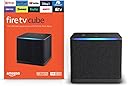

Desertcart purchases this item on your behalf and handles shipping, customs, and support to Peru.
🔥 Stream Smarter, Live Louder with Fire TV Cube!
The Amazon Fire TV Cube (3rd Gen) is a premium hands-free streaming device featuring an octa-core processor for lightning-fast performance, Wi-Fi 6E for next-level connectivity, and stunning 4K Ultra HD visuals with Dolby Vision and Atmos. It integrates Alexa voice control for effortless entertainment and smart home management, making it the ultimate centerpiece for a modern, connected living room.
| Size | 3.38” x 3.38” x 2.99” (86 mm x 86 mm x 77 mm) |
| Weight | 513g (1.13 lbs) |
| Processor | Octa-core 4x 2.2GHz 4x 2.0GHz |
| GPU | 800MHz |
| Storage | 16 GB internal |
| Memory | 2 GB internal |
| Wifi | Wi-Fi 6E Tri-band. Also supports 802.11a/b/g/n/ac/ax wifi networks. For Wi-Fi 6E support, Fire TV Cube must be connected to the 6 GHz band of a Wi-Fi 6E network using WPA3 encryption. |
| Bluetooth | Bluetooth 5.0 + LE. Pair with compatible Bluetooth speakers, headphones, video game controllers, and more. |
| Voice support | Far-field and near-field voice support |
| Voice control compatibility | Controls a wide range of IR-enabled devices, including TVs, soundbars, cable and satellite boxes, and A/V receivers. |
| Cloud storage | Free cloud storage for digital content purchased from Amazon. |
| Ports | HDMI 2.1 Input, HDMI 2.1 Output, IR Extender, Power, USB-A 2.0, Ethernet port 10/100Mbps |
| Audio support | Dolby Atmos, 7.1 surround sound, 2-channel stereo, and HDMI audio pass through up to 5.1. |
| 4K Support | To watch movies and TV shows in 4K Ultra HD, you need a compatible 4K Ultra HD TV. All services may not be available in 4K/HDR. Certain services are subject to change at any time, may not be available in all areas, or in 4K/HDR, and may require separate subscriptions. Learn more about services. |
| Content formats supported | Video: Dolby Vision, HDR 10, HDR10+, HLG, H.265, H.264, VP9, AV1, Audio: AAC-LC, AC3, eAC3 (Dolby Digital Plus), FLAC, MP3, PCM/Wave, Vorbis, Dolby Atmos (EC3_JOC), Dolby MAT, Dolby TrueHD passthrough, DTS passthrough, DTS-HD passthrough (basic profile), Photo: JPEG, PNG, GIF, BMP |
| Output/Input resolution supported | 2160p, 1080p and 720p up to 60 fps |
| System requirements | High-definition television with available high-speed HDMI input, high-speed internet connection via wifi or built-in Ethernet port, power outlet (compatible TV/sound/cable equipment for control by infrared or voice). High-speed HDMI cable rated 18Gbps or higher, and 4K TV with high-speed HDMI connector required for 4K viewing and more reliable device control. Wi-Fi 6E router needed for Wi-Fi 6E support. Auto-Low Latency Mode is included in the HDMI 2.1 standard. |
| TV compatibility | TV must support minimum HDCP requirements for protected content playback. Compatible with 1) 4K ultra high-definition TVs with HDMI capable of 2160p at 24/25/30/50/60 Hz and HDCP 2.2 or 2) high-definition TVs with HDMI capable of 1080p or 720p at 50/60 Hz. Learn more about high-definition. |
| Warranty and service | 1-year limited warranty and service included. Optional 2-year and 3-year extended warranty available for U.S. customers sold separately. Use of Fire TV is subject to the terms found here. |
| Content availability | Certain apps and services are subject to change or withdrawal at any time, may not be available in all areas and languages, and may require separate subscriptions. |
| Accessibility features | VoiceView screen reader enables access to the vast majority of Fire TV features for users who are blind or visually impaired. Screen magnifier enables viewers to zoom in and out, and pan around the screen. Text Banner consolidates onscreen text into a compact, customizable banner that appears on the screen. Watch videos and TV shows with closed captioning displayed. Use Audio Description for verbal descriptions of what is happening on the screen, including physical actions, facial expressions and scene changes. Captions and audio descriptions are not available for all content. Fire TV Cube (2nd and 3rd Gen) supports audio streaming for select compatible Bluetooth hearing aids for a private listening experience. You can also listen to Fire TV with compatible Bluetooth headphones. Learn more about accessibility for Fire TV. |
| Included in the box | Fire TV Cube (3rd Gen), Alexa Voice Remote Enhanced, power adapter, 2 AAA batteries, Quick Start Guide. HDMI, IR extender and Ethernet cables are sold separately. |
| Software Security Updates | This device receives guaranteed software security updates until at least four years after the device is last available for purchase as a new unit on our websites. Learn more about these software security updates. If you already own a Fire TV, visit Manage Your Content and Devices for information specific to your device. |
| Size | 38 mm x 158 mm x 17 mm |
| Weight | 51 g (without batteries) |
| Batteries | 2 AAA (included) |
| Technology | Bluetooth 5.0 |
| Compatibility | Fire TV Cube (3rd Gen), Fire TV 4-Series, Fire TV Omni QLED Series |
Z**K
Messed up sound and display settings..update #4
Update 11/12/25: So after having written the below review I decided I should give an update to the issues below. I've had other streaming devices since then and I have to admit that the fire tv cube beats them all. Reasons: The" best available" setting is actually the best setting. What it does is that ot converts DD+ sound to Multichannel pcm which is a lossless and uncompressed quality and passes it to the AVR. The AVR will show Multichannel 5.1 . It is the best sound you can get. I came to this conclusion after months of testing and research. Roku ultra has passthrough but it just passes the compressed format DD+ to the AVR so the AVR displays DD+. The TV turning off big is fixed. 10/4/23 update: Now another bug has appeared. When I watch on my LG C3 OLED TV the TV turns off automatically after a while. Sound continues but no picture. I initially thought it was my tv. Got another unit ,same TV, and the same issue happened. Then I decided to watch ony Roku ultra and have not had any problems so far. Tried the cube again 2 days ago and issue returned. I even turned off equipment control and reset the cube but didn't work. So now I'm not using it. It's just sitting there looking pretty. 7/23/23: Just to update that the video issue has been fixed. The audio issue not so. 11/23/22: Still no fix. Reverts to 1080p despite setting to Auto. Now noticing jitter or stutter on video when playing 4k content. Changed settings of Match frame rate to on but didn't resolve issue. Constantly checking display settings. Given up and using my other streaming device with no issues. Did not expect this from Amazon. 11/15/22: So since purchasing this there have been a number of updates installed but NONE have fixed the issue of sound and display settings as mentioned in my previous updates. This is truly disappointing and makes me want to use this device less often than I would like to. 11/9/22: Still issue with display resolution defaulting to 1080p. Always have to check before playing something. No fix. Not acceptable for a "high-end device" Update 10/29/22: Still no luck on best available sound settings outputting DD+. But now another issue. Whenever I awaken the cube the display resolution defaults to 1080p even though I set it to Auto(up to 4K). It's frustrating to have to change this every time I want to watch something. So many bugs! I've had many fire tv sticks over the years and also a 2nd Gen cube which I returned because it wouldn't play Dolby vision. Thought I'd give this a try since all the upgrades were compelling. Faster, built-in Ethernet port, HDMI in, supporting all sound and picture formats. So I set it up withy TCL tv and Sony receiver . Setup was a breeze. It recognized my TV and receiver. For some reason the picture quality in display settings was defaulted to 1080p. I changed it to upto 4K. Sound settings were "best available ". When I played content it would only play in PCM (stereo). I tried Dolby digital and Dolby Atmos content. Dolby Atmos would play as Atmos +PCM, not Atmos +DD+ as it should. I checked ally settings on the TV and receiver and all was good but couldn't get DD+. Called tech support and was told that it may be a software issue and may get fixed in a future update. Really??. All the hype about how this device is the fastest and best on picture and sound yet it can't output "best available" sound. I'm sure best available is not PCM. Tech told me to set the sound settings to Dolby digital plus. That corrected the issue but it was a let down. I'm hoping it doesn't revert back to PCM. Will see how it goes and update but so far disappointed. The super resolution setting really doesn't add much to enhance the picture quality of SD or even 720 or 1080p resolution. And that was one of the main features that enticed me to buy it. Update 7/2/23: The video resolution issue is now fixed but the audio issue still persists.
J**O
Definitely an upgrade from the 2019 2nd gen Cube
I've had my 2019 Cube for close to 3 years. Definitely got my money's worth out of it. I've owned other devices and still own a 2017 Shield. The Cube has been my daily driver for a few years though because I love how everything integrates and Android TV just doesn't do it for me. I use my Shield for other things and my Cube for my paid apps. I bought the 3rd gen Cube the day it was available for pre-order, along with the Pro remote which isn't released yet. I bought it because my 2nd gen was getting really laggy and it was enough to irritate me. The upscaling (Super Resolution) is what I was most excited for though. I received my Cube on Monday, a day before I was supposed to. I immediately plugged it in. I have it hooked up to my 65" Vizio OLED with an $80 Audioquest HDMI cable. I turned on The First 48 which is only a 1080p show and was blown away by the results. It looked so good in comparison to my 2nd gen. Everything looks better, the menus, the picture, the color is more vivid, everything. (I know Always HDR mode was enabled in the picture, it comes enabled by default and I just hadn't disabled it yet.) The GPU along with the upscaling is a major improvement by the looks of it. The new processor is really good as well. It's very quick. It will scroll through menus as fast as I can push the button and loads images instantly. There's a new menu button to the left of the home button on the screen as my picture shows, that you can switch to the HDMI input. I haven't tested this input as of yet. There's a few new items in settings as well. The Cube itself is also a huge improvement. I think it looks 10x better than the 2nd gen. 2nd gen was nice, but the piano black plastic scratches as soon as you touch it, even with micro fiber so I haven't liked that material much. The new Cube has matte plastic around the top and bottom housed by a black-greyish fabric. It's really nice looking (same as the new Echo Dots) The speaker (Amazon Echo built-in) sounds alot better too. All-in-all I think it's a huge improvement from the 2nd gen and I'm so glad they FINALLY upgraded the Cube and that it kept its design. Really the only other thing I can think of that needs changed is to make it a 3gb RAM box. It's 2022, yet we're still using the same amount of RAM as the 2019 Cube. I just have a feeling in a year or two, this 2gb RAM on this device isn't gonna be enough and it's gonna struggle, but I guess we'll see. I can't comment on Wifi 6e as I haven't upgraded my wifi yet, but I will eventually. But right now I don't have a reason too. As far as the regular remote that comes with it, I guess it's a nice remote, I'm just not a fan of all the added buttons. I much prefer the 2nd gen Alexa remote that has your standard buttons plus the volume and mute at the bottom. I just prefer the simplicity of it and don't like the clutter of the new one. Also, new remote that came with mine has really loud clicks. It's rather annoying. I know it's not cause my old remote is worn, cause it's been pretty quiet since I bought it (not the original remote that came with the 2nd gen Cube) so either the new ones are just really loud or I just got a bad one, which has happened to me with a remote I've had on a previous device and had to exchange it cause it was so annoying. I am waiting on the Pro remote which has even more buttons but I bought it for the backlit buttons. While it has a couple more buttons than the Fire TV remote that came with it, it's smaller in size. Pro remote is 5.8" and Fire TV remote that came with it is 6.2". My 2nd gen Alexa remote that I bought for my 2nd gen Cube is 5.6" so I'm sure I'll like the Pro remote a whole lot better. So with all that said, I am still happy with my purchase and am glad I decided to upgrade.
S**R
Great product
I switched from a Roku Soundbar SE to this Cube and it runs so much faster. I never have connection issues like I did with my Rokus. I can game on this, even with GeForce Now with some tinkering. The signal from the remote is exceptionally strong, and the device itself is easy to use. I got this on the Prime Day sale and it was definitely worth the price!
D**R
Good but needs work
So.. I managed to get all 5 TV's switched to fire TV cube Gen3. The cube itself seems well made and has some nice heft to it. In my home I have the top of the line orbi 6e wifi mesh and therefore I do not require an ethernet connection. At some point I may connect one of these boxes to ethernet but I suspect that will create problems with my echo studio home theatre configurations. The good: Fast and responsive operation. Quick boot up Good mic that detects commands well. Plays all content with some minor issues that I will get to. The ability to include fire tv command in routines is helpful.. although far too limited. I was able to use routines to overcome some of the limitations and oversights in the software. E.g. not having a sufficient list of equipment names to choose from when setting up equipment as I talk about further down. The dissappointing.. Equipment control has a ways to go (key points) 1. Powering on and off your equipment is not usually a problem.. you can use the remote or your voice and say turn on TV.. Alexa fire tv cube turns on all necessary equipment including tv.. soundbar.. receiver etc, and switches devices to the correct input... that is where the good ends.. 2. Try asking fire tv cube to play a song or watch a show while all of you equipment is off.. she will wake up and turn on maybe one of your necessary devices... but leave everything else off making that functionality useless. I have 5 of these cube.. some of them will only turn on the TV.. some the receiver.. and one of them actually turns on both for some inexplicable reason but does not take you to the app or content requested and instead leaves you stuck at the profile window. At least of 4 of my setups I can confirm that when Alexa is asked to play content she can only power on devices that are directly connected with an HDMI cable. Not a huge issue i guess... stupidly you have to issue 2 commands.. Alexa turn on tv followed by Alexa play music by AC/DC.. surely a simple code fix could address this. 3. Gets out of sync.. it will not power on or off a piece of equipment properly.. and then the power state of your entire home theatre setup is out of sync.. you ask alexa to "turn on tv" because your receiver didn't power on with last command and she will turn on your receiver but then shutoff tv.. 4. You are limited to only a handful of names for your equipment that have been pre selected by Amazon developers.. so if you have a pc connected go your home theatre as I do.. you are out of luck.. you will need to give it a name from the limited options on the list of devices. I chose Game Console. This is just dumb and users should be able to choose names for their devices. A pc is a pretty common device to have on the big screen..come on Amazon!! The frustrating but not terribly bad. 1. I have 2 of my fire TV cubes connected each with an echo studio stereo pair with echo sub.. Amazon calls this configurative a "Home Theatre Group". The sound quality is good. Problem is that sometimes you cannot get the sound to work..I believe it is related to using the Home Theater group as the default speaker group for your room..so when I ask for music the music starts playing on the theater group.. however later on when I turn on the TV.. the music stops..but no TV sound comes through the Home theater group.. I have had to reboot.. unplug and replug alexa to get the sound to start working again. 2. When I play his res audio through amazon music to my echo studio group she can only process 16bit 48khz even though music tracks are 24bit 196khz. Amazon says device capability is limited. This is of course stupid as well since the echo studio is supposed to be able to play the highest quality possible. I have spent hours tweaking everything to run as well as possible.. and have even wasted a few hours on the phone with the customer service.. folks if you have rebooted your device.. unplugged and replugged.. performed a factory reset.. there is no point in calling support. They are friendly and professional but of no use beyond very basic troubleshooting. They cannot help you with improperly performing functions beyond the very simple steps mentioned above.. so if those don't resolve your problems to a satisfactory level.. just return the device and move on or wait and hope for a fix in a future software update.
M**N
Voice recognition works great now!
I just bought this product. Easy to install and the picture quality is wonderful. However, I can't get the sound to work for Alexa, the cube doesn't respond to any commands and doesn't talk to you. Both my LG TV and this version of the new Fire Box are brand new. It may be my issue and I haven't figured it out yet. Moving into a new home is hard enough, then to try and find time for the items you purchased to make your home amazing takes time. I started ordering last year since it took a year for this house to be built. I won't order things a year in advance anymore. New versions have come out and they are the same price or a little more. I'd rather have the latest version. I have other Alexa devices at home, so I am not worried about that part not working. The remote is great and easy to use, and I normally don't ask my TV to turn the channel...lol. I used to use foil on the antenna so I could get a fuzzy picture or a coat hanger so my brother and I could watch Batman as kids. It will get a higher rating if I figure this sound issue out. However, right now it is worth the price just for the picture quality. WOW, an Amazon Rep. phoned me and fixed my issue. She was wonderful and fixed the issue which was my own fault. It took about 5 minutes, and it was talking up a storm. Update: This cube has caused a lot of issues. I gave my old cube away to my sister, so I am SOL. This cube got so hot on so many occasions that it burned the top of my dresser. It freezes and will not work. It doesn't connect to my new Echo or old Echo devices. Tech support told me that it was because "I didn't buy them together!" So, I now use my Yamaha soundbar. I don't even like to call foreigners anymore. Please bring back the English-speaking techs and operators, it is so frustrating that I hang up and just deal with the fact I bought an expensive POS. I even wrote to Amazon and nothing, left my phone number, and asked for a return call. I bought a bunch of Echos for this new house and haven't even taken them out of the box. Nothing is pairing with the TV, Echo shows, or Echos. They do not support each other. I also have the Eero 6 Pro system in my house and the new Echo won't even connect to that. I'm terribly upset and the resolutions the tech team talks about are ridiculous.
D**S
A Massive Upgrade! Solved Storage Issues and Upgraded Our Echo Dot Setup
Upgrading to the Amazon Fire TV Cube has been one of the best tech decisions we've made for our living room. We were previously using an older Fire TV Stick along with an Echo Dot, but this single device replaced both seamlessly and fixed all our biggest frustrations. Here is why it easily earns 5 stars: What Makes It Stand Out No More Storage/Memory Problems: Our older Fire Stick was constantly running out of internal memory, forcing us to constantly clear cache, uninstall apps, or deal with annoying low-storage warnings. The Fire TV Cube handles all our streaming apps without breaking a sweat—plenty of space, super fast navigation, and zero memory issues. Replaced and Upgraded Our Echo Dot: Having built-in hands-free Alexa built right into the streaming device completely eliminated the need for a separate Echo Dot on the TV stand. The voice recognition is snappy, the speaker quality is surprisingly good, and controlling the TV completely hands-free is incredibly convenient. Blazing Fast Performance: Everything loads instantly. Apps launch smoothly, video plays with zero lag, and switching between menus feels incredibly responsive compared to older streaming sticks. All-in-One Convenience: It seamlessly controls our entertainment setup—turning on the TV, adjusting volume, and switching inputs via simple Alexa voice commands. Final Verdict If you're struggling with storage limitations on older Fire TV Sticks or want to consolidate your smart home setup, the Fire TV Cube is worth every penny. It completely resolved our memory headaches while giving us a vastly improved hands-free Alexa experience. Highly recommended!
C**1
After working to get around several bugs, New software came out that was even worse!
UPDATE: DON'T BUY THIS DEVICE FOR PLEX AUDIO STREAMING After all the work, and hair-pulling I have listed below, the Plex for Fire TV app was updated. Foolishly, I had opted for auto updates because I trusted them to check their work. They fixed the but with the time-out problem, but added a 2 second pause between all tracks. So no gapless playing which was my whole reason to go with Fire. I had to go back to the older version which still had the time-out bug. The fix this time was to sideload Kodi onto my system, then use their bridge app to get to Plex. Man, have I wasted a lot of time on this! I have been using a 1st gen Fire TV "square" to stream Plex from my server to Fire TV, thence through HDMI, then optical cable to my AD converter in my amp. It has worked very well, but the old "square" is slow and I decided to upgrade. Side Note: if you are using Google Cast or Tizen to bring Plex from your server to your living room, you are losing quality as these apps recode, and compress your audio. Plex has the ability to decode lossless files and send them through to your AD decoder, The Cube is much faster! It installed easily on my TV. The Fire App Store has a Plex download ready to install, and the installation worked great. That's where everything got weird. Fire TV played the Plex files great. Until it stopped. I rebooted it and it worked superbly, until it didn't. I came to realize that if I played music, and just listened--not messing with the controls--it would play for 20 minutes. Then Fire TV would shut down. I was ready to send the unit back as defective. Instead, I did some online research. Finally, I found an article that explained. Fire TV looks for a changing video picture. If there isn't one, it shuts down after 20 minutes if there is no other remote input. There used to be a setting where a user could turn this feature off. In the newest versions, they have hard-coded this in and left the consumer without a button for it. There is a cure for this. First you have to become a Fire TV "developer". You can search the web to find out how. Then you can change several settings in Fire TV that will allow you to make changes that aren't shown on the menus. (It's kinda getting into the back door of the app.) Searching the web will tell you how. Then, you can get an app on your phone that gives you access, through your home network, to the "back door" in Fire TV. Search the web to find out where the app is. (Seeing a pattern?) Finally, when you have figured out how to use the app on your phone, (the web is once again a great help here) you will come to a blank line where you can add a couple lines of ADB code which will solve all your problems. You can find the code to turn off the "sleep" feature on the web. Well, by this point, I had a massive headache. But the upshot is that it worked! I can listen to my flac files, unadulterated, on my stereo through my home network, The Fire TV unit works seamlessly, smoothly, and with great speed. If you don't mind venturing into the geeky and techy world of it all, it is worth it Now that you have Plex Audio working on your Fire TV, you can make it even more flexible by adding Plexamp. It allows you a lot of control from any other phone or PC that has it installed. It's only for audio. All you have to do is sideload an APK file of Plexamp that you have to get from another source. But hey, no problem, You're a Fire TV Developer now! (Yes, I have done this too, successfully.)
A**L
Initially it was stressful, but I had to remember it's an alexa device
So my old smart tv was really struggling. Too often my TV was freezing or forcing reboots and I just had a feeling it had to do with the processor being a little old and not being able to keep up with running all my subscriptions and apps. It's a 65 inch, so replacing it entirely would be out of my budget at this time. The fire cube gave my TV a second life! Now if you've ever owned an alexa device, you probably know the first time powering on and setting up your device takes ages. Well that was especially true in my experience with the fire cube. PLEASE NOTE! it does require an ARC HDMI!! Sometimes you have to turn on ARC in your TV settings, and it's usually a dedicated HDMI port. This was my first problem. After I got that figured out, it probably took about 30 minutes to allow my cube to update and work at full capacity. But once the initial set up was done, I did have a few minor bugs for the first week. Sometimes I'd turn the TV off with the cube remote and audio would continue to play and I'd have to manually turn off the cube with it's physical button. This only happened two or three times. However, since pairing my alexa studios, this problem hasn't reoccured. Now I do have a switch that will trip my breaker if it accedntly gets flipped, and my cube and wifi are on the same breaker. So I do have to delete and repair my home theater when this happens, for some reason it completely ruins the connection and I'm not sure if it's because all my devices go offline, or if the cube can't reestablish connection on its own. Now, with all the quirks mentioned and dealt with. I love my fire cube!! Paired with my alexa studios watching TV or listening to music on my speaker group is awesome! There's one quirk about the home theater that irks me, but that's already been mentioned in my review for the studios. As for the cube itself though, I don't have any of the old issues I was having with my smart tv! Actually browsing different apps and my overall experience is much easier and intuitive! I love that I can use my voice to talk to the remote, or any of my alexa devices set to control the cube to immediately open an app or go straight to a movie or show. I got the remote Pro and I love the additional 2 custom buttons, along with the light up feature in the dark. And the "find remote" function works perfectly!! No more arguing over who lost the remote! Lol My partner was extremely skeptical about adding another alexa device to our home, he's not as tech savvy as I am, and he prefers to use his phone for smart controls. But even he has really enjoyed the fire cube! And honestly, that says a lot about this device! Initial setup may be rocky depending on person to person, but once it's running at full capacity, it's an excellent device for upgrading an existing TV that isn't smart, giving a second life to a smart TV that's having difficulty, and even for the home theater set up. If your buying a cube or fire stick for the theater set up, 1000% recommend two alexa studios. THIS WILL REPLACE ANY EXISTING AUDIO SET UP YOU HAVE THOUGH!!! theater mode cannot be paired with existing soundbars or other speakers.... Honestly not happy about that part... However!! The sound and quality I got from switching was worth it for me, though I had hoped to enhance my set up and not replace it... With that said, this is a perfect addition to your smart home journey. ( would not recommend standard alexa speakers for home theater, even a cheap soundbar out performs two Alexas, but in my opinion, the alexa studios are a great trade even without the optional sub woofer.) The cube is capable of being a standalone alexa device if you don't have other devices, and on its own, the cube will play audio through a soundbar, TV, and I believe even an auxiliary audio source if you choose not to do a home theater with Alexa but don't quote me on that last one because I didn't try it. The cube can also easily pair to Bluetooth devices, so at night, I like to use my wireless earbuds without being too noisy. Like I said the cube can be a stand alone alexa device if you don't have any other alexa devices, so if your on the fence about a smart assistant, this could be a really great way to break into that, while still having a device that can do more than just being a smart assistant.
Trustpilot
1 month ago
3 days ago