

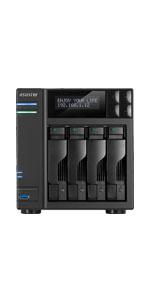
AS6704T Lockerstor 4 Gen 2
Product ID: 442375639
Details
- BrandAsustor
- CPU modelCeleron
- CPU speed2 GHz
- Cache size4 GB
- Graphics co-processorIntegrated
- Memory storage capacity4 GB
⚡Quad-Core 2.0GHz CPU
🌐Dual 2.5GbE Ethernet Ports
🚀4x M.2 NVMe SSD Slots
Desertcart purchases this item on your behalf and handles shipping, customs, and support to Peru.
🚀 Unlock next-level storage speed and scalability with Lockerstor 4 Gen 2!
The Asustor Lockerstor 4 Gen 2 AS6704T is a high-performance 4-bay NAS featuring an Intel Celeron N5105 quad-core 2.0GHz CPU, dual 2.5GbE Ethernet ports, and four M.2 PCIe 3.0 NVMe SSD slots for caching or storage acceleration. With 4GB DDR4 RAM (expandable to 16GB), PCIe expansion for 10GbE or NVMe upgrades, and hardware transcoding for 4K media streaming, it’s designed for professionals demanding fast, reliable, and scalable network-attached storage.




| Asin | B09VX5RB6N |
| Best Sellers Rank | 21,639 in Computers & Accessories (See Top 100 in Computers & Accessories) 45 in Network Attached Storage (NAS) Enclosures |
| Box Contents | 1 package |
| Brand Name | Asustor |
| Cache Memory Installed Size | 4 GB |
| Colour | Lockerstor Gen2 |
| Compatible Devices | [Desktop, Server, CPU, Laptop] |
| Country Of Origin | China |
| Cpu Model Number | Intel Celeron N5105 |
| Customer Reviews | 4.3 4.3 out of 5 stars (265) 4.3 out of 5 stars |
| Eu Spare Part Availability Duration | 3 Years |
| Global Trade Identification Number | 04710474831432 |
| Graphics Card Interface | Integrated |
| Graphics Coprocessor | Integrated Graphics |
| Hard Disk Interface | NVMe |
| Hardware Interface | Ethernet |
| Item Dimensions | 24 x 32 x 30 centimetres |
| Item Weight | 3.5 Kilograms |
| Language | English |
| Manufacturer | Asustor |
| Memory Clock Speed | 2933 MHz |
| Memory Speed | 2933 MT/s |
| Memory Storage Capacity | 4 GB |
| Model Name | AS6704T |
| Model Number | 116436 |
| Network Connectivity Technology | Ethernet |
| Operating Systems | Linux |
| Personal Computer Design Type | Computer Tower |
| Power Plug Type | No Plug |
| Processor Brand | Intel |
| Processor Count | 4 |
| Processor Series | Celeron |
| Processor Speed | 2 GHz |
| Product Features | Hardware Encryption |
| Product Warranty | Manufacturer Guarantee: 3 Year |
| Ram Memory Installed | 4 GB |
| Ram Memory Maximum Size | 16 GB |
| Ram Type | DDR4 SDRAM |
| Specific Uses For Product | Home/Business |
| Style Name | Lockerstor Gen2 |
| Total Usb Ports | 2 |
| Total Video Out Ports | 1 |
| Unit Count | 1.0 count |
| Video Output Interface | HDMI |
User
Bought as a Plex Server
I've had this NAS since the 6th of April 2023.This is a limited review, using this NAS as a Plex Server.So, buying from Amazon was fine, and delivery was fine, the NAS had no hard drives in it, so no worries about the package being delivered.I had a Western Digital PR4100 before and I loved it....I bought this NAS for two reasons, 1. I had run out of storage, 2. This NAS will hardware transcode 4K HDR to 1080P, which my lovey Western Digital NAS could not do :(Let's talk about money, so Amazon had the best price... however, this was a BIG investment, we are talking over £600, so it needs to work and be good... and that is without hard drives!!!!!!!I was concerned at first about the ADM? operating system, having watched loads of videos on youtube, with many suggesting it's less refined then what you get with Qnap, or Synology, however, it's fine, in fact, it was easy to use, don't forget, I'm reviewing this as a Plex server, so I'm not experienced all the other NAS stuff.I installed 4 Ironwolf 4TB NAS drives, you have to use a screwdriver, and put very tiny screws in.... crumbs, it was a bit tricky at first, the screws are small, take your time and make sure you don't cross thread them...So it done a ADM operating system update when turned on... and started to build the volume... I'm using Raid 5....Is it a good Plex Server???? Yes, it's does do 4K HDR hardware transcoding, but only to 1080p, but you will not get anything else then that from any other manufacturer, that is what the chips do right now.It's is fast, so starting a video, and skipping forward is fine...The 4 drives seem a bit noisy, I will be moving it to a cabinet, so it should be okay, but if you wanted it in a living room, and not in a cabinet, it does make some noise...Do I like.... I do... it works just fine, I hated the ADM software at first, but I have now learned where everything is, and it's fine, in fact it's great.
User
Fast NAS low noise. Impressive
After 10+ years of using Synology I made the switch to Asustor. I was dubious at first But that has not lasted long.4 Disks slots and 4 nvme slots provides ample storage. Dual 2.5G nics work perfectly. With SMB multi channel I am seeing speeds of around 350MBps.The OS gets mixed reviews. Its is perfectly fine. I run any additional services in docker rather than the built in apps. I do however use the built in plex media server app which works very nicely.
User
Great Plex NAS
The necessity to remove the 4xSSD adapter (and lose all SSD caching capability) in order to use a 10Gb adapter knocks it down one star.Significantly faster and more versatile than the WD PR4100 its replaced. Plex streaming is significantly smoother and the CPU is a lot more capable.Removing/upgrading the second RAM slot is very fiddly. Easy access is blocked by the internal structure's diagonal, instead of being an easily accessible rectangular hole. 16GB works no problems.All in, I probably should've waited for the QNAP TS-464, for the best of both worlds.
User
Fantastic gizmo
I got myself one of these so I could offload a bunch of things from my computers onto an "always on" device.It's a brilliant little NAS. I'm running it mainly as a media server, with a bunch of things set up in docker/portainer to serve up all my videos, music, books, comics, etc... and some other services not media related.Really pleased with this thing, complete game changer.
User
highly recommended from an x wd user
i have owned many nas setups and as i will no longer buy wd i had to look for new systems, i have to say this asustor nas seems to be very good, low noise, easy setup, lots of apps and runs my home backup systems and emby really well.would highly recommend
User
A Fantastic Machine
This is my 3rd Asustor and it's as reliable and easy to use as it's predecessors.It is quiet and stuffed with upgrade options that are easy to access. Love it!
User
Love it.
Great nas, I only use for plex and document storage. It's fast enough at 2.5Ghz enough for me.
User
Very powerful although tricky to set up
Took a couple of attempts to get it working correctly with Emby and nearly gave up as little or no suitable info on YouTube or manufacturers website.. Second attempt after a factory reset worked, although no idea what was different on attempt 2.
User
Hat meine Erwartungen übertroffen.
Das Gerät ist sehr solide verarbeitet (Metallgehäuse, stabile Plastikfront, also kein Billigplastik). Die Installation ist selbsterklärend und geht sehr schnell. Für den unerfahrenen Benutzer sehr hilfreich, aber man kann alle Einstellungen auch manuell vornehmen.Die Softwareausstattung ist sehr umfangreich und lässt keine Wünsche offen.Einziger Wermutstropfen ist die etwas magere RAM-Ausstattung. 4 GB mögen zwar ausreichend sein, wenn man das NAS nur zum Datenspeichern nutzt. Für das ausnutzen der reichlich vorhandenen Möglichkeiten, ist eine Aufrüstung dringend zu empfehlen.8 GB ist meiner Meinung nach das Minimum. Allerdings ist das Tauschen des DIMM auf der ersten Bank ein wenig aufwendiger, da man das Gerät ziemlich weit zerlegen muss, aber das ist auch kein Hexenwerk. Wenn man nur den 2. DIMM mit 4 oder 8 GB bestückt, sind nur 3 Schrauben zu lösen.Erwähnenswert sind auch noch die zwei 2,5 GB Netzwerkanschlüsse sowie die die 4 M.2 Slots, die nochmals einen erheblichen Geschwindikeitsvorteil bringen.Auch der Geräuschpegel ist nicht erwähnenswert. Das Teil kann gut z.b. im Wohnzimmer stehen, da so gut wie nicht hörbar, selbst wenn man den Lüfter auf HIGH stellt.Sicher ist es eine Investition, aber mir tut kein Cent leid.Alles in allem : Empfehlenswert.
User
NCS - Non Ci Siamo
Partiamo da presupposto che lavoro nell' IT da parecchi anni, non sono il "boss" della gestione reti hardware e sorftware ma nemmeno il novellino. Dopo anni (visti i prezzi) decido di comprami un NAS per backup domestico e alcune piccole gestioni da server (ma piccole piccole).Il mio budget max era sui 700 per NAS o PC adibito a NAS e 1000 per dischi.PC adibito a NAS zero assistenza. Scartato.Mi son detto: synology lo usiamo in azienda, funziona da dio, ma con quella cifra ha hardware davvero troppo vecchio e poco performante, inoltre upgrade di parti costano troppo, davvero troppo. Scartato.QNAP ci siamo quasi ma leggevo sui forum di problemi di vulnerabilità dati da software messi lì solo per concorrenza con synology, VPN aziendali bucate, blocchi e riavvi per colpa di prgrammi troppo acerbi (tutto scitto su reddit!). Scartato.Leggo, mi informo, arrivo ad ASUSTOR: tutorial , forum , reddit tutti entusiatri per le prestazioni (poi ne parlo!). Lo compro.Mai scelta fu più azzardata: come sposarsi una escort conosciuta il giorno prima ubriachi e pieni di *oca, come il famoso film...Partiamo lato Hardware: ci siamo , processore decente, upgrade di memoria RAM fino a 32 , anche se alcuni dicono max 16 (8x2). Invece legge i 2 banchi di RAM da 16. Ha 4 alloggiamneti SSD per memoria cache, 4 hard disk meccanici. 2 LAN da 2.5 G che volano. Ci siamo.Lato software, iniziano i problemi: programmi ASUS e i pochi maggiori vanno bene. Per il resto bisogna mettere mano al terminale tramite SSH e leggere forum su forum, video su video. La vostra vita diventerà BESTEMMIE- YOUTUBE e viceversa. Tempo perso per fare cose banali. Risposta dei ticket ASUS inesistenti (ma io personalmente mai aperti, almeno così scrivono i forum). Se c'è un tutorial ufficiale ASUSTOR su come installare TrueNAS sui loro dispositivi una domanda dovremo farcela.... Per farla breve scrivo di sabato , ho ancora 5 gg per provarlo bene in fondo, senno lo restituisco e mi prendo prossimo mese con nuovo stiendio Synology da 1500 che è l'equivlente di questo a livello HD ma non SW.
User
Top NAS
Excellent product, was a decent upgrade from my old Drobo. Easy to set up and use, highly recommend.
User
Mint
Awesome little system that can handle the latest 22tb hard drives, run Plex great. Remember to enable media mode for hardware transcoding.I’ve paired it with a mini pc for a complete setup
User
Bra köp
Helt klart värt att ha hemmaKör en del saker på dom som annars krävdes från min dator. Utmärkt att man kan skapa dockor i den + virtuella datorer
Trustpilot
1 week ago
1 month ago