Buy anything from 5,000+ international stores. One checkout price. No surprise fees. Join 2M+ shoppers on Desertcart.
Desertcart purchases this item on your behalf and handles shipping, customs, and support to Peru.
๐ถ Upgrade your connection, upgrade your life!
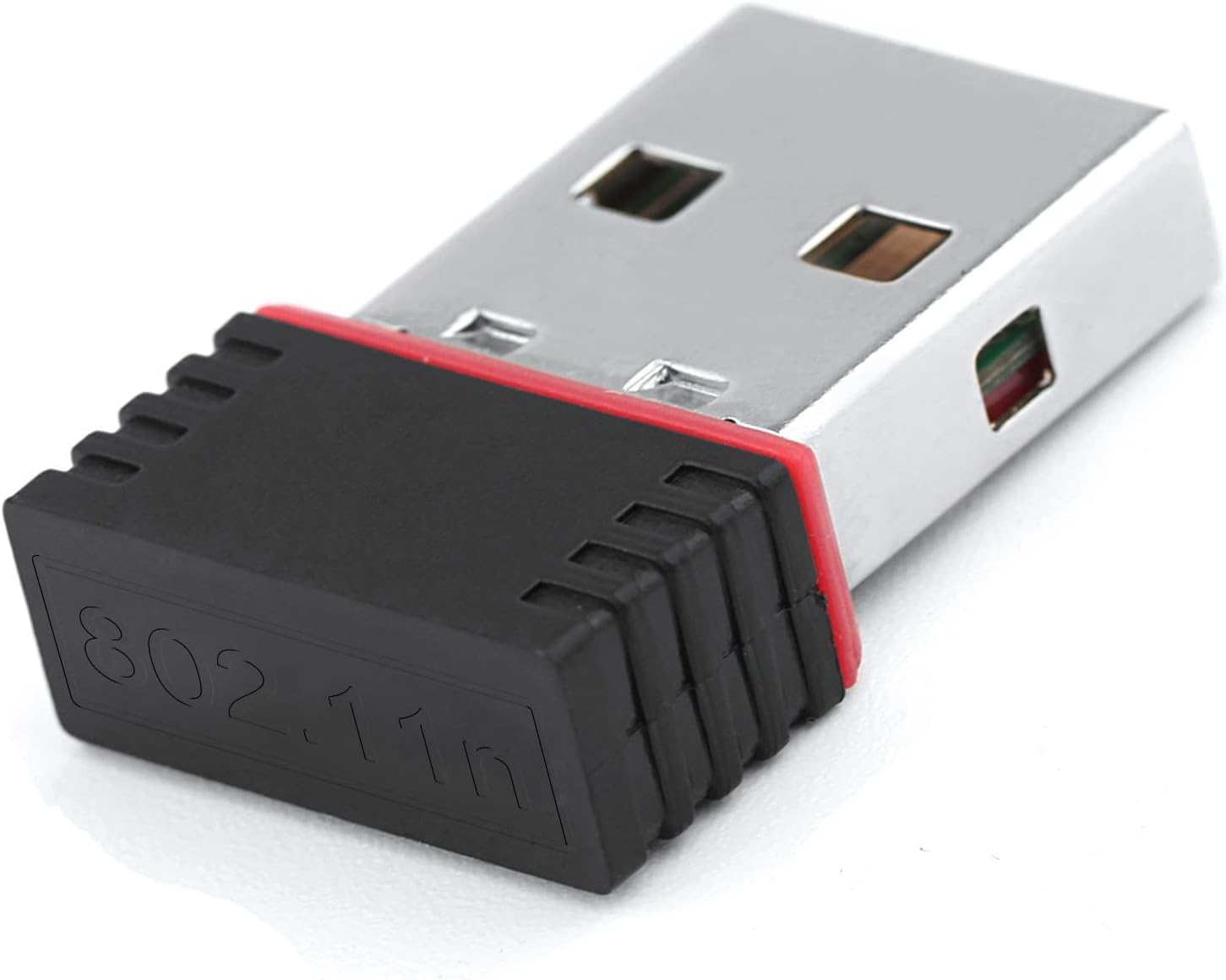
The LOTEKOO 150Mbps USB WiFi Adapter delivers reliable, high-speed wireless connectivity with a compact design and broad compatibility across Raspberry Pi models, Windows, Mac, Linux, and IPTV devices. Featuring a powerful Ralink RT5370 chipset, internal omni-directional antenna, and plug-and-play ease for most systems, itโs the perfect upgrade for professionals seeking stable, secure internet access on the go.
| ASIN | B06Y2HKT75 |
| Best Sellers Rank | #422 in USB Computer Network Adapters |
| Brand | LOTEKOO |
| Built-In Media | Ralink RT5370 Chip USB WiFi Adapter |
| Color | RT5370 Chip Mini Size |
| Compatible Devices | Desktop, Laptop |
| Compatible Operating System Family | Linux, MacOS, Windows |
| Customer Reviews | 4.4 out of 5 stars 902 Reviews |
| Data Link Protocol | IEEE 802.11n , USB |
| Data Transfer Rate | 150 Megabits Per Second |
| Hardware Interface | USB, USB 2.0 |
| Item Weight | 0.01 Kilograms |
| Manufacturer | LOTEKOO |
| Mfr Part Number | RT5370 |
| Model Number | CT-29992 |
| UPC | 606829829992 |
| Warranty Description | 18 Months Warranty |
R**N
If you use Linux, this is the adapter to get!
Linux provides modesetting support for the RA5370 chipset buit-in. This will work on any distro - including distros that you may have had trouble with using other wireless adapters. Arch, CentOS, etc have been problematic for me with certain wifi chipsets, but this works with absolutely no configuration required. Plug and play. Reception from this tiny nano dongle seems as good as anything else I've used. It's tiny, low power (has some leds for status) and best of all cheap. Linux users don't waste your precious time trying to build drivers for RTL 8188ee dongles and the like that won't end up working anyway. Just get this. Edit: Another reviewer claims this adapter requires a USB 3.0 port for "power." That is incorrect as I'm using it with a Dell Optiplex GX620 Pentium 4D from ~2005. This computer does not have USB 3 ports.
J**N
Works on Chromebook!
My Intel Wifi chip died on my Galaxy Chromebook. After trying the N300 Wifi adapter I had around the house, I found that the RT5370 Chip works with Chromebooks. So, I ordered this adapter. About 20 seconds after plugging it in, my Chromebook had Wifi again! There are a few cons that aren't deal breakers. I wish I could find a USB-C version. Also, the speed is pretty slow, maxing out around 40 Mbps, much slower than the advertised 150 Mbps. Occasionally, I have to unplug the adapter and plug it back in. Overall, I am very happy to have my Chromebook back.
J**K
Nice Price, Works Well
On my Fedora systems, the brand of the adapter is not important. What I look for is the make and model of the internal chip. If it does not match one of the available drivers, then it takes a little work to find the right driver, compile it, and install it. In ads they don't often tell you the make and model of the internal chip. So the best strategy is to try to find it some other way, or to buy one that seems the most popular commodity and hope the internal chip is not something unusual. This one works great and performs well for me.
Z**B
Works with Raspbian and Linux 4.19
Works with the Raspberry Pi using Raspbian. No drivers were needed. On my Raspberry Pi 4 it comes up as wlan1 with a DHCP address. The firmware file used by the kernel is rt2870.bin. The device identifies as RT chipset 5390 and RF chipset 5370. It also works in Debian 10 Buster. However you have to install the non-free package firmware-ralink for the driver. Also it would not authenticate to my WiFi router without a shorter device name. So to rename it, I added a file in /etc/udev/rules.d/ with the following contents: SUBSYSTEM=="net", ACTION=="add", KERNEL=="wlan*", DRIVERS=="rt2800usb", NAME="wlan0"
E**E
Works out-of-box with Raspberry Pi
Exactly as advertised in compatibility and performance. Worked out of the box on my Raspberry Pi B+ with Raspbian, no mucking around with drivers required. Seems stable. As my pi is older and not terribly fast, primary bottleneck for surfing the web, etc tends to be the hardware of the Pi, not the WiFi adapter, so the data rate is perfect for my needs (I don't tend to need to transfer GB files to and from the Pi). I plan to use it with a ROCK64 as well, and I am optimistic after its easy use with the Pi.
D**E
works easily
I had an older pc with no wifi card. I didn't know if this would actually work...but I just put the little usb plug into computer, stuck included mini disc into computer, chose the Windows option driver (there are diff choices) like mac, android...) and it installed a driver that made the little usb plug give me the option to connect to my home wifi!! I was done in a couple of minutes. Considering I was told by friends I'd have to drag the computer to a tech to install a wifi card or have to manually run a wire to my cable providers modem in the living room... I'm super happy I did a little google search & found this!!! Able to post this review because of it. I highly recommend!
S**N
Linux Ready
The manual is incorrect. This device requires additional power which is only available through USB 3.0 or higher. If you connect to USB 2.0 or older then the device won't even power on therefore your computer won't even detect it. In Windows maybe the driver will force more power via USB 2.0 so it may work. In Ubuntu 18.04 just plugin to USB 3 and wait 10 seconds then choose wireless network (no additional steps needed). Same goes for any Linux OS that was created on 2018 or after. This is old wifi technology so don't expect it to be blazing fast, or connect to your 5 GHz network. For general purpose usage it gets the work done.
H**H
Not very impressive
After some initial problems with the driver I was finally able to get it to run. So far it seem to provide a stable connection (with some lost packets) but the range is not very impressive. My router is literally 10 feet away and the signal strength i 4 out of 5. Not a bad product overall.
M**A
ุฌูุฏู ููู ูุง ููุฌุฏ ุจูุง ุจููุชูุซ
ุฌูุฏู
A**Y
Great product, used for 1 month, not disappointed
connecting it is easy and also loading the cd files for configuration. I have been using it for last 1 month, and working great, t gives speed up to 3-5mbps, although my wifi has 30mbps speed, but, works fine for me
A**W
Not Ralink 5370 chipset
I was looking for a USB Wifi adapter that was supported by Linux in-kernel drivers for use with an old RaspberryPi 2B. This items was advertised as using a Ralink 5370 chipset but the one I received had a Realtek RT8118FTV, which required additional drivers to be installed. So, I decided to return it.
R**B
super easy to install and its fast.
M**S
Great for raspberry pi
I installed this on my raspberry pi which is running octoprint. I use it to remotely control my 3d printer. It does the job, video stream is a little lagged compared to another nic I first tested with.
Trustpilot
2 months ago
1 month ago