Buy anything from 5,000+ international stores. One checkout price. No surprise fees. Join 2M+ shoppers on Desertcart.
Desertcart purchases this item on your behalf and handles shipping, customs, and support to Peru.
🚀 Elevate your AV game—extend brilliance beyond boundaries!
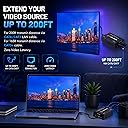
The J-Tech Digital HDMI Extender transmits full 1080p HD video and Dolby Digital/DTS audio up to 200ft over a single Cat5e/6 Ethernet cable with zero latency. Supporting HDMI 1.4/1.3, HDCP compliance, and 3D video, it’s engineered for seamless, professional-grade AV distribution in multi-room setups or complex environments. Ideal for managers and tech-savvy millennials seeking sleek, reliable connectivity without compromise.


| Best Sellers Rank | #6,888 in Electronics ( See Top 100 in Electronics ) #7 in Remote Control Extenders |
| Customer Reviews | 4.4 out of 5 stars 2,030 Reviews |
J**N
Great product and a solid company
I have been converting my home from standard TV to 1080P high resolution. The video source is in the garage (Roku), where the satellite and network feeds come in. All TV's (five different locations in the house) get the same video in my situation. Because there are spare Cat5e cables and coax cables in the walls of the house, finding J-Tech's HDMI extender products was a godsend. I have used them for HDMI - over - Cat5e (Cat6 and Cat7 would work too but my house is older than that) and for HDMI - over - Coax. Both work flawlessly. One of my endpoints is a projector that blocked the HDMI's audio (projector's fault), so I tried the J-Tech audio splitter prior to the projector and again, that works flawlessly. Three J-Tech product types, one happy customer, extremely easy setup all around. Here's another thing though: I had a few technical questions. J-Tech's customer support was awesome - they answered all my questions completely, clearly, and in less than a day. Thank you Jewel! My one suggestion to J-Tech is to upgrade their product manual to address questions like mine (specifically: can you swap transmitters or receivers? yes. Can you drive multiple receivers from a single transmitter? no. How should I interpret the status LEDS on the receivers and transmitters? transmitter: red is good; receiver: green is good) And whatever else comes to their minds to make the user's life easier. I think some of J-Tech's devices can work with 4k video, although as an engineer I have always been dubious that 4k is much more than a marketing ploy compared to 1080p; the human eye is not that discerning except under closely and continuously monitored conditions.
K**N
Saved my bacon at 300' distances!
To be fair, I have now used this device exactly 6 times. So long term reliability? I can't speak for, or against, that. But at a recent funeral for a relative, I needed to send an HDMI video from my Canon camcorder (Canon VIXIA HF G20) to a nearby building, where overflow crowd was being put, since the main building would be over capacity. Audio was handled via wireless mics, no problem, but sending a 1080p video feed was another story. I ran a 20' HDMI line from my camera to a projector, as a test, and everything worked perfectly. So I tried a quality manufactured Belkin CAT 5e 100' cable, using the extenders, and again, it worked perfectly. My concern, of course, was longer distances, since I would be operating near the maximum stated spec for the extenders... much more of a challenge than the best-case scenarios I had just tested. A couple of days later, when my box of cheap CAT 5e bulk cable arrived from Amazon, I dutifully measured out a 300' cable (the distance I needed the run to work) and crimped connectors on it. I coiled it all up, and plugged everything together, for a close-quarters test. Imagine my dismay when it did NOT work! But looking at the large coil of network cable, it occurred to me that "cable loops are bad" or so I've always been told. They just never seem to matter, to me ... at the short distances most normal people work with. But this was a relatively extreme setup, so perhaps one more test? I took the long cable on a long walk around my backyard, eliminating any loops in favor of a straight run, much like I would have in the final installation. Plugged it all in again, hey, it worked! There was much relief. On the day of the event, we set up the camera, and ran that same 300' cable over to the next building (all connected through hallways), taping it down and cleaning it all up neatly dressed. Plugged the camcorder into the transmitter one side (via 6' HDMI cable), plugged the projector in the receiver side (via another 6' HDMI cable), fired it all up in sequence, and what do you know! The picture came up perfectly, just like with the shorter, easier tests. The event came off flawlessly, without a single hitch, thanks to this little gem. So even if it dies at some point in the future, I'll always be grateful that this important event came off perfectly, and everyone in both buildings was able to see the ceremony easily.
D**R
I can honestly say that this product is okay and ...
J-Tech Digital Hdmi Extender By Single Cat 5E/6/7 (The Latest & The Best) Ver 1.3 Certified For Full Hd 1080P I can honestly say that this product is okay and does the job it needs to. This item came packaged with a Received and a Transmitter. You only need one Ethernet cable to extend vs the other products that requires 2. This also needs a power source to BOTH the transmitter and the receiver. Please be aware that the video of the product advertises that it can be used to connect to a router and outputs to multiple monitors. I can tell you that it does NOT work for this product. I tried to use one transmitter and plugged it to the router AND a switch, then the receivers to each source. Nothing happens or works. Also keep in mind that the product does get very hot. I took a star off for the item being hot all the time and another star for false advertising of the multiple output. I had to buy an HDMI splitter to output to multiple monitors. [Update] Was contacted by J-Tech (awesome communication) and they had to explain to me regarding the misleading video on the product that shows it connecting to a router. That was for a different product. They were also aware of the item getting overheating issues and have an updated product that they will send me. Just for the awesome customer service, i put one star back on the review. [Update #2] Received my updated version of this item by J-tech and can say there was an improvement to the overheating issue. The product still tends to be hot but not as bad as before. Its similar to if you were to play with your phone for a while and it uses lots of resources and becomes hot. With that being said, i am upping another star for this product with the new improvement. Great job by J-Tech for the great customer service!
M**A
Worked for about 10 weeks and replaced
I purchased these in November to replace some other HDMI extenders that I had been using that used two CAT cables and had failed. I liked these since they had power at both the transmitter and receiver and figured that would lead to no issues with video signal dropping out. I hooked them up and they began running immediately and worked fine. In the past couple of weeks or so, the video on the tv at the remote end has been dropping out intermittently. Usually it would only go out for a few seconds and then reappear. However today, the video has failed totally. I reset everything but still cannot get them to work and figure they have failed. I am just beyond the return date for Amazon, so now I will have to work with the company to see if they will do something. The status light on the transmitter end remains red which I don't believe is good.... Edit to original post: Contacted company directly and they sent me a replacement. i have hooked the replacement up and all is up and running again. I hope that failure was just a bad component and the new ones will run for a long time. Changed my rating to a 4.. probably would be a 5 except for the failure. Update: Called Tech Support and they are sending out a new pair. I will be down until I get them, but it was no hassle. I will update after I get the new pair and if they work chalk it up to bad luck and raise my rating.
X**D
This unit is a solid performer!
Purchased 1st one for doing wired HD streaming event. Once I actually got details on where I had to place my run at the venue, it was over 200ft. I ordered this same manufacter's unit for 460+ft, but on testing, it displayed about a .5sec lag, which I could not compensate for. I ordered a second one if these minutes after that test. Had 2 Cat5e shielded 250ft cable runs made for the event and the extenders worked perfectly with no perceptible lag. One note: When I connected my Canon HF G10, the picture was between black screens and pixelated video. Connecting a 5ft Cat5e gave a perfect picture, so I also tried a 100ft Cat5e run. Back to terrible transmission quality. Next I connected an HF G30 on the 100ft, then the 250ft run and the image quality was perfect. After much tweaking, I found out the issue was the HDMI output camera setting. The G10 had been in 1080p, while the G30 was in 1080i. Changed the G10 to 1080i and I had a perfect picture on the run longer than spec distance. ***Pro tip:. Make sure output from camera is 1080i.....but if you need 1080p, try something else*** In setting up for event, I had 3 G30s and the G10 connected into laptop using vMix. The G10 and one G30 were on the extenders and captured with Magewell X100USB Gen 2 units with 250ft Cat5e. The other G30s were connected to laptop with Magewell X100USB Gen1s. Setting up a 4 camera display, all 4 camera had perfect sync, again no perceptible lag. My streaming event was held outdoors in FL this past Saturday (high 80s) for 6:30 total streaming time. The two cameras placed for interviews on extenders were in full sun exposure the entire day, beginning at 11am. They performed flawlessly. Highly recommend these units and I'll be using them this coming week.
K**I
Simple and it works
Bottom Line Up Front: Great product--it works as advertised for 1080p at less that 50 foot distance over Cat5e cable. I bought this to use with my Network Video Recorder, to have it setup while being able to view and manage it from another room. I had this HDMI extender up and running in less than 5 minutes after receiving the package. It came with instructions that I glanced over. It mentioned EDID copy function, but I'm not familiar with that and was not an issue. I initially tested it with a 6 foot Cat5E cable with success at 720p. I then connected via the source's RJ45 wall port, which runs back to the communications closet with about a 20-foot Cat5e run. Then I patched it the the bedroom port, which was another 20-foot Cat5e run from the communications closet. I used a 3-foot cable from the wall to the receiver end. TV came up with no problems. It even detected 1080p, but I did not try it as the NVRs output is undesirable at 1080p on that monitor. The only down side was that it kept sliding off of the dresser at the receive end. You easily add some rubber or light adhesive to keep it from sliding so easily.
M**.
It worked great when I initially installed it
I can't begin to describe how unhappy I am with the J-Tech Hdmi extender products. This is the 3rd model I have purchased. It lasted only a few months before failing completely. I've tried this unit with multiple sources, televisions, monitors, and all lengths and types of CAT6 cabling. It worked great when I initially installed it, just like the other devices I had purchased. I'm using the extender to add a television as an extended desktop on my PC. I have an in-wall cabling installation using Belden CAT6 cabling with high quality CAT6 keystones. The entire cable run was less than 25 feet. I installed new cabling several times in an attempt to give these devices the benefit of the doubt. It's not my cabling, as I've tested and confirmed the runs multiple times with a Fluke qualifier. I see the same results with high quality premade CAT6 cables of multiple lengths. This device was primarily installed to keep cabling from running across the floor. This was my last attempt at using these devices. I'm giving up. I've had an Hdmi cable running across the floor for several months now to directly connect the components. Unlike the J-tech, that installation has been rock solid. I wanted to be absolutely certain it wasn't my equipment before I wrote a review. I've finally decided to just purchase an in-wall rated Hdmi cable and keystone ends. I should have just went this route in the beginning, but the CAT6 cabling was already in place.
E**N
1 wire solution that works great
I got a returned unit due to there being velcro attached to one of the units and no cord keepers on the power supplies. However, when i plugged the units in, boom, instant video. The picture is flawless, the setup was a no brainer and best of all, there was no setting changes needed for operation. Plug it in and its done. Didnt even know something like this existed until i went searching for a solution to the problem i had. That problem was that i needed to remotely locate my security camera system, but still wanted to see the live feed in my livingroom. This was the perfect solution. Ran a Cat6 cable and that was it. This is a great product. I cant attest to refresh rates or fps since my setup isnt that immersive, but my video feeds from what ive seen have no lag. Don't hesitate to buy.
J**N
Useful to transmit HDMI over ethernet cable.
Need to buy HDMI to Ethernet converter and Ethernet to HDMI converter as a pair
A**T
work well as an extender with good quality HD pictures & sound
Sadly this product does not appear to used standard IP data to comunicate between the transmitter and the receiver units and will not work on a standard home network as I was hoping it would. it does however, work well as an extender with good quality HD pictures & sound. I would be happier with the Amazon page listing this product if it were made clearer which protocol the extender used, so that the buyers would know exactly whether it could be used via an ethernet LAN system or not. Both transmitter & Receiver units feel solid and well made and work well provided you can run a single dedicated cable between them.
勘**太
他でダメだったのが、これで安定しました
距離は20m(LAN)+12m(HDMI)程度の延長でしたが、他の製品ではことごとくダメだったところ、本製品だけ正常に映像が出ています。 使用しているLANケーブルが諸事情によりCat7ということもあり、他製品は相性?だったのかもしれませんが、助かりました。 ノイズやチラつきも全くありません。
O**E
この価格でこれなら文句ないでしょう
届いたときは何をやっても表示せず焦りましたが、問い合わせるとすぐに対応していただき問題なく表示できました。 送信機を直接テレビにつないでからボタンを押すと初期化?できるようです その旨の説明書か商品説明があればスムーズかとは思います
Trustpilot
2 weeks ago
2 weeks ago