


Desertcart purchases this item on your behalf and handles shipping, customs, and support to Peru.
🚀 Triple your screen, triple your impact — work smarter, anywhere!
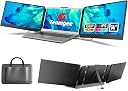
The Teamgee S2 Laptop Screen Extender transforms your laptop into a triple-screen workstation with two 14" FHD IPS displays featuring 300 nits brightness and 178° viewing angles. Weighing just 1.62kg and folding flat, it’s designed for professionals on the move. Compatible with laptops supporting dual external displays via USB-C or HDMI, it offers plug-and-play setup with all necessary cables included. Enhanced with anti-glare screens and built-in speakers, it delivers vibrant visuals and clear audio for seamless multitasking, backed by dedicated customer support.
| ASIN | B0CDGFXHV7 |
| Adaptive Sync | FreeSync |
| Additional Features | Portable, Black |
| Aspect Ratio | 16:9 |
| Aspect ratio | 16:9 |
| Best Sellers Rank | #199 in Computers ( See Top 100 in Computers ) #7 in Computer Monitors |
| Brand | Teamgee |
| Brightness | 300 nits |
| Color | black |
| Color Gamut | 100.0 |
| Compatible Devices | Laptop |
| Connectivity Technology | HDMI, USB Type C |
| Contrast Ratio | 1000:1 |
| Country of Origin | China |
| Customer Reviews | 4.3 out of 5 stars 3,484 Reviews |
| Display Resolution Maximum | 1920 x 1080 |
| Display Technology | LCD |
| Display Type | LCD |
| Hardware Connectivity | USB Type C |
| Has Color Screen | Yes |
| Image contrast ratio | 1000:1 |
| Included Components | 1× Carrying Bag, 1× Monitor, 2× HDMI to USB-C Cable, 2× USB-A to USB-C Cable, 2× USB-C to USB-C Cable |
| Item Dimensions D x W x H | 20.7D x 35.3W x 3.9H centimeters |
| Item Weight | 1.62 Kilograms |
| Manufacturer | Teamgee |
| Model Name | S2 |
| Model Number | S2 |
| Mounting Type | Desk Mount |
| Native Resolution | 1920x1080 |
| Number of Component Outputs | 1 |
| Picture Quality Enhancement Technology | Color enhancement, Anti-glare treatment |
| Pixel Pitch | 0.233 |
| Refresh Rate | 60 Hz |
| Resolution | FHD 1080p |
| Response Time | 3 Milliseconds |
| Screen Finish | Matte |
| Screen Size | 14 Inches |
| Screen size | 14 Inches |
| Screen surface description | Matte |
| Series Number | 2 |
| Shape | Rectangular |
| Specific Uses For Product | Business, Gaming, Photo Video Editing |
| Total Number of HDMI Ports | 1 |
| Total Usb Ports | 1 |
| Unit Count | 1.0 Count |
| Viewing Angle | 178 Degrees |
| Voltage | 5 Volts |
| Warranty Description | 1 Year Manufacturer Warranty |
| Warranty Type | 1 Year Manufacturer Warranty |
J**R
Good
Good
D**A
Dual S8 rose gold. Thin and lightweight
Exactly what i was looking for and needed to work more comfortable from home. I went for the dual s8 in rose gold as it is thin and lightweight. The screen is a beautiful rose gold color. Normally I only like black but this color is beautiful. It's also perfect to take with you on business travel. The screen is nice and clear.
O**K
Great product
For this price point, I think this is a great purchase. Screen is not the best but %100 above average. It is pretty light, easy to carry. For Mac, single usb-c connection is enough for both power and extended display.
J**.
Multiple screens
“This is excellent for anyone needing multiple screens for their laptop at work. It has good quality, comes with a nice case, and includes all the necessary cables. The only issue with my ThinkPad is that it has just one USB Type-C port, which is also used for charging. This means I can only use three screens after fully charging my laptop; otherwise, while charging, I can only work with two screens since the Type-C port is occupied. I tried using USB Type-C multi-port hubs, but they didn’t enable the display.
F**A
Reliable
I just received and I've been using it for a while. FIrst than anything, I'm an instructor who needs to prepare presentations and workshops.. and also a manager who needs to keep an eye on the new emails or messages. So this setting helps me to have a "primary" working station on my 2 left screens and in the right 3rd screen I can keep track of any incoming emails. Is a relieve and it's making my life way easier. Only "downside" that I need to connect: 1st creen USB-C to USB-Standard for power + USB-C to HDMI for video. 2nd creen is simple USB-C to USB-C. If you have spare USB-C in your computer then you are set with less cables. Also, if you don't connect your computer to the power, then the battery will last way less than normal, as expected because of so many devices connected together. But anyway, it makes the job, easy to transport and is making a good difference for me.
W**M
Waste of time
Item delivered is used.
T**R
Good Product
Good Product
A**H
Quality is good
The quality of screen is good
S**S
Triple screens
Great products works well
D**S
Best travel product purchased yet! But Triple Check Your Laptop To Match!!
If you’re like me and you work off of three screens at the office, this is the perfect travel companion when working away from the office. I travel a lot for work and can’t stand only using one screen on the laptop. I set everything up in my hotel room and I’m now better able to be more productive with my work tasks. I’ve owned these monitors for over two months now and have used them plenty. I haven’t had a single issue with them. The only challenge I had initially was getting them to be compatible with my laptop. Even after I did a lot of research to ensure they would fit my laptop and plug into my laptop, I still ran into a challenge. What I didn’t understand was that while I had a type C port on my laptop I did not have a “full featured” USB port. So with some troubleshooting by my awesome IT husband, we figured out a way to hook the monitors up to my laptop, using a port replicator, this is the one I use https://a.co/d/j9MKSVg. I also use a travel extension cord that has USB ports. Then I plug the HDMI cords that come with the monitors into the monitors and the port replicator and then the USB cords that also come with the monitors into the monitors and the extension cord. It takes me less than 10 minutes to set everything up and then when I meet with clients, I leave my monitors set up in my hotel room and just take my laptop off and reattach the monitors when I get back. They’ve also been useful when I’ve had to work on something with someone else sitting next to me. I also travel with a wireless mouse that I also plug into the port replicator. I will also add that my laptop monitor is not the best, I need to replace it but when the two screens are attached, it works perfectly so they actually make my laptop even better. :-) I definitely recommend this product, just make sure you do your research before purchasing. I purchased the 14 inch S2 triple screen laptop screen extender. My laptop is a 15.6 inch Gateway ultra slim notebook.
A**.
por su tamaño ni grande ni pequeño
Muy practico, es util
T**G
Good product
Set up worked perfectly on a business trip where I needed multiple monitors as I typically operate at home and office . Improves efficiency as desired and good value
M**R
Perfect
I was going on a business trip and would be working remotely from my hotel room. I was looking for something that would allow me to extend my laptop screens. They were fairly easy to install and connect to my laptop. The only issue I really had was the chords that plugged into the back of the screens, sit flush, and they were a little bit of a challenge to get pushed in all the way. Also lettering was difficult to read. It would be nice if it was a contrasting color. I had to take a picture of the back of the screen and blow it up so I could see what I was looking at. Since that trip, my husband has also used them when he travels. They also work as a nice backup when he works from home. They travel well and pack nicely.
Trustpilot
2 weeks ago
5 days ago