đšïž Print like a pro, save like a boss!
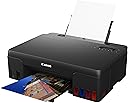
The Canon PIXMA G550 is a compact, high-resolution inkjet printer designed for small businesses and home users seeking professional photo-quality prints. Featuring a 4800 x 1200 dpi resolution, 100-sheet input capacity, and energy-efficient 14W power consumption, it balances performance with cost-effectiveness. Ideal for laptops and versatile media types, it supports reliable photo scanning but lacks wireless connectivity. Despite some reported support challenges, it remains a solid choice for budget-conscious professionals aiming to elevate their print game.
| ASIN | B093QFHMHH |
| Batteries | 1 Lithium Ion batteries required. |
| Best Sellers Rank | 131,245 in Computers & Accessories ( See Top 100 in Computers & Accessories ) 285 in All-In-One Printers |
| Colour depth | 36 bpp |
| Compatible devices | Laptops |
| Controller type | Push Button |
| Customer Reviews | 4.4 4.4 out of 5 stars (225) |
| Date First Available | 28 April 2021 |
| Dual-sided printing | No |
| EU Spare Part Availability Duration | 2 Years |
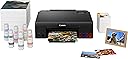
| Included components | Canon PIXMA G550 |
| Ink Colour | Black, Cyan, Magenta, Yellow, Red |
| Item Weight | 5.1 kg |
| Manufacturer | Canon |
| Manufacturer Part Number | 4621C006 |
| Max copy speed (black and white) | 3.9 ppm |
| Max input sheet capacity | 100 |
| Maximum Supported Paper Size | A4 |
| Maximum black and white print resolution | 4800 x 1200 |
| Maximum colour print resolution | 4800 x 1200 dpi |
| Model Number | 4621C006 |
| Number of Items | 1 |
| Power consumption | 14 Watts |
| Print media | Envelopes, High-resolution paper, Paper (plain) |
| Printer resolution colour vert. max. | 15240 Centimeters |
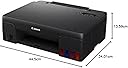
| Product dimensions | 13.4D x 17.5W x 5.4H centimetres |
| Scanner type | Photo |
| Sheet size | 21 centimeters |
| Size | Taille unique |
| Warranty type | limited warranty |
| Wattage | 14 watts |
G**R
wifi ???
I could not connect it to wifi even with a lot of help..
M**N
Abysmal Short Term Support with built in Obsolescence
This product is no longer available here but whatever you do, DO NOT PURCHASE if you are considering buying one from another retailer. Choose another manufacturer. I had mine for only 18 months, gave it only light use. I went to use it this month to print some home made Christmas Cards. I did a nozzle check and cleaning procedure prior to use and got a Support Code 5200 message on the screen. When I eventually waded through the Canon Support webpages and performed the suggested fix, I found that this printer is no longer supported and there is absolutely no help from Canon Support at all. You cannot even book a repair because - surprise, surprise, the product search does not come up with the Model. This review should be Zero stars. I'll never buy another Canon Product, ever! Footnote: Thanks to some diligent users who post on YouTube, I did find a fix for support code 5200 and the printer is now working again - no thanks to Canon though!
S**N
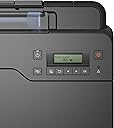
Outstanding photo printer but only for Windows users.
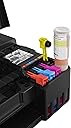
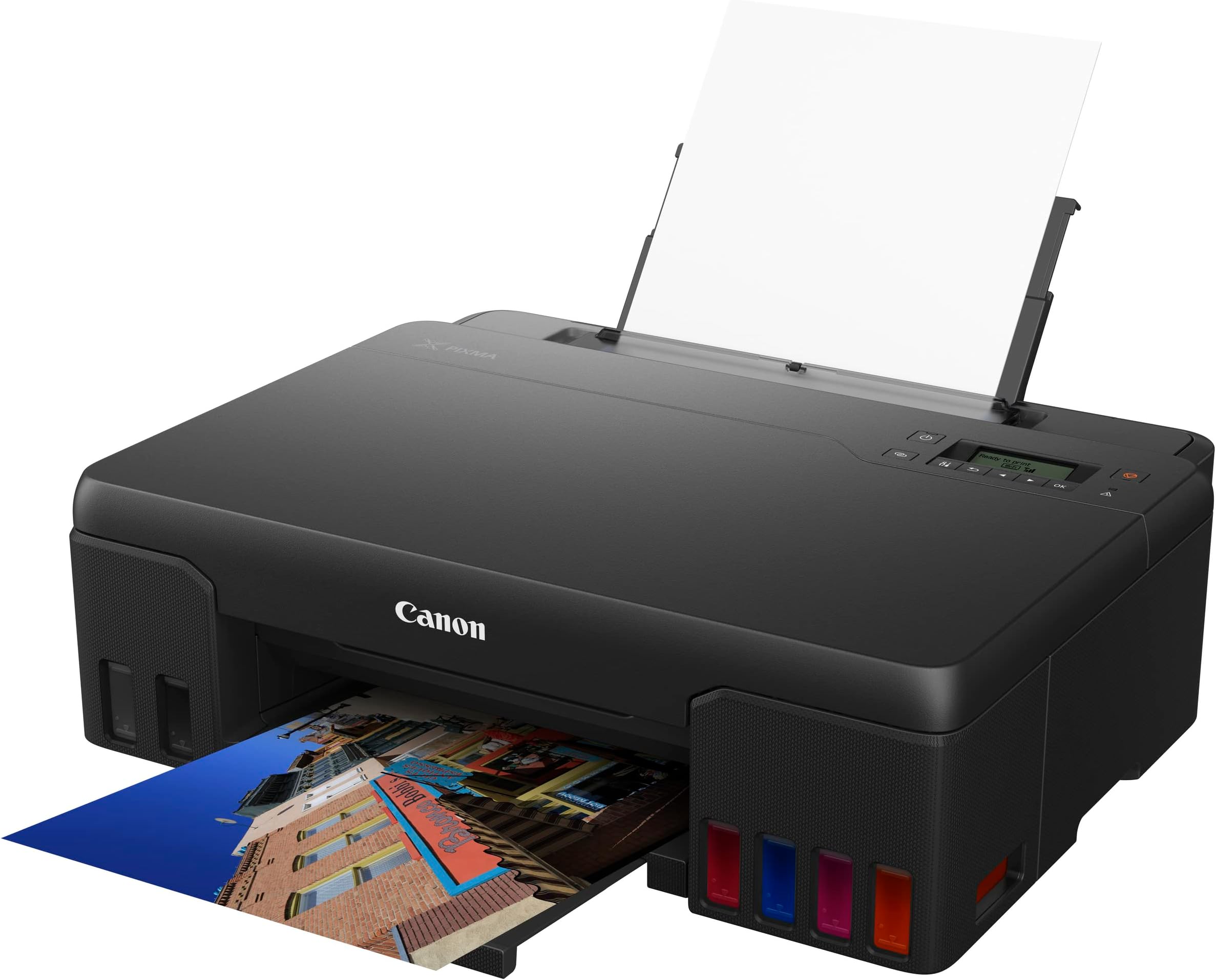
I purchased this printer recently. It had been hard to get hold of, and as a result there has been some price fluctuation. I paid ÂŁ180 for it with a 2 year warranty. I must add, that it is connected to a digital darkroom and only used for photo printing. It is a strange printer with its nasty little un-backlit 2 line LCD display. Although it would appear that you can set all the useful functions from the print manager/driver software. I suspect the display is a leftover from the G660 which has a built-in scanner and thus needs the ability to enter the settings when in stand-alone copier mode. Why they didn't fit a decent oled display like HP and Epson I'll never know. Either way, it will cost them reputational points. I do tend to set the paper details in the display to be on the safe side. Even with a torch, it's hard to read the display. Setting up the machine was a mixed experience. Setting up the networked WiFi is quite difficult on the LCD display. It needed two goes and the instructions aren't that clear if you do not understand network-speak. Once done, it works flawlessly over the network. Fitting the print-heads is simple enough: just follow the instructions, as is loading the inks, you can't put the ink in the wrong place because the bottles are key-coded. Watch what you are doing with the empty ink bottles: drops of ink left on the tops will NOT come out of the best dining table cloth đ€đ€. First switch on: the printer whirrs away for a few minutes then goes quiet. Now for the printing: unless you are familiar with photo-printing issues, I would recommend that you stick to Canon photo paper to begin with. I use Canon PP-201 glossy and SG-201 satin. Shopping around you should be able to get it quite cheaply. The printer will be set up to use it and will contain the correct ICC/ICM profiles if you set the paper type correctly. I cut A4 down to A5 for setup etc. You will use a lot of paper and expend serious frustration initially but it will be worth it! Do not waste time and ink using unbranded uncontrolled cheap paper. Unless you buy plenty and have the facilities to create ICM profiles you will never get satisfactory results. So now to the printing results. Only one thing to say: (coming from a 4/5 ink printer) OUTSTANDING! Now, I am using Adobe Lightroom which does introduce it's own complications and foibles, also I am using a Datacolor screen and print calibrator but that is not essential for all users. When comparing with my Canon 5 ink printer, I was obviously expecting an improvement in colour. I was not disappointed! What I was not expecting, was an order of magnitude improvement in sharpness or overall picture quality. Historically, I had standardized on A5 prints because paper, ink and framing costs were lower and frankly, my pictures never appeared sharp enough to stand blowing up to A4. This printer has made me completely revise my opinion of that and overnight, I have become a better photographer đ. I'm wondering now whether I should have bought an A3 printer? Now, using the built-in ICM profiles either in basic print utilities or those in the printer will likely result in very (over) bright images which a lot of people will be happy with. I think it's because modern TVs etc have conditioned us into thinking that brighter is more natural. Sadly, nature is not OLED or LCD and just is not as bright as you think! Properly profiling your screen or printer may result in images that are more dull. You pays your money and takes your choice! This printer allows you to choose! The image above shows the new printer image on the left. Obviously, my phone camera and your monitor may not do it justice, but you should be able to see that the right-hand image (from my iP7250) has a milky haze and just doesn't have the detail of the left. Ink technology used in this printer will never raise the results to archival quality, but for personal and amateur exhibition use it meets my needs. Bottle ink technology probably means I'll be replacing the printer before the bottles! If you are using a 4/5 ink printer, buy one.Prepare to be amazed! If you are a Mac user, think hard before buying this printer. Canon only support it up to a basic level and you may have problems getting custom ICM profiles to work on it.
B**N
Constant error for paper jam where there is none
constant error and unusuable
T**.
Funkar vÀldigt bra. LÀtt app att printa direkt frÄn telefonen. Bra kapacitet i patronerna.
E**E
Cette imprimante est un trĂšs bon choix pour lâamateur qui veut imprimer ses photos sans se ruiner en encre avec une bonne qualitĂ© sur du papier jusquâau format A4. Et on laisse le A3 Ă tirer chez un photolab sur internet. Par contre elle nâest pas adaptĂ©e Ă de la bureautique et au recto verso sauf si on accepte de manipuler les feuilles. On peut rĂ©aliser de petites impressions mais pas de gros volume. Ce nâest pas son but. Elle est idĂ©ale en accompagnement dâune imprimante laser. Installation. TrĂšs facile, il y a des vidĂ©os sur youtube, la mise en route est simple en suivant les indications papiers fournies. Mise en route et reconnaissance du wifi en moins de 3 minutes, je possĂšde une livebox. Il faudra aller chercher les drivers et les utilitaires sur le site de Canon" câest facile Ă installer il suffit de suivre les instructions. Il est conseillĂ© de manipuler sur lâimprimante le type de papier et son format pour ĂȘtre en concordance avec le rĂ©glage sur lâordinateur. Câest la seule contrainte, jâavais oubliĂ© de le faire en changeant de format de papier et il nây a pas eu dâerreur. Mais câest conseillĂ© sur la doc de le faire. Important uniquement pour les papiers satinĂ© faire du feuille Ă feuille. La qualitĂ© des impressions est bluffante. Le choix des 2 couleurs supplĂ©mentaires gris clair et rouge est plus judicieux sur une 6 couleurs que magenta clair et cyan clair. Sauf sur du A3 pour les dĂ©gradĂ©. A prĂ©sent je peux imprimer mes photos sans stresser et radiner sur le prix des ruinantes cartouches. Je fais beaucoup de 13x18. Le 10x15 câest pour le tout venant. Et quelques A4 pour mes besoins. Je rĂ©serve les rares A3 pour le photolab, nâayant pas de club photo dans mon petit village. Ce nâest pas une imprimante pro. Et lâamateur dĂ©sirant une meilleure qualitĂ© devra viser des imprimantes beaucoup plus chĂšres et avoir le budget cartouches qui suit. Je met 5 Ă©toiles pour le rapport qualitĂ© prix et aussi que je possĂšde une imprimante laser.
J**O
Ich habe diesen Drucker nun seit etwas ĂŒber einem Jahr in Gebrauch und bin bisher sehr zufrieden. Die mitgelieferte Tinte ist groĂzĂŒgig bemessen, so dass ich bisher keine nachkaufen brauchte. Das Papier wird akkurat eingezogen und das Druckbild ist fĂŒr meine Zwecke (Fotos auf A4) ausreichend. FĂŒr Korrespondenz ist es auch ausreichend, könnte da aber eine eigene Pigmenttinte gebrauchen. Ich nutze den Drucker manchmal wochenlang nicht und trotzdem ist da nichts eingetrocknet und er reinigt auch nicht permanent die Leitungen bei Nichtgebrauch. Die Geschwindigkeit ist eher gering bei hoher Auflösung aber auch das stört mich nicht, zumal die Tinte eh auf Glanzpapier ein wenig trocknen soll bevor man die Ausdrucke weiterverwendet. Ich kann den Drucker fĂŒr den Preis empfehlen.
M**D
Stampante ottima per stampa foto amatoriale. QualitĂ stampa veramente sorprendente, lunga durata delle cartucce incluse. VelocitĂ accensione e pulizia automatica occasionale molto soddisfacenti, la mia vecchia Pixma MX925 era veramente lenta in confronto. L'unico piccolo neo, la velocitĂ stampa di testi e un po lenta, perĂČ se non si ha bisogno di decine di fogli alla volta puo benissimo bastare.
O**M
Alors, lĂ , je jubile ! Commande passĂ©e et reçue en 4 jours par UPS. De Varsovie --> Cologne --> Marignane --> Nice et ensuite livrĂ© jusqu'Ă ma porte par un livreur UPS et avec le sourire en plus ! Ouverture de la boite et contrĂŽle visuel du contenu, tout y est - Ă part absence de quelques feuilles de papier photo pour essais... Pas grave, j'en avais d'avance. D'abord, lecture trĂšs attentive pour installation et remplissage des rĂ©servoirs d'encre. TrĂšs facile, chaque bouteille a son propre dĂ©trompeur avec des encoches diffĂ©rentes, la bouteille d'encre ne va qu'exclusivement Ă son emplacement qui est propre Ă la couleur utilisĂ©e, donc pas de confusion possible ! On dĂ©bouche la bouteille, on regarde que l'ouverture est bloquĂ©e par une bille montĂ©e sur ressort. On place la bouteille verticalement dans son emplacement et une simple pression sur le haut (fond) de la bouteille fait dĂ©clencher l'Ă©coulement de l'encre dans le rĂ©servoir. Toutes les phases de remplissage d'encre se sont faites sans se tacher les doigts ! Parfait ! Ensuite installation du logiciel de pilote (driver) avec cd-rom fourni dans mon PC. Une fois fait, configuration de la liaison WiFi entre imprimante et PC. En mode automatique, Ă©chec ... Je passe en mode configuration manuelle et je suis les instructions affichĂ©es par l'imprimante. SĂ©lection du routeur, l'imprimante a trouvĂ© mon routeur. OK, Me demande "mot de passe" du routeur, j'introduis les chiffres de mon code. Je valide et l'imprimante s'affiche : Connection Ă©tablie ! Je repasse sur mon PC pour ajouter ma nouvelle imprimante (gestionnaire de pĂ©riphĂ©riques - imprimante et scanner), Imprimante G550 trouvĂ©e et installĂ©e. Je prends un document de l'un de mes dossiers et je lance l'impression, Ăa marche ! L'imprimante est un peu bruyante - en configuration "maintenance" de l'imprimante, je sĂ©lectionne mode silencieux, auto allumage et extinction automatique. L'imprimante Ă©teinte se rĂ©veille automatiquement quand je lance une impression d'un document ou d'une photo, puis s'Ă©teint automatiquement au bout des 15 minutes programmĂ©es d'avance. Les photos peuvent s'imprimer avec ou sans bordure - option dans le gestionnaire d'imprimante. J'ai imprimĂ© pas mal de photos depuis, et il me reste encore beaucoup d'encre dans les rĂ©servoirs ! Je suis trĂšs satisfait de mon achat et je vous recommande cette imprimante fortement ! M E R C I Amazon !
Trustpilot
1 day ago
1 week ago