Desertcart purchases this item on your behalf and handles shipping, customs, and support to Peru.
🚀 Elevate your office game with color, speed, and smart wireless printing!
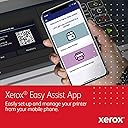
The Xerox C235dni is a compact, all-in-one wireless color laser printer designed for small offices and home workspaces. It delivers professional-quality prints at up to 24 pages per minute, supports mobile printing via Wi-Fi and AirPrint, and features an intuitive 2.8" touchscreen. With low running costs, eco-friendly certifications, and easy setup through the Xerox Easy Assist App, it’s the smart, reliable choice for busy professionals aiming to boost productivity and sustainability.
| ASIN | B09C2MGHDT |
| Additional Printer Functions | All In One |
| B&W Pages per Minute | 24 pages_per_minute |
| Best Sellers Rank | #56,297 in Office Products ( See Top 100 in Office Products ) #467 in Computer Printers |
| Brand | Xerox |
| Built-In Media | Instructions, Power Cord, Printer, Starter Toners - 500 sheets |
| Color | White |
| Color Depth | 24 bpp |
| Color Pages per Minute | 24 pages_per_minute |
| Compatible Devices | Smartphones, Tablets |
| Connectivity Technology | Ethernet, USB |
| Control Method | Touch |
| Controller Type | Android |
| Customer Reviews | 3.8 out of 5 stars 308 Reviews |
| Display Type | Color LCD/LED/OLED |
| Duplex | Automatic |
| Hardware Interface | USB |
| Ink Color | black, cyan, magenta, yellow |
| Item Dimensions D x W x H | 15.5"D x 16.2"W x 13.6"H |
| Item Type Name | Color Laser Printer |
| Item Weight | 35 pounds |
| Manufacturer | Xerox |
| Maximum Copy Resolution Black and White | 600 dpi |
| Maximum Copy Resolution Color | 600 dpi |
| Maximum Copy Speed Black and White | 22 pages_per_minute |
| Maximum Media Size | 8.5 x 14 inch |
| Maximum Print Resolution Black and White | 600 dots_per_inch |
| Maximum Sheet Capacity | 250 |
| Maximum print Resolution Color | 1200 dpi |
| Model Name | C235 |
| Model Number | C235DNI |
| Model Series | C235 |
| Number of Trays | 2 |
| Other Special Features of the Product | Portable |
| Output sheet capacity | 250 |
| Paper Size | 8.5x14 |
| Print media | Paper (plain) |
| Printer Connectivity Type | Ethernet, USB |
| Printer Output Type | Color |
| Printer Type | Laser |
| Printing Technology | Laser |
| Resolution | 1200 x 1200 |
| Scanner Type | Sheetfed |
| Special Feature | Portable |
| Specific Uses For Product | Home, home office |
| Total Usb Ports | 1 |
| UPC | 095205069334 |
| Warranty Description | 1 Year |
| Warranty Type | one-year limited warranty |
L**R
Good printer.
Printa and copies well. Ink is expensive. I have trouble with the scanning but could be my computer.
T**�
Eats Up Paper / Paper Jams Way Too Much
I use this product for small business and it eats up the paper entirely too much which it is not cheap paper being used (vinyl labels for printing) although print quality is great, it jams and continues to print sideways even after selecting the different paper type, using manual feed, etc. It is costing way more than its even worth at this point. Second issue is that although the price of the printer was reasonable, the fact that they get you on the toners that you'll need, you may as well get a d*mn new printer every time! Now that's highway robbery for me. Not satisfied with the product like I thought I would be. When I need to try to do some minor tech support from their site, its not very helpful in resolving the issues, long-term. They continue to reoccur each time I go to use this printer. Disappointing. I uploaded the picture of the printer along with the jacked up printing it did. Something has to be done about this.. Im ready to send it back and get my refund on these toners that cost just as much as the printer!
P**N
Best Laser Printer for Home Office
This was a great investment for my home office! The price was to good to pass on, and Xerox is a durable and reliable brand that I'm familiar with. It was time to stop using inkjet printers and this laser printer was the better choice. It was east to setup too!
A**L
Highly recommend
Using the cell phone app it took me 30-minutes to setup this printer. I did have a driver issue soon after completing installation that I quickly overcame. Not even sure what that was about but turned out not to be a major issue. This device is just as people say in the reviews. It's a little loud, perhaps a tad slow, but prints wonderful quality prints. I bought this Xerox printer after going back and forth between a Brother and Lexmark but ultimately chose this one due to it's size. It's big but not overly so and with any other laser printer I was going to have to make accommodations for space which I didn't have to do with this one. I don't like that you can't scan directly from the printer but using the "Xerox Print and Scan Experience" software it works flawlessly. Ink is going to be expensive down the road but I compared to other printers and frankly they are all expensive so it just is what it is.
Y**D
Very happy with this color laser MFP
I have not had this long, but it was a joy to set up and connect to three devices. I am more tech savvy than average and I had some small issues connecting to laptops, but it didn't take long until things started working. It's small screen is touch-enabled which makes a lot of small admin tasks a lot easier that other similar printers I've owned. The main reason for me for providing a five stars review though is price. I really expected to find something undesirable with the quality for such a low price, but this seems to be a very excellent color laser MFP. Best of the three MFPs I've owned anyway. Impressed.
J**N
Finally got it to install the driver on my laptop
Just purchased a C235 MFP. It is not physically connected to a computer. I installed it using my cell phone and was able to print with no problem. I'm now trying to install the print driver on a laptop. I keep getting an error "Failed to create queue". I've tried it with the CD that came with it, I've downloaded the latest version from the Xerox website, I've stopped and restarted my print spooler, I've rebooted the computer, I've run the installer as an administrator... but I still keep getting the same error every time. Anyone have this problem and figured out how to fix it? UPDATE: By searching the Internet, I finally found a method that works. Didn't seem any different from all the other methods I tried, but it finally worked. The printer itself works fine over wifi from both my phone and my laptop. So I'm increasing my rating to 3 stars. Would have been 4 or 5 if the installation hadn't been so difficult.
T**K
Works with Linux
This printer works well with Linux which is why I bought it. Sure you have to make sure you have certain scanning software preinstalled and download a ppd file from Xerox but when that is taken care of, at least for me I can scan, print and copy fine. (I haven't needed to try the fax )which is not a Linux-centric thing anyway Yes it's an older model hence the price is very reasonable. It has another feature I was looking for. It works with non-oem toner cartridges ! The printer arrived promptly, undamaged and new.
V**Y
SETUP IS A NIGHTMARE! I'm still not hooked up to this printer.........
I should have listened to the people saying that setting this up was a nightmare..... Wow, I've had this for 2 weeks and I have spent several hours trying to set it up. I am currently on txt with Xerox's "support" and it has been 30 min and I haven't even started the process. Their Ai gave wrong info, then I was forwarded to someone, then they forwarded me to another person. This person told me to wait while they reviewed my case, 11 min later after no response, Alejandro asks me how I want to set up my printer........ this printer won't connect to my Wifi, I called my internet provider. I bought an ethernet cable, it still isn't hooking up. I set up admin and now it won't recognize my admin password that I set. I have tried the phone app and it won't recognize it through that either. I have tried doing it through my computer, it can't find the printer. This is insane for amount of money I spent on this thing. Even after typing this I am still waiting on Alajandro who has asked me "you mentioned initially that you cannot set up your printer? Can you tell me more about that?"....... it's now been 20 min with JUST him and he is acting as if I hadn't input any information, that he took 11 min to initially "review" I'll stop for now but I will surely update on this insanity.
C**N
Imprimante parfaite mais....
L'imprimante correspond à mes attentes, seul problème la cartouche noir présente dans le colis s'est retrouvée à 16% en quelques impressions, vu le prix des consommables j'espère que c'est une malheureuse erreur et que je suis le seul à être dans ce cas. J'attends avec beaucoup d'attention la reaction du vendeur sur le sujet.
M**Y
The worst company to deal with!
This is the worst printer and one of the worst company to deal with! Xerox is old school and does not know how to deal with customer service. The quality and performance of the printer is terrible since 1st day.
E**A
TONER
LA IMPRESORA VINO CON CARTUCHOS VACIOS
N**L
This machines isn't even worth the time to leave the review
I bought this printer expecting it to be a game changer from a good name. I was wrong. It's been a terrible printer.. and for color.. it's so bad ..I don't even print in color anymore... Color saver. Yes.. because it's so faint I wouldn't even call it color. It saves toner by not using it on the paper .. And so out of focus I need a different pair of glasses to read it ..It's a real hot mess. I will be scrapping it shortly and going to another brand .. definitely would not recommend
Trustpilot
2 months ago
2 weeks ago