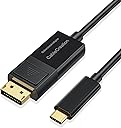
![CableCreation 8K Bi-Directional DisplayPort to USB C Cable 1.8 Meter, [HDR, 8K@60Hz, 4K@144Hz], DP 1.4 to USB C Cable [Thunderbolt 3/4 Compatible] for MacBook Pro/Air, iPad Pro, iPhone 15/15 Pro,XPS](https://m.media-amazon.com/images/I/61sfnpkNdQL._AC_SL3840_.jpg)


Desertcart purchases this item on your behalf and handles shipping, customs, and support to Peru.
⚡ Elevate your display game with ultra-HD speed and seamless versatility!
The CableCreation 8K Bi-Directional DisplayPort to USB-C Cable delivers unmatched 8K@60Hz and 4K@144Hz video quality with bi-directional support, compatible with Thunderbolt 3/4 devices including MacBook Pro/Air, iPad Pro, and Galaxy phones with DEX mode. Its durable braided design ensures longevity, while plug-and-play functionality guarantees hassle-free connectivity for professionals demanding premium performance.


| ASIN | B08BY78C42 |
| Best Sellers Rank | #18,938 in Computers ( See Top 100 in Computers ) #27 in Thunderbolt Cables #115 in Computer DisplayPort Cables |
| Brand | CableCreation |
| Brand Name | CableCreation |
| Cable Type | Display Port |
| Cable type | Display Port |
| Color | Black |
| Compatible Devices | Personal Computer, Projector, Tablet, Television |
| Compatible Phone Models | Galaxy S20, Galaxy S20+, Galaxy S20 Ultra, Galaxy S10, Galaxy S9, Galaxy S8, Galaxy Note8, Galaxy Note9, Other Galaxy devices with DEX mode support |
| Compatible devices | Personal Computer, Projector, Tablet, Television |
| Compatible phone models | Galaxy S20, Galaxy S20+, Galaxy S20 Ultra, Galaxy S10, Galaxy S9, Galaxy S8, Galaxy Note8, Galaxy Note9, Other Galaxy devices with DEX mode support Compatible phone models Galaxy S20, Galaxy S20+, Galaxy S20 Ultra, Galaxy S10, Galaxy S9, Galaxy S8, Galaxy Note8, Galaxy Note9, Other Galaxy devices with DEX mode support See more |
| Connectivity Technology | DisplayPort |
| Connector Gender | Male-to-Male |
| Connector Type | DisplayPort |
| Connector type | DisplayPort |
| Customer Package Type | Standard Packaging |
| Customer Reviews | 4.2 out of 5 stars 460 Reviews |
| Data Transfer Rate | 2.7 Gigabits Per Second |
| Frequency | 60 Hz |
| Indoor Outdoor Usage | Indoor |
| Item Length | 1.8 Meters |
| Item Shape | Round |
| Item Weight | 0.08 Kilograms |
| Manufacturer | CableCreation |
| Model | CD0738 |
| Model Name | CableCreation |
| Number of Items | 1 |
| Number of Pins | 44 |
| Other Special Features of the Product | Braided |
| Outer Material | Braided |
| Part Number | CD0738 |
| Recommended Uses For Product | home theater |
| Special features | Braided |
| Specification Met | USB-IF |
| Unit Count | 1.0 Count |
D**M
Good so far!
Nicely crafted and packed. Does the job perfectly even with auto-variable refresh rate settings.
D**N
perfect for what it is
I have a monitor that supports 2k and 165hz only on display port. My legion 5 pro does not have display port, only hdmi and usb c. Considering that 90% of cables provide hdmi to display port only one direction and the wrong one in my case (Display port -> hdmi not other way around) I have finally found a way to connect my monitor to laptop with this cable which is amazing, bi-directional and supports very high Hz.
D**V
4K 144 HZ cable
I bought it to connect my Laptop: MSI GS75 with 2080 max-q to Gigabyte M28U. Was afraid of DP version on Thunderbolt 3 port (because there was no info about it), luckily - it works as expected :)
A**I
Doesnt work
2nd time buying this product and both times it does not work
P**S
Timely delivery
Good quality and prompt delivery
N**R
Good Quality & Reasonable Price
Recommended
M**.
Do not know why people are complaining.
It works as advertised. I have been using it for some time now and it works without issues...does what it is supposed to do.
س**ي
Very good!!
Just what I am looking for
C**H
Works with 2009 Mac Pro
Works with 2009 Mac Pro with RX580, now able to get 4k 60Hz going from display port to usb-c on Gigabyte M32U 4k monitor.
R**I
Best known for cables.
Third time purchase. Never let you down.
C**A
Working with Nvidia GTX 1080 DisplayPort to USB C on Dell S2722QC Monitor
Working 4k@60Hz with Nvidia GTX 1080 DisplayPort to USB C on Dell S2722QC Monitor. Works perfectly including FreeSync (gsync compatibility mode on Nvidia) and HDR so well done CableConnect :) I am very happy with this purchase since after reading some of the neg reviews I was not sure it was going to work! Display audio on the monitor also works although monitor USB doesn't although I didn't try hard since I do not need the functionality. NOTE: If you have problems make sure your equipment meets the specs of DP 1.4 Alt Mode on the USB-C monitor input and DP 1.4 on the graphics card (I had to flash a firmware update for GTX 1080 to enable this). P.S Got next day delivery with Prime in Australia so I had at as soon as the monitor arrived.
C**1
Connect your desktop PC to a USB-C portable monitor!
I wanted to get a portable monitor for a variety of reasons, one to use with my portable devices (Steam Deck, Switch, laptops, etc) that have USB-C video output but two to use with my desktop systems when at LAN parties and gaming events. I looked for a portable monitor with DisplayPort and couldn't find one, pretty much all portable monitors on the market have USB-C and HDMI inputs only. Since I wanted a gaming monitor it needed to have variable refresh rate, and the HDMI implementation of VRR is awful compared to the DisplayPort implementation, especially on Linux, which is why I wanted DisplayPort capability in the first place. Luckily, USB-C video IS almost always DisplayPort, just over a different connector. However, it's hidden behind USB alt-mode capability, requiring some logic to switch the port into video mode and thus the existing USB-C to DisplayPort cable I had for connecting my laptop to a DisplayPort monitor wouldn't cut it. I needed a bidirectional cable. After trying one from another manufacturer that simply did not do anything, I bought this CableCreation one. Plugged it in and everything works exactly as expected. My NexiGo portable monitor shows up at full 144Hz refresh rate, VRR capable, and at full 2560x1600 resolution on my desktop's AMD Radeon RX7800XT graphics card.
A**ー
双方向安定しない
PC側DisplayPort→モニター側 USB Cで使用したが、信号の途切れがやたら多い。 逆方向では試す環境でないのでわからない。モニターとの相性と諦めました。
Trustpilot
1 month ago
3 weeks ago