Desertcart purchases this item on your behalf and handles shipping, customs, and support to Peru.
๐ Upgrade your WiFi game โ connect faster, farther, and safer!
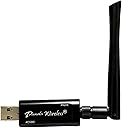
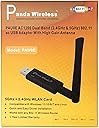
The Panda Wireless PAU0E AC1200 USB Adapter boosts your PC or Raspberry Piโs WiFi to the latest 802.11ac standard, delivering up to 867 Mbps on dual 2.4GHz/5GHz bands. Featuring a high gain antenna for enhanced signal strength, broad compatibility with Windows and Linux distros, and advanced security protocols, itโs the ideal upgrade for professionals craving reliable, high-speed wireless connectivity in complex environments.
| ASIN | B00JDVRCI0 |
| Best Sellers Rank | #294 in USB Computer Network Adapters |
| Brand | Panda Wireless |
| Color | Black |
| Compatible Devices | Desktop, Laptop |
| Compatible Operating System Family | ChromeOS, Linux, MacOS, Windows |
| Customer Reviews | 4.3 out of 5 stars 4,412 Reviews |
| Data Link Protocol | IEEE 802.11ac |
| Data Transfer Rate | 867 megabits_per_second |
| Hardware Interface | USB 3.0 Type A |
| Item Dimensions L x W x H | 6.2"L x 3.9"W x 0.5"H |
| Item Weight | 9.07 g |
| Manufacturer | Panda Wireless |
| Mfr Part Number | PAU0E |
| Minimum Required Operating System Version | Debian 7.0 Wheezy, Windows Vista |
| Model Number | PAU0E |
| Number of Items | 1 |
| Product Dimensions | 6.2"L x 3.9"W x 0.5"H |
| UPC | 696837032675 |
S**R
Highly recommend them
A request for me to review this, just popped up. I purchased it several years ago and it is still working great. I have three of them all on 3 Raspberry Pi's. They have a good strong signal.
K**R
Wonderful product
The only place I can connect my router in my house is in the furthest spot in the living room away from all the bedrooms. Since I haven't braved crawling through the attic to attach wired options throughout the house just yet I decided to get this little adapter since it was cheap and I figured if I ever got unlazy it wouldn't be a big waste of money. I am entirely glad I got this over one of the other more expensive products. This works phenomenally. I am in the back room of the house (furthest possible spot away from the router) and I still get a full 5 bars whether my door is open, closed, people are home, etc. My connection never gets interrupted and it runs strong. My download speed has increased an INSANE amount over the adapter this one was replacing which just couldn't manage to hold a stable connection over three bars. I was super happy with this product and will probably be buying a few more for the other PCs in the house until we get something more permanent set up. Hell, I may decide just to keep it wireless since I haven't experienced any of the issues that I normally have with wireless adapters. GREAT GREAT GREAT buy. Just remember that when installing you only install the driver on Windows 7 otherwise it acts a little wonky. Other than that its practically plug and play. I just stuck it in and ran through the driver install with the disc they provided, only using the drivers, and it was working within a minute or two and going strong ever since.
K**S
Plug and Play on Manjaro
Works out of the box with no drivers needed on Manjaro Linux. Thatโs exactly what I was looking for, and itโs cheap. Build quality seems solid and doesnโt feel cheap. But you need to be aware of what youโre buying. This is a single band wireless N device restricted to 2.4ghz. Depending on your router and internet package from your ISP, that may not matter. I was getting up to 50-70mbps download speed, and that works well for most applications. And this seems reliable, it never cut out on me. However, wireless N is outdated and has its limitations, mostly seen when downloading large files. If youโre able/willing to install drivers, you can get an 802.11ac dual band device that can leave this thing in the dust as far as speed is concerned. I replaced it with a USB 3 device like this and am now getting over 200mbps. If you need something that works out of the box, your router or ISP package are limited to the slower speeds, or those speeds are just fine for what you plan on doing then by all means buy it. Itโs a great little adapter and works exactly as you would expect. Just know that there are better options out there for a similar price if thatโs what youโd prefer.
R**N
I am very pleased with my purchase
I purchased this product to replace my powerline adapter connections because the powerline adapters were causing some of my sensitive devices to lose their internet connections. My PC is about five years old and does not have built-in Wi-Fi. I am very pleased with my purchase. I first plugged my adapter into a USB 3.0 port on the rear of my PC. My PC is facing against a wall and is inside an enclosure built into my deck especially for PCโs. The rear of the PC enclosure is open so my first thought was to install it out of sight. I was surprised to find I did get a connection to my router but the signal was not as strong. I now have it plugged into my USB 3.0 4-Port Hub sitting on the top of my desk. My reception with the adapter plugged into the hub is exceptionally good. The device is working perfectly even with three other USB devices plugged into the hub. This adapter is truly plug-n-play if you have Windows 10. Windows installed the necessary drivers. There was no need to download drivers or use the included driver disk. I plugged it in, Windows recognized it, and installed the drivers. I connected to my Wi-Fi router, provided my credentials, and the adapter was working. My PC is currently about 50 feet from my Wireless router. The router is located in another room down the hall. I am pleased to report the signal is very strong. I just completed a download test to my PC. I am getting 14.2 Mbps down and 1.68 Mbps up. That is just as fast as the speed I was getting with my powerline adapter. I was a little reluctant to purchase this adapter at first because of the price. I found other adapters that were priced 2+ times as much as this one; however, I decided to try this one because of the excellent reviews. Iโm pleased that I purchased the Panda adapter. Based on my experience, I donโt believe you will be disappointed.
J**Z
A fantastic solution for my needs. Wish I'd purchased this item sooner!
I put together a new computer build this summer (after 10-years with my last Vista operated build...yeah...long story). As I was piecing together this build I spared little expense. I went with a high end MSI motherboard, 6700 i7, 32gb ram, a 980ti gpu...and a couple of nice G-Sync 4k displays. My wife is not a fan of cables running across the floor (I however do not like wireless AT ALL). I could not convince her to step over my cables running here and there so I needed to go wi-fi. I researched the best solution to meet my needs and I came to this Panda Wireless USB adapter. I was concerned because at the time of the purchase there were not a great amount of user reviews though the technical reviews were solid. I was also somewhat taken aback because the price...seemed to be too good to be true. I figured I'd give it a shot and wow have I been happy with this thing. Very, very happey. Pro: - Easy to install. - Great price. - The company emailed me shortly after the purchase to see if I was happy or if I was in need of support (I love good customer service). - Oh...this is kinda important--it works and works well! I get great reception across the room. Down/upload speeds are comparable to what I was getting with a hard connection. Cons: - None so far after 3-months of regular use.
P**L
Works well w/ Linux Mint
Just got this yesterday in the mail and now really getting a chance to put it through it's paces. I have a small, cheap Asus laptop that is designed for Windows. I wanted to set it up for writing C++ with some Linux distro. I first attempted to install Arch onto the thing and was having major issues with WIFI connectivity. I decided to simplify things and try Linux Mint, by to my dismay the same issue with the WIFI persisted. I did some digging online and I guess this particular NIC (wireless card) in this laptop does not play well with Linux drivers. I read about this little dongle on a couple blogs/threads and heard that it plays nice with Linux. I started fresh with Linux Mint and haven't had an issue one with this WIFI dongle. I'm tapping this review out on the laptop right now and the little dongle is happilly letting me know that he is talking to the network with his little flashing blue light. No dropped connection or nothing weird. I connected to my server and downloaded about 40 Gigs of data over the WIFI and the dongle handled it like a champ. The speeds are a little bit slow, but for my intended purpose I really don't care. Slightly slower speeds beats no speed at all. I've included a picture of speed test results from this laptop with the dongle, and my desktop on ethernet for comparison. I know comparing wireless to wired is not a fair comparison typically, but the wireless card in my desktop does about the same speed as the ethernet when I use it. Despite the slower speed of about 30 Mbs down, I am %100 pleased with this thing so far. I would have paid more for something that works as well, at a higher speed though.
G**E
Linux people: this is your WiFi dongle
Saved my Sunday. I have a Linux-based KODI computer hooked up to my television. Last week, I upgraded my house's router to an ASUS RT-AC68W. Every device in my house benefited greatly from the increased range, signal strength, and dual-channel nature of the network... except this box. It had an old Belkin 802.11g wifi dongle on the back of it, which not only dropped connection but wouldn't reconnect without being re-plugged after the drop. So then I bought a TrendNet AC1200 dongle. Compiled the drivers. Things were better -- I didn't drop from the network. But streaming from the hard drive I was sharing through the router was so unstable, so filled with gaps and drops, that things were practically unworkable, even if I downgraded the NIC to 2.4Ghz. In a fit of desperation, I bought this USB dongle. I was unhappy about its not-dual-channel nature and N standard only, but quickly changed my tune after only a few minutes. It might "only" do 300MBPS max, but it worked completely out of the box on Ubuntu 14.04.2 -- I didn't have to compile anything -- and hasn't skipped, buffered, paused, or otherwise been a PITA at any point. Even better, the reaction time on this thing is fierce -- no pausing to find a new file over SAMBA or the internet. This is like a Mac product for Linux people. It "just works" out of the box and 100% correctly. The signal may not be the strongest or fastest, but it is reliable as the day is long and far more than enough to stream 1080p media as if the files were local. That it was $20.00 cheaper than the TrendNet AC dongle adds insult to injury (for me) and a bonus to anyone who hasn't yet decided. People who run Linux, this one is for you. It's perfect.
R**R
I had a TP-Link plug and play adapter that was easy to install and worked perfectly
Before the Panda Wireless, I had a TP-Link plug and play adapter that was easy to install and worked perfectly. My kids broke it which is why I was in the market for a replacement. This one had good reviews and the price was nice. My system runs Windows Vista, though an older system, and has not had trouble running any new programs or hardware. I followed the instructions that came with the Panda Wireless. The instructions tell you the driver will be out of date (which was a bit frustrating seeing that right out of the box) and you will have to go to the Panda website to get the newest version of the driver. Seeing that I am trying to setup internet on that computer, hence the wireless adapter, downloading the newest driver meant going to another computer saving the driver to an external hard drive and then bringing it to the computer on which I was trying to install in the first place. (Steps I did not have to take with the previous adapter, took more time than I wanted to spend, and frankly were just irritating.) Once the newest driver was downloaded I never could get it to install and set-up the adapter. I tried many times, uninstalled and reinstalled, did some troubleshooting through Panda's website, turned off firewalls, and googled the problem. I spent entirely too much time trying to make work what should have been a simple plug and play adapter. I needed internet connection ASAP so there was no time to send back or troubleshoot any more. Went out tonight and bought a Linksys adapter. No exaggeration, it took 3 minutes to plug it in and get internet access on my machine. Looking at the reviews, others seem to have had success with the Panda adapter. I unfortunately did not. I will stick with Linksys or TP-Link.
Trustpilot
3 weeks ago
2 months ago