Desertcart purchases this item on your behalf and handles shipping, customs, and support to Peru.
๐ฏ Elevate your AV game with pro-grade 8-in-1 4K switching โ because your setup deserves the best!
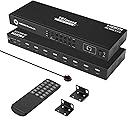
The TESmart 8ร1 HDMI Switch is a professional-grade AV switcher supporting 8 HDMI inputs and 1 output with full 4K UHD resolution at 60Hz and HDCP 2.2 compliance. Designed for seamless integration into standard 1U 19-inch racks, it offers versatile control via front panel, IR remote, RS-232, and LAN/IP commands. Features include auto-scan switching, hot swap capability, and intelligent EDID emulation for reliable, high-quality video management across multiple devices.


| ASIN | B085RZ269S |
| Best Sellers Rank | #239 in Audio & Video Selector Boxes |
| Brand | TESmart |
| Cable Type | HDMI |
| Color | HDMI Switch 8 ports 4K@60Hz |
| Compatible Devices | Camera, Gaming Console, Laptop, Projector, VCR |
| Connector Type | HDMI |
| Connector Type Used on Cable | HDMI |
| Customer Reviews | 3.9 out of 5 stars 96 Reviews |
| Item Dimensions D x W x H | 17.32"D x 5.91"W x 1.77"H |
| Item Weight | 3.3 pounds |
| Manufacturer | TESmart |
| Mfr Part Number | TES-HSW0801A1U-USBK |
| Model Number | HSW0801A1U |
| Number of Items | 1 |
| Number of Ports | 8 |
| Power Source | DC |
| UPC | 745695280428 |
| Warranty Description | TESmart (Manufacturer) warranty for 365 days from date of purchase. Always be able to contact TESmart via Amazon. |
C**T
Good KVM, Great Support
I bought this KVM to replace the TESmart I bought five years back. It was getting flaky and only had four ports. Itโs a great KVM for the price but you may run into issues depending on the hardware, OS and configuration used. Not to fear, the vendor is really good at responding even when the issue isnโt with the switch. The cables on this one are somewhat specialized having an HDMI and USB plug on the computer side and a an HDMI plug on the switch side. So, you are pretty much limited to how far the computers can be from the switch. Iโ m pretty sure that if you stick the switch in the middle of the rack you should be able to reach all the computers in a full height rack. if working with proper servers, you may need to mount the switch on the back rails. My favorite feature is the eight button wired remote. The remote connects to the switch using a standard USB-C cable and you arenโt restricted to using the provided cable. Iโm using a 20ft cable and you may be able to get further but you will need a higher end cable. The one Iโm using is certified to support 8K video. When I did have issues, I reached out to the vendor and they responded quickly. In my case, I was having issues with black screens and not being able to get the connected machine to respond with the logon screen. I ended up turning off some or all of the power saving features. The vendor indicated that the switch has circuitry to send the wake signaling to the associated computer but for now I have found the switch works more reliably if I just donโt let the computers hibernate/sleep. The 2018 Mac Mini I have has proven to be more challenging. Despite what Iโve read, the changes Iโve made, and the third party software Iโve installed, if the machine is locked, it completely shuts off video signaling after a few minutes. I recently learned that pressing Command-F1 (switch monitor) will restore the signal. Iโd recommend that you have a relatively simple monitor to troubleshoot with. I had my new Samsung Smart monitor connected up when problems started popping up and it made it much more difficult to determine what and where the issues were. Like everything these days, they donโt let you adjust things to the way you want them. You have to deal with their stupid โSmartโ features. Iโve since gone back to using my 12 year old JVC with the switch. Iโve worked around the issues I am having and Iโll eventually find the anomaly and a fix, but at this point, Iโm sure the switch is working as intended and I can go back to fuming at the usual suspects, myself included.
L**Y
Great HDMI switch with some gotchas that make it hard to configure the LAN control
I give this 5 stars for good functionality at a reasonable price, but there are several issues to be aware of. First, this functions well as advertised. It's an 8x1 HDMI switcher supporting HDCP 2.2 and 4K (3840 x 2160) @ 60Hz. Switching can be controlled by front panel buttons, IR remote, RS-232, or Ethernet/IP. I use these on TVs where I have many HDMI devices that I want to toggle between. I have used this with Google TV, BluRay, Ubiquiti ViewPort, Roku, and other types of devices. I primarily use the Ethernet/LAN/IP control capabilities. I have Lutron keypads set to select the TV input. Programming the Lutron Homeworks QS system to enable switching HDMI inputs is relatively simple. Here are the downsides to this device: - The RS-232 port is a 3-pin connector that must be wired to a 9-pin Female D-type RS-232 connector to use the port. It's not hard to do, but this does not connect to a standard RS-232 cable out of the box. You will need to make a custom cable if you want to use RS-232. The manufacturer should include a 3-pin to 9-pin Female D-Type RS-232 adapter. - The LAN/Ethernet port comes set to a static 192.128.1.10/24 IP address. It does not use DHCP. The IP address requires using a custom Windows utility to configure. The Windows system running the custom utility must either connect to the static 192.128.1.10 address or use the RS-232 port. The device does not have a Web browser interface. It listens for hex commands on the IP address port (default 5000) in the same format as on the RS-232 interface. There needs to be a way to configure the IP address without using a Windows PC. - There is no way to factory reset the device. If you set the IP address wrong and are unable to connect over IP, you must use the RS-232 port to reset the IP address. The device should have a factory reset button or button sequence. Aside from these negatives, which make setting up the device more complicated than necessary, these are great little HDMI switches. I'm about to install the 16-input version on my main living room display, where I frequently switch between multiple security camera views and different AV devices.
1**6
Almost 3 years and now it's a paperweight
Bought almost 3 years ago (Dec2023) and slowly over that time the unit would switch outputs randomly while gaming. The problem was getting consistently more frequent until today when it completely took a dump and now won't display on any input. For the cost id expected alot longer lifespan. As others have started the remote is awful and it's quality feels like something you'd order from Temu. Save your money and buy something more reliable. This is too expensive to crap out so quickly.
F**3
Works fairly well
I likes that it an 8 in 1 out HDMI switch. My only issue is I have 3 TIVO units hooked up- Romeo, Bolt and Edge and Nvidia Shield. It switches fine except with the TIVO Edge when I switch from the Edge and switch back I get an HDMI error, If I unplug it and plug back in it works again until I switch then I get the error again. I didn't have this problem with my old Zettaguard switch. Support has been contacted and they do respond but no cure as yet.
P**N
Recommended
Iโve had great luck with this device. I was surprised by the relative dearth of options for connecting multiple HDMI devices, since we all own a bunch by now. The device has been stable, reliable, and delivers clear picture. Also, customer service has been great. I lost my remote and they have replaced it free if charge.
S**Y
Worth the price
I have used 2 others in the last 4 years and have replaced them both. The quality of this one exceeds my expectations. Well worth the cost
J**.
eliminates need to switch between HDMI inputs on the TV
which is rather a pain since the TV set has "fancy" remote features that are trying of my patience. This unit replaced all that with a single box, just pick up THAT remote and switch to the input you want. p.s. I am the kind of gizmo guy that does NOT mind having a 1/2 dozen or so remotes.
M**S
Audio does not properly work on these. Confirmed manufacturer's defect.
UPDATE: After literally months of back and forth messaging and troubleshooting with TESMart the audio issue stems from needing LPCM audio format support on your TV. If your TV or sound system or monitor or whatever output device you're using this with does not support LPCM your sound is not going to work properly. They need to update their page with this requirement, they claim an updated model is in the works but who knows how long that will take. I've tried THREE of these and it has the SAME issue. Certain audio channels are simply not playing. Music and effects are usually fine but voice/dialogue either doesn't play or intermittently cuts out. This is regardless of device, tried with multiple HDMI cables and TVs/monitors/speakers. TESMart please have your engineers look into this...I want to like this unit but that is a huge deal breaker.
Trustpilot
2 months ago
1 month ago