





Game Boy Player
Product ID: 182237
🎮GameCube & GBA controller compatible
📺Play Game Boy games on TV
🔄Swap games without powering off
🎮 Level up your nostalgia — Game Boy classics, now widescreen and social!
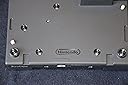
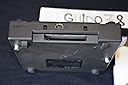
The Game Boy Player is a Nintendo accessory that attaches to the bottom of the GameCube, enabling you to play Game Boy, Game Boy Color, and Game Boy Advance games on your TV. It requires no extra power supply and supports both GameCube and GBA controllers. With multiplayer link capabilities and motion smoothing features, it offers an authentic, enhanced retro gaming experience designed for sharing and streaming your favorite handheld titles on a big screen.
| ASIN | B000090W86 |
| Best Sellers Rank | #41,526 in Video Games ( See Top 100 in Video Games ) #32 in Game Boy Accessories |
| Compatible Video Game Console Models | Nintendo Game Boy Advance SP, Nintendo Game Boy DMG-01 |
| Customer Reviews | 3.9 3.9 out of 5 stars (568) |
| Date First Available | October 27, 2003 |
| Is Discontinued By Manufacturer | Yes |
| Item Weight | 4.4 ounces |
| Item model number | VANIN 045496950309 |
| Language | German |
| Manufacturer | Nintendo |
| Product Dimensions | 11.25 x 9.25 x 2.75 inches; 4.41 ounces |
| Rated | Rating Pending |
| Release date | September 8, 2006 |
| Type of item | Video Game |
A**X
Performs exactly as expected!
The Gameboy Player provides you with the opportunity to play your favorite GBA, GBC and gameboy games on a larger screen. Those who have used the Super Nintendo's Super Gameboy accessory should already be familiar with this concept, where it puts your games on screen with a border around it. Gameboy Advance games can be run full screen with a resolution that is similar to Super Nintendo. This also allows you to play Gameboy Color games - something Super Gameboy couldn't do. I was impressed that the included a link port, which adds some interesting possibilities. Also, the low profile of the bttm piece doesn't really make the Gamecube that much taller or change its look that much. The player allows you to swap games while the console remains on (using the button in the Z menu first). There is a motion smoothing feature that subtly tunes up your GBA games. There are also several screen format options which is helpful when working with different TV's. So why would you want this? I own three handhelds that can play GBA games, I didn't get this because I needed another device to play on. These games are visually designed for small screens and sometimes this doesn't translate well to the big screen. But there are two areas I really think this can shine: Strategy games play well on a bigger screen. I'd been stuck for months on Advance Wars, but somehow seeing it on the big screen, the solution just clicked. I imagine this will be the same in other strategy games. Recording gameplay footage. I personally dislike emulators and think that this is the only real option for faithfully recording gameplay for GBC and GBA games. Ultimately, the best feature though is that you can share these games with friends without hunching over some tiny screen. Which I think is why this was made.
M**7
A must own for Gameboy Advance collectors. Totally worth it.
I looked these up online for a while before I finally bought one. But I decided I just had to have it. As I have started collecting a few games for the Gamecube and the Gameboy Advance this was a no brainer. It's hard to find the disk nowadays which is what makes these expensive. The bottom attachment to the Gamecube is easier to come by. This adapter plays Gameboy, Gameboy Color, and Gameboy Advance games in full 4:3 ratio on my TV. They look pretty good considering they were meant for the smaller screen on the GBA. I love that the GBA library has old ports of NES and SNES games. This makes my Gamecube a pretty good all in one Nintendo console. I can play ports of old games and newer Gamecube games with my wireless wavebird controller and it works great. Saves space in the entertainment center. A bit expensive but a good buy.
M**H
Nifty piece of gaming hardware!
The Gameboy player is a wonderful piece of engineering. I was a bit baffled that you had to undo a slot from underneath the Gamecube and actually screw in this appendage onto the underside of the gamecube. I never bothered looking underneath the system and thus never knew these extra port additions were even there! So after marveling at how easy and novel the installation was, I popped in the Game Boy Player disc, pushed in a GBA cartridge into the player and turned on the power, everything booted up like a charm and I was playing my game boy advance games on the big screen. Sure the image doesn't fill up the full screen, but they have frames you can alter and modify that border the game image to help fill the space; so it isn't terrible. Highly recommended if you can find both for a low price. More often than not, you'll end up finding either just the player or the disc and most likely for exorbitant prices, which is a shame. This is one neat piece of hardware and great since I can stream my GBA games to video on my computer now!
L**S
Not pleased at all!
This accessory came in good condition. However, the disc necessary to use it was not included. There was no indication of that as it was advertised. I attempted to buy the disc needed locally, but was told it was not possible, so I bought a new player accessory with disc included. By the way, these are not easy to come by. I was also advised to return the player. I contacted the seller and was told I could do it but I would not receive a refund on shipping. When I weighed the cost of shipping it back and the amount I would receive as a refund, I decided not to bother. This was a big disappointment.
V**7
Playing GB, GBC, and GBA games on a TV is godly.
The seller was surprisingly honest about the condition of the disc, which was that it has obviously been used but the disc was usable. When the start-up disc was shipped, it definitely had some wear on it but it seems minor. I got the base at a local store. Got them into my GameCube and it runs perfectly! The framerate, colors, textures, sound, user interface, all are great! To be able to play almost every Gameboy, Color, and Advance games on your TV is a dream come true. Also, the standard GameCube controller is awesomely smooth with some games. 0_o This is IMPORTANT: you need to put in the disc whenever you want to use the Gameboy Player. I originally thought that it just installs the Gameboy Player software into your GCN after inserting it once. I was dumb. =_=. If you get the disc, guard it with every fiber of your being. These are weirdly ultra-rare.
J**E
If you have a GameCube, you want this.
With this device, your GameCube can effectively become a giant Game Boy Advance. It attaches to the bottom of the GameCube through the high-speed port, secured with two screws, and adds about an inch to the GameCube's height. Then you put the included startup disk in the GameCube, put a Game Boy game in the slot in front of the device, turn the GameCube on, and you're playing a Game Boy game on your TV! So you can play all your Game Boy, Game Boy Color, and Game Boy Advance games without having to deal with tiny, badly-lit screens and dying batteries. It works with Game Boy, Game Boy Color, and Game Boy Advance games. However, it doesn't seem to have any Super Game Boy compatibility. If you play a Super Game Boy game on it, it doesn't use any of the enhanced color palettes or frames that the Super Game Boy could use. Instead, they get treated like normal Game Boy games. Normal Game Boy games seem to be colorized the same way as on the Game Boy Color and Advance. Unfortunately, unlike with the Super Game Boy, there doesn't seem to any way to change the color palettes. You're stuck with the palettes it wants to use. Oh well, it's not that big a deal. Game Boy Color and Game Boy Advance games look great on this. The graphics are crisp and clear. Pressing the Z button on your GameCube Controller brings up an option menu where you can change certain settings: FRAME: It shows a graphical frame around the game screen. There are 20 frames to choose from, with a pretty decent variety. SCREEN SIZE: There are two sizes it can show the game screen at. "Normal" makes the game screen take up most of your TV screen, while "Full" scales it to almost (but not quite) fill the screen. There may be some slight blurring at "Full", but it's hardly noticible and the games still look good at either size. Of course, you don't see as much of the frame in "Full". CONTROLLER: Sets your control configuration for your GameCube controller. Unfortunately, there are only two configurations to choose from. In one, the L and R buttons act like the the GBA's L and R buttons, while the X and Y buttons both act as the Select button. In the other, the L and R buttons are Select, the Y button is the GBA's L button, and the X button is the GBA's R button. Those are your only choices. A is always A, B is always B, Start is always Start, and the Control Pad and Control Stick both act as the Control Pad. I would have preferred to be able to configure all the buttons any way I want. Oh well. Note that if you press the button currently assigned as the L button while playing a Game Boy or Game Boy Color game, the screen gets stretched out horizontally, so everything looks wider. Pressing the button assigned as R fixes it. I have no idea why they put that in. SCREEN FILTER: There are three settings here: "Soft", "Normal", and "Sharp". These apparently affect the quality of the image. Maybe it's just my TV, but I couldn't really tell the difference. TIMER: Here you can set a countdown timer for up to one hour. Nothing much really happens when the time runs out, you just get a "Time has expired" message at the bottom of the screen. It doesn't turn the game off or anything. I didn't see much point in using it. CHANGE GAME PAK: Now this is a really nice feature. This lets you take out the game cartridge, put in a different one, and start playing it right away without having to turn the GameCube off and on again! Plus, there's an External Extension Connector that enables it to connect to Game Boy Advances for multiplayer games just as if it were a Game Boy Advance. So, to sum up: PROS: -Plays Game Boy, Game Boy Color, and Game Boy Advance games on your TV. -Nice, clear graphics. -Can switch games without having to turn off the GameCube. -Can connect to Game Boy Advances for multiplayer games. CONS: -Only two controller configurations. -No Super Game Boy compatibility. -No way to change color palettes on Game Boy games.
B**N
Finally, my childhood on the "big" screen.
As someone who played a lot of GameBoy as a kid, the ability to play my childhood favorites (Pokemon, Superstar Saga, Tetris, etc.) on the TV screen is a big deal. Given the graphical quality of even my Advance SP's display, seeing it played like on a "real console" is a massive improvement. The attachment itself is easy to install and use, you just slap it underneath your GameCube, put in the GB Player disc and game cartridge, then boot up your GameCube. Remember, you need the disc to play your Gameboy games. Without it, the attachment is useless. The attachment fits seamlessly with the GameCube, and I was lucky enough to get a platinum one that matches my system and controller. It looks great and seems like a natural part of the console. The games themselves look and sound great, and there is no notable lag. It plays just like it would on the Gameboy. My only complaint is that the D-Pad on the GameCube controller doesn't hold up well at all. I believe Nintendo once produced classic controllers specifically for use with the GBPlayer, but it's expensive to the point where it's probably best to just get used to the control stick. Overall, I really love this product and suggest it to anyone looking to spice up their classic Gameboy games. Just don't forget to buy the disc along with it.
D**A
The startup disc had been resurfaced and would immediately cause ...
The startup disc had been resurfaced and would immediately cause a disc read error. I tested it in multiple gamecubes which could read other discs without any problems. I found a way to make it work, by placing another GameCube disc on top of the startup disc while its inside the GameCube. I have no idea how temporary this fix is though, or whether it will cause damage. The gameboy player itself works perfectly, but cannot be used without the startup disc.
K**A
Easy to set up and fantastically useful
Tired of getting eyestrain from too many hours squinting at the GBA? Or perhaps the small screen size put you off getting one in the first place? Either way, the Game Boy Player is for you. Set up is fast and simple (clear instructions included). The first time you play, you'll be surprised at how bright and clear the picture is (there is a little loss of resolution, but the picture quality is still very good), and play is much easier with a decent sized controller to hand. Almost all GBA, GBC and GB games can be played, massively opening up the range of games available to Gamecube owners. You can also link up with a GBA for 2 player action (follows the same procedure as linking 2 or more GBA's). Of course, the downside is the loss of portability, but on the whole, it's worth it to actually be able to see the screen properly without having to set up some complicated lighting arrangement. If you enjoy Gameboy games, or want to get a little more use out of your Gamecube, investing in a Game Boy Player is definitely the way to go.
P**0
Taugt
Cooles teil
M**N
5 star
In great condition came with the disc and works top notch.
A**H
Hours of entertainment - Must have for any Gameboy fan!
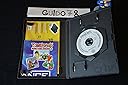
Super fast deliver, brillant condition and pure nostalgia. Ever since I played my first Gameboy game I wanted to play my games on my TV. I knew there was a way but I didn't own a Gamecube as a kid. After picking up a cheap Gamecube last year, I waited around to see a Gameboy Player and at long last, I finally own one. Inside a jiffy pack was the GB Player itself and the start up disk (required to run the GB Player)in a nice little Gamecube box meaning I can put the disk away safely on my shelf. The system I reccived appeared to be barely used and the disk seemed unmarked. The system is very easy to fit so within 10 minutes I was all set up and playing Super Mario Land 2. The GB Player has a eject button that pops out games no problem and with the added 'Change Game Pak' option this means you can change Game Paks without turning off the system. You can change the frame around the game your playing, I use the space themed frame as its black but still has some colour. Other frames include various Gameboy systems, a denim pattern, robotic metal and many more. You can change the filter to make games sharper or softer. With either option, games are just brighter and more colourful. This means you can really appreciate Gameboy Advance and Gameboy/Gameboy Colour games in their full beauty. Using the Gamecube controller feels suprisingly natural and offers more movement. Going back to a small screen feels a little strange after using the GB Player! In conclusion, this is the ultimate system for any hardcore Gameboy fan and the best thing is...it actually makes the more cuboid shaped Gamecube into a cube shape!
L**R
Top Top Top!
Da man (sieht man auch an Produktrezensionen von Verschiedenen Anbietern) nie weiß, kriegt man nur den Player, nur die CD oder beides zusammen... war Ich sehr erfreut beides zusammen zu bekommen! Zustand: Player ansich - leichte Gebrauchsspuren. Aber kein Zigarettengeruch. Nicht verschmutzt. CD - minimale Kratzer, aber diese sind alters bedingt zu verschmerzen und der Funktion tut dies keinen Abbruch. Für Sammler: Die CD Hülle hat im Plastik ein paar Löcher. Nicht schlimm für mich. Hatte schlimmeres erwartet. Aber wer sammelt, den könnte das stören. Verpackung: Als Tipp an den Verkäufer: eine Lage weniger Luftpplsterfolie hätte es auch getan ;) ;) Aber kam heil an. Und sehr gut verpackt. Kaufe gerne wieder hier ein. Lieferung: Verdammt schnell! Samstag oder Sonntag bestellt. Dienstag schon da. Top Empfehlung. Und zum Preis: Angebot und Nachfrage. Ich finde es günstig wenn man bedenkt was zum Teil alleine die CD kostet. Ob es einem das ganze Wert, ist muss jeder selber wissen. In meinen Augen Preis Leistung Top!!
Trustpilot
2 days ago
3 weeks ago