


Desertcart purchases this item on your behalf and handles shipping, customs, and support to Peru.
๐ Elevate your desk game with every keystroke โ where style meets unstoppable performance!
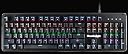
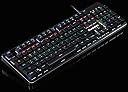
The Cosmic Byte CB-GK-13 Neon is a full-size mechanical keyboard featuring 104 keys with tactile Brown Outemu switches rated for over 50 million keystrokes. It boasts a durable aluminium body, vibrant rainbow RGB backlighting with 10 effects, and dedicated multimedia and internet hotkeys for enhanced productivity. Designed for professionals and gamers alike, it includes anti-ghosting, Windows lock functionality, and adjustable backlight brightness and speed, making it a stylish, reliable, and high-performance keyboard for any modern workstation.





| ASIN | B0819ZQBDN |
| Antenna Location | Multimedia |
| Box Contents | Keyboard x 1, Key Puller x 1, User Manual x 1 |
| Brand | Cosmic Byte |
| Brand Name | Cosmic Byte |
| Button Quantity | 104 |
| Colour | Brown |
| Compatible Devices | Laptop |
| Compatible Operating System Family | Windows |
| Connectivity Technology | Wired |
| Country of Origin | China |
| Customer Reviews | 4.1 out of 5 stars 2,830 Reviews |
| Enclosure Material | Aluminium |
| Hand Orientation | Ambidextrous |
| Importer Contact Information | Cosmic Byte, Prakash Warehousing, S. No.163, Hissa No 1-2-3-4-5A-5B/2/1, Phursungi. Pune 412308, Maharashtra, India |
| Item Type Name | Keyboard |
| Item Weight Unit of Measure | 1000 Grams |
| Keyboard Description | Multimedia |
| Keyboard Layout | QWERTY |
| Keyboard Plate Material | Aluminum |
| Manufacturer | Cosmic Byte, Cosmic Byte, Prakash Warehousing, S. No.163, Hissa No 1-2-3-4-5A-5B/2/1, Phursungi. Pune 412308, Maharashtra, India |
| Manufacturer Contact Information | Cosmic Byte, Prakash Warehousing, S. No.163, Hissa No 1-2-3-4-5A-5B/2/1, Phursungi. Pune 412308, Maharashtra, India |
| Manufacturer Part Number | TCBP03293 |
| Model Name | CB-GK-13 Neon |
| Model Number | CB-GK-13 Neon Brown Switch |
| Number of Keys | 104 |
| Packer Contact Information | Cosmic Byte, Prakash Warehousing, S. No.163, Hissa No 1-2-3-4-5A-5B/2/1, Phursungi. Pune 412308, Maharashtra, India |
| Product Features | Backlit |
| Recommended Uses For Product | Multimedia |
| Special Feature | Backlit |
| Style Name | Brown Outemu Switch |
| Switch Type | Tactile |
| Unit Count | 1 Count |
| Warranty Description | 1 |
B**.
Best beginner mechanical value for money brown switch keyboard available in India
This is my first mechanical keyboard and I am loving it! I was explicitly looking for "Brown" equivalent switches as I was not sure about the sound factor of the "Blue" equivalent switches, having come from the common membrane keyboards and the usual laptop "Chicklet" keyboards in my college and professional life so far, but I was sure that I wanted to experience the "mechanical switch" based keyboard, having worked with them in my school days. Thank you Cosmic Byte for making this extremely value option available for people like me, especially with the "brown switch", which is an absolute rarity in India at this price point. And it is an extremely well made keyboard! Remember the movie fight scenes where a keyboard is used as a weapon? Well, this keyboard can actually be used there, it is so well made! And the finishing touches and details are great too, nothing to complain about. I work in IT and I have been using this as my primary keyboard for the past 2 months, and there have been no complaints. I have also been trying to improve my typing speed and this keyboard has helped me get over my past membrane keyboard based average of 38 wpm, I am at around 45 wpm right now, and I can clearly see a lot of room for improvements, I am sure that word count is going to grow significantly in near future. I bought this from Amazon, and it was delivered quickly as promised to my address, and was even replaced once at my request within the replacement window. I had requested a replacement as there was something loose within the keyboard that was making a clinking noise when the keyboard was moved, though there was no isue with the keybpard functioning. The relacement was done without any hassle from Amazon. At around 2k INR, this is a clincher. In fact, having used it for a couple of months, I wouldn't mind buying it at the stated MRP of 2.5k if I ever have to buy it again. I would obviously advise everyone to go for it, if you want to try the mechanical keyboard as an option to see if you really enjoy the feeling of one, and if it improves your productivity significantly, this is one of the best options to begin your journey - it is a very well made keyboard, but it does not cost a bomb and if it does not go to your liking, you can still find a use for it as it does not make an unhealthy amount of noise (think office environment or late night work from home, or even as a gift to someone deserving, like a student in your family who scored really well in the exams). However, if it does go well (the most likely scenario), you will glean many pleasurable hours (hopefully years) of usage, not to mention the admirable glances and vocal compliments of all who witness it! It sure is a treat for the eyes, if nothing else, in all its back lit, effect filled presence on your table. I have worked with membrane keyboards that cost in similar figures (1k+ INR), and I would say this one is definitely more value than those (relatively) expensive membrane keyboards, solely in terms of the typing experience and expected longevity. You have to allow for a few days to let the "feel" settle in to really understand and appreciate the difference a mechanical keyboard makes. Though I have not worked with the more expensive ones marketed as "semi-mechanical", but I would say try out a mechanical keyboard before spending a bomb on a "semi-mechanical", especially this one with Outemu switches, which are one of the best, if not the best, value Kailh alternatives out there. I saw a lot of Youtube video comparisons to come to that understanding, as I am sure you would too before opting for this. The only reason to go for a membrane keyboard if you are willing to spend in the vicinity of 1.5k INR would be if you are planning to carry it around a lot (even then, I would say save your money and buy something cheaper, they are not worth more than 800 INR at the most IMHO, and even then, get a back lit chicklet one, they are the most sensible portable alternative), as this one is not meant for being carried around - it is heavy (as all mechanical keyboards are) and is best used at a stationary work station, not lugged around in a back pack. You can do it, if you really want to, but I wouldn't recommend it, considering the weight, and also considering what a beauty this is, I would say it doesn't deserve that "treatment" of being smothered in a backpack. If that is not making sense to you, just wait till you set your eyes on this beauty, and it will!
A**I
Typing experience on this is fantastic for the price
Best keyboard around this price. Writing this review after 2 months. I don't do gaming(can't say anything about it) but i used it for programming and making documents. Build quality:5/5 at this price point they are giving aluminium build and it is very sturdy no flex at all. Ofcourse, you get plastic bottom pannel but it is sturdy as well. Keys 4/5: keys used are outemu blue/brown switches and they are almost close to cherry mx and give a very good for typing. Wire 4/5: Wire is NOT BRAIDED. Even though Amazon's description has a mention but it is not braided but cable is of good quality and coverings are good as well. Keycaps 2/5: keycaps are decent because they get loose if you remove it once or twice and text is not visible without backlight. It is really difficult to see without backlight. Backlight 3/5: backlight is kind of cheap looking but it is managable. However, everytime you disconnect the keyboard or shutdown it looses the backlight memory and is reset so everytime you connect you have to switch the mode and brightness. I would also like to mention that stabilizer are present on this keyboard for long keys only like spacebar, plus key, enter key, shift key etc. Which is really great as mechanical keys have a bad history of wobbling and stabilizer reduces it very well. Also, you would see people mentioning about jixian switches but they all reviews are before half of 2020 and it seems seeing the issues cosmic byte started providing this keyboard with outemu switches which are a lot more better. However, This is totally my prediction and i cannot confirm about this information. Overall, typing experience on this keyboard is great for the price. It is a value for money keyboard and worth considering if you don't have problems with above keypoints.
S**.
Best for typing
I was looking for a mechanical keyboard. I researched and found about blue, red , brown switches. They all are different. I was looking for tactile and not sounding, because it's not ideal to make others disturb or grab unnecessarily grab other's attention with my keyboard. So I finally decided to purchase to buy a keyboard with brown switches. At this price range this is the only one with brown switches. Pros 1. This looks and feels very sturdy and premium. 2. All the goodness of a mechanical keyboard. 3. Those brown switches are very good. They are little tactile and doesn't make unnecessary noise. 4. Typing on it feels professional. 5. Packaging was very good. Cons Not as such, but if I really try to find : 1. Doesn't remember the lighting settings from last time. 2. Gaming person's issues like all the keys are not RGB, so color of each row is fixed. But those things really don't bother me, it looks beautiful. It's for typing for me, not to create smart lighting in my room. So if you are a gamer and have your personal hifi color customisation needs then go with other models. So, for a mature person with serious work, coding, practice, general typing, even for gaming (go with blue switches option), this is a fantastic option in this price bracket. Like if you found it helpful.
S**T
I'm satisfied!
I chose the Blue Switch Mechanical Keyboard. It has the Outemu switches instead of Jixian switches and the product has a complete repackaging. I've been using the keyboard for 2 days and telling my experience after shifting from Dell kb216, which is a chiclet-style keyboard. Pros: Typing is a joy. It requires much less pressure than I thought. The clicks are moderately loud and the bumps are mild. So, if you are thinking about choosing the Brown version, I assume the clicky sound would be gone but you may not even feel the bump. Very good keyboard for writers who have to do a lot of typing. Sturdy built quality. I like the sound which I was a little worried about. My wpm didn't improve much cause I'm still getting used to the feel and layout of the keyboard. But I can type for longer and without any fatigue because It feels nice to type. I assume it would feel even better to type once I master touch typing. The lights are bright if you care. It can also be turned off completely by pressing the Fn + down arrow key 4 times from maximum brightness. Cons The light pattern resets after every shutdown. You can press Fn + Esc for 10 secs to save the setting but it only works for 1 restart. But even this is not that annoying once you get in the habit, lol. The font is terrible. I really don't like it. If you have never used a keyboard before, you might have a hard time locating a few characters that you don't use frequently. I may update my review if I encounter any problem.
H**Y
Review After one month usage: Decent at this price
Here is my One month usage review. This keyboard is good and really perfect has nice design that from gamers to typewriters everyone will like. Has some led back ligthing not RGB but someone from the keyboard community named it Rainbow though I am not getting that rainbow effect, seven colors of the rainbow are not present on the keyboard :D The keyboard has decent typing feeling that normal new mechanical keyboard lovers will like but those who are using mechanical keyboard for many years surely will get something wrong in it. Being a mechanical keyboard users for 2 years I have found some glitches here and there. Let me type down below in order. 1. The keyboard has loud tactile sound that needs to be greasing for lowering it's sound. 2. The keyboard may sometimes for a micro seconds does not response which should not be present in any professional keyboard which will lead typos, I know this is a known issue of the chipset it's used. It will not break the keyboard though. 3. Jixian blue switches are good but it does not provide the feeling of outemu while typing. My old keyboard had outemu swithches that really given me a nice smooth typing feel of which only 50% I am getting from this keyboard. As I have to write lots of thing on my computer that's why I got those problems but normal users will never able to find such problems. But if those problems be kept aside then I can really recommend it to anyone who wants to use mechanical keyboard, at least it has solid Jixian switches not like logitech mechanical that once break you are finished. It's good keyboard for its price and nice. New users once get it hands on will never able to detect such problem at all.
P**.
A good keyboard at a really sweet price
Don't be taken back by the reference images which make the keyboard look orders of magnitude uglier than it is. The keyboard looks okay and the typeface could definitely be improved. After all, keyboards are made to be touched, not looked at. Speaking of touches, the Outemu Browns aren't that crispy-tactile and the keys are a bit wobbly, though that doesn't deter a programmer from using this. At this price, the keyboard is worth every penny, given I'm migrating from a Logitech K380 membrane keyboard which was more expensive, had interference issues, key failures and sometimes typed by itself like it was posessed (and no, I never brought so much as a drop of water close to it). The keycaps are decent and I opened up the machine to see a beautiful circuit with very good soldering. The lack of non-volatile lighting memory is kinda annoying. After all, you need about five bits of storage and any decent microcontroller has a non-volatile store these days - meaning the manufacturer deliberately downgraded the software here to sell a pricier keyboard. I might desolder the backlight LEDs and forget that one. All to say, it'd be a fool's act to go for much pricier keyboards when they offer only slight improvements over this. The journey's only begun and I'll update in case anything relevant happens. Update: Been a while since I bought this machine. The lack of tactility causes fingers to bottom out, which over time inflicts severe damage, making it extremely painful to type. Additionally the keyboard died. Dropping rating from 4 to 1 star.
T**S
Bad LED light and decent switches
I have been using HyperX Alloy HX-KB1BR1-NA/A3 FPS Mechanical Gaming Keyboard (Cherry MX Brown) and Zebronics Zeb- Nitro Mechanical USB Keyboard (Cherry MX Blue) for about 3 years now. I wanted to buy one more mechanical keyboard for my workplace with tactile feedback but did not want the sound of blue switches. So I started looking for mechanical keyboards with Brown Switches and I came across multiple options, the cheapest being ones from Cosmic Byte. Cosmic Byte CB-GK-30 is with Outemu Brown switches and per-key RGB. Cosmic Byte CB-GK-13 is with same Outemu Brown switches but per key light is fixed and different rows. Differences Cosmic Byte CB-GK-13 Neon Rainbow Backlit Mechanical Keyboard with Brown Outemu Switch (Black) is a decent keyboard with a simple non-braided cable and non-stabilized key caps. The transparent white numbering on the keycaps is way too transparent, so much that you cannot use the keyboard without the background lighting. The per row different RGB light is too distracting as the brightness or color of the light makes it difficult to identify each key rows with ease. It looks good but not practical. Definitely, I would not recommend this keyboard for any work or gaming. Similarities The good part about both the keyboards is the numbering on the top number row. The symbols and numbers are both on the top of the keycaps. Good HyperX and Zebronics ones I use have numbers and symbols side by side on the top row so that both are lit at once. Such a simple solution cannot be thought by people from Cosmic Byte. Another drawback I found is the color of the plastic around the switches. It is transparent in color, so when the LED is on you can see the light all below the keycaps and from every angle. This looks good but it is inconvenient as the light coming from the sides is more distracting and bright compared to the light coming through the key caps. Both HyperX and Zebronics have dark plastic around the switch which do not bleed light. Outemu Brown Switches Having used both Cherry MX brown and Blue on daily basis for almost 3 years, I can easily compare Outemu Brown with Cherry. The Outemu switches are soft and more like a good membrane keyboard than mechanical. The tactile feedback also is very soft. Cherry MX gives a much better and firm click, with great tactile feedback. The sound from the keys is similar for both Outemu and Cherry. Conclusion Overall Cosmic Byte CB-GK-13 is not a usable keyboard for me because of the bad per key light. Cosmic Byte CB-GK-30 is a good option for a cheap version of Brown Switches. If you can afford it, I would recommend going for original Cherry MX Browns, if tactile feedback and feel of the keys is important to you.
V**D
Very Good Keyboard
I am a software programmer and I need the keyboard for whole day. It was my first mechanical keyboard and I am more than happy with it. I bought it 16 months before and still it looks new. Pros: 1. The Keys are butter smooth. 2. The keys and back support are sturdy and durable. 3. Good value for money. 4. The keyboard backlight is good and useful. Cons: No cons so far only if the following would have been added then it will be more better... 1. The keyboard backlight pattern settings come to default when it restarts/replugged. If there would be a small memory in it to save the last settings it would be good. but yes, it is not a big drawback as after a few days of use the key controls are handy so it can be done in a few clicks.
Trustpilot
2 weeks ago
2 weeks ago