🚀 Supercharge your AI edge with Google’s USB ML powerhouse!
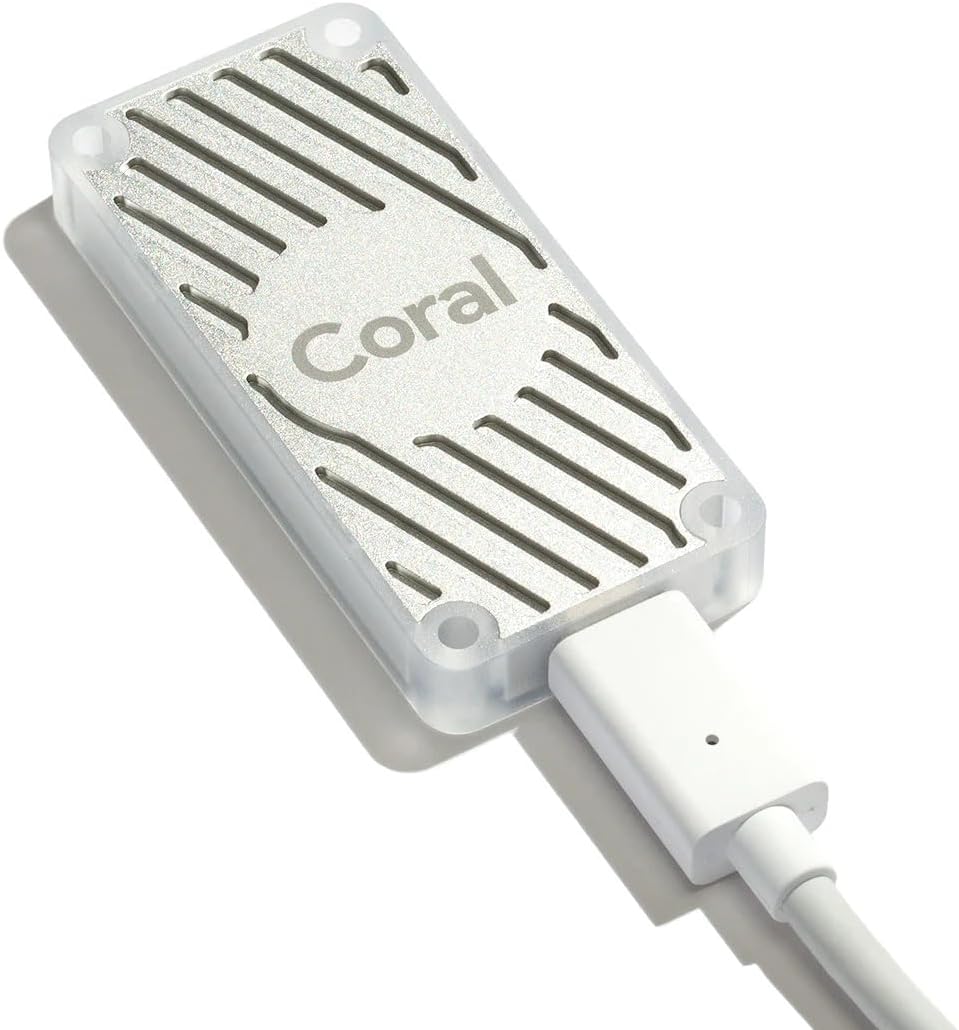
The Google Coral USB Edge TPU Accelerator is a compact, high-performance ML coprocessor designed to boost machine learning inferencing on Linux systems via USB 3.1. Featuring a custom Google Edge TPU ASIC, it delivers 100+ FPS on mobile vision models like MobileNet v2 while maintaining low power consumption. Compatible with TensorFlow Lite and Google Cloud, it supports popular AI architectures and is ideal for embedded AI, home labs, and real-time object detection setups.
| ASIN | B07R53D12W |
| Best Sellers Rank | #87 in Computer Motherboards #408 in Single Board Computers (Computers & Accessories) |
| Brand | Google Coral |
| Connectivity Technology | USB |
| Customer Reviews | 4.1 4.1 out of 5 stars (482) |
| Item Dimensions L x W x H | 3"L x 2"W x 1"H |
| Manufacturer | Google Coral |
| Memory Storage Capacity | 16 KB |
| Mfr Part Number | Coral-USB-Accelerator |
| Model Number | Coral-USB-Accelerator |
| Operating System | Linux |
| Processor Brand | ARM |
| Processor Count | 1 |
| UPC | 608614201389 |
Y**V
Soild for home lab and AI GPU on the cheap
I’ve been running the Google Coral USB Accelerator as part of my self-hosted Home Assistant and Frigate setup in my home lab, and it’s been a solid upgrade. My cameras stream through it for real-time object detection, and while the AI recognition isn’t perfect, it’s definitely good enough for home security and smart automation triggers. It picks up people, cars, and even the occasional animal (cats 🐱) with decent accuracy, and it’s responsive enough for live notifications or actions. The biggest win is offloading the CPU. Before Coral, my server was getting hammered by the detection workload, especially with multiple cameras running. Now, it’s smooth, CPU usage is way down, and the system feels a lot more stable and responsive. If you’re running Frigate or anything TensorFlow-based in a home setup, the Coral USB is a no-brainer. It’s compact, plug-and-play with a bit of config, and does exactly what it’s meant to. Note that the unit get pretty hot while working, this is normal.
R**T
Works great in frigate and significantly reduces CPU usage
Purchased this device from this seller after a previous order from a different seller arrived DOA. Although slightly more expensive, device arrived quickly and haven't had any issues. Using it with Frigate running in a VM on a NUC 12 Pro with 4 cameras. Device works great and performs as promised, reducing CPU usage in the NUC significantly. Would highly recommend it for this purpose. Getting the device flashed, configured, and passing through to the VM is a little tricky and outside of the scope of this review, but for others who intend to use it that way, search for William Lam's guides on this. They're very detailed, easy to follow, and will get you up and running quickly.
P**S
Has lots of potential, but poorly supported and with a mess of non-working examples on Github
I had lots of hope for this... it would have been great to have a self contained TPU solution that can provide an assist to classification and detection tasks which I normally do with OpenCV on either a CISC or GPU right now. In comes Coral. The promise of fast tensor operations using a lower power dongle can't be beat. Now comes the bad: first, good luck finding this for the MSRP. Either production is low, or scalpers are having a field day on this. So, from the get-go you're paying 10-20% premium on the device. Next, if you get your hands on it, good luck trying to get it working with anything. Lots of the reviewers like this because they utilize it with Frigate which is cool. A+ for that workload... Now if you want to use it with anything else, there are some examples... and that's where things hit a bumpy road. Check out any of the Github repositories that are posted. Most were posted 3 or 4 years ago and have been untouched since... so trying bringing down an example and getting it to work... Windows examples don't work... WSL doesn't work... a recent version or LTS on Ubuntu... and same thing... nothing works. Good luck getting a response from the support address. So... summary: this thing is great if you have Frigate and need to increase camera counts without buying more cores or GPUs. It may be great if you can get it running on a RPi and do things that are simply not possible, there... but for CV applications... getting this to run will be the long tent pole due to the poorly maintained examples and stale support repositories making it a better move to just skip over this and go with a GPU solution such as a CUDA accelerated OpenCV approach or Deepstacks or anything else for that matter. If anything changes and I get this thing functional, I'll update this review accordingly.
J**V
Beast of a Device
This is an amazing and beastly device. If you know you know. It outperforms stacked RTX 1080s like it's child's play. I use this for a Frigate NVR that does detection on 5 camera feeds. Works great and never gets anywhere near capacity. I have it plugged into a rack server with USB 2.0 and it's fine. Probably would be superior with USB 3. Just plug it in and then follow the website. For debian it was a simple repo and package install. That's it. Ready to use. Don't even need to reboot of course yay Linux. If you use it for a Frigate setup maybe keep a light video card like a 2GB Nvidia to use for the movement detection in Frigate (instead of CPU) and use this TPU for object detection. You'll be amazed at the speed increase.
A**O
Excelente como anda. Lo utilizo para Frigate con 10 cámaras analizando y funciona perfectamente sin sobrecargarse ni nada. Pude quitar toda la carga al cpu y pasarlo a coral
A**Z
Buen producto pero no tiene soporte por google.
M**M
Works well with Raspberry Pi5/Frigate
I bought this specifically for my Raspberry Pi5 running Frigate. Before using this device, the CPU usage was up in the 90s% for 6 cameras, with no recordings. With this device, the CPU usage went down to 30-40% depending on detection activities. This is good enough for me, as I was looking for a way to get rid of my aging NVR, and gaining more control. I also like that fact that configurations to work with Frigate was such a breeze because this is a USB device. The price is a little steep I must admit, otherwise, I would give this a 5 stars. Good thing is because of this device, my Raspberry Pi5 is not dedicated to just doing NVR functionality, it also being used to run Pi-Hole, Home Assistant as well. Overall, a justified purchase.
D**.
Works in Docker and HAOS
It works in Docker and a Home Assistant VM in Ubuntu KVM. If something changes, I'll report back and update this review.
R**U
Installé sur mon NAS UGREEN avec Frigate, la détection est beaucoup plus rapide et fluide. La charge CPU baisse nettement et le système reste réactif même avec plusieurs caméras. Reconnu facilement, une fois configuré c’est stable et fiable. Un excellent upgrade pour Frigate, clairement.
F**E
Genial ha bajado el uso de la cpu del pc evitando los cuegues de frigate y minimizando las falsas detecciones
S**R
Recently ditched motioneye for Frigate. Frigate is pretty powerful, but takes a toll on the processor. This "coprocesssor" speeds up detection and recognition. Works well, I would buy again.
ك**ف
Good
S**U
The Bottom Line: If you're running Frigate or any local NVR software on a Raspberry Pi, stop using your CPU for detection and buy this. It transforms slow, laggy "motion" alerts into near-instant "person" or "car" notifications. The Game Changer: Instant Detection: Before this, my Raspberry Pi struggled to keep up with camera streams. Now, object detection is lightning-fast (usually under 10ms inference time). CPU Lifesaver: It offloads all the heavy lifting from the Pi’s processor. My CPU usage dropped from 60–80% down to a cool 10–15% because the TPU handles the AI. Low Power, High Gain: For a device that adds this much "brainpower," it draws very little current. It runs perfectly fine off the Pi’s USB 3.0 port without needing an external power supply in my setup. Privacy First: I love that all my camera analysis happens locally in my house—nothing is being sent to a cloud server in another country. Pro-Tips for Setup: Use USB 3.0: Make sure you plug it into the blue USB ports on the Pi 4 or 5. It needs that bandwidth to perform at its peak. Heat: It can get a little warm during heavy use, so make sure your Pi case has decent airflow. Home Assistant: It’s basically "plug and play" once you add the Coral drivers to your config. If you aren't using Frigate with this yet, you're missing out! The Verdict: It’s getting harder to find these in stock, so if you see one, grab it. It is the single best upgrade you can make for a smart home security system.
Trustpilot
2 months ago
2 weeks ago