📡 Cut the cords, not your creativity!
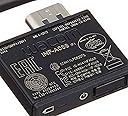
The Wacom Wireless Accessory Kit (ACK40401) enables wireless connectivity for Bamboo Capture, Bamboo Create, Intuos5, Intuos, and Intuos Pro tablets. Weighing only 0.48 ounces and powered by an included lithium-ion battery, it supports Windows and Mac OS X, delivering a clutter-free, seamless creative experience.
| ASIN | B006MRAVFE |
| Additional Features | Portable |
| Best Sellers Rank | #783 in Digital-Analog Converters #1,129 in Computer Graphics Tablets |
| Brand | Wacom |
| Built-In Media | Wireless Receiver, Rechargeable Battery |
| Color | Black |
| Compatible Devices | Personal Computer |
| Connectivity Technology | Wireless,Usb |
| Customer Reviews | 4.4 out of 5 stars 2,108 Reviews |
| Global Trade Identification Number | 00753218992550 |
| Item Dimensions L x W | 2.5"L x 0.5"W |
| Item Weight | 13.61 g |
| Manufacturer | Wacom, Inc |
| Mfr Part Number | ACK40401 |
| Model Name | ACK40401 |
| Model Number | ACK40401 |
| Native Resolution | 1920x1080 |
| Operating System | Windows, Mac OS X |
| Pressure Sensitivity | 4096 levels |
| Special Feature | Portable |
| Specific Uses For Product | Drawing, Designing, Painting, Teaching |
| Target Audience | Teacher |
| UPC | 753218992550 |
| Unit Count | 1 Count |
| Warranty Description | 1 years usa and canada |
D**W
Just buy it, you won't regret it
Let me tell you why you should listen to me when I say that this product is great. I purchased this product more than two years ago and have used it just about everyday since. I am a high school math teacher and I wanted to use a tablet to do my on screen annotations, so I bought a small Wacom tablet. That was great, but then I wanted to be able to walk around the room and use it, so I got this. Pros: - This product works, bottom line. I wanted to be able to walk around the entire classroom and still use the tablet, check. - The battery is great, not sure it would last all day, but in between classes I usually plug it in and that gets me through three 80 minute periods a day, and I don't charge it when I leave the class. - This thing has been used for two and a half school years now and seems to be working great (knock on wood) - When we have visitors from district or other schools, they all comment and ask me what I am using in my classroom. They would like to try to get them to all the math teachers in the complex, and I would welcome anyone to try it for themselves. It has been that consistent. Cons: - It will drop out maybe, once a week (will just turn off, I press the power button, reconnect and go, no big deal usually). I'm not sure if it's just a battery thing or what, but I can't tell you that it works 100% everyday. (more like 97% to be honest). - I can disrupt the signal however if I go all the way to the back of my class and hold it below my students' heads, I guess the signal then can't reach the dongle. So I believe it works best from afar if you maintain line of sight. Conclusion: Given the way that I use this everyday for work, I would almost guarantee that if you are doing an art or photo project with this and just want to say, work with it in your lap and connect it to your monitor or TV, it would be great. If I can walk to the other side of a crowded room with it, and use it all day, I think it will serve most people just fine. I would definitely buy this again if mine ever dies out (probably will eventually given the heavy usage).
Y**G
Excellent wireless solution, should have come integrated thought
Excellent wireless solution for the Wacom. For most of us in photo editing or illustration, our desks are already super cluttered with wires from charging and data cables. Mice, phones, cameras, etc. Any wireless solutions to reduce the clutter is welcomed. The Wacom wireless kit is definitely helpful in that regard. It allows me the freedom to use my Intuos 5 tablet in any orientation and angle I please. Installation is very fast, Just pop out the rear battery cover and plop in the battery. Open the side door to plug in the wireless dongle and plug the receiver into your computer. The connection is very fast. From the minute you press the power button, the tablet connects to my computer via the wireless dongle. There's no hesitation or wait time. I can't tell if there is any perceivable lag compared to the wired version in terms of use. Both pen and touch functions seem instantaneous. After a few minutes of inactivity, the tablet turns off automatically to save power. The system works so well I wonder why it was not incorporated into the tablet naively. As most of us who own Wacom tablets know, these things are quite expensive. Having a wireless solution natively would have been a much better idea than a separate attachment that you had to purchase. A part of me think this is just one of Wacom's strategies for you to spend more money on accessories. My only issues so far is interference. Once in a while I've notice that the tablet spazes out and I have to turn it on and turn it off again. No big deal as all wireless devices are prone to the same issue. Most wireless devices share the same 2.4ghz spectrum. I try to keep my wireless mouse away from the tablet but sometimes it's unavoidable. I would also have liked to see the power on button more pronounced in order to press by feel. Right now it's flush against the tablet side and you really can't find it if you're working in the dark or by feel. Overall, it's a well made wireless module.
M**E
Works better than I expected
As an art teacher with a smart board I draw on my smart board by using my tablet and stylus using photoshop creative suites software. One thing I have never liked, is being tethered to where my computer is located, as I draw or interact with tablet and keyboard, thus making it hard to assess kids who are out of my line of sight. I wanted to be able to walk around my room as I draw on the interactive smart board (yes I want it all). I was pleased that the installation was super easy. Just slip off a small section of the back cover, and their are two places made for the installation of the kit. The instruction sheet is one of those printed in multiple languages for each step, and is a pain to read. As long as you make sure you put the battery pack in as instructed, so you don't mess up the contact points, the rest of the install is pretty intuitive, so don't waste the time reading the stupid direction sheet. There is even a little spot to hold the wireless USB dock. (After waiting the 6 hours for the wireless battery to charge)Next, I tested things out. Wonderful!!! No lag time! Self installed drivers!! Didn't need to call IT for simple software install. Even better? I wandered around my classroom with the tablet and my wireless keyboard. I could write on the board from every desk in my classroom (up to 15 feet away from my CPU). Literally like having a portable CPU without all the hassle. I worried about forgetting to turn the battery off, but the pad goes into hibernation. I'm not sure if the stylus was a little glitchy coming out of hibernation and reconnecting with the tablet or if I made it glitchy because I didn't know what I was doing. Thinking later not former (Maybe I should have read the directions?). The only problem I have is seeing the tiny lettering on the board as I moved from window to window or tool to tool in Photoshop. Now I need new glasses :-)
W**T
Turns your Wacom Bamboo into a wireless tablet
This is a bit pricey, but if you want your tablet to be wireless, this is what you need. You will still need to keep a micro USB cord handy for charging purposes. I got a micro USB cord that's only a few inches long and I keep it in my laptop bag. It's more convenient than carrying a long cord that always gets tangled on something even when it's wrapped up (it also allows me charge up my phone or android tablet in a pinch). I have used this in both the Wacom Bamboo Capture and the Wacom Bamboo Create (they are the same model, but in different sizes). It worked equally well in both. The part that plugs into the omputer went bad after less than 2 years. When it started going failing, even though the tablet itself was OFF and not in use, I had constant connect and disconnect noises from the computer - it was incessant. The computer would wake up in the middle of the night and start making the hardware connect/disconnect noises to the point where it would then wake ME up. Eventually I figured out that it was the Wacom microUSB adapter (which I generally just leave plugged into the computer) - when I unplugged the it, the noises stopped. At this point, it was still working to make the tablet wireless, so I just unplugged it whenever I wasn't using my tablet to prevent it from annoying me. Eventually, it stopped working completely and I had to use my Bamboo tablet(s) with a USB cord. I replaced it because I like the wireless capability. The part wasn't replaceable individually, so I had to purchase a whole new wireless kit. Since I have 2 tablets (I like the larger tablet for certain graphics apps only), I THOUGHT that maybe I could leave a transmitter in each one and just use the new microUSB adapter with BOTH, but it doesn't work that way - the receiver and transmitter are paired and not interchangeable. I do have 2 batteries now, but the old one seems to hold a charge as well as it ever did, so I'm still using that one. If the kit were less expensive, I wouldn't have any issue with having to replace the whole thing, but at this price, the parts should be individually replaceable. Also, it would be much nicer if the USB receiver (the part that plugs into the computer) weren't squared off, because it catches on my computer bag if I leave it on the laptop. It would be much nicer if it had a rounded-off profile similar to the shape that some bluetooth adapters have. It would then be just a bump on the side of the laptop and it would be easier to slip the laptop in and out of a bag or case without having to worry about it catching and either getting damaged damaging something else. The fact that mine failed in less than 2 years might be a fluke, but that combined with not being able to replace the individual components as well as the poorly-designed squared-off plug force me to deduct at least one star from my review. You must have a tablet that is compatible with the wireless kit. It's easy to install. First, make sure that your tablet is installed and working via USB, then you can install the wireless kit. Just slide off the access cover on the back of the tablet, insert the battery and insert the transmitter. There's a spot to store the usb reciever so you don't lose it when it's not in use. You will still need to plug in the tablet occasionally to charge it (although you can plug the micro USB cord into a wall charger instead of the computer for charging).
R**N
May be annoying to set up at first, but worth it when you're done setting up!
Okay so! The reason I say the setup was annoying was because, well setting up any sorta tech and connecting it to whatever is always a pain. My issue was not having an up-to-date driver for my Wacom tablet, which once I updated my tablet worked... so make sure your driver is up-to-date!! Also during setup, you can't use the wireless capability until after the tablet/ battery is fully charged which takes a while, but once it's done charging and the light goes from orange to green you're good to go. Battery Life lasts awhile, I've only charged my tablet 3 times in the 3-ish months I've had this. Despite my issue with the driver, overall set-up is straightforward, there's the lil instruction booklet after all (which I'd show but I bought this months ago and threw out the box). After I had it fully set up it worked perfectly, no connectivity issues. Then again, I sit at my desk with my laptop and tablet in front of me. My only criticism of this is that the USB receiver that you insert into your computer/ laptop could be made with something more durable/ thicker? But that's more of a personal/ aesthetic thing and nothing to worry about. Definitely worth getting if you hate the wire.
A**N
great Idea. terrible divers. (edited) (issues resolved)
I really wanted to be able to use my tablet wirelessly with my macbook pro and this was just the accessory that enabled me to do so. however when I use it with my wacom capture some sort of fluke with the drivers causes the cursor to go haywire at random times. the only way to stop the crazy cursor is killing the offending driver with either task manager (activity monitor in mac) or logging off and back on again. now I have a useless wireless kit that I don't use because it is too unpredictable. Edit: October 20 It has been almost two months since my purchase and there has been several software updates on my MBP. One of those updates have magically fixed my previous problems. This last week I took a trip and accidentally forgot the usb cable for my wacom capture forcing me to use the wireless kit. Well I was pleasantly surprised to find that all the previous issues I have had with it had at some point disappeared as well as a great increase in battery life, I used it for about five hours before the battery dropped 75%. (as compared to only getting five hours out of a complete discharge) I even tested how far the kit would reach while sill working. Mine stayed connected to about 30 feet away (not that I would ever need to be that far away from the computer but cool none the less) due to the fact that I no longer have a out of control cursor, exceptional range and excellent battery life I am now increasing my rating to 5 stars as I am more than satisfied and with it's current performance.
K**Y
Good, if it stayed connected
I found when I bought my tablet, that this was a necessity. I have used tablets for years from Wacom. Ive had my fair share of issues with Wacom but nothing that has ever bothered me too much. Each year however I found myself replacing my tablet because of the faulty cords. So when I was on the market for a new one, I decided I would settle for cords no longer. I was excited when I got this thing- however, I am not more then disappointed. I do not know if I received a faulty product, but I constantly find that my cursor on my occasions will refuse to work when I am using the wireless. To fix the issue I have to move my computers mouse, or lift the pen way above its registering point. This is rather annoying, and happens in spurts. Even when the tablet is fully charged it does this, and I can say that it's reoccurring enough that I have opted to use my cable just to avoid it. The tablet does NOT disconnect, but for some reason, the pen won't register. I know it is not the tablet since it works beautifully when plugged in. I did get it refurbished but after reading online a bit I discovered that the wireless kits are made so poorly that if you have anything else with the same frequency (a wireless mouse or keyboard for example, cellphone or even a router) that it can interfere with the wireless of the tablet. I noticed when I turned all those devices off, that it mostly went away. Of coarse however, I cannot turn off my router, and it sits right beside my computer. So of coarse, it will STILL happen. overall. I am unpleased. If I wanted to go through the hassle of sending it back, I would. Im HOPING this may be an issue that may just resolve itself and not be a fault in the wireless, but so far, I an unimpressed. Do not buy this if your looking for a tablet that will stay connected, at this point it's almost safe for me to suggest that Bluetooth is actually better then the dongle they gave for it, which is sad considering dongles are supposed to be better then Bluetooth...
U**2
Get this if you have to have wireless freedom. Works great.
I bought the Intuos Draw tablet first, which comes with a USB cable. I am liking it more an more with each use, but it didn't take long for me to reach my "standard annoyance threshold" with the usb cable, in the settings where I use the tablet. This kit is a standard available product from Wacom, so I went for it. As shown, there are only 3 pieces, the note book dongle, the tablet dongle, and the battery. Installation is literally "a snap." Just plug it in, bring it all up, and away you go. No more USB cable in my way, tangling up, etc. I use this on a MacBook Air, and the distance between that and the tablet is out to as much as 4 feet. I have had no problems with response, the pen action is still just as smooth and consistent as it is with the USB cable. I have not tested the range for a drop-out point or loss of comms. This does not come with a charger, Wacom does not provide any information on using external chargers, and has apparently designed this to be charged from a laptop USB port, so don't toss your Wacom supplied USB cable. For those who are more electronics hardware inclined, I know that doesn't make a lot of sense, you can scrub the 'net for some woes on broken tablet USB port. All in all, this is a worthy purchase.
C**T
awesome product
it works fabulously. super easy to set up. I purchased this for my Wacom tablet when the port for the usb drive died, and I use a universal battery charger to charge the battery. It lasts for a good day or two of usage on and off. it was a tad pricey but I think it was probably worth it since its not exactly a brand new tablet. I hate that the new ones dont have the eraser end on them, so I would rather use my current intuos. I'm pretty happy with it. one time it didn't work but it turned out all I needed to do was restart my mac, so it wasn't a problem with the device... on another note, it is SO COOL to use my tablet wirelessly. it does offer a degree of freedom with it that i didn't have before. all and all, great purchase. & would recommend to anyone!
S**L
Kit indispensable
Materiales de muy buena calidad que forman parte complemental de la tableta, aunque considero el preciocomo un poco elevado. La duración de la batería cumple y la recepción inalámbrica me esta dando problemas en USB 3 (Win 10). Llegó muy bien empacado y entregado de una forma muy profesional.
S**L
Works as advertised.
Works with my old Bamboo (now Intuos) tablet. The range is decent and most importantly it's a relief to have the wire out of the way. Also the tablet is a lot easier to carry around.
L**O
A must have
I tried using the Intuos5 without the wireless kit and it was really frustrating, the cable plugs into the right side, and my USB port was on the left of my PC, so the cable was constantly getting in my way. Installation was very easy, (I watched the Wacom instructional video)and it behaved just as promised. The USB nub for the PC tucks away into the side of the tablet when not in use so no worries about that getting lost. Exactly as promised, would recommend this product if you spend any serious time at your Intuos5(or whatever tablet you have).
S**A
New Experience
Works Great With My Wacom INTUOS....
Trustpilot
1 month ago
5 days ago