



🤖 Automate your switches, upgrade your lifestyle.
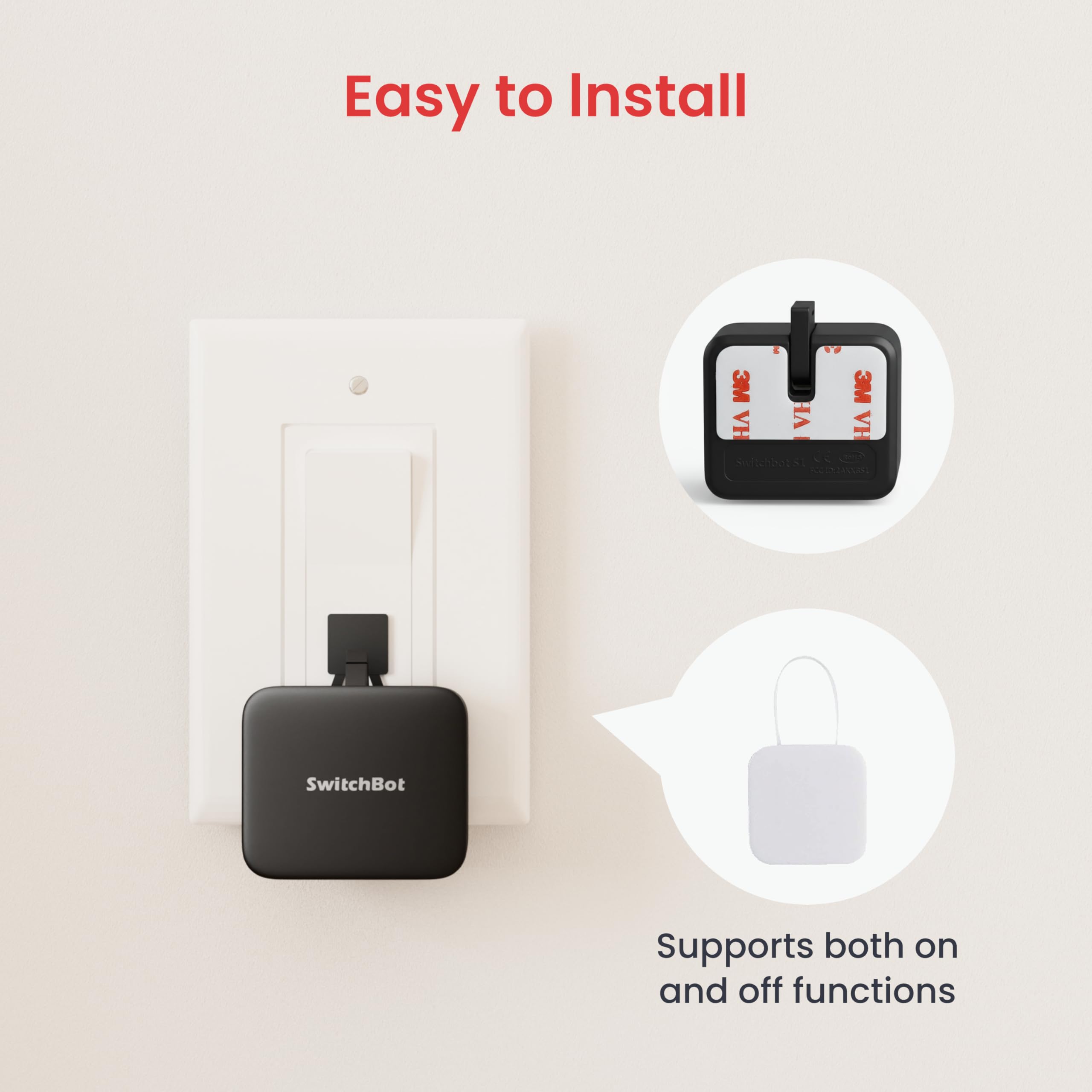
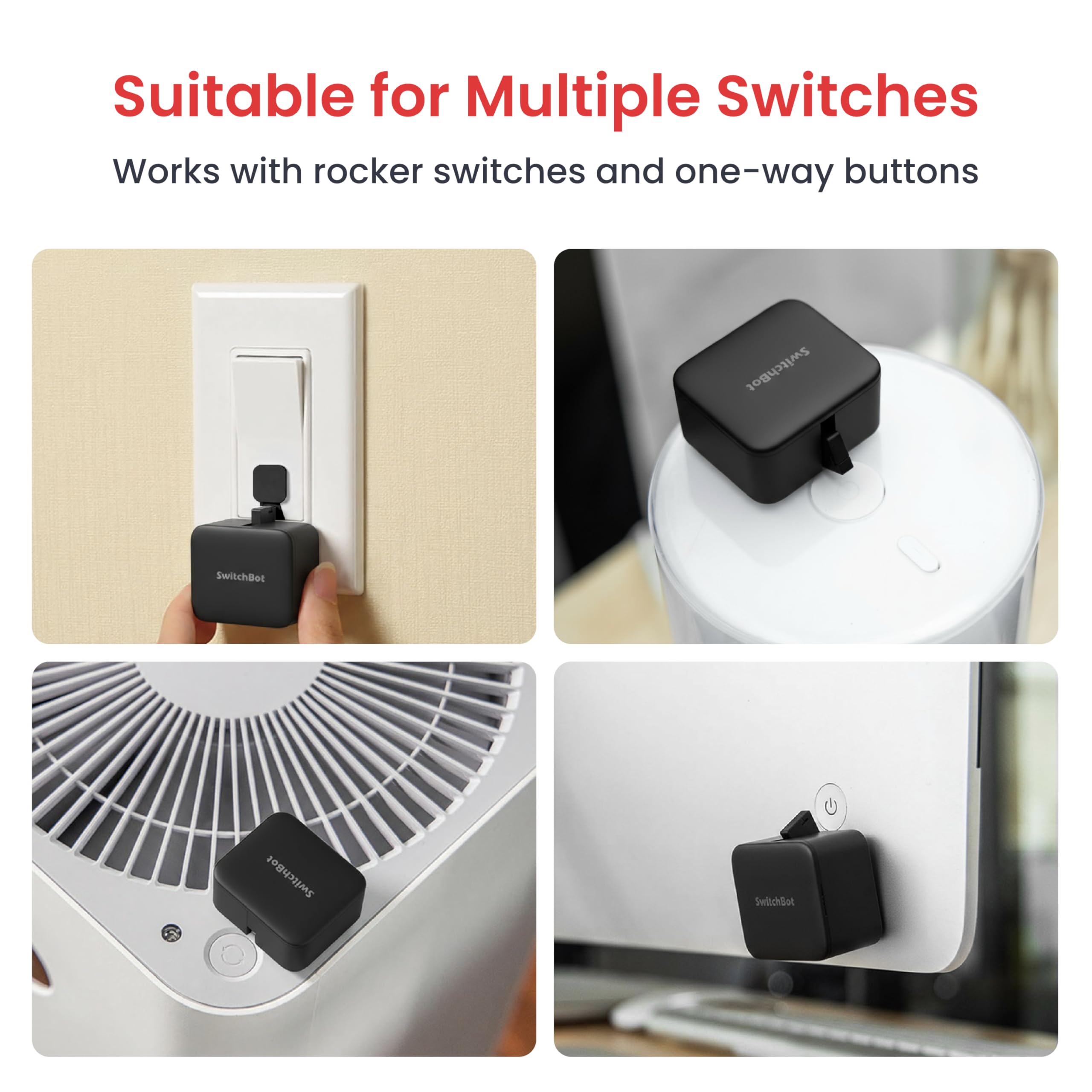
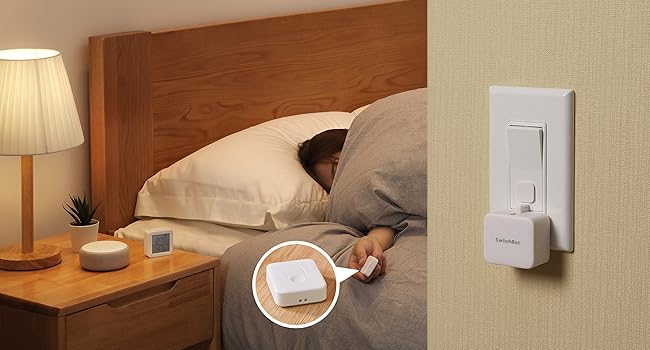
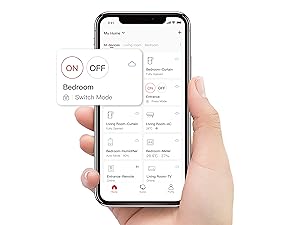
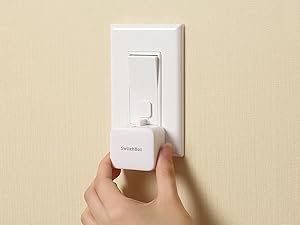
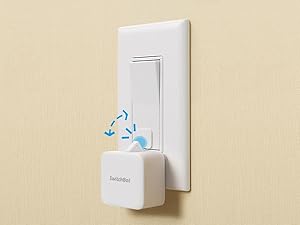
The SwitchBot Smart Switch Button Pusher is a compact, battery-powered device that automates any rocker switch or button via Bluetooth. With a 600-day battery life, easy 3M tape installation, and app-controlled timers, it brings effortless smart home automation to legacy appliances. Compatible with Alexa, Google Home, Siri, IFTTT, and now HomeKit via Matter, it’s the perfect bridge between traditional switches and modern smart ecosystems.







| ASIN | B07B4D9KVX |
| Actuator Type | Custom-built Actuator |
| Best Sellers Rank | 4,242 in DIY & Tools ( See Top 100 in DIY & Tools ) 43 in Switches & Dimmers |
| Brand | SwitchBot |
| Circuit Type | 1-way |
| Colour | Black |
| Connectivity Protocol | Bluetooth, possibly Wi-Fi |
| Connector Type | Clamp |
| Contact Material | Plastic |
| Contact Type | Normally Open |
| Control Method | App |
| Controller Type | Amazon Alexa |
| Country Of Origin | China |
| Current Rating | 1 Amps |
| Customer Reviews | 4.0 out of 5 stars 33,330 Reviews |
| Global Trade Identification Number | 00860038001710 |
| Included Components | 1 add-on for on/off control, 1 spare adhesive tape, quick start guide |
| International Protection Rating | Non-waterproof |
| Item Dimensions | 42 x 36 x 24 millimetres |
| Item Weight | 42 Grams |
| Item height | 24 millimetres |
| Lower Temperature Rating | 1 Kelvin |
| Manufacturer | SwitchBot |
| Material | Plastic |
| Model Number | Switchbot S1 |
| Mounting Type | Surface Mount |
| Number of Items | 1 |
| Number of Positions | 2 |
| Operating Voltage | 1 Volts |
| Operation Mode | ON-OFF |
| Specification Met | CE |
| Switch Type | Rocker |
| Terminal | Screw |
| UPC | 860038001710 |
| Unit Count | 1.0 count |
| Upper Temperature Rating | 80 Degrees Celsius |
P**O
When the Manufacturer Failed, SwitchBot Delivered
I bought this to solve a very specific and frustrating problem. I’d purchased a TV bed but wanted the TV to retract automatically once it powered off. Unfortunately, the bed’s remote uses a closed, proprietary protocol, and the manufacturer offered no support. The only manual control beyond the remote control was a rocker switch hidden under the ottoman, which is far from ideal. Enter SwitchBot. Installing the bot onto the rocker switch wasn’t easy due to the awkward layout of the switch, but I managed it using the supplied fixings. I even reinforced the setup with a metal bracket to ensure consistent pressure and positioning as the rocker is actually quite stiff Within five minutes and a few tests, it worked flawlessly. Seeing how well it performed, I then purchased the SwitchBot Hub to integrate with Home Assistant. I created an automation that detects when the TV disconnects from the network (i.e. goes into standby), which then triggers the SwitchBot to press and hold the rocker switch for a fixed time period. This lowers the TV into the bed. Once fully lowered, power to both the TV and the SwitchBot Hub is cut off automatically, meaning everything stays off until someone next raises the TV again using the bed’s remote, which re-enables the power supply. It’s a brilliantly simple yet effective solution to what seemed like a complex problem. Highly recommended. I've been using this setup issue-free for several years now, and I can confidently say this is a fantastic and reliable product. I’ve changed the batteries in the bot a few times, but it continues to perform flawlessly. It presses a very firm rocker with noticeable force, holds it for about 20 seconds, then retracts. This action has repeated countless times without a single hiccup. Today, it remains a hassle-free and indispensable part of my smart home.
E**E
Reliable with simple functionality and easy setup
I have purchased two of these SwitchBot Smart Switch Toggle devices to control and automate two of my ceiling lights in the hallway downstairs and landing area upstairs. Because of the type of (ancient!) wall switches I have and the (old) electrics in my house, it isn’t possible to use a different style of smart wall switch. I have regular powder cuts where my house is located, and with a ‘smart bulb’ type that has to be turned on all the time at the wall, when the power comes back on the light bulb automatically comes on too - so when I’m travelling away from home it’s not possible to know if my lights are on or not. The SwitchBot smart switch is ideal because it physically clicks the switch at the wall to control the light, and because it’s battery powered, I know that it won’t be affected by power outages! It’s not failed me yet, so I’m extremely happy with it.
J**N
SwitchBot Smart Switch Button Pusher – A Clever Gadget with a Few Caveats
I picked up the SwitchBot Button Pusher to make some of my older devices “smarter” without rewiring or replacing them — and it’s honestly more useful than I expected. ✅ What works well: • Instant smart control for dumb devices – I’m using mine on a coffee machine and an old power switch, and it triggers them perfectly. Great for turning things on/off remotely. • Easy setup – The SwitchBot app is simple to use, and pairing over Bluetooth took less than 2 minutes. • Strong pushing force – It’s surprisingly powerful and works on most light switches, buttons, and even some rocker switches (with the included add-on hook). • Works with Alexa, Google, and HomeKit (with the hub) – Great if you’re building out a smart home ecosystem. ⚠️ A few things to note: • You’ll want the Hub – Without it, you’re limited to Bluetooth range only. If you want remote control or voice assistant support, the SwitchBot Hub Mini is essential. • Surface prep matters – If the adhesive isn’t properly applied, it may come loose over time. Clean the surface thoroughly before mounting. • Not ideal for recessed buttons or switches with very little resistance. 💬 Final thoughts: If you’re looking for a smart way to automate non-smart devices without any rewiring, the SwitchBot Button Pusher is a clever solution. It won’t work for every type of button or switch, but in the right setup, it’s genuinely useful and fun to use. I’d give it 4.5 stars if I could — loses a half-point for the reliance on the hub and limitations on certain buttons.
I**I
Does what is says. But only just.
2023 edit: You now cannot use the device/app without an internet connection and signing up for an account. If I could change my rating to 0/5 I would. old review: To setup the bot you need a phone/tablet with bluetooth. The app is easy to use and works fine without an account and without an internet connection (I'm usually paranoid about data security with these types of IoT devices and their apps so this device working fully offline is, imo, excellent). You can set the scheduled time for when the device activates (either on or off) and whether this is a one-off or if it is to repeat; For the repeat you set which days of the week you want the schedule to repeat on; Unfortunately you cannot set a periodic repetition (like every X days, or weeks etc). Once the schedule is set the bot will run the schedule by itself, you do not need to keep any other device (like your phone or a home hub etc) connected to it. The bot can do single push or push/pull, and you can set how long the push or pull lasts in seconds. Ultimately this bot does exactly what I wanted it to do: It does not require an internet connection to setup, it does not require my phone to be continuously connected to it to work, and it will turn a switch on and off to a schedule each day. The reason I did not give the device 5 stars is because of the push/pull action. As other reviews have pointed out the strength of the push is not huge, but it is just about enough for what I needed it for. The pull strength is greater, but as with other reviewers I had to cut a gap into the pull attachement so that the push would work correctly; This brought about another problem, as the cut reduced the surface area for the pull attachment to stick to the switch, and when the bot pulls back, it pulls back really far, far enough to actually rip the pull attachement off of the switch; To remedy this, I had to get some extra double sided sticky pads, and sandwich them together in order to raise the pull attachement up off the switch so that bot would no longer tear it off. So the bot was a bit fiddly to get working, but it does work, and once it works it seemingly works reliably well and exactly as I wanted it to.
D**E
I didn't know I needed one, until I got it
Great thing, have it setup to turn on the coffee machine in the morning so it's fully preheated. I can see another few of these bejng bought. Doesn't have WiFi, Bluetooth only
A**R
Classic Switchbot - great idea, poor execution
I want to like Switchbot products, I really do but despite having great ideas they implement them sloppily IMHO and the software is just not thought through enough. I am using it through the Switchbot Hub Mini for Alexa integration. At a basic level this Switchbot finger works reasonably well and has a surprising amount of force to push buttons down even on some devices where you think it might struggle. The Switchbot app however is inconsistent to say the least. Most of the time it never automatically finds a device when I add it and I have to select it manually. In use there seems to be a time lag between actioning and informing Alexa that it's happened. It regularly says it can't connect to some of the devices. Sometimes, Alexa never gets the updated status meaning that it can't e.g. turn it On as it never received the previous Off update so it thinks it's already on (even if the Switchbot did successfully turn off - not a given by the way). In the latest firmware that supports a Custom mode, it allows you to create a mini "scene" that allows you to have multiple presses when you perform the On or Off. e.g. you could have 3 presses when you do the On and 2 when you do the Off. You can also set a delay time between each of these presses. As an example, if you had a fan that cycled around through Lo-Med-Hi but you never used Med then you could set both the On and Off switch action to do two presses two seconds apart (adding that time delay to allow the fan to react to each press) which would mean it would skip through the Med setting every time which is great. Unfortunately, this just doesn't work consistently. Sometimes I find the Off command just doesn't get triggered. Sometimes, as I mentioned earlier, Alexa doesn't get notified successfully of the changed state which messes everything up and is not a problem I've experienced with anything else leading me to believe the problem is with the Switchbot Bot or Switchbot Hub Mini or Switchbot Alexa skill. The Switchbot Thermostat is also an Alexa integration mess but that's another review. The app allows you to create scenes in which you can combine multiple actions and can be run from Alexa. However, you can't use that to simulate the multiple button pushes example above as, in keeping with Switchbot inconsistencies, the steps in these scenes cannot have a delay between them unlike the button customization. That's just ridiculous. Without the delay, some actions just don't get called. I needed 3 consecutive button pushes so tried it this way rather than the custom mode and the third press would just never happen. Not being able to add the delay also means you can't adapt to the way the thing you're automating behaves after a button push. Oh, and Alexa still doesn't get reliably updated on the button state in a timely manner. Some (many) products/software make hard work of things but once configured are reliable and dependable. Sadly with Switchbot, even if you eventually get a scenario working there is no guarantee that will continue. I have kept the bot but am only using it for a simple action which doesn't rely on timely feedback and it seems to be ok "most" of the time. YMMV as the saying goes.
J**Y
Easy and quick automation for any button
Great inexpensive solution to automate a button or switch. I currently use it to turn on/off a server computer in another room. You can use the app to set up for how long the button is pressed too. Note that this works with Bluetooth, so you can't be too far away from it to activate it. If you buy the hub, you can control it from anywhere via the internet. Very basic functionality but does the job. It's easy to install with the included adhesive. It uses one CR2 battery that lasts for months and it's easy to replace by removing the front cover. The only downside in my case is that the device partially covers a USB port that I need to use sometimes and there's no easy way to remove it as it's glued in place with a strong adhesive. Then I need to replace the adhesive (which I bought separately). I would like to see a redesign to allow for quick removal/reattachment or a slimmer version that doesn’t take so much space. All in all, might not be the cleanest or most practical solution for everyone, but if you just need a button to be pressed and aesthetics is not important, I totally recommend it.
C**A
Sometimes the smartest home upgrades come in the smallest packages
I’ve been using the SwitchBot Bot to automate the extractor fan boost switch in my kitchen, triggered by humidity levels detected in my bathrooms. Initially, I integrated the Bot into my smart home setup using the native Bluetooth Low Energy (BLE) integration available in Home Assistant and then exposed it to Apple HomeKit, where I run most of my automations. Overall, my experience has been excellent. The Bot has proven incredibly reliable and was straightforward to set up and configure, making it a hassle-free addition to my home automation ecosystem. I did initially experience a minor delay in responsiveness when controlling the Bot through Home Assistant. However, once I introduced an additional device that acts as a Bluetooth proxy within Home Assistant, this issue was completely resolved. Since adding the proxy, the responsiveness has significantly improved, providing near-instantaneous activation, which is perfect for my needs. The SwitchBot Bot’s simplicity, reliability, and seamless integration capabilities make it an ideal choice for anyone looking to enhance their smart home setup with minimal effort. Thanks, SwitchBot, for creating such an effective and user-friendly product!
Trustpilot
Hace 2 meses
Hace 2 meses



