
Descargar la aplicación


Servicios al cliente
Sobre nosotros
Copyright © 2025 Desertcart Holdings Limited
Descargar la aplicación
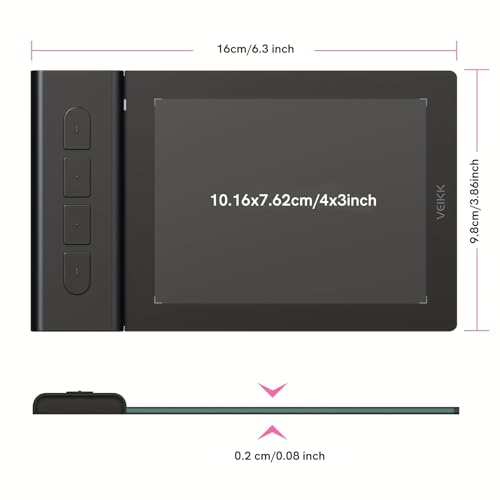
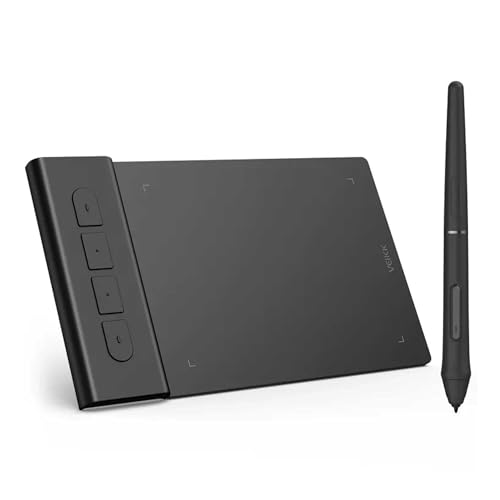


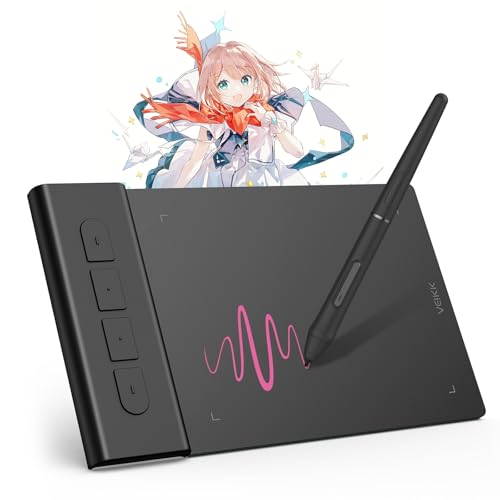
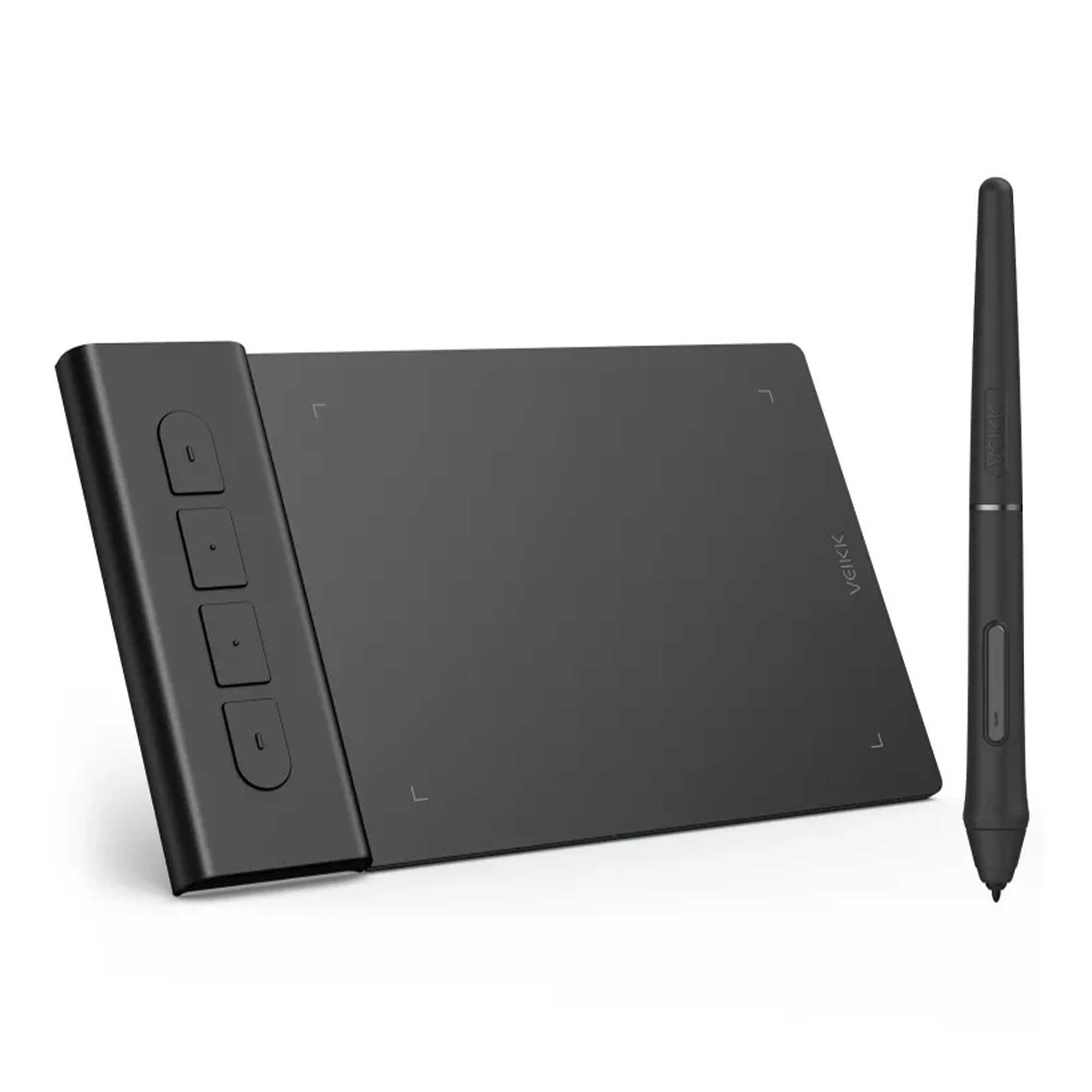
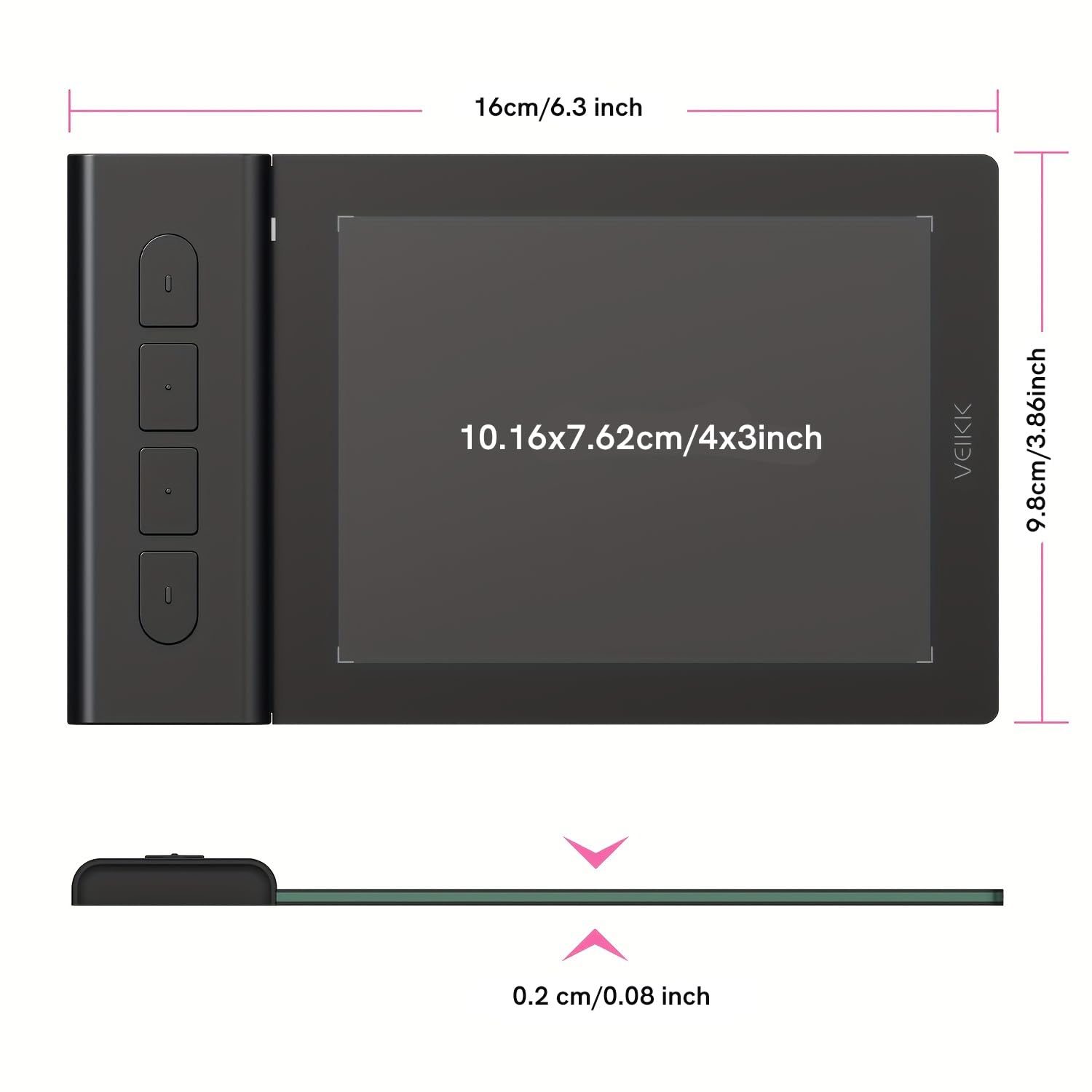

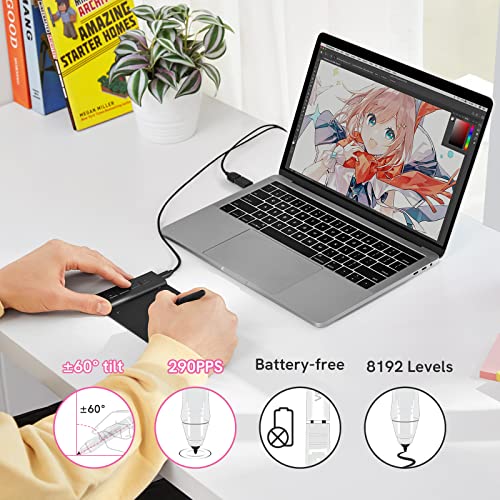


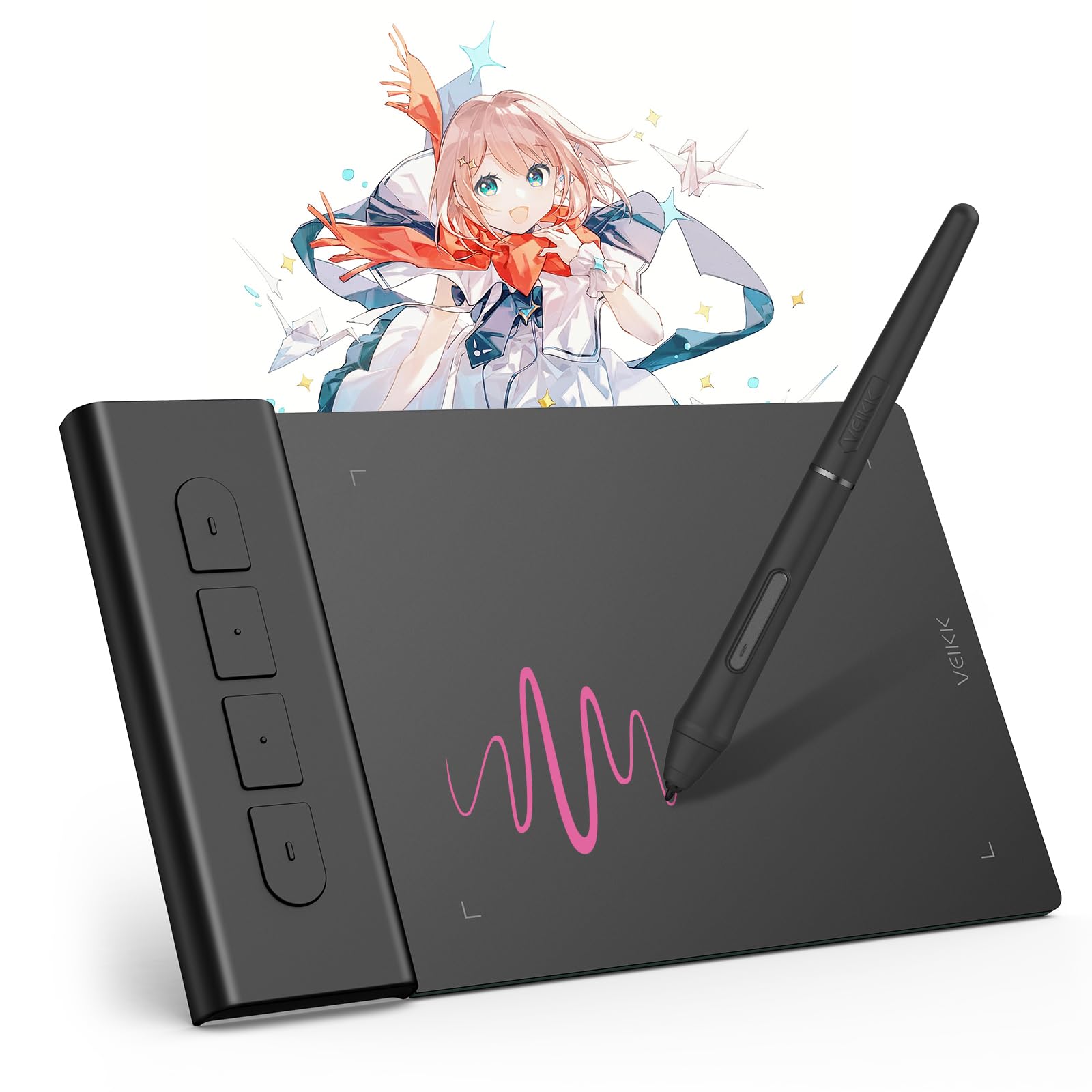

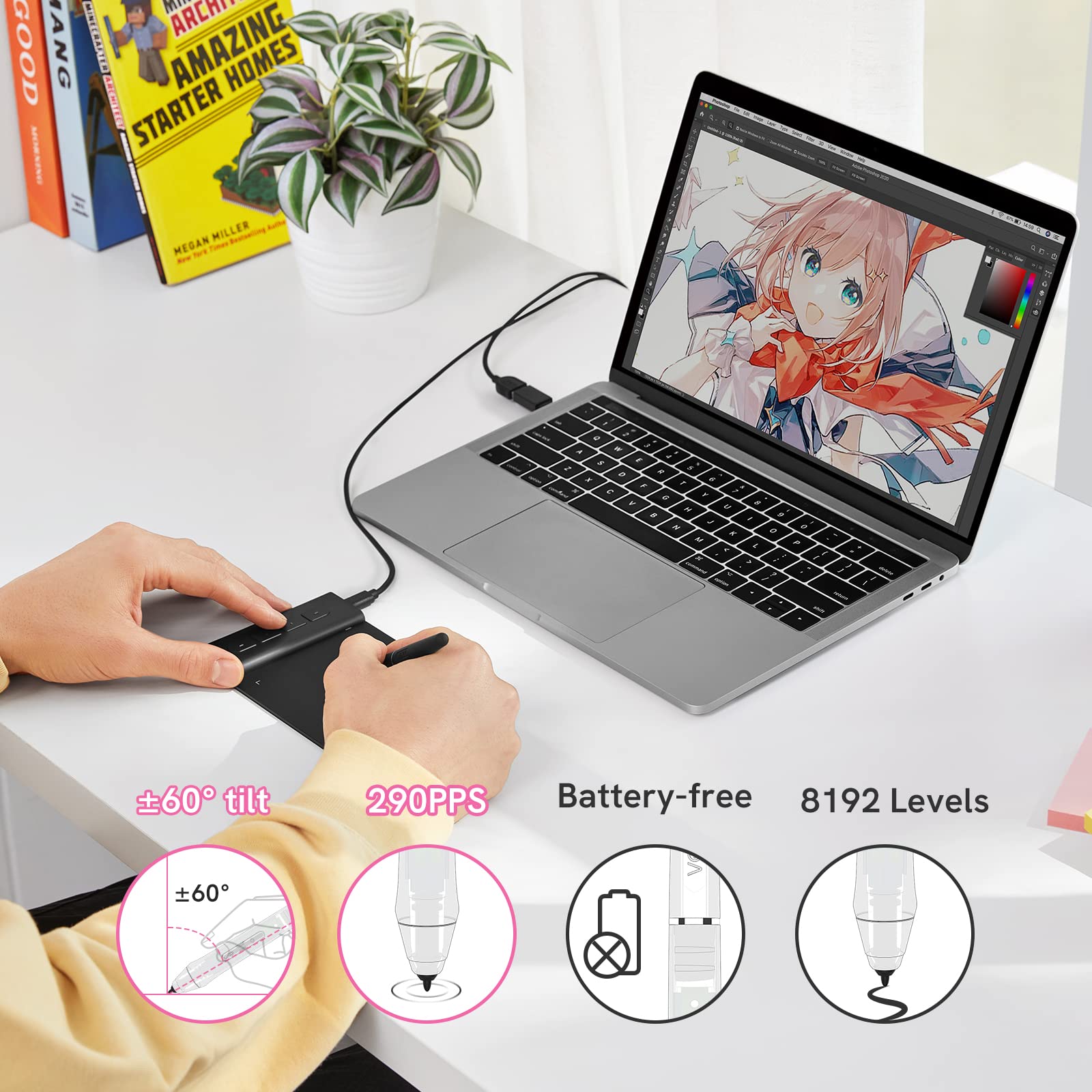


🎨 Elevate your digital art game with precision and portability!
The VEIKK VK430 is a compact, ultra-thin 4x3 inch drawing tablet featuring 8192 pressure sensitivity levels and a 290 PPS report rate for smooth, precise input. It includes 4 customizable shortcut keys and a battery-free stylus, compatible across Windows, Mac, Linux, and Android platforms. Weighing only 82.5g, it’s designed for portability and professional-grade digital creativity.


| ASIN | B09TZS1F4Q |
| Batteries Included | No |
| Batteries Required | No |
| Best Sellers Rank | #29,927 in Electronics ( See Top 100 in Electronics ) #52 in Graphic Tablets |
| Brand | VEIKK |
| Compatible Devices | Windows 11/10/8/7, MAC OS 10.10 or above, Windows 10 Android 6.0 -13.0,Linux |
| Connector Type | USB |
| Country of Origin | China |
| Customer Reviews | 4.1 4.1 out of 5 stars (4,768) |
| Date First Available | 30 March 2024 |
| Device interface - primary | Mouse |
| Display Type | LCD |
| Does it contain liquid? | No |
| Generic Name | pen tablet |
| Hardware Interface | USB Type C |
| Hardware Platform | Chrome OS 88 and above, Windows 8, Windows 7, MAC OS 10.10 or above, Windows 10 Android 6.0 and above |
| Importer | TIGER PUG COMMERCE PVT. LTD |
| Item Dimensions LxWxH | 10.2 x 7.6 x 0.1 Centimeters |
| Item Weight | 84 g |
| Item model number | VK430 |
| Manufacturer | VEIKK |
| Model | VK430 |
| Model Name | VK430 |
| Mounting Hardware | Digital Pen, Pen Nib Clip, Replacement Nib |
| Net Quantity | 1 Piece |
| Number of items | 10 |
| Operating System | Chrome OS 88 or later, Windows 7 or later , Mac OS 10.12 or later, Android 6.0 or later and Linux |
| Packer | VEIKK |
| Product Dimensions | 10.16 x 7.62 x 0.1 cm; 84 g |
| Screen Resolution | 1920x1080 |
| Special Features | Extra-Slim |
| Standing screen display size | 3 Inches |
C**S
Great product and Excellent Customer service
After a lot of searching I ended up on choosing the Veikk S640. The company’s pricing is extremely competitive as compared to the other established brand like Wacom or Huion. This pen tablet is suitable for anybody interested in digital arts. As a graphic designer, I use coreldraw, photoshop and lightroom for majority of my work and this tablet does that job extremely well. The build quality of the tablet is exceptionally good for the price and the pen is very responsive. The nibs provided are of good quality and based on my use I have not faced any problems. The tablet has an attached USB cable. The surface of the tablet is pretty smooth. The only problem I faced was with the driver. If you are a windows 10 user, you might face a small problem during installation. To install the driver you need to disable secure boot in Bios and then disable the driver signature enforcement for the pressure to work. This can be done by a simple code in the command prompt “bcdedit.exe /set no integritychecks on”. I had trouble with the driver and contacted Veikk on their official website through online chat. I was pretty impressed with the way they handled their after sales support. They got in touch with me by email that I had provided them and helped me troubleshoot the problem. Veikk has filed an application with Microsoft regarding the Digital signature of the driver. I applaud their patience and dedication. All in all, the tablet does what it says. The interface is pretty simple and straightforward. The package contains a Tablet, Pen, 8pcs of replacement nibs and a nib remover. The products works well with Photoshop, coreldraw, Medibang Paint and illustrator (These are the softwares I use) If anybody wants to give digital arts a try. This can be the tablet to start you off cheap and easy.
A**L
Best tablet at the price point.
TL;DR: It's the best tablet you can get at the price point. If you're worried about the size then be assured it's perfectly fine even for veteran artists Long Version: The Good: = The tablet is pretty light, so you can easily carry it anywhere. The Pen pressure is very good and responsive if you set it right. The pen is perfect thickness and quite nice looking compared to others. I got the tablet fir 2500 during discount period which is very good. The Bad: = The cord is non-detachable, which might be problematic for some; I however use it directly in front of my laptop and the cable hid pretty neatly below the cooler pad. The surface might get scratched a little bit if you have a heavy stroke (Does not affect the performance in any way); You can get a tablet skin to cover it or just wrap thin paper around like I did. That's it, there's nothing else bad about it xD Note: 1. Pen buttons sometimes bug out with Photoshop, although I prefer to work with Krita and Manga Studio, so it didn't care much. 2. If you plan to play OSU!, some people recommend using Hawku drivers, but I didnt feel the need to. The original drivers work alright. Do remember to enable windows ink input option in the mapping settings though.
T**Y
Let's call it lite version of a drawing tablet
This drawing tablet is for those who have space constraints and also to those who would like to use it either for smartphones or or for tablets. I have never seen a drawing tablet this slim which weighs very less. I will get into its details in brief. It has a small drawing area which is more than enough either for a tablet or smartphone and the drawing area is smooth without a matte finish which we get to see in Premium veikk tablets which are for PCs. It would have been great if the sides of the tablet got encased completely by plastic casing as it would have made its looks better. Now when it comes to the pen which we get with the tablet i was impressed a lot by it. It gives us a premium feeling as it has a matte finish along with a perfect design which i didn't see in a veikk PC Tablet i already have. Believe me it feels so comfortable and perfect when using it. As said in the product details we get a drawing tablet, pen, few nibs, a nib clipper, usb type C and Micro USB OTG Adapters. And we don't have to worry about running out of nibs as veikk made nib spares available on amazon these days. I would have been much more happy if the tablet had a removable input cable than the fixed cable as even though the device gives us long life its cable may not give us the same life if we keep wrapping it and opening it. My suggestion would be just keep the cable length which you need rather than unwrapping it completely for longevity of the cable. Though it is mentioned by veikk that this tablet doesn't work with Samsung, i found that they do work but not like the way they work on other devices. I mean we get to see a cursor on other devices but on samsung we should visualize the screen of the samsung device on the tablet to use it. And the pressure levels work fine on samsung too. I have tried this tablet on smartphones of OnePlus, Vivo, Honor, Xiaomi, Samsung Tablet & Smartphone and Windows PC. I couldn't try it my iPhone as i didn't had the lightning cabe convertor at the moment. Finally i would say that i am satisfied with the tablet as it meets my requirements at an affordable price unlike its counterparts.
E**E
Cadeau pour mon fils il est ravi pour l’instant le produit fonctionne très bien à voir dans le temps
C**S
Hello Folks! I’m Chris, I’m a professional artist, and my tablet is more-or-less my life. Keep drawing, keep getting money, keep buying groceries. Take it from me when I say that recommending tablets is an important thing… and I gotta say: I definitely recommend the S640 for either those beginner artists in your life, or for inclusion with a mobile setup. The S640 was a wonderful little peripheral. It is very light and very compact, so it is wonderful for throwing in a bag and running off wherever you may want to go. As a life-long Wacom user, I am incredibly adverse to the woes of a battery-powered pen. I find them heavy and clunky, and they become incredibly annoying when the battery gets to its low end. To that effect, I was incredibly pleased to find that Veikk’s products use a battery-less pen. No fussing with a battery is always a win, and it is even more so, considering how sensitive the pressure function is and how reactive it is as a mouse. If price is a factor, Veikk has made a very cost effective product. The S640 is roughly $30 USD, and after a little research, I found the closest Wacom product (the Wacom One) is around $60 USD. On top of its highly competitive price, the S640 also comes packaged with several replacement nibs for the stylus and a couple different adapters so that you can connect it through some non standard ports. I punished this product, trying to see what issues I could find with it. While I would love to say this product is without faults, I will say that everytime I ran into an issue with it, the people at Veikk were very willing to help me solve them. I absolutely was way meaner to this machine and its driver than they likely intended, and throughout the process of me trying to find problems with this product, the staff at Veikk was very quick to help me out and find solutions to problems that I could not! I will say since this is a relatively unknown brand, it may be a bit difficult to find tutorials on fixing issues online. The main issues that I really can point out (that are not immediately fixable by their support staff) are to do with the build of the device. The construction of the device does feel a little flimsy. It is very thin, and has a particular point that I was worried about as I wiggled it around trying to see if I could break it; but I am pleased to report that I did not break it, and wouldn’t expect it to break under any reasonable day-to-day stresses. The nibs admittedly are a little bit noisy as well when you first trade them out, but after a few minutes of doodling the ends smooth out a little, and it's back to peacefully working. TLDR; ------PROS------ Stylus does not require batteries. Fantastic feature. Pressure sensitivity is very reactive. Very good price point. Wacom’s closest competitive tablet is the One, with similar dimensions and costs around $60USD Box comes with several replacement pen nibs included, as well as adapters for other, non-usb connectors. Veikk staff have been very willing to work with me as I test their drivers, even though that is not technically what they asked me to do. :D ------CONS------ Relatively unknown brand. Not a lot of troubleshooting for this brand exists on the internet. Construction of the tablet seems flimsy. You can see raw silicon(?) on the sides of the tablet body; but I have not had any sort of breaking or cracking. First few minutes of use, the pen nibs are very noisy; but after a few minutes of doodling, they tone down. The long and short of it is that the S640 is a good product. It's small, it's light, it’s cost effective, it doesn't need extra batteries, and when I ran into problems Veikk’s staff was quick to help me out. I am so confident in this device, that I am highly considering their VK1560 for when my old Cintiq 13HD finally kicks the bucket, now knowing the quality of their products.
N**I
Drawing tablet for Mac/Chromebook/windows/android This is a fab little drawing tablet and better than I thought it would be for it's little size. This is roughly 16cm x 10cm x 0.5cm, with a drawing area of 10cm x 8cm and 4 shortcut key buttons. These buttons as well as the pen, allow you to customise the drawing tablet to suit you and your style, you can even set it to left or right handed too. It feels well made, sturdy and durable. You have a 155cm USB cable to power it with, this will not work with an extender USB, you need to plug it in directly if you're using a Pc. You can use it with laptops, tablets and your phone too, the phone needs a USB adapter. You have the drawing tablet pen, which has two buttons on, this is roughly 15cm long, this comes with 8 replacement nibs, a nib remover tool and it doesn't need batteries to work, so that's good. The set up is really easy, you need to download the software, which is quick to install and simple to follow. Once you've installed this you have a little app as such, to customise the drawing tablet. In the app you can change the button functions on the pen, you have many options for what you want this to do, I kept one as an eraser, as it's easy to remove small areas. You can change the pressure and sensitivity you want it to have, to suit your own drawing style. You can customise the shortcut keys, I kept one as an 'undo' button, which makes it really easy to erase larger parts you want rid of. Also I kept two as zoom in and out, which helps draw in those tiny areas when necessary. You can map your work area, so you can set it to use all or part of the drawing area, set it to size scale with your screen, use right handed or left handed style and a few more. Using the tablet itself is fantastic. Whilst you're hovering over the tablet, you can see on screen where you are exactly, it won't start drawing until you put that pen to it. It won't pick up your hand leaning on it or anything like that. Drawing away is easily done. You can use other areas of the monitor screen with your pen, so you can change colours, pen line widths, open new pages etc with the pen itself. I would recommend this. I think it's brilliant for a starter drawing tablet, definitely better than I expected it to be. Good quality, works well and easy to use.
J**.
OK, first of all... this thing is tiny! But it works amazingly. It's about half the size of a mouse pad. So, if you're short on room on your desk, this is the thing for you. Set up was a breeze and highly responsive. I mainly use it to mark up screenshots or take notes with Paint. If you are looking for something simple and that works, then I highly recommend this gadget.
T**O
最初動作がなにかおかしい感じがして、OSUをプレイしようとしても反応しなかったりと、かなり焦りましたがメーカーの公式アプリを商品紹介動画と同じように入れると、最新バージョンになったのかすんなりと動作するようになりました!動作自体は何も不自由なく完璧です。質感や肌触りもよく、ちゃんとカーソルも遅延なく追順してくれます
Trustpilot
Hace 2 meses
Hace 3 semanas