We remain fully operational. Our teams are working around the clock to ensure your deliveries continue safely.

Descargar la aplicación


Servicios al cliente
Sobre nosotros
Copyright © 2025 Desertcart Holdings Limited
Descargar la aplicación


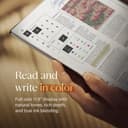
✍️ Elevate your ideas—write smarter, not harder.
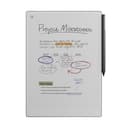
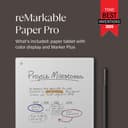
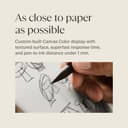
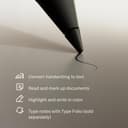
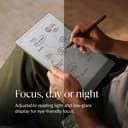
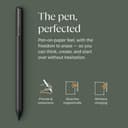
The reMarkable Paper Pro Bundle features an 11.8-inch full-color, low-glare display designed to mimic the natural feel of paper. It includes the Marker Plus pen with a built-in eraser and six spare tips, offering precise, lag-free writing without cables. With adjustable reading light and seamless digital organization tools like handwriting-to-text conversion and PDF annotation, it’s engineered for professionals seeking distraction-free productivity on the go.


| ASIN | B0DG9ZXWMK |
| Additional Features | Color display; Writes like paper; Adjustable reading light; Built-in eraser pen; Spare marker tip; USB-C connectivity; Low glare display; Outdoor reading; Night reading capability; Ultra slim design; Portable |
| Brand Name | reMarkable |
| Color | gray |
| Customer Reviews | 4.2 4.2 out of 5 stars (860) |
| Included Components | reMarkable Paper Pro, Marker Plus, 6 Spare Marker Tips, USB-C Cable |
| Item Weight | 526 g |
| Manufacturer | reMarkable |
| Manufacturer Part Number | RM81C-1000NW |
| Material Type | Plastic/Polymer |
| Model Number | RM81C-1000NW |
| Number of Batteries | 1 Lithium Ion batteries required. (included) |
| Recommended Uses For Product | Office |
R**J
メモに特化した商品。高いし、英語表記だし、バッテリーも思ったより持たない。スマホよりは長持ちかな?だけど描きごこちや気軽に書けるささ、書いたものによって簡単に分類できるしとても気に入ってます。すぐに劣化しないことを願ってます
あ**ん
日本語対応無し(インストール可能)、処理速度は他の商品と遜色なし、アプリを使ったデータ共有も直ぐに反映、使い勝手は満足です。 データをメールで送る際も、アドレス履歴が表示されるので、いちいち入力しなくても、すぐに関係者への送信が可能。 バックライトをONにしておくと、4日ぐらいで電池がなくなります。 あとは、落下に要注意。カーペットのフロアに落としてしまい、拾い上げて画面を見たら、見事に一筋の線(画面の割れ)が。。。表示やメモ書きに支障はきてしていませんが、画面の強度は弱そうです。
M**G
The reMarkable Paper Pro delivers an exceptional writing and reading experience that truly lives up to its reputation as a “paper tablet.” The large 11.8-inch colour display feels natural on the eyes, and the integrated reading light makes it comfortable to use in any environment, day or night. Writing with the included Marker Plus pen is smooth and highly responsive, closely mimicking the feel of pen on paper, which makes note-taking, sketching, and annotating documents genuinely enjoyable. What sets the reMarkable Paper Pro apart is its focus and simplicity. Free from distractions, it’s ideal for professionals, students, and creatives who want to think, read, and write more clearly. The colour display adds real value for highlighting, diagrams, and PDFs, while the premium build quality makes it feel like a serious productivity tool rather than just another tablet. If you’re looking for a refined, purpose-built device that replaces notebooks and paper clutter, this is a standout choice.
P**O
increíble producto antes escribir en Goodnotes en el iPad y la verdad es que no tiene punto de comparación, es como escribir en papel increíble producto
S**.
The reMarkable Paper Pro is a wonderful device and thus far I am loving using it. I love the size of the device, one of the main reasons I opted for the reMarkable Paper Pro and that it is dedicated for note taking and organising into individual folders, tagging pages, etc. Although you need to download and install an individual app on the computer for reMarkable, it's fairly straight forward, and adding PDF files if you have any eBooks in that format or ePub you can easily drag and drop across. For that, it is pretty decent compatibility with eBooks, just not for many of the other formats, unfortunately, but I'm not overly fussed on that as I use my Kindle Paperwhite for reading use. You'll find that if you use the device on full brightness, it's a pretty decent amount of light, you'd see that in person rather than from videos. However, intensive use that I use it for taking down a lot of notes from videos for my language learning, the battery will go down over the course of a day. I've used it just using a normal light and the backlight of it set to zero and it worked great. I had also done research and you can use the device whilst plugged into the laptop whilst it charges, it doesn't have any effect on the life of the battery. So long as you use it from time to time mostly away from charging to allow the battery to recycle, you're fine. The device for functionality is straightforward; learning to draw straight lines you just draw a line and if you hold it, it'll do it automatically, same for circles. Learning the menus are pretty straightforward, and creating a new notebook, don't confuse it as a page, you can create pages within notebooks, check the three dots menu and you'll find it there. I've found the quality of the screen to be fantastic, the device is very professional looking, I haven't had any issue with the light bleeding as some may have complained, I think it looks fantastic, it's a very textured feeling with writing and drawing anything. Whilst it is not going to be exactly like paper, it's good enough and feels great to write with. The refreshing of the screen happens a lot, but you get used to it. As for the weight of the device, I've found it's fairly light, I haven't had any major issues, it fits nicely alongside my Macbook Pro 16" and is nice and thin, I certainly have no issues regarding weight and is very portable, it just requires the right bag for it. All in all, this device is targeted for note taking and is not for all the bells and whistles of other uses like some of the other devices. I love the size and ability to use colour for highlighting which I do a lot and looks very professional. When connected to the computer you can use the app you download and install to export to PDF which I love. I'm very pleased with the device.
E**G
I debated whether to get this or an iPad. The decision was especially difficult because of the high cost of the ReMarkable Paper Pro and the fact that it has far less functionality than a similarly-priced (or even cheaper) tablet. With the ReMarkable there’s no surfing the Internet, no shopping at Amazon, and no watching movies. This is strictly a tool for taking notes. But I only needed something for taking notes. Reviews I read said ReMarkable had the best ‘feel’ when writing, and since nite writing was what I needed, I bought the ReMarkabke instead of a different brand (or a tablet). I’ve now been using the Remarkable for a couple months at work. The resistance when writing (the “feel”) is indeed fairly close to writing on paper with a pen. I really like having all of my notes in one place now, separated in different files and folders that I’ve created. It beats having stacks of papers lying around and unavailable when you need them. The ReMarkable has dozens of templates that come preloaded with it, including temples for music, grids, and three different week planners. Apparently, you can buy move if you can’t find what you need on the device, but I really only use two: a lined page and a blank page. The colors the Paper Pro provides are a nice option for highlighting important things. The colors are fairly muted on the screen, though, but they do allow you to add color to your pages when needed. I’ve not yet needed to transfer data from the ReMarkable to a computer. I just keep everything on the device itself. I’ve also not converted writing to text yet, which requires you to set up an account with ReMarkable. An account is needed for this function because it’s a cloud-based service and requires an Internet connection. Overall, the Paper Pro has filled all my needs well. I only wish I had bought it sooner so I wouldn’t have so many paper notes lying around. If you can live with its steep price, the Paper Pro a nice tool to have.
C**U
Belle fabrication, jolie et solide. Très réactive à l'écriture et vraie sensation d'écrire sur du papier. Le bloc note parfait
Trustpilot
Hace 3 semanas
Hace 1 día