We remain fully operational. Our teams are working around the clock to ensure your deliveries continue safely.

Descargar la aplicación


Servicios al cliente
Sobre nosotros
Copyright © 2025 Desertcart Holdings Limited
Descargar la aplicación
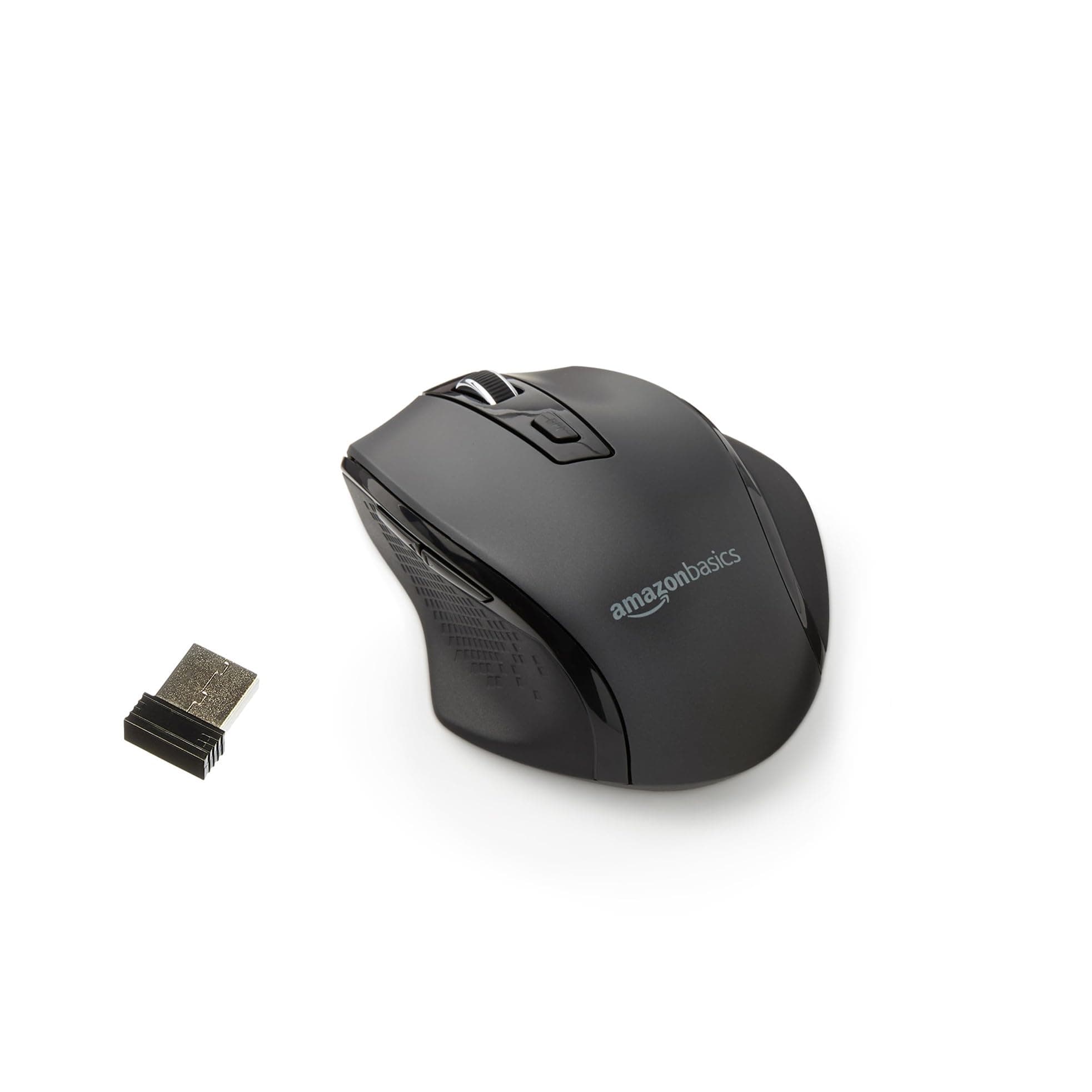


🖱️ Elevate your workspace with precision, comfort, and freedom — because your productivity deserves the best.
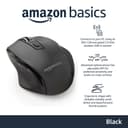
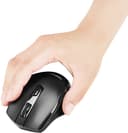
The Amazon Basics Portable Wireless Mouse combines ergonomic comfort with a reliable 2.4 GHz wireless connection offering up to 33 feet of range. Featuring adjustable DPI for tailored precision and AES-128 encryption for secure data transmission, it’s compatible with Windows and Mac devices. Compact and lightweight, it’s designed for professionals seeking a seamless, secure, and comfortable navigation experience on the go.


| ASIN | B0787D6SGQ |
| Additional Features | Wireless |
| Antenna Location | Gaming |
| Are Batteries Included | Yes |
| Are Batteries Required | Yes |
| Best Sellers Rank | #408 in Our Brands ( See Top 100 in Our Brands ) #15 in Computer Mice |
| Brand | Amazon Basics |
| Built-In Media | Mouse, Dongle, Battery Pack |
| Button Quantity | 4 |
| Color | Black |
| Compatible Devices | Personal Computer |
| Connectivity Technology | 2.4GHz Wireless |
| Customer Reviews | 4.3 4.3 out of 5 stars (30,002) |
| Embellishment Feature | Logo |
| Enclosure Material | Plastic |
| Global Trade Identification Number | 00192233013558 |
| Hand Orientation | Ambidextrous |
| Hardware Platform | Laptop, PC |
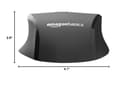
| Item Dimensions L x W | 4.1"L x 2.9"W |
| Item Weight | 89.4 Grams |
| Manufacturer | Amazon |
| Model Number | G6B-BK |
| Mouse Maximum Sensitivity | 33 Dots per Inch |
| Movement Detection | Optical |
| Number of Batteries | 1 AA batteries required. (included) |
| Operating System | Windows 7 |
| Power Source | Battery Powered |
| Range | 33.0 feet |
| Style Name | Mouse |
| UPC | 192233013558 |
| Unit Count | 1.0 Count |
B**N
Great function and feel and great price.
good ergonomics, the wheel roates nicely and is satisfying not loud but tactile feel. For the price the quality feels good not super cheap feeling plastic. I would buy again. Amazon basics dont dissapoint often
C**A
Great Buy works with my Mac computer
Feels great in your hand, easy to use, works great, solid. Great buy for the money. Works with my Apple Mac computer.
L**Y
Tough little mouse!
I have had this Wireless Mouse for the past 8 years. I have dropped it numerous times on my tile floors. And this little guy takes a lickin' and keeps on clickin'!! I highly recommend this mouse. Great price, great product.
V**D
Solid all around mouse.
Works well overall, but has issues with 'stuttering' - there is an intermittent delay that happens occasionally and the mouse wheel feels off when putting it into scroll mode. These are nitpicks though- I would definitely recommend it, and have used this mouse for everything from spreadsheets to casual FPS gaming without any real issues. Also, the battery life has been good so far, even though I'm usually bad about turning off my mouse for the night. My only other gripe is that the screws are recessed under the pads, so it isn't easy to service the mouse if you wanted to deep clean it or fix it yourself. I'd rate it an 8/10, especially since it's relatively inexpensive.
L**V
Works well and has a comfortable shape
Works well and a good value for the quality.
E**S
Great Basic Wireless Mouse
Simple, cheap, and works great. Feels good in the hand and the ergonomic shape is comfortable to use. It does everything you need from a basic wireless mouse and even has adjustable DPI. If you just want a solid wireless mouse without spending a lot, get this one.
P**M
talk about your squeaky wheel.....
I've had this mouse over a year now. I don't do any gaming or anything so it doesn't take much abuse. The shape and size are comfortable. Unfortunately, it's the squeakiest mouse I have ever used. There's also some connectivity issues, like it's delayed sometimes or the signal goes out. It's still usable, but I wouldn't go with this one again.
J**1
Mouse works fine with my Dell Inspiron 16
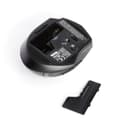
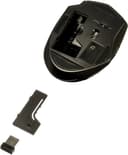
Going back to school, I needed a mouse to go with my new Dell Inspiron 16, with Windows 11. Your results may vary based on equipment and operating system. This is your basic USB/roller/5 button mouse which essentially works as advertised. It came with a single AA battery, so you can get to work immediately "out of the box" -- that's a nice touch. There is a holder for the USB adapter "dongle" inside the battery compartment (for storage, when the dongle is not plugged into the computer). This feature is shown on the main Amazon description page. At 3.2oz this mouse is lighter than my everyday Logitech M705 mouse at 4.7 oz (some of the weight difference in the latter's is using 2 (not one) AA batteries). The Amazon mouse is a little smaller (in all dimensions, but not tiny) and is not quite as rounded as the Logitech, yet the Amazon mouse has a more compact feel which is what I wanted. Once the dongle was inserted in to the computer's USB port, no additional setup was needed. The top two buttons operate correctly (I use the default "left" as primary button). As do the two left side buttons for navigating webpages, which I do use frequently (FYI: The side picture is purposefully overexposed -- otherwise I was unable to show the buttons). The roller works as a standard up and down scroll, and when depressed acts a a "speed" scroll (frankly, I never use this function, but confirmed it does operate as such. The roller can also operate as a single/double click button to open close apps or tab (which I never use, either). I expected the button behind the roller to operate the same as my Logitech M705 mouse (free/restricted scroll), but no, it is a weakly documented "DPI" button. The only problem that I have (which cost a star) is the lack of explanation of the "DPI" button's purpose and utility in the instructions. While the instructions do indicate 5 "step settings" (press to select the next higher or reset to the lowest setting of the different modes), there is no cue (e.g. number of blinks to indicate what "mode" you're in, so you just have to "try 'til you like it"), and nowhere in the documentation does it indicate the need for such a function or when to change "modes". I had to come back and scour the Amazon page to find that the "Advanced optical sensor has adjustable DPI for preferred sensitivity and works well on most surfaces". So does this mean the you adjust the DPI for the users responsiveness or for the surface the use is working on??? Personally, I like the free/restricted scroll action of the Logitech, or at least a option. For the price, save for the "DPI" button, I can recommend this product.
K**A
If you are looking for a higher dpi mouse for daily use (office purpose) with no RGB light show-off, then this is it. Surprisingly its so satisfying to hold it and 5 buttons are really useful in addition to dedicated dpi change switch.
R**V
I've used it for almost a year with no problems. The battery is even the same. It feels a bit heavy, probably due to the battery, but that's not a problem.
A**Z
Una de las mejores compras que he hecho. El diseño del mouse es ergonómico y se adapta perfectamente a la mano, lo que lo hace muy cómodo incluso tras varias horas de uso. Sus botones están ubicados estratégicamente, son muy funcionales y responden con precisión. Excelente calidad a un precio accesible. Ideal para quienes buscan comodidad y eficiencia en su día a día.
J**Y
Works Brilliant! I immediately started using it and had no problems since... no connection delay etc. Good grip, I like it! Fast, long battery life which can anyway be replaced. has On/Off button- very handy. Happy customer, Thanks to Amazon!
H**I
رائعة
Trustpilot
Hace 2 semanas
Hace 4 días