
Descargar la aplicación


Servicios al cliente
Sobre nosotros
Copyright © 2025 Desertcart Holdings Limited
Descargar la aplicación

🚀 Elevate your home network to WiFi 7 — because buffering is so last decade!
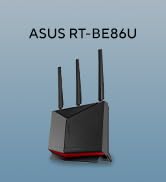
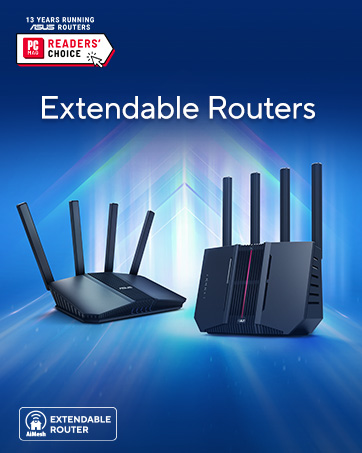
The ASUS RT-BE58U is a cutting-edge WiFi 7 dual-band router delivering up to 3600 Mbps speeds with 4096-QAM and Multi-Link Operation for ultra-smooth connectivity. It features versatile WAN options including AI detection and 4G/5G tethering, commercial-grade AiProtection Pro security, and smart home management with parental controls and VPN support. Designed for professionals and tech-savvy households, it future-proofs your network with extendable AiMesh compatibility and robust IoT device management.








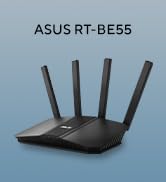


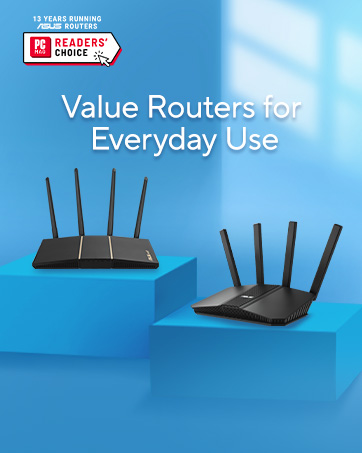
| ASIN | B0DHWBS9G6 |
| Best Sellers Rank | #1,185 in Electronics ( See Top 100 in Electronics ) #12 in Computer Routers |
| Customer Reviews | 4.4 4.4 out of 5 stars (6,105) |
| Date First Available | October 12, 2024 |
| Item Weight | 1.01 pounds |
| Item model number | RT-BE58U |
| Manufacturer | ASUS |
| Product Dimensions | 7.6 x 2.3 x 9.37 inches |
E**S
Reliable WiFi 6 Upgrade with Great Features
Reliable WiFi 6 Upgrade with Great Features The ASUS RT-AX3000 has been a rock-solid upgrade to my home network. Setup was straightforward with the ASUS app—within minutes I had it configured and running. The WiFi 6 support really makes a difference; multiple devices can stream, game, and video call without slowdowns. Coverage is excellent across a two-story house, and even the backyard gets a stable signal. I appreciate the thoughtful extras ASUS built in. Adaptive QoS lets me prioritize gaming or streaming when needed, and the parental controls are simple yet effective. AiProtection, powered by Trend Micro, adds an extra layer of peace of mind against security threats. I also like that it’s AiMesh compatible, which means I can expand coverage in the future without replacing the router. One small note: while performance is excellent, the unit does run a little warm. Not a big issue, but something to keep in mind if you place it in a tight space. Bottom line: A fast, reliable, and feature-packed router that’s a great choice if you’re ready to move into WiFi 6 and want excellent coverage with built-in security and expandability.
A**.
BE58U is a solid router and great as a mesh component
This BE58U router is my second ASUS router. My first, an AC66U has been repurposed as a mesh node on my new Asus mesh network. The BE58U is probably overkill for my needs - about 20 connected devices over 3 floors and 3200 SF home. No gaming but 2k Netflix and other streaming. I have no devices that currently use wifi 7 and since the AC66U node is only wifi 5 there's no dedicated backhaul channel. First, the BE58U by itself seems to have slightly less range across both 2.4 Ghz and 5 Ghz bands than the old AC66U router. If I was using this by itself, I'd be disappointed and probably return it. As a mesh router using the AC66U as a node, it's a whole different story. Coverage and speed across both bands is vastly improved and at least part of my home is future-proofed for wifi 7. Much better set-up than my old TP extender set-up. In a perfect world, I'd have a wifi 7 tri-band router and mesh node but cost is an issue. For now, a dual-band wifi 7 coupled with an older wifi 5 node gets the job done nicely with room for future upgrades (maybe a cheap Asus wifi 6 router on E-bay?) BTW, setup was easy, no random network drops or resets, unit runs relatively cool, no network incompatibilities or glitches. I've had none of the issues mentioned in any of the negative reviews - at least not yet and never had issues with my AC66U. The Asus software and phone app are easy to us and provide a lot of useful information. The network security tools are also very good. I consider this a solid value and the mesh network a real upgrade in house-wide coverage.
K**F
Easy to set up and great price.
I have been through three other routers by all major brand makers, needing a specific function: bridge mode. This router's bridge is so simple to set up took less than 5 minutes and it connected and is working flawlessly. I am usually a Netgear user but they have decided to drop bridge mode in their less expensive routers for some insane reason..Asus to the rescue! I will definitely be leaning more toward this brand in the future.
E**I
Not a bad modem
The main reason for purchasing this router was to improve connectivity as our TV would often drop while streaming on the old router (model 1750). Received router, opened and set up. Router came with everything needed (cable and method to download app). The four antennas were a breeze to arrange. Unit is light weight and more compact than the older router it replaced. Internet speed from cable modem to router is +/- 607 Mbps. Performance testing was conducted after updating both laptop and router firmware (3.0.0.4.388_25139). Tests were conducted using a gaming laptop sitting three (3) feet from the router and at the same height. Protocols were Wi-Fi 5 (802.11ac) for 5G and Wi-Fi 4 (802.11n) for 2.4G. The results shown are the fastest speed obtained from three consecutive tests. A test was also conducted using a new gaming PC hardwired directly into modem and is shown at right. TEST WEBSITE 5G Band (Mbps) 2.4G Band PC hardwired to cable modem fast.com 410 100 470 speedtest.net 474 104 607 sparklight.com (Provider) 446 105 607 First impressions (not based upon testing): This router is more stable than the model AC1750 it is replacing based TV not dropping (except when modem was intentionally reset). The ping seen by computer seems slightly better - but this is an impression not verified by testing. Visually the router sits unpretentiously in its place and has small but easily visible indicator lights. Summary: Setup was slightly more difficult than the older modem (model AC1750) it is replacing. Router has an App (which is nice) but it far less intuitive than the software for the AC1750. Asus does request PIA (i.e. birthdate and phone and email addresses) to register the product. Wireless speeds are slightly below hopes. First impression is that router does seem more stable than the old router it is replacing. The router also includes security features such as VPN (to be setup in the future and part of why this unit was chosen.) Overall rating: RECOMMENDED.
M**N
افضل جهاز راوتر منزل اشتريته الحمدلله، مدى ممتاز و تغطيه رائعة، أداء متفوق على أجهزة اعلى منه مستوى و سعر،، انصح به بشدة
R**A
Funciona perfectamente
M**N
The product was as expected...easy to install..very fast network. I can block and control each device using my Data
L**A
Cumple con su propósito y con lo que promete al 100%. La relación/calidad precio esta muy bien! Fácil de usar, fácil de instalar, la estabilidad que tiene es muy buena! El equipo viene bien empaquetado y sellado. No me arrepiento de comprarlo y lo recomiendo 100%
I**V
Does the job Powerful CPU 1GB RAM FusionVPN WiFi7 2,5Gb port
Trustpilot
Hace 1 mes
Hace 1 mes