We remain fully operational. Our teams are working around the clock to ensure your deliveries continue safely.

Descargar la aplicación


Servicios al cliente
Sobre nosotros
Copyright © 2025 Desertcart Holdings Limited
Descargar la aplicación


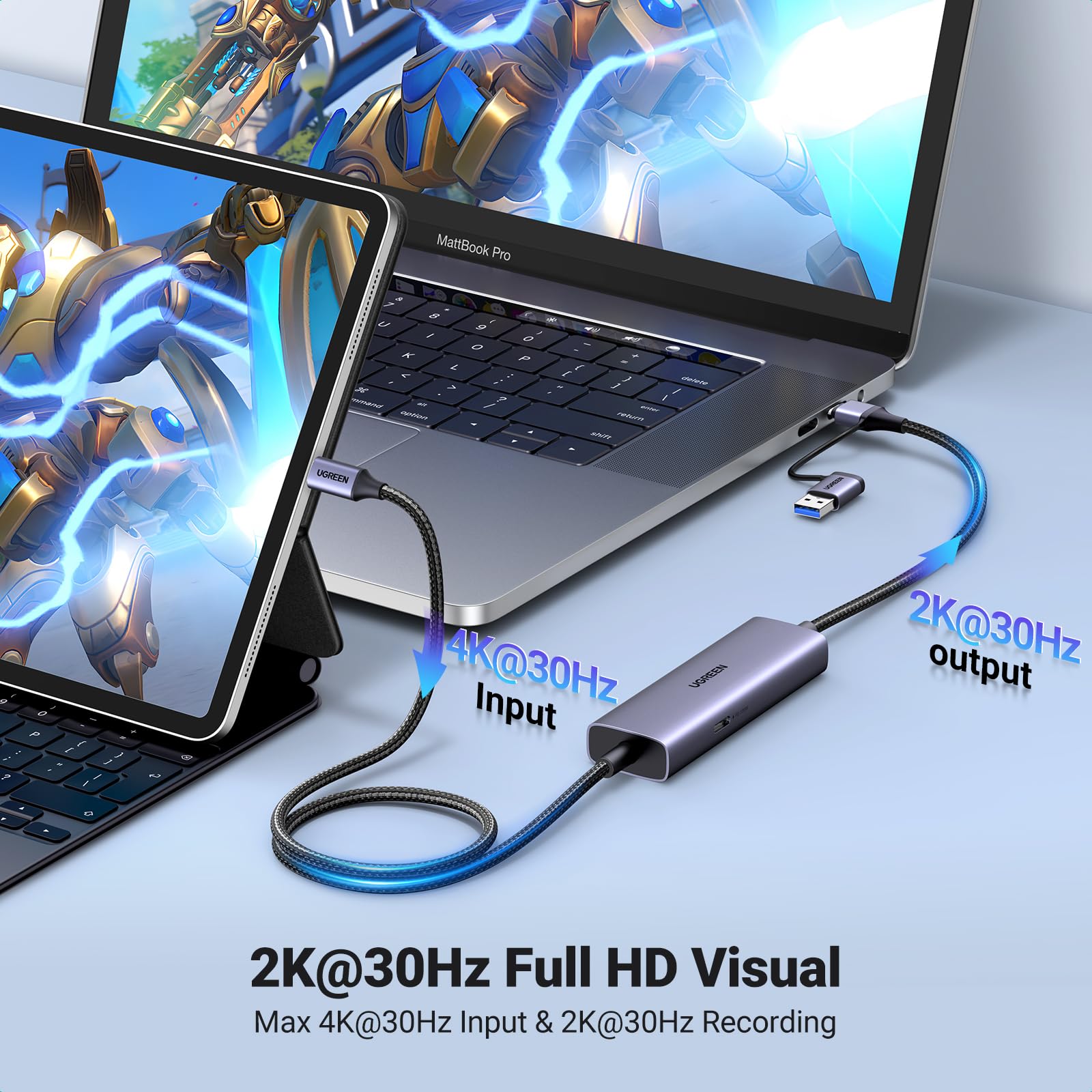


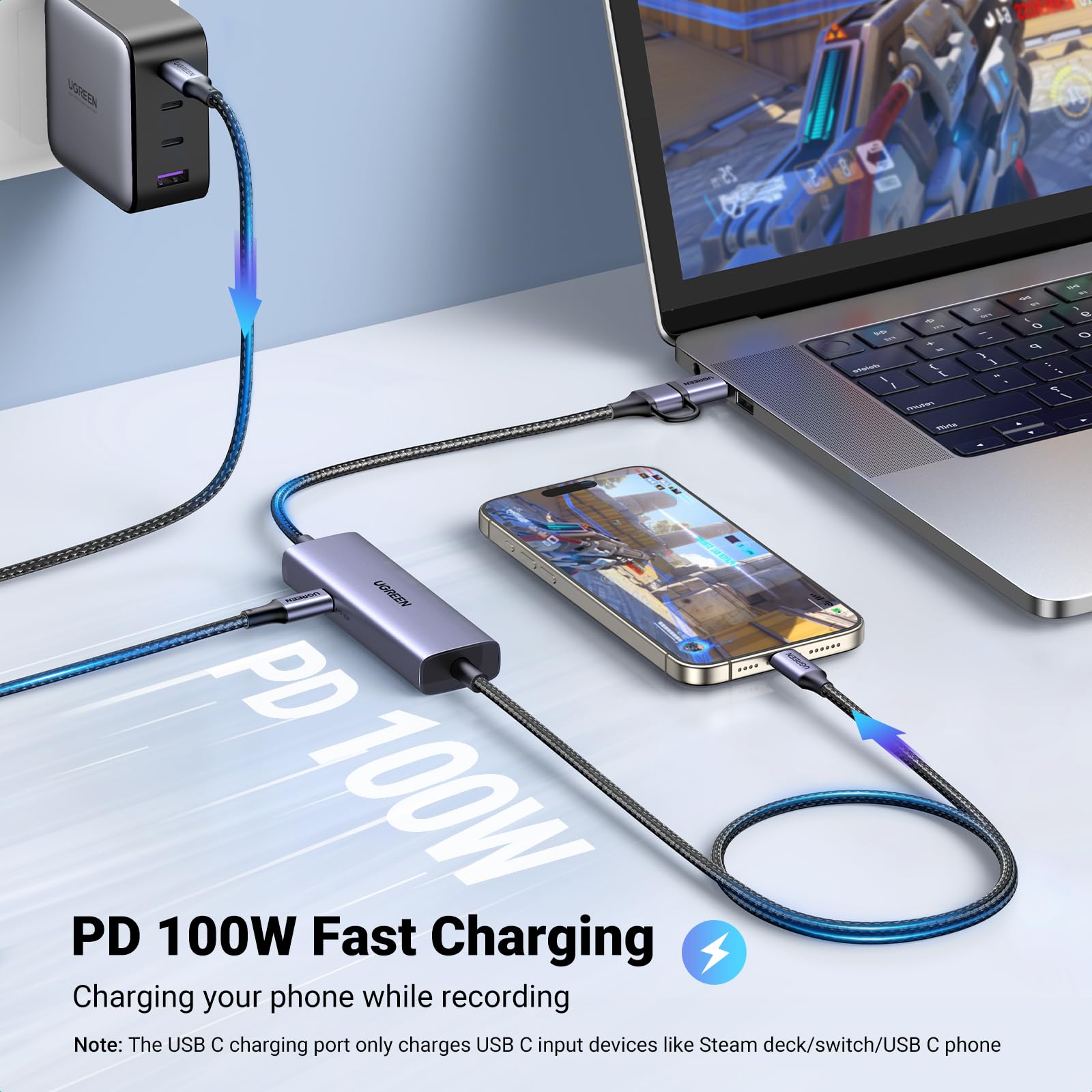


🎮 Stream Boldly, Play Limitlessly — Capture Your Game in Stunning Detail!
UGREEN Video Capture Card USB C is a versatile 4K streaming device that supports 2K@30Hz and 1080P@60FPS recording with synchronized audio. Designed for gamers and content creators, it enables live streaming and game recording on iPads, MacBooks, laptops, and phones. Featuring 100W PD fast charging, robust aluminum housing, and broad compatibility with popular handheld consoles and streaming platforms, it delivers reliable, high-quality video capture with easy plug-and-play setup.








| ASIN | B0CN2Q32HJ |
| Best Sellers Rank | 16,530 in Computers & Accessories ( See Top 100 in Computers & Accessories ) 17 in Internal TV Tuner & Video Capture Cards |
| Guaranteed software updates until | unknown |
| Item model number | UGC2772 |
| Manufacturer | Ugreen Group Limited |
| Product Dimensions | 100 x 27 x 4 cm; 160 g |
A**R
Quest 3 video input
Using this with my Quest 3 and Steam Deck, works well as expected
G**H
Play gaming devices on a vr’s main screen.
This is great to connect any device that you watch or game with to view on the internal screen of a vr unit. Bought it for my steam deck and it was funny to play my deck but see it on the vr screen. iPad works too but not idea for gaming. You cant really see where the controls are on the screen but a separate controller would sort that out. Even tried it with my powkiddy rgb30. Retro gaming on a large screen 👌🏻 Simple enough to set up and use. Haven’t used it a lot, but it’s always great to play games or watch stuff on the vr screen now and then. It also has a side slot to run a charger into so devices in use can charge during connection.
J**S
Easy to use and set up - does the job
Bought this after watching a YouTube video about using meta quest 3 with a MacBook - works okay and limited due to restriction on MacBook but otherwise perfect
B**7
DJI RC2 & Meta Quest 3 compatible
I got this to use my Meta Quest 3 as a pseudo HUD. In reality, it can display the DJI RC2's display into the headset, allowing you to have a nice big screen to look at while recording footage. It would be great to see DJI look into this and allow you to have your 360 obstacle avoidance cameras dotted around the main display, and have the radar off the main screen too too give you a full picture of the recording, maybe their own VR headset already does this? But the cable works perfectly straight out of the box. Only thing i would want different is for it to send power to the output display device (Quest 3 in my case) as that's the battery gobbler, instead of the input display device. All in all, very good value 👌🏻
P**L
Great cable
Very good quality product works with steam deck switch (with adaptor) and many other things. Would be better if came with its own software but obs studio works fine anyway
A**R
No signal
Tried laptop, switch etc plugging in meta 3 and all i got was no signal pity normally ugreen is pretty good Delivery packing etc was good
C**L
Decent Video Capture Card with a Frustrating Cable Design
The video capture card performs well in terms of video quality, with no noticeable lag during use. However, the included cable is a major downside. It’s rigid and inflexible, making it difficult to position, especially in tighter setups. Worse yet, the cable is not removable, so you can’t replace it with a better one. Additionally, the cable only charges the output device which limits its functionality. While the device works as advertised, I don’t think it offers good value for money considering these drawbacks. It’s functional, but the poor cable design and lack of versatility make it hard to recommend.
Z**5
Perfect for Steam deck and quest 3
Well packaged and well built. Really easy to use, just plugged straight into my quest 3 and steam deck oled straight out the of the box using the meta hdmi link app on the quest3. 1080p 60fps. I can't notice any lag. Functions as per advertised. Exactly what I wanted.
D**T
Video quality is okay and what you'd expect from what you'd get from this product
V**R
un accessorio quasi miracoloso perchè viene visto come monitor da un pc o in Iphone mentre dall'altro lato il connettore si presenta come webcam ed è riconosciuta dal sistema operativo. L'ho provato con un iPad, un Macbook Pro e un Oculus Quest 2, tutto perfetto. Finora l'ho testato in 1080p e non in 4K. Proverò.
C**N
Ahora entiendo por qué este cable es tan recomendado por los youtubers que crean contenido sobre realidad virtual. No encontré otro cable a este precio que ofrezca tanta comodidad al evitar el uso de adaptadores para añadir entrada de video al Meta Quest 3. Funciona perfectamente para transmitir contenido desde dispositivos como Steam Deck, iPhone con USB-C o Android con salida de video. Sin duda, una opción práctica y asequible para quienes buscan conveniencia y calidad. Solamente hay que cuidar no tocar mucho la entrada al Quest o jalar un poco el cable porqué se pierde la conectividad y es algo molesto.
H**H
Perfekt
Y**G
I bought both this UGreen capture cable and the popular Hagibis capture cable. I have to say this UGreen cable is superior. First, this cable has USB C on both ends whereas the Hagibis cable has an HDMI port on the other end which necessitates a HDMI to USB-C adapter. This is fine if you want to plug in directly to a laptop, video card, or video game console. Unfortunately for my usage I don't plan on playing Playstation or Xbox via my Quest 3. I only want to use this with my laptop and my steam deck and Switch so I appreciate not having to use another separate dongle. I tried all of my devices with the Hagibis able and unfortunately only the Switch doesn't work. This is more of a problem of the Switch as it requires a power in input as well as video out for the Switch to change into "docked" mode with external HDMI video output. Basically the Switch needs to think it is in its dock with power to enable 1080 graphics and extra wattage to boost the CPU/GPU in order to switch to external output. The Hagibis unfortunately only supplies power to the input device (Quest 3) but not to the outputting device (Switch). The UGreen has the opposite problem - namely it supplies power (if you plug in a USBC power cable in) to the output device and not the inputting device. So the Switch will immediately recognize it is in docked mode and output a HDMI signal. So if you plug in a power source, it will charge your Switch, Steam deck, or laptop while connected. Unfortunately this means your Quest will not receive any power. It's really your choice in whether you want to power the game console or the monitor. The UGreen also connects much faster than the Hagibis. You plug it in, and you get video within 5 seconds. The Hagibis takes much longer and you often wait around for the signal to work only to wait much longer and find out there is a loose connection. The UGreen you know fairly quickly if everything is right. The UGreen is not without its own problems as well. Namely one small issue is that the cable is about a foot shorter than the Hagibis. This is fine for handhelds but if you want to move further away from your source like a laptop, computer, or game console, you are limited. Also the capture card electronics is near the output end of the UGreen where the Hagibis correctly puts the electronics near the the input source. It's a bit annoying to be flopping around with a Quest and an additional heavy rectangle.
Trustpilot
Hace 1 día
Hace 1 mes