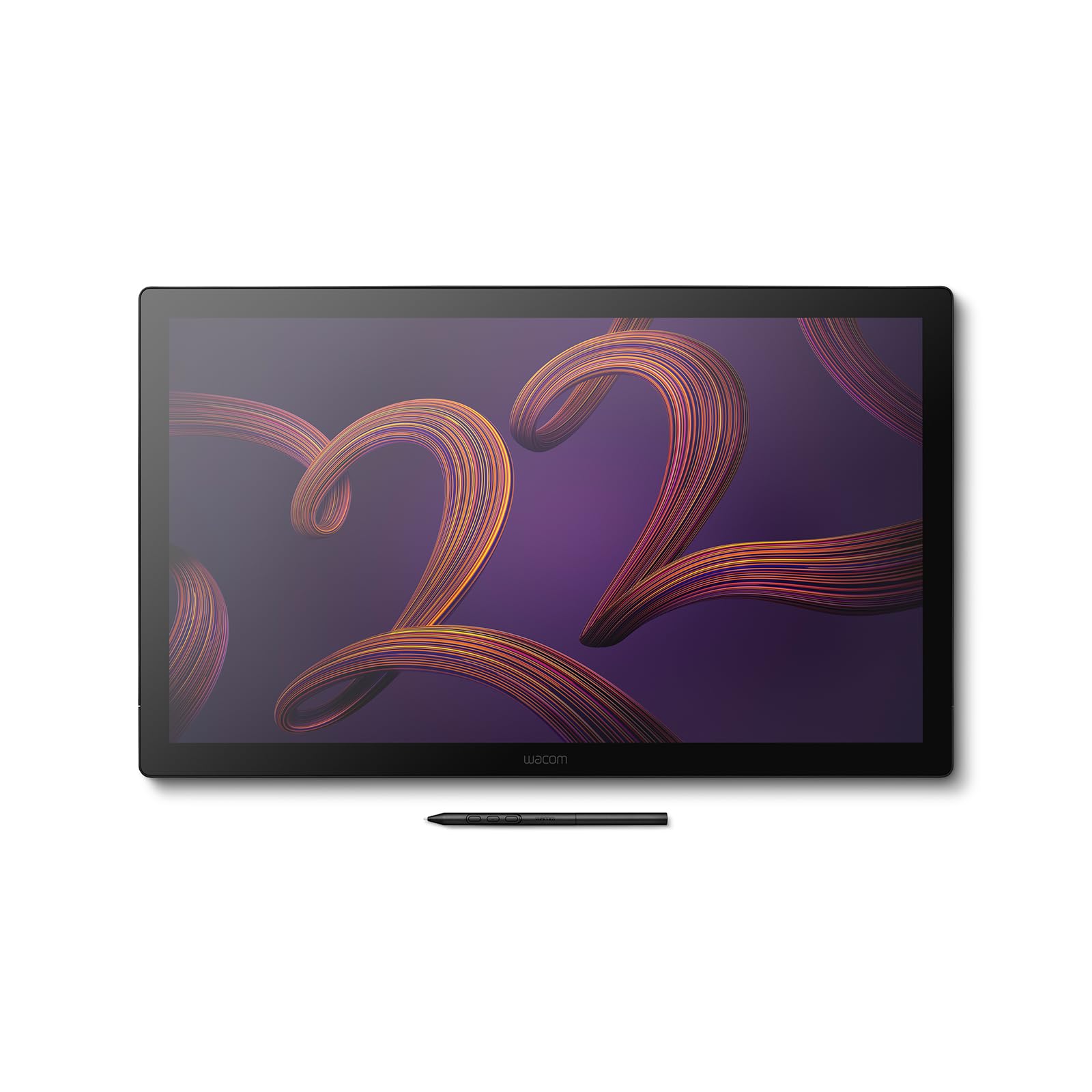
🎨 Elevate your creative game with the Wacom Cintiq Pro 22 — where precision meets perfection.
The Wacom Cintiq Pro 22 is a professional-grade 21.5-inch drawing tablet featuring a 4K UHD display with 95% Adobe RGB and Pantone validation for unmatched color accuracy. It offers a 120Hz refresh rate and 12ms response time for smooth, lag-free input, paired with the pressure-sensitive Wacom Pro Pen 3 (8192 levels). Designed for creators demanding precision and comfort, it supports multi-touch gestures and customizable ExpressKeys, making it ideal for design, photography, videography, and 3D modeling. Note: Stand sold separately.


| ASIN | B0CKXZBKYK |
| Active Surface Area | 382 x 215 mm |
| Best Sellers Rank | 81,357 in Computers & Accessories ( See Top 100 in Computers & Accessories ) 144 in Graphic Tablets |
| Box Contents | AC Adapter, Digital Pen, HDMI Cable, Pen Holder, Power Cord |
| Brand | Wacom |
| Brand Name | Wacom |
| Colour | Black/White |
| Compatible Devices | Desktop, Laptop |
| Connectivity technology | HDMI , USB, DisplayPort |
| Customer Reviews | 3.9 out of 5 stars 128 Reviews |
| Display Type | Touch Screen Monitor |
| Item Dimensions L x W | 54.6L x 54.6W centimetres |
| Item Weight | 5 Kilograms |
| Item height | 30 millimetres |
| Manufacturer | Wacom |
| Model Name | Wacom Cintiq Pro 22 |
| Model Number | DTH-2270K |
| Model name | Wacom Cintiq Pro 22 |
| Native Resolution | 3840 x 2160 pixels |
| Network Connectivity Technology | HDMI, USB, DisplayPort |
| Operating System | Windows, macOS |
| Operating system | Windows, macOS |
| Pressure Sensitivity | 8192 Levels |
| Pressure sensitivity | 8192 Levels |
| Product Features | Multi-Touch Screen |
| Product Warranty | 3 year manufacturer |
| Screen Size | 21.5 Inches |
| Special feature | Multi-Touch Screen |
| Specific Uses For Product | Design, Photography, Videography, 3d modeling, Drawing, Painting |
| Target Audience | Professional Creators |
P**N
Buy a two fingered glove
For me everything worked great out of the box. I get 4K, nice remote handling, nice weight on desk holds it in place, easy to draw with. You do need a glove to get your hand to slide smoothly over the screen.
B**O
Happy I bought it
I really love this thing. At first I felt a little guilty about buying it, since it was so expensive and there are cheaper alternatives out there. But it’s pretty wonderful. I love the fact that I can rest my arms on it, too.
B**T
Unable to get it working
I am simply unable to get it installed and working on 2x Windows 11 devices and 1x MacBook Pro. It simply does not identify the device despite installing latest drivers from Wacom website, going through several support videos. Support does not have option to contact support via email, and expect you to provide serial number which is only available on card board packing unlike something you see stick to the product. Extremely disappointed to see such poor product despite costing several thousands £££.
D**E
Great product for all creative apps, not just drawing
Good screen quality and flawless pen operation. Works well on Mac and PC, the touch is far more suited to a windows environment at the moment. Although it is expensive you do get what you pay for.
M**N
Major improvements compared to Cintiq 27QHD
I have been using the Cintiq 27QHD for the last couple of years and I was really excited to try the new Cintiq Pro 24 Multi-touch pen display to see the differences. The 24 inch screen is an ideal size, fits much better on most desks compared to the bulky 27 inch model. The 8192 pen pressure levels is a massive improvement, but probably the most noticeable difference is the screen resolution and color accuracy. Looking at a 4K screen with 99% Adobe RGB gamut while drawing is an amazing experience. Another big advantage is that the previous generation Ergo Stand is compatible with this new pen display, so I didn't have to invest into a new one, I could just swap over my previous Cintiq with this new one. Great job Wacom, as always!
G**L
Touch facility isn’t good enough to warrant additional cost. Stand price needs to be considered.
Works with both a PC and Mac but the touch screen does seem to function better with a PC. The touch function is somewhat hit or miss either way. I personally wouldn’t choose the touch option again having experienced it. It isn’t worth the extra money. It’s a generally well built item, it is noisy with the fans when the brightness is turned up to any reasonable level. It sits on two legs which you just flip out, the angle is very shallow for any level of work extending over hours. Factoring in the cost of the stand is equally important as it’s roughly 1/4 of the price of the tablet. Overall I wouldn’t purchase again at this price level. You will need the £500 stand if you value your back working with it for long hours, therefore it’s not recommended for professional use in the configuration offered here.
F**E
Display is fuzzy on Mac
I've used Wacom Cintiq's professionally since 2008. Moving from the Wacom 27QHD to the new Cintiq Pro 27, I was disappointment to find that the display is visibly fuzzy / blurry when using a Mac. Wacom are aware of this issue, which doesn't appear to be an issue with Windows computers. I will update this post when / if the issue is resolved but if you are considering upgrading from an 27QHD to the new pro, I would hold off.
K**P
Faulty
I could not use as the tablets inputs did not work. Tested with several Mac's and PC's but had to send back as no image could be obtained.
Trustpilot
Hace 1 mes
Hace 2 meses



