



🔐 Elevate your entryway with the future of keyless security—because your home deserves the smartest welcome.
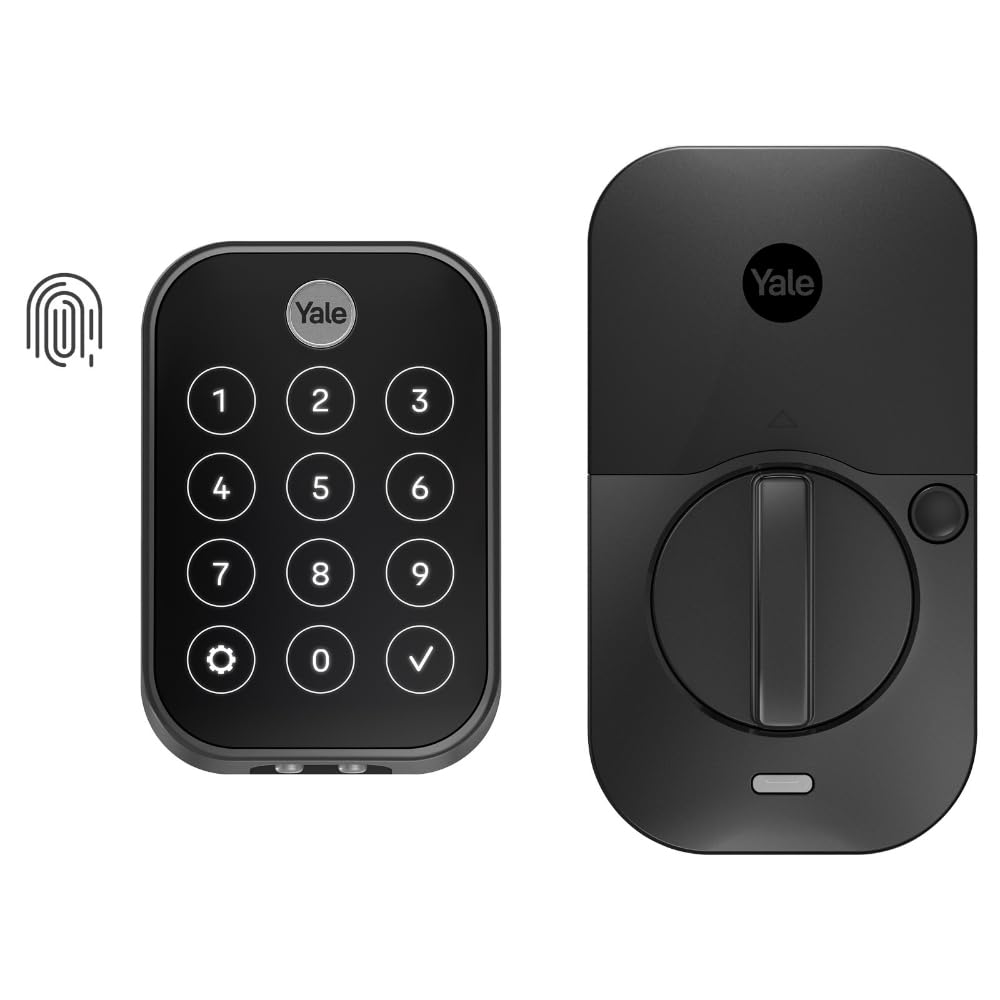
The Yale Assure Lock 2 Touch is a sleek, black suede biometric deadbolt featuring ultra-fast fingerprint recognition, Bluetooth-enabled app control, and multiple secure unlocking methods including passcode and auto-unlock. Designed for keyless convenience, it offers advanced security with two-factor authentication and DoorSense technology, powered by 4 AA batteries delivering up to a year of reliable use. Ideal for U.S. and Canada homes seeking a modern, hands-free entry experience without Wi-Fi dependency.


| Best Sellers Rank | #34,348 in Tools & Home Improvement ( See Top 100 in Tools & Home Improvement ) #163 in Deadbolts |
| Brand | Yale Security |
| Customer Reviews | 3.8 out of 5 stars 771 Reviews |
| Item dimensions L x W x H | 0.88 x 2.5 x 3.75 inches |
| Lock Type | Biometric, Keypad |
| Material | Zinc |
| Recommended Uses For Product | Entry Door, Front Door |
| Special Feature | Auto Unlock, Battery Indicator, Biometric, One-Touch Lock, Passcode Unlock |
F**R
Excellent Electronic Door Lock - Highly Recommended
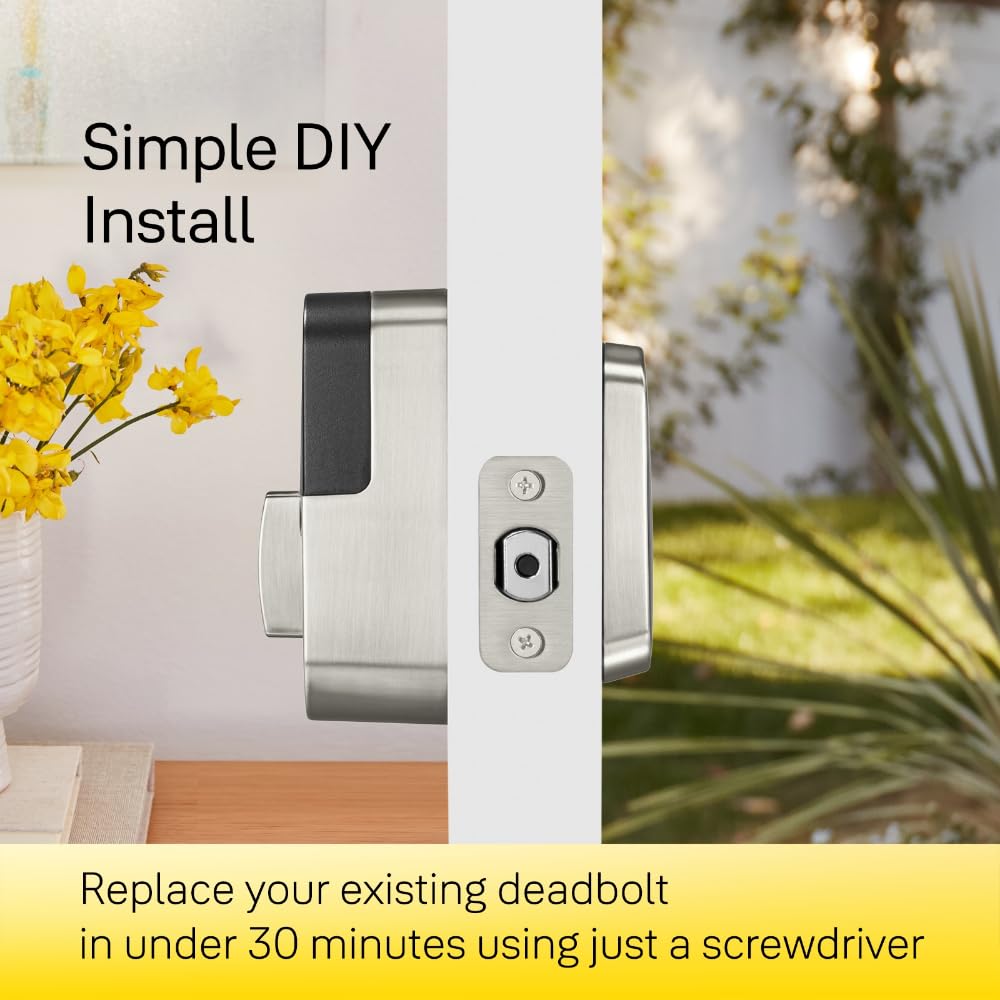
I recently bought and installed two Yale Assure Lock 2 Touch door locks. I elected to get the keyless version with Bluetooth only. It doesn't take too much searching to find plenty of YouTube videos that show how easy it is to defeat conventionally keyed locks. So right off the bat, going keyless was a step up in security. I chose the Bluetooth-only option mainly to keep battery drain to an acceptable level. But it's also the case that I have no need to remotely activate my locks or view their status - never had it and don't need it. On the other hand, without a Wi-Fi-enabled lock you lose geofencing capabilities and remote/timed entry for house cleaners, dogwalkers, and guests. Here though, something that isn't mentioned (or is easily missed) in their sales info is that Yale does not recommend using keyless locks if you only have one entry door because you can be locked out if there is a lock failure. That warning appears in the user's manual. But with the Assure Touch, there are three ways to open the lock: finger touch, keypad code, or with the app if you are within Bluetooth range. And if the batteries go dead, you can touch a 9-volt battery to contacts on the underside of the keypad to enable the lock. So there is plenty of built-in redundancy. It seems like the only failure mode would be if the actual motor-driven locking mechanism somehow broke or jammed. But there is redundancy there if you have these locks on more than one door since the chances that two locks would fail at the same time is probably highly unlikely. Installation was relatively easy but if you don't know what end of a screwdriver to pick up or are intimated by putting together Ikea furniture, it might be a challenge. My main issue came after installation. The user manual is very good in explaining the installation but not so much with getting the app up and running. After install, the manual just tells you to follow the instructions on the app on your cell phone. But I found it like following a road detour and suddenly there are no more signs to follow. I did not find either the app or user manual documentation to be forthcoming in telling you how to configure the lock and how to add other people. You can grant access to other homeowners and guests but it's not immediately clear how. I suppose there is always Google there to help, but at least at the time of this review, there is a 24/7 Yale customer hotline that proved to be quite responsive and helpful. But after you explore the app and get used to it, it offers a lot of functionality. I opted to install the Yale DoorSense hardware (which is nothing more than a little magnet) that lets the door "know" when it is opened or closed. This enables to door to automatically lock at a time delay of your choosing. So there's no more I-wonder-if-I-locked-the-door anxiety when you leave. You can also program in the number of tries someone gets to guess your keypad entry code before getting locked-out for a period of time that's also programmable. But the best part of the lock is the touch entry. It is amazing. You just have to touch (importantly, not press) the finger of your choice on the fingerprint reader and the lock opens instantly (you LOCK the door using any finger). Easy and convenient. This is a well thought-out lock that looks great and is easy to use. I very much recommend it. The only thing left to be assessed is how well it performs over time in regular use. But my immediate impression is that they are very well made and likely to go the distance. Update 7/17/2025 I chose the Bluetooth only version of the Assure Lock 2 instead of the WiFi version mainly to keep the battery drain to an acceptable level although at the time of purchase, I didn't know what to expect in the way of battery life. I just changed the batteries in my lock for the first time almost exactly a year after I installed it. The lock is on the door from the garage into the house and is my most used door. Changing batteries once a year is more than acceptable to me. Your mileage may vary. I also have an Assure lock on my front door that was installed a little later than the garage door. This door is used much less frequently than the garage door. So far I have not gotten a low battery warning. The low battery warning appeared on my phone app and indicated there was 20% battery remaining. One other observation is that somehow and for some unknown reason the locks get scrambled such that the lock/unlock status and door open/closed status do not agree. I have an idea what may cause this but can't say for certain that I'm on the right track. No matter. This has happened very rarely and is easily corrected by simply recalibrating the lock.
B**C
Avoid if you want to use fingerprints or have HomeKit
The Yale lock is a perfect example of bad engineering. The lock is beautiful looking, with a very clean design, but has some horrible issues that make it impossible to recommend. Issue #1 - Yale breaks the whole concept of Apple's Home app with this design. With Apple Home, we often share our Home to family members when they housesit or are staying at our house. All of our 80+ accessories work flawlessly, EXCEPT Yale. This is a problem when unlocking the front door is a critical requirement for housesitting. For these family members, the door lock in the Home app says "SETUP NEEDED". It turns out this is because Yale requires anyone using the Home app to also have the Yale app installed, to personally have enabled Home sharing between Yale & Home apps, and to be a FULL ADMINISTRATOR in the Yale app. The point of the Home app is I can avoid using these third-party apps, and that I can share access without requiring everyone else to install these third-party apps. And, no, I don't want my mother or cousin to be an administrator in Home or Yale, with the ability to remove accessories or change critical settings. This is bad, insecure design and incredibly frustrating. Issue #2 - Fingerprints. I bought this more expensive model because the idea of a TouchID-like experience for my front door sounds wonderful. However, the setup process is incredibly error-prone, with the lock often flashing red and the app showing an error message when trying to setup fingerprints. Yale's helpful support article suggests you factory reset the lock when you get the error message (thanks!) even though it requires complete re-setup of the entire lock, and even though the error message eventually goes away if you re-attempt a few times per day until it works. Even once fingerprints are registered, for most family members it works less than 50% of the time, and I appear to be the only one who considers using my fingerprint an option. WORST OF ALL, the fingerprints disappear from the lock once every time you change the batteries (which is more often than the advertising suggests), but the app will tell you that they're still registered. So you first have to unregister each fingerprint, and then re-register each fingerprint, multiple times per year! And again, this process will likely take several days to complete, with you entire family frustrated throughout the process and telling you that you wasted hundreds of dollars on a complete piece of crap, and can we please just go back to using a physical key again, it was so much simpler. Issue #3 – Battery life. Even though we don't use our front door super often, and even though we have strong WiFi signal at the front door, and even though we purchase high quality batteries, the battery life is pitiful, and we have to change them about twice as often as the manual suggests. Rechargeable batteries are not allowed (and will immediately flag a low-battery warning), so this lock is bad for the environment as an energy-hungry device that requires the frequent disposal of AA batteries in a home where we otherwise use 100% rechargeable batteries. But the most annoying part is that this necessitates the fingerprint issue mentioned above. Issue #4 – Entry code sensitivity. Compared to the prior model of Yale HomeKit lock which we used at our last house, this model is very finicky when it comes to entering the entry codes to unlock the door. I typically have to enter the code 2-3 times to get it to register. This is due in part to two poor design choices: the backlit numbers are dimly backlist, making it a bit hard to see them in direct sunlight; and the sound when tapping in the numbers is very quiet, making it hard to hear when you have tapped successfully on a number. Between these two features, it's quite easy to mis-type the code. At this point I'm on the lookout for a replacement device. I personally love the idea of not having a keyslot on the front door, but I may have to give up on this preference for the sake of getting a more functional smart deadbolt in a house full of otherwise mostly flawless home accessories.
M**E
Every other Smart Lock Company is on notice now!!
Well I can say its finally about time, but you know what the time is here the time is now. August, Yale Assay Ambloy Sister of companies, has finally kept me for life, August Locks have always worked great for me over the years. All models I havent had issues with, and good battery life, Switched to the Wifi 4th Gen module when it came out because it was alot smaller , sleek and looked good however wasnt a fan of the cr123 batteries as they was battery hogs. I understand why they did it, because the overall footprint was smaller so the batteries had to be smaller. I was looking for something else... I didnt have good luck with other Smart Locks on the market, including those with Fingerprint sensors... Thats really what I always wanted the ease of use... Basically theres nothing better than Auto Unlock, which means you dont have to do anything no extra steps... when it works... Mines was 85% of the time which is great. Other times it was phone issues to where I had to restart my phone and reconnect the Bluetooth. Other Smart Locks with Fingerprints was decent or either good IMO but however had a terrible app experience. So in my book its 2023, there is no excuse. August has always had a high rating in the google play store... Now August/Yale has finally came up with the same great Yale Assure lock 2, but now finally with a fingerprint sensor where the Yale logo is,, it works flawlessly 🔥🔥🙌🏽🙌🏽🙌🙌🙌 everyone loves it, its very intuitive within the app to add more fingerprints going from 1 all the way until its finished and the app tells you instantly to hit continue and its finished. All the same great features as all the other August/Yale Locks, with AA Batteries , Auto Unlock, Auto Lock, Keypad, Voice or Fingerprint or Watch...Great Job, Well Done,,, 👍🏽👍🏽😍😍😍 10/10/2023 Update Still using the locks and I have to say I have had no issues with still. Seems like the lock is learning the accuracy of the fingerprint reader and one attempt now to unlock the door works,, everyones finger in the house is reading faster now than when initially set up. Thanks Yale
M**I
Pretty Great
Summary: I bought this lock mostly for the auto lock feature and ability to ditch physical keys. The short of it is that this lock has been everything I hoped it would be. The fingerprint access method is great and what everyone in my family prefers to use. Security / Access Features: I like the lack of a physical keyhole. Youtube "pick deadbolt" or "bump key" to see that most physical key locks are easy to bypass. No physical key means that vulnerability is eliminated. Also eliminated are the chances of losing a key or having it unknowingly copied. The downside is what to do if the lock batteries die. Yale provides 9V battery contacts on the keypad for this case - still I'd recommend researching solutions with a physical key if you only have a single door. I opted to get the version *without* a Wifi or ZWave module. These optional modules provide remote access but add potential headaches. Issues I've learned about from researching other locks include mysterious rapidly draining batteries, remote lock flakiness and firmware lockups. To be clear, I'm *not* saying *this* lock has any of these issues but a less complex system naturally has less that can go wrong. In any case, the WiFi or ZWave modules can be added later for extra cost if the features they bring become important. Without Wifi / Zwave, the options for unlocking the door include: - Keypad codes, you can program multiple codes and set the times they are active. When choosing this method I suggest using one or more digits multiple times in the code for added security. - Fingerprint. You can add up to 25 fingerprints. This is the most convenient access method. It would seem that with each fingerprint added, the chance of a "false positive" (accepting an invalid fingerprint because it's close enough) would rise but I don't see needing to add a lot of prints as a common need. - Bluetooth proximity. Simply having your phone near the lock. I'm not sure how good it is at determining if you are inside your house or outside so I have it disabled. - Phone app via bluetooth. This method allows anyone that can unlock your phone to unlock the door too (although you can add an extra validation code). Still more secure than an anonymous device like a physical key or apple watch. Of the methods above, my family prefers the fingerprint method because it's convenient and you always have what you need. The lock also had the ability to autolock itself after a configurable 1-30 minutes after being closed. I think this is a great security feature which covers forgetting to lock the door when going to bed or leaving the house. Love it. Installation: I thought that installing this lock was very easy for the most part. Having a door with standard spacings was surely a help. I suggest looking at the manual ahead of time to get the measurements and avoid the potential disappointment of an incompatibility. One thing that did not work out of the box was the "door closed" sensor. There are two installation methods: an "easy" flush with the door method and slightly harder inline-with-door method which requires drilling a 5/8" hole. It turns out that the "in app" instructions contained a critical piece of information not present in the printed instructions: "flush with the door" only works if your door is also flush with the wall. Mine is not. So I switched the install from flush to inline with the door method and all is well.
D**S
Great lock, devours batteries
The lock itself works great, super stable and reliable. It chews through batteries however. That would be my only complaint.
C**Y
One year of constant use and still going strong
I've had this for 1 calendar year now. My family loves it and so do I. I was really hesitant initially due to the low ratings of this item here on Amazon. As with most things tech, negative reviews of smart home devices need to be taken with a grain of salt. Installation + tech + DIY can really create some bad experiences. I was most concerned with battery life. In totality of 1 year of constant use, I changed the batteries 3x. That is more than acceptable for me. The fingerprint reader is hit or miss at times and the app is a little slow to respond and clunky, but functionally it does everything my family and I need. It also looks incredible in matte black and has really held up to constant use. So, if you have a bit of tech know-how and are comfortable installing a door lock, it's a nice product.
D**E
Flaky lock/unlock; won’t recommend for external entry door
My first smart lock and I use it for garage to inside home entry. Got the Bluetooth with physical key version so it’s really not connected to the Internet/smart home other than when I have my phone right next to it (to configure/check settings and history). Using only the fingerprint to unlock when outside. The touch/fingerprint is like 60%, working - typically needs 3+ tries to get it to detect properly to unlock. The problem is the lock will randomly doing the locking/unlocking thing when no one is near it. Like while we’re all eating dinner or in the middle of the night. Can hear motor moving and beeping sound the door makes. Connecting it with the phone shows those as manual open/close. Sometimes it will end back in the original lock/unlock state but not always. Sometimes when it is unlocked and I just open/close the door to get to the garage, it will lock itself too despite the autolock function being disabled. Annoying. Support is responsive but they don’t really fix the problem (recalibrate, change battery, reset and program from scratch so the locks can start fresh, etc.). I think they need to do better testing and have diagnostic mechanism than just telling the customer to “reset and program from scratch” - which is quite tedious esp when it doesn’t solve the issue). Reading thru Reddit forums, seems like this not so uncommon. If I was using this for external entry doors, I would have returned it due to security concerns (that it randomly unlocks itself).
M**E
DO NOT PURCHASE (read before purchase or you will be regret)
DO NOT PURCHASE THIS, or you will regret this for your life. It’s a shame that the lowest star I can give is a one star. I bought it few months ago, and this thing just completely stopped working, very bad quality. It has bad connection, keeping saying the lock is jammed when it’s not, battery drain ( like crazy, it was working for the first two months, but then i had to change the batteries every two weeks, and now I have to change it every two days). BAD CUSTOMER SERVICE, I called their customer service when it failed to connect to Bluetooth, I followed their instructions but nothing happened, then the man said it’s all my fault because I didn’t follow the instructions properly, refused to provide alternative solution, saying I’m being unreasonable for asking a alternative solution and hanged up the call. And now the lock is completely died, I contacted their customer service again this time on email, told them the issue, and the person said the reason for the fast battery drain is it’s too far from my WiFi source, while the WiFi is literally in the living room which is no more than 10 feet’s to my door. This is ridiculous, I highly doubt the customer service knows what they’re doing. In conclusion, BAD PRODUCT, BAD CUSTOMER SERVICE, do not worth the price
Trustpilot
Hace 2 semanas
Hace 1 mes



