We remain fully operational. Our teams are working around the clock to ensure your deliveries continue safely.

Descargar la aplicación


Servicios al cliente
Sobre nosotros
Copyright © 2025 Desertcart Holdings Limited
Descargar la aplicación
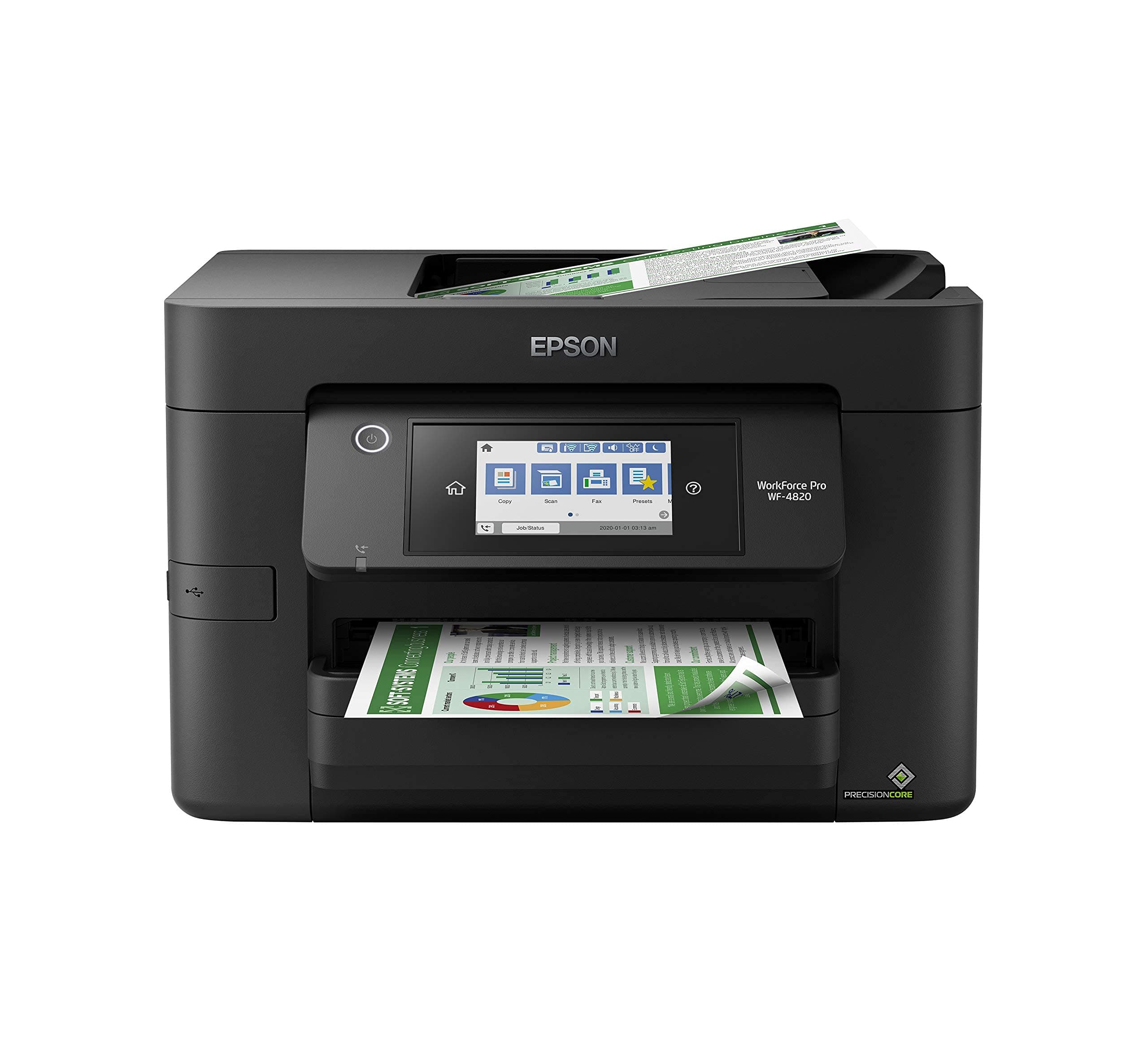
🚀 Elevate your office game with speed, precision, and smart control!
The Epson Workforce Pro WF-4820 is a high-speed, wireless color inkjet all-in-one printer designed for busy professionals. It delivers up to 25 black and 12 color pages per minute using PrecisionCore Heat-Free Technology and DURABrite Ultra instant-dry inks for sharp, professional prints. Featuring a 4.3" color touchscreen, Epson Smart Panel app integration, 250-sheet capacity, auto duplexing, and versatile connectivity options including Wi-Fi, Bluetooth, and Ethernet, it streamlines workflows while ensuring data security. Ideal for high-volume office environments seeking reliable, efficient printing.


| ASIN | B08DXK91SX |
| Additional Printer Functions | Scan |
| B&W Pages per Minute | 25 ppm |
| Best Sellers Rank | #7,321 in Office Products ( See Top 100 in Office Products ) #20 in Ink Tank Printers |
| Brand | Epson |
| Built-In Media | WorkForce Pro WF-4820 printer, quick setup guide, CD-ROM with drivers, power cord, 4x DURABrite Ultra Ink cartridges (1x Black ink cartridge and 3x color ink cartridges: 1x Cyan, 1x Magenta, 1x Yellow) |
| Color | Black |
| Color Depth | 24 bits_per_pixel |
| Color Pages per Minute | 12 ppm |
| Compatible Devices | PC, Smartphones |
| Control Method | App |
| Controller Type | Android |
| Customer Reviews | 3.9 3.9 out of 5 stars (1,682) |
| Display Type | LCD |
| Dual-sided printing | Yes |
| Duplex | Automatic |
| Global Trade Identification Number | 00010343940260, 00010343941915 |
| Hardware Interface | Bluetooth, Ethernet, USB |
| Ink Color | Black |
| Item Dimensions D x W x H | 16.7"D x 19.8"W x 10.9"H |
| Item Type Name | Inkjet Printer |
| Item Weight | 22.5 Pounds |
| Manufacturer | Epson |
| Maximum Copy Resolution Black and White | 4800 dpi |
| Maximum Copy Resolution Color | 2400 dpi |
| Maximum Copy Speed Black and White | 25 ppm |
| Maximum Media Size | 8.5 x 14 inch |
| Maximum Print Resolution Black and White | 4800 x 2400 dpi |
| Maximum Sheet Capacity | 250 |
| Maximum print Resolution Color | 4800 x 2400 dpi |
| Model Name | Workforce Pro |
| Model Number | WF-4820 |
| Model Series | WorkForce Pro |
| Number of Drivers | 1 |
| Number of Trays | 1 |
| Other Special Features of the Product | Auto-Duplex |
| Output sheet capacity | 250 |
| Paper Size | 8.5 x 14 inch |
| Print media | Envelopes, Glossy photo paper, Paper (plain) |
| Printer Connectivity Type | Bluetooth, Ethernet, USB, Wi-Fi |
| Printer Output Type | Color |
| Printer Type | Inkjet |
| Processor Count | 1 |
| Resolution | 4800 x 2400 |
| Scanner Type | Image Scanner |
| Series Number | 1 |
| Specific Uses For Product | Office |
| Total Usb Ports | 1 |
| UPC | 010343940260 010343941915 010343954410 |
| Unit Count | 1.0 Count |
| Warranty Description | 1-Year Limited |
| Warranty Type | limited warranty |
| Wattage | 18 watts |
A**R
Works great.
Excellent printer. Installed easily and prints great.
6**2
Great printer...I thought
This unit has really great reviews and many from small biz owners who say it works great and lasts. I've had it for a month and I'm really happy with it. It's much better than my last one. If it lasts as so many other reviews say, it's a great purchase. **UPDATE** Loved this printer. Only used it a few times. On the 3rd month, I pushed the button to turn on the printer and there was no response at all. I tried everything. Checked all connections and the outlets. It would not turn on at all. I was out of the return window with Amazon, so I called Epson. They told me they are sending a unit to me and to return mine with the box and label in the shipment. But they said they are NOT SENDING A NEW UNIT, BUT A REFURBISHED UNIT! I am not at all happy about this! I purchased a new printer, not a refurbished printer, and I want a new one! So, I'm really unhappy with Epson right now.
B**S
Scams with Epson???????
Lousy machine. I did not come with good instructions nor total instructions. I've been online, found the answer to how I get it to print what is on my screen, it worked very well. I went back looking for those instructions but they had been taken down and what was there is the offer to send me instructions, it would cost me a dollar and I had to put it on my charge card....it's a scam. I've talked to Best Buy and they don't tell me or don't know, I've called Epson and they just give me the run around but NO instructions to my simple question. May neighbor gave me some long instructions but not the ones I found that were so simple and worked. Is Epson in on this scam. I've called several times but NO ONE would tell me how to print out what is on my screen. I had an Epson, ran out of black ink. Went to Best Buy and bought a more, put it into my printer but now my printer won't work. When the people at Best Buy they agreed it wasn't an Epson refill but it was in an Epson box. When I did get a real Epson and put it in my printer still wouldn't work. I don't know what is going on but I'm very discouraged and would like to return this printer but understand it's past time. I've worked very hard to learn how to print with it but the only good instructions were online, no more.
S**V
Easy set up on USB cable. Works as expected on my Windows 11 computer
I got this Epson All-In-One printer for my work. I had been using HP printers for years. I started having problems with paper handling on them. Things like getting a paper jam error when there was not paper jammed in it. I decided to try an Epson for a change. I have had the printer now for three weeks. So far it has worked great. Easy to set up on my Windws 11 computer. Works great for printing and for scanning. I have it set up by USB cable because I don't have reliable wireless internet in that part of the building. No issues with the USB configuration. Ink usage seems good so far. Ink on any printer is expensive, but that was expected. I would recommend this printer.
A**E
Cost friendly Printer
I purchased this printer in 2023 and have been impressed with how easy it is to set up and the quality of the prints. While it still produces great prints, I’ve recently encountered some frustrating issues, including paper jams and black spaces appearing in the middle of pages. I’ve run all the cleaning cycles and printed the cleaning pages, and everything looks good. I’ve also checked both the inside and the back of the printer for any potential problems. Unfortunately, it’s out of warranty, and the repair costs are too high. Despite these issues, I appreciate its ease of use and reasonable price, so I’m seriously considering repurchasing this printer. Overall, I really love it!
B**M
Best for Business owners gets the Job done
This Item is outstanding. Why? I've had two HP printers all in ones however, they were okay and did the job the inks are very expensive and not worth the money quite frankly. Now this printer faxes very fast and prints very fast also holds twice the paper in its tray. I like the big readable screen display that's really an asset. The HP always a hard time with big hands to enter numbers into the printer to fax,dial, and configure. This primer comes with the CD ROM if needed. Out of the box set up was indeed a breeze. Ready to go. I was really impressed to say the least. My personal opinion is that I highly recommend this item for small business owners who like to get the job done and quickly. Respectfully Dr. Martin PhD
A**Y
Upgrade your Epson today
Replaced my WF 645 with this WF 4820 a week ago . Set up was so easy I did it by myself . Print quality is terrific . Highly recommend this multi-function Epson printer/copier/fax/ scanner
G**E
Great product, fast printing.
T**S
Ótima impressora.
B**.
I like everything about this printer, speed, output all of it.
A**A
Não encontro suprimentos no Brasil, já fiz importação dos suprimentos, mas a impressora não reconhece.
T**E
A impressora é rápida. Porem os cartuchos acabam muito rápido. Não durou nem 2 semanas e usei pouquíssima vezes. É difícil achar cartucho pra ela no meu estado e ate no brasil também. E são super caros, pois tem chip. Não vale a pena. Uma péssima escolha.
Trustpilot
Hace 4 días
Hace 2 semanas