
Descargar la aplicación


Servicios al cliente
Sobre nosotros
Copyright © 2025 Desertcart Holdings Limited
Descargar la aplicación


📸 Elevate your memories with the frame that works as hard as you do!
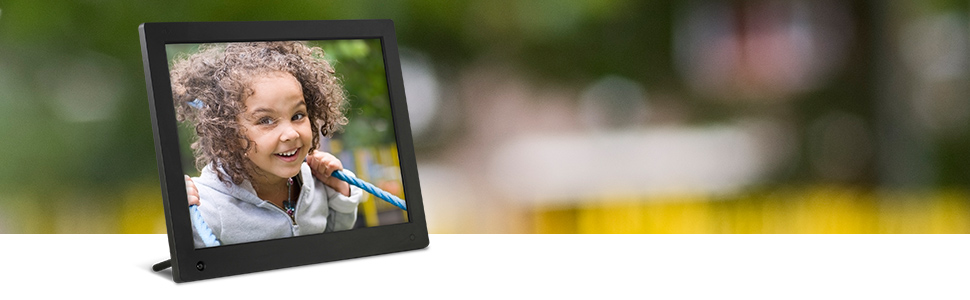
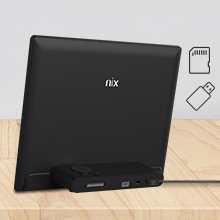
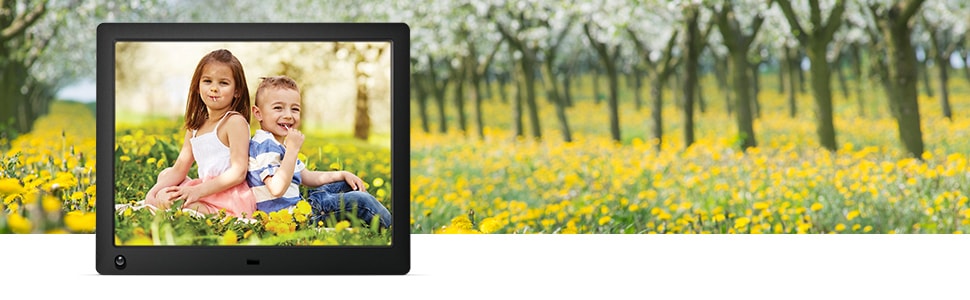
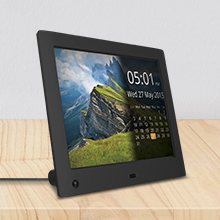
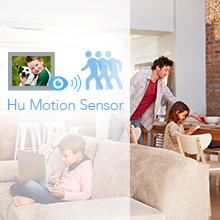
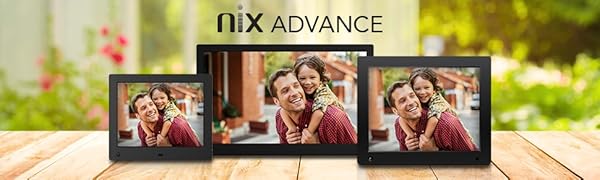
The NIX Advance 10 Inch USB Digital Photo Frame features a vibrant 1280x800 HD IPS display with a 16:10 aspect ratio, supporting both JPEG photos and 720p MP4 videos in the same slideshow. It includes a smart motion sensor that powers the frame on and off based on room activity, maximizing energy efficiency. Setup is effortless with USB and SD card plug-and-play compatibility, complemented by a remote control for easy navigation and slideshow customization. Designed for professionals who value seamless, high-quality memory display without the distractions of Wi-Fi connectivity.



| ASIN | B06XSGY7ZJ |
| Aspect Ratio | 16:10 |
| Best Sellers Rank | 217,765 in Electronics & Photo ( See Top 100 in Electronics & Photo ) 599 in Digital Frames |
| Box Contents | Remote control with battery installed. AC Power Adaptor. Nix Advance Frame & Quick Start Guide. |
| Brand | NIX |
| Brand Name | NIX |
| Compatible Devices | Personal Computer |
| Compatible devices | Personal Computer |
| Connectivity technology | USB |
| Control Method | Remote |
| Customer Reviews | 4.5 out of 5 stars 6,290 Reviews |
| Global Trade Identification Number | 05060156641286 |
| Human Interface Types | Buttons |
| Item Weight | 249 g |
| Manufacturer | 159 |
| Memory Storage Capacity | 8 GB |
| Model Number | X10H |
| Network Connectivity Technology | USB |
| Power Source | Corded Electric |
| Power source | Corded Electric |
| Resolution | WXGA |
| Screen Size | 10.1 Inches |
| Screen size | 10.1 Inches |
D**1
Decided to join my parents and buy a picture frame :-)
Like most a did a lot of research about various picture frames, i didn't want one too large or too expensive so i could actually see some of the mountains of pictures i always take and just leave on my computer. Out of the box it couldn't be simpler, plug in the mains transformer plug (the transformer stays nice and cold), put in your SD card and switch on, only takes a minute or so to read the manual and work out the settings you want and then it just runs on it's own. So far this frame has worked perfectly, resolution is very good and the screen is nice and bright, you can choose to have the time and date displayed on it or not in the bottom right hand corner and can also adjust the size you want it to be. you get a small remote which allows you to play, go forwards and backwards or pause (i've not tried it yet with Mpeg's so can't comment about that), it also accesses the main menu setup section. Another nice feature is it has auto movement detection which you can set a duration for after which it'll switch off until it detects movement again to save electricity (mine seems to pick up movement from in excess of 4m), you can also set the duration the picture remains on display which i've found 10 sec is more than enough time considering how many pics i've got on it. One thing to bear in mind is where you put it as the screen doesn't auto dim so when you switch the lights off it's quite a bright light from the display so probably not something you'd want in your bedroom unless your going to switch it off each night which defeats the point of having and auto on off feature. For what i wanted i honestly can't fault this product it seems to be well made and it's well worth the money.
N**C
Well worth buying to show off all those hidden pictures on your computer!!!!
I take a lot of photos that just sit on my computer doing nothing; and whilst I already own a digital photo frame, the Nix appealed due to its on/off sensor (meaning I could just switch it on and leave it - unlike my older frame). Upon receipt I was surprised at how large the 8" screen looked - it was bigger than I was expecting and the quality of the image just blew my older frames screen out the water! The screen quality is (IMO) right up there with an iPad screen. Menu's are VERY clear and well presented, lots of options and a handy remote which worked really well. Dead simple to work ... its really been thought out well. The sensor worked brilliantly too and the quality of the frame itself, like the screen, was top notch! If you have a lot of photos like me, I don't think the money spent is wasted on something like this ... its great for bringing back memories! Ultimately I was so impressed that I also purchased the 10" widescreen version (on Amazon sale at only £79!). The size difference is noticeable and if you're not sure which to buy, money aside, I'd say go for the 10". That said, it is a lot more than the 8" model so value for money wise, the 8" wins by a mile. But if you can get the 10" for under £100 I'd go for that. At the end of the day though, you won't be disappointed with either ... and some may even prefer the smaller 8" model as it looks like a more regular photo frame size. The 15" was appealing at the sale price but I think once you get past 10", the frames start to look more like small (HIGH QUALITY) screens rather than photo frames. I can imagine the 15" would look massive on a small table, so here an 8" or 10" would be better. I guess it depends on how 'On View' you want your pictures to be. Finally, the frame also played movie clips shot by my smartphone and digital camera no problem (with or without sound - you can select) .... a great touch I thought! Hope my review helps ... if you're looking for a digital frame I'd skip the rest and just go for this! Note the attached pictures don't show how good the screen really is.
P**Y
Got there in the end.
This has proved a very good frame, which replaced our 8" Sony S-Frame which died after 5 years or so. Excellent photo reproduction - viewable from wide angles, easy to set up, adjust etc. The motion sensor delay is a really good feature. But BEWARE if you want slower slide transitions than 60s but not as long as 1 hr, you have to contact the manufacturer and get a link to download a Firmware update which they released last year and includes transitions of 3 and 5 minutes. The update also includes timed on-off cycles to complement the motion sensor. The update currently posted on their website is NOT the latest one and does not include these additional transition times. Moreover you have to pay attention to the instructions as to how to erase and re-format a memory stick so the frame recognises the update software. (It just seems so odd that whilst this firmware update was released last summer, yet the frame newly-bought from Amazon this March did not have the latest firmware on it). But the customer helpline - both on-line and phone was responsive and they got me sorted after a few days. Another minor grumble is that the frame cannot read storage devices larger than 64Gb - I naively bought a 128Gb stick for the purpose which the frame did not detect.
J**S
Excellent piece of kit!
This photo frame was purchased to replaced a failed Sony 7 inch S-frame (that had been on for around 16 hours a day for 6 or 7 years and the screen was cutting out). Back in the day, the Sony was a very good digital frame and the Nix has a lot to live up to - But is far exceeds the quality of the Sony. The 4:3 display ratio is far better suited to the display of pictures that the Sony's 15:9 ratio and the hi-res display is simply superb (1024x768 compared to 800x400). It has an excellent viewing angle - as one reviewer notes, almost 90 degrees. All the necessary bells & whistles are available within the settings to set up the display to your personal liking, and it's very easy and intuitive to do so. I got the frame unpacked and running in less than 5 minutes and then spent a further 5 minutes max setting the display settings to my liking. The only thing I missed at first was the ability to have it auto startup and close down like the Sony. However, setting the motion sensor to 10 minutes, would so far seem to be a good compromise - and it starts up very quickly once motion is detected. I have not yet tried to see exactly how sensitive the motion sensor is, or it's range, but I doubt it would be a problem if you just wanted to stand/sit still and watch the images - who would not at least make some movement for the duration? And having the sensor set to 10 mins will save the screen from too much (unnecessary) use. I'll check back here is another 6 or 7 years to give an update on that!! Update 22nd May 2016: I found the frame frozen on an image today and the remote was unresponsive to any input :( Required the unit to be unplugged and re-started to get it all working again. Maybe a one-off glitch, but we'll see whether it happen again.
D**N
BEST BY FAR.
After a few weeks of buying and returning digital frames, both to amazon, Ebay and high street retailers that just did not compare to a Philips one we had had for about 12 years that no longer worked, but more importantly satisfy what the wife wanted, my son sent me a link to a site that had reviewed several digital frames of all sizes and styles, and the NIX was rated No 2 in the survey, along with a caption that read " A lot of Bang for your Bucks" We decided to send for this one because it was available in a 12inch screen size and the No 1 rated frame was not. We are not at all dissapointed, and you sure do get a lot of bang for your bucks with this model. It is very sturdy and does have some weight to it compared to all the others we had sent for which seemed flimsy. The picture quality is excellent and can been clearly seen without distortion from various angles when sitting in the lounge, unlike some we had where the displayed picture could only really be seen if viewed from directly in front. Set up and starting was very simple, compared to the others we tried, and the fact that it will take up to a 32G memory card was a real bonus for us as we have thousands of photos of grandchildren and holidays and like to see as many of them as we can, something that the other frames could not give us as they were unable to take such a large memory card. If this NIX frame can put a smile on my wifes face and finally satisfy her demands of what she was looking for, then trust me, it will suit you too!! Go ahead send for it, you will not be disappointed.
E**X
Offers a feature it can't deliver
I bought this picture frame to replace an older and on the face of it, less "feature-rich" device. The device itself is a classic black framed unit and the pictures themselves are bright and a pleasure to view. I also liked the remote control, which is a slightly awkward in a larger hand, square piece of kit. It allows the user to switch on the device, access their photos and display them in a different order - advertised as "A-Z", "Date (taken)" and "Random" (have a look at sales pitch above). Other settings include having the option to display current date & time superimposed on a portion of the frame as well as setting it up to come on when you walk in the room. What is doesn't do however is the "Date taken" option, which I believe is intended to interrogate each photo's EXIF data, which is included in most modern digital cameras. If this option is selected the device locks up completely and has to be hard-booted by removing the power lead AND the USB stick, and then power back up, access Settings again and switch to either Shuffle or A-Z, then reinsert the USB stick (if the USB stick is left in after removing the power lead, the device "reads" the stick and then promptly locks up again). After reporting the issue to Nix and making use of their friendly Technical Support Help Desk, I upgraded the device's software via a file emailed to me by Nix TSHD, which resulted in the "Date (taken)" feature to be removed as an option. Not the fix I was hoping for... A replacement device was arranged via Nix and Amazon and it arrived promptly, but also suffered with the same issue. Nix eventually confirmed the device wasn't able to read the EXIF data as they said it caused it to slow the slideshow down too much - by which I think they mean it just stops. So if you buy one of these, don't choose "Date (taken)" on the slideshow options, be patient with NIX Customer Service as they will ask the same questions again and again and you will end up Acceptance Testing their product.
M**L
Excellent, clear, no nonsense photo frame.
I am well pleased with this item. I had gone for a cheaper Brand X 10 inch frame but had to return it because the image quality was poor and it would only play some video files. As I wanted the frame primarily for video file display, it rendered it useless, For about the same money, this Nix frame is in a totally different league. As soon as you turn it on, you can see that it's going to do the job. The picture is crisp and clear, the software is pleasant to use and the zapper is easy to figure. The instructions are clear and to the point, unlike the Chinglish nonsense that came with the 10 inch dud. There is a nice calendar and time feature on screen and you can reduce the size of the time to suit your own taste. Most important for me, it played my video files with no issue or struggle, it just worked elegantly out of the box. The only criticism is that the screen is a little small, if I was to purchase again I would go for the 12 or 15 inch model, both seem to be excellently priced on amazon.co.uk.
M**E
Very good product, great value for money
Bought this for my mother for Christmas and she loves it. Easy to turn on, and the remote makes it easy to change settings, e.g. interval between photos, which is probably the only thing my mum will touch, though you can do a lot more with it. She also finds the clock and calendar feature clear and bright, even from across the room. I set the photo frame up for her before wrapping it, pre-loading it with over 200 photos, although the 32GB USB stick I used means there's room for many hundreds more at a later date. I found the process pretty intuitive and everything worked as it should. Photos appear bright, sharp and extremely good quality, though obviously it helps if the photo is decent quality to begin with. On that note a couple of tips for non-teccies: Use a photo-editing tool (there are several free ones that'll do the job nicely) to reduce the file size of original photos if they've come straight from your camera or mobile phone - reducing a jpg file from several MB to a couple of hundred KB will help you get even more photos onto the USB stick. There are a couple of Screen Modes - Fit and Fill. Fill is lovely because the photo fills the whole frame, with no black space around the sides, but I found this often didn't work very well for portrait-oriented photos, chopping off heads etc. You can't choose different Screen Modes for each individual photo though (if I'm wrong on this I'd love to know how to change the setting), so I opted for the Fit mode. This is OK, but not quite so nice-looking in my opinion - some photos appear smaller, with black space at either side of the portrait-oriented ones. I tried to minimise this by cropping portrait-shaped photos before uploading to a slightly squarer shape, where possible, to help them fill the frame a bit better. Haven't tried uploading video yet, so can't comment on video or audio quality. If the frame wasn't such an undecorative plain black I might even buy one for myself, though it would probably be more expensive if it was less ugly. With any decor that's not modern, it's going to stick out like a sore thumb. Still, the photos are what matters to my mother, and she's very happy with it. I think it's very good value for money.
Trustpilot
Hace 4 días
Hace 1 mes